
NanoStack: The AI Agent Framework That Thinks Before It Codes
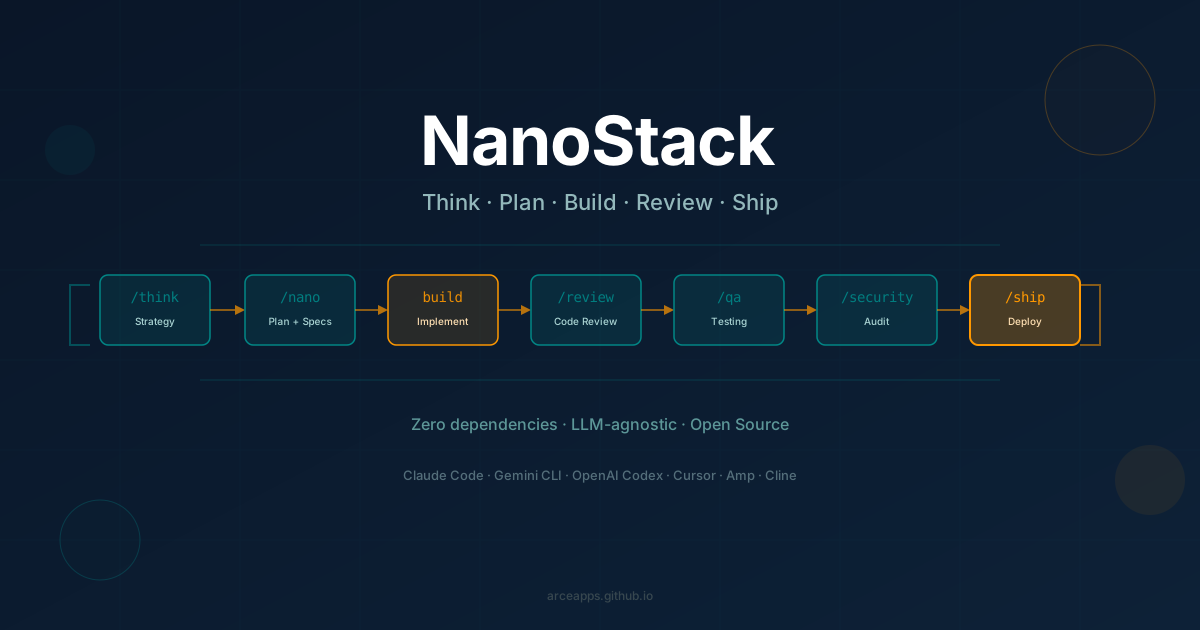
Table of Contents
Most AI coding tools answer a simple question: “How do I write this?” NanoStack answers a different one first: “Should we even build this?”
This distinction is the heart of NanoStack, an open-source framework that structures any AI agent into a full engineering team workflow. It doesn’t replace your AI of choice — it gives it a process. Whether you use Claude Code, Gemini CLI, OpenAI Codex, Cursor, or any other LLM-powered coding tool, the same sprint runs the same way with the same commands.
The project was created by Gustavo Aragón and is inspired by gstack from Garry Tan. It has zero external dependencies, requires no build step, and installs in under a minute. But the real innovation is not the tooling — it’s the idea that an AI agent should model how an engineering team thinks, not just how it types.
🧠 What Is NanoStack?
NanoStack is a collection of 8 agent skills that together replicate the full lifecycle of a software sprint. Each skill is a folder containing a SKILL.md file that gives the AI agent a specific role, a checklist of responsibilities, and instructions for what to do and when. The skills are designed to run in sequence and share information with each other through a persistent artifact system stored locally in .nanostack/.
Each skill embodies a role on an engineering team:
| Skill | Role | What It Does |
|---|---|---|
/think | CEO / Founder | Challenges the requirement. Is this the right problem to solve? |
/nano | Engineering Manager | Generates product and technical specs before a single line of code |
/review | Staff Engineer | Two-pass code review: structural then adversarial |
/qa | QA Lead | Functional, visual, and browser testing |
/security | Security Engineer | Scans for secrets, injection, auth, and AI/LLM vulnerabilities |
/ship | Release Engineer | PR creation, CI monitoring, post-deploy checks |
/guard | Safety Layer | 28 block rules that prevent destructive agent commands |
/conductor | Orchestrator | Coordinates parallel agent sessions across a sprint |
The fundamental difference from a simple AI copilot: these skills are stateful and interconnected. /nano generates a spec artifact that /review reads later to detect scope drift — did the agent touch files that weren’t planned? Did it skip files that were? /review saves its findings to a JSON artifact that /security cross-references to detect conflicts between code quality recommendations and security constraints. Nothing falls through the cracks because every step knows what came before.
🔄 The Sprint: A Process, Not a Collection of Tools
The mental model of NanoStack is a sprint. You run it in order:
/think → /nano → build → /review → /qa → /security → /shipThis is not about enforcing bureaucracy for its own sake. It’s about the agent asking the right questions at the right time — the same questions a thoughtful senior engineer would ask before touching a keyboard. The real value shows when /think pushes back on a feature request rather than immediately executing it:
You:    I need to add push notifications to my app. Users are
        missing replies to their posts.
You:    /think

Agent:  How are users coping today?

You:    They open the app 3-4 times a day just to check.

Agent:  That's high engagement. They already come back.
        The problem isn't that they can't be reached. The problem
        is that when they arrive, they can't tell what changed.

        That's a freshness problem, not a messaging problem.

        A notification system (push, email, preferences, digest,
        unsubscribe flow) is a 3-week project. A red dot on the
        nav icon that says "something new" ships this afternoon.

        RECOMMENDATION: Reduce scope. Ship the dot. See if
        complaints drop. If they don't, then build push
        notifications — but now you have data, not a guess.
This is what NanoStack means by “questioning the requirement before writing the code.” If you skip /think and go straight to /nano, the agent still plans it — it just doesn’t challenge the premise. You save 3 weeks or waste them based entirely on one conversation.
Intensity modes
Not every task needs the same depth of analysis. /review, /qa, and /security all support three intensity modes:
| Mode | Flag | When to Use |
|---|---|---|
| Quick | --quick | Typos, config tweaks, documentation fixes |
| Standard | (default) | Normal features and bug fixes |
| Thorough | --thorough | Auth flows, payments, infrastructure changes |
Running /review --thorough after an authentication change means the agent flags everything suspicious — including patterns that look fine in isolation but would be problems under adversarial conditions. Running /security --quick after updating a README skips the deep scan and only checks for obvious secrets.
⚡ Zero Dependencies, One Install
NanoStack has no build step and no external runtime dependencies beyond jq and git. The skills are plain Markdown and shell scripts. You don’t pull a Docker image or configure a YAML pipeline. You clone a repository and run a setup script.
Supported agents: Claude Code (default), Gemini CLI, OpenAI Codex, Cursor, OpenCode, Amp, Cline, Antigravity.
Install via git clone (recommended)
git clone https://github.com/garagon/nanostack.git ~/.claude/skills/nanostack
cd ~/.claude/skills/nanostack && ./setup
The setup script auto-detects which agents are installed and creates symlinks accordingly. You can target a specific host:
./setup --host gemini     # Gemini CLI only
./setup --host codex      # OpenAI Codex only
./setup --host cursor     # Cursor only
./setup --host auto       # All detected agents simultaneously
The git clone approach is recommended because it enables the full feature set: skill renaming, sprint analytics, the Obsidian vault integration, and the bin/init-project.sh script that configures per-project permissions for Claude Code.
Install via npx (quick start)
npx skills add garagon/nanostack -g --full-depthThe -g flag installs globally (available in every project). --full-depth installs all 8 skills. This method copies files instead of symlinking, so advanced features like --rename and analytics scripts won’t be available. Good for a quick trial; upgrade to git clone if you decide to use it seriously.
Install as a Gemini CLI extension
gemini extensions install https://github.com/garagon/nanostack --consentProject setup
Run this once per project to configure file permissions and add .nanostack/ to .gitignore:
~/.claude/skills/nanostack/bin/init-project.shThis prevents Claude Code from interrupting the sprint to ask for approval on every file operation, which would break the autopilot flow.
Update
~/.claude/skills/nanostack/bin/upgrade.shPulls the latest changes and re-runs setup. No build step. Symlinks update immediately.
🛡️ Guard: Safety Rails for Autonomous Agents
As agents become more autonomous, the risk of destructive commands grows. An agent that can run git push can also run git push --force. One that can delete a test file can delete a production config. /guard is a three-tier safety system that intercepts dangerous operations before they execute.
- Tier 1 — Allowlist: Read-only commands (
ls,cat,git status,jq) skip all checks. They can’t cause damage. - Tier 2 — In-project: Operations confined to the current git repository pass through. Version control is the safety net — if the agent writes a bad file, you revert it.
- Tier 3 — Pattern matching: Everything else is checked against 28 block rules covering: mass deletion, force pushes that overwrite history, database drops, production deploys without a review step, remote code execution via
curl | sh, and security setting bypasses.
When a command is blocked, /guard doesn’t just say no. It suggests a safer alternative and explains the category of risk:
BLOCKED [G-007] Force push overwrites remote history
Category: history-destruction
Command: git push --force origin main

Safer alternative: git push --force-with-lease
  (fails if remote changed, so you don't overwrite others' work)
The agent reads this output and retries automatically with the safer command. No manual intervention needed. All rules live in guard/rules.json and are fully configurable — you can add your own patterns for infrastructure-specific risks like terraform destroy or kubectl delete namespace production.
🤖 Autopilot: Approve Once, Ship Automatically
Once you’ve validated the idea with /think and agreed on the brief, you can hand the entire sprint to the agent:
/think --autopilot/think is still interactive: you answer the agent’s questions and approve the direction. After your approval, everything else runs without you:
/nano → build → /review → /security → /qa → /shipAutopilot pauses only when it encounters something it genuinely can’t resolve autonomously:
- A blocking issue in
/reviewthat requires your judgment (not just a mechanical fix) - A
CRITICALorHIGHvulnerability in/security - Test failures in
/qathat require product decisions to resolve - A product question the context doesn’t answer
Between phases, the agent reports status without requesting confirmation:
Autopilot: build complete. Running /review...
Autopilot: review clean (5 findings, 0 blocking). Running /security...
Autopilot: security grade A. Running /qa...
Autopilot: qa passed (12 tests, 0 failed). Running /ship...
This is the practical definition of “agentic”: the human sets the direction, the system handles the execution. You come back to a merged PR and a sprint journal, not a series of approval dialogs.
⚡ Parallel Sprints with /conductor
For larger changes where review, QA, and security can run independently, /conductor coordinates multiple agent sessions simultaneously. After the build phase completes, three agents claim separate phases and work in parallel:
/think → /nano → build ─┬─ /review   (Agent A) ─┐
                        ├─ /qa       (Agent B)  ├─ /ship
                        └─ /security (Agent C) ─┘
The orchestration uses no daemon or message queue — just atomic file operations: mkdir for phase locking, JSON files for state, and symlinks for artifact handoff. Each agent claims a phase by creating a lock file, executes it, and writes its artifact. The next agent in the dependency chain picks up the artifact when it becomes available.
This is most useful in larger projects where the review pass takes 5 minutes and the security scan takes another 5 — running them sequentially doubles the wait. Running them in parallel cuts the sprint significantly without adding infrastructure complexity.
🎯 Specs by Scope: Right-Sizing the Plan
One of the most common frustrations with AI coding agents is that they jump straight to implementation. They can write code faster than a human, so they default to doing that. But the implementation phase is rarely where time is lost — it’s the rework after discovering the plan was wrong.
/nano addresses this by auto-sizing the specification based on the complexity it detects in the planned changes:
| Scope | Trigger | What You Get |
|---|---|---|
| Small | 1–3 files | Implementation steps only |
| Medium | 4–10 files | Product spec + implementation steps |
| Large | 10+ files | Product spec + technical spec + steps |
The product spec covers: problem statement, proposed solution, user stories, acceptance criteria, user flow, edge cases, and what’s explicitly out of scope. The technical spec adds: architecture decisions, data model, API contracts, integration points, security considerations, migration plan, and rollback strategy.
Specs are presented for approval before the agent writes any code. If you disagree with the spec — maybe the scope is wider than you want, or the architecture decision doesn’t fit your constraints — you say so and the agent revises it before starting. As NanoStack’s documentation notes: “If the spec is wrong, everything downstream is wrong.”
🧠 Know-How: Memory That Builds Over Time
Most AI coding tools are stateless — every session starts from zero. NanoStack deliberately builds knowledge as you work, without requiring extra commands.
Every skill automatically persists its output to .nanostack/ after each run:
/think     →  .nanostack/think/20260325-140000.json
/nano      →  .nanostack/plan/20260325-143000.json
/review    →  .nanostack/review/20260325-150000.json
/qa        →  .nanostack/qa/20260325-151500.json
/security  →  .nanostack/security/20260325-152000.json
/ship      →  .nanostack/ship/20260325-160000.json
These artifacts aren’t just logs. The next skill in the chain reads the previous artifact and uses it:
/reviewreads the/nanoplan to check if the implementation drifted from what was agreed. “Did you touchsrc/unplanned.ts? That file wasn’t in the plan. Did you skiptests/auth.test.ts? That file was.”/securityreads the/reviewartifact to detect tensions./reviewsays “add more detail to error messages.”/securitysays “don’t expose internals in error messages.” The conflict is matched against 10 built-in conflict precedents and resolved: “structured error codes: generic message to users, full detail to server logs.”
When /ship runs and the PR lands, it generates a sprint journal automatically:
/ship  →  reads all phase artifacts from the sprint
       →  writes .nanostack/know-how/journal/2026-03-25-project.md
The journal is a single file with the full decision trail: what /think reframed, what /nano scoped, what /review found, how conflicts were resolved, what grade /security assigned and why. Over time, these journals become a searchable history of every non-trivial decision made in the project.
You can open .nanostack/know-how/ directly in Obsidian for a graph view that connects sprints, conflict precedents, and captured learnings over time.
🔧 Extending NanoStack with Custom Skills
NanoStack is designed to be a platform, not just a tool. The same artifact infrastructure that powers the built-in 8 skills is available to any custom skill you create.
Custom phases are registered in .nanostack/config.json:
{ "custom_phases": ["audience", "campaign", "measure"] }A custom skill follows the same structure as the built-in ones: a folder with a SKILL.md that defines the role, a checklist, intensity modes, and references to any scripts or templates it needs. The save-artifact.sh and find-artifact.sh scripts handle persistence and cross-referencing — your custom skill can read the output of /review or /security exactly the way the built-in skills do.
This means teams with specialized workflows can build on top of NanoStack without forking it. A marketing team might build /audience and /campaign. A data team might add /explore and /model. A design team might contribute /wireframe and /usability. All of these compose with NanoStack’s existing /think for ideation, /review for quality, and /ship for delivery. The sprint journal and analytics work with custom phases automatically.
🧘 The Zen of NanoStack
What sets NanoStack apart philosophically is that it applies engineering judgment, not just engineering capability. The ZEN.md file in the repository captures this in nine principles:
Question the requirement before writing the code. Delete what shouldn’t exist. If nobody would use a broken v1, the scope is wrong. Narrow the scope, not the ambition. Ship the version that ships today. Fix it or ask. Never ignore it. Security is not a tradeoff. It is a constraint. The output should look better than what was asked for. If the plan is hard to explain, the plan is wrong.
These aren’t motivational posters. Each line is a rule enforced by a specific skill. /think questions requirements. /nano narrows scope and requires a plan that’s easy to explain. /review catches things that were ignored rather than fixed. /security treats security as a hard constraint, not a dial to be adjusted for convenience. /ship verifies the output is better than what was asked for before creating the PR.
The cumulative effect is that the AI agent behaves less like a fast typist and more like a thoughtful engineer who pushes back when something doesn’t make sense.
💡 How It Fits Into Your Current Workflow
NanoStack doesn’t require you to switch AI providers or learn a new programming paradigm. If you’re already using skills-based architecture with files like AGENTS.md, GEMINI.md, or COPILOT.md, NanoStack plugs in as an additional set of skills alongside your project-specific context files.
The workflow integration is straightforward. In Claude Code, the skills appear as slash commands directly. In Gemini CLI, they load as extensions. In Cursor, they appear as custom instructions. The same eight commands work the same way regardless of which tool you’re using.
If you’re new to the skills concept, it’s worth understanding how agent skills work and the AGENTS.md standard before going deeper with NanoStack — the framework makes more sense once you understand the modular context injection model behind it.
🔌 LLM-Agnostic by Design
One of NanoStack’s most important design decisions is that it doesn’t tie you to any specific AI provider. The skills are plain Markdown files — the AI reads them as context instructions, not as executable code. There are no API calls to a specific provider baked into the framework itself. As long as your agent supports external skill files or custom system instructions, NanoStack works with it.
This has a practical implication for indie developers: you can change your mind. Try Claude Code this month, switch to Gemini CLI next month when there’s a new model, try OpenAI Codex when your use case fits — the sprint doesn’t change, the commands don’t change, the artifacts don’t change. Only the AI interpreting the instructions changes, and you can tune a skill’s Markdown for a specific model’s response patterns without breaking it for others.
The install with --host auto detects all agents present on your machine and links the skills to all of them simultaneously. When you open Claude, the skills are there. When you open Gemini CLI, the same skills are there. No duplication needed.
🔒 Privacy
All of NanoStack’s data stays on your machine in .nanostack/. The framework makes no remote calls and has no telemetry. The sprint journals, conflict precedents, and analytics are local files that only you can read.
The analytics scripts (bin/analytics.sh) read from local artifacts only — they give you a dashboard of which skills you run most often, what security grades your sprints have been receiving, and how long different phases typically take. None of this data leaves your machine.
NanoStack vs. “Just Asking the AI”
It’s fair to ask: why use a framework at all? Modern LLMs are capable enough that you can just describe what you want and get working code. That works for small, isolated changes. It starts breaking down at the edges where most of the interesting complexity lives.
When you just ask the AI to implement a feature, it starts with the assumption that the feature as described is what should be built. It doesn’t ask whether the problem is real, whether the solution is appropriately scoped, or whether there’s a simpler path. It also doesn’t remember what it decided in the planning phase when it’s now in the review phase — each skill invocation starts fresh without the shared artifact system.
NanoStack enforces the slow-down at the beginning (the /think conversation that challenges the requirement) in exchange for a faster, cleaner end (a PR that passes review, QA, and security in one shot rather than three rounds of fixes). For indie developers working alone, that forced conversation with /think replaces the whiteboard discussion you’d have with a colleague before writing code — and it’s often the most valuable part of the sprint.
Conclusion
NanoStack represents a practical answer to a real question: what comes after AI can write code reliably? The answer isn’t more generation speed — it’s better process. By giving your AI agent the same sprint structure a disciplined engineering team would follow, you get fewer rewrites, more thought-through requirements, and software that ships with fewer surprises.
It’s free, open source, zero external dependencies, and works with every major AI coding agent available today. The install takes under a minute. The first /think conversation takes five. For anyone already experimenting with autonomous agents in personal projects, it’s worth making those five minutes your next one.
References
You might also be interested in
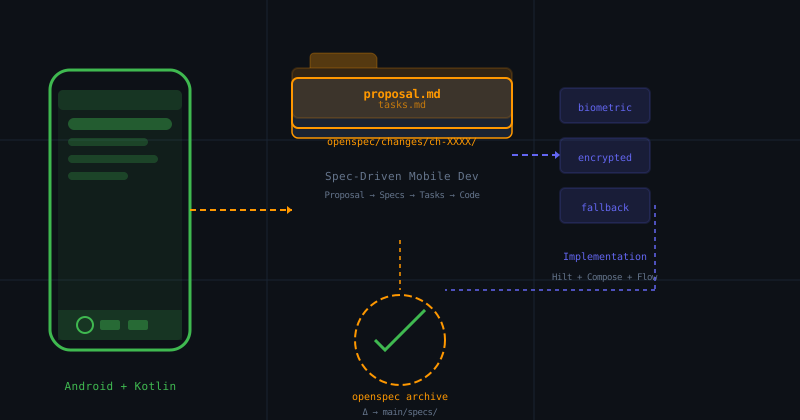
OpenSpec for Mobile Development: Spec-Driven Development in Android and Kotlin
How to apply OpenSpec in Android and Kotlin projects to keep AI agents aligned with architecture, with practical examples of change proposals, task validation, and living files.
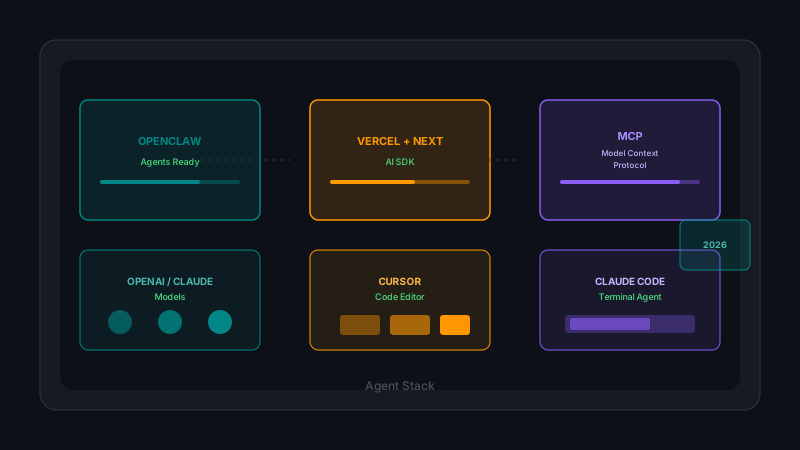
Complete Beginner's Guide: Recommended Stack for Building AI Agents in 2026
OpenClaw for ready-to-use agents, Vercel AI SDK with Next.js for custom development, OpenAI and Claude models, MCPs for integrations, and Cursor/Claude Code for programming. Complete analysis with practical examples and cost considerations.
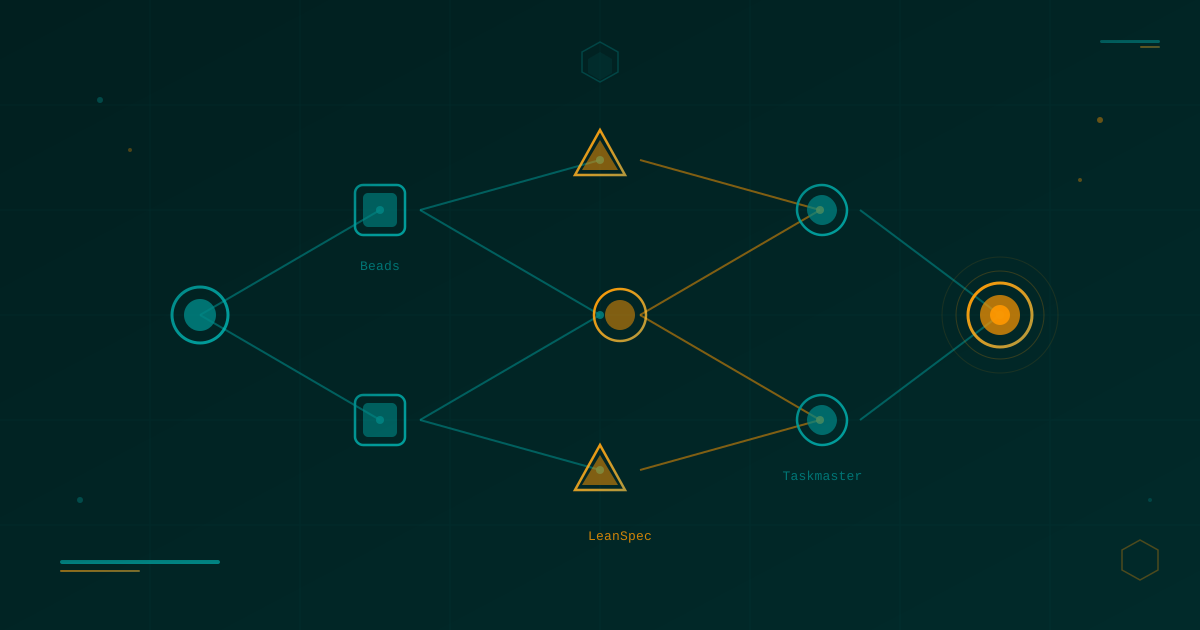
Lean Task-First Development: Beads, LeanSpec, and Taskmaster in Practice
A deep dive into three tools that solve context rot and keep AI coding agents focused: Beads (git-native DAG issue tracker), LeanSpec (minimal spec-driven workflow), and Taskmaster (PRD-to-task orchestration). Real commands, real workflows, real indie dev perspective.