
Table of Contents
If you’re new to AI agents, this guide assumes basic familiarity with LLMs and web development. Related articles that provide context:
- AI Tools Worth Learning in 2026 — The complete landscape of agent tools including n8n, LangGraph, and CrewAI.
- NanoStack: The Framework that Thinks Before Coding — How to structure an agent’s workflow to avoid implementation without reflection.
- Agent Memory: Security, Privacy, and the Future — Everything you need to know about persistent memory before building your agent.
A fascinating thread appeared recently on r/AI_Agents where a developer shared their complete stack for building AI agents in 2026. The conclusion wasn’t surprising but it was revealing: the ecosystem has matured enough to have opinionated, robust options — not just experimental tools anymore.
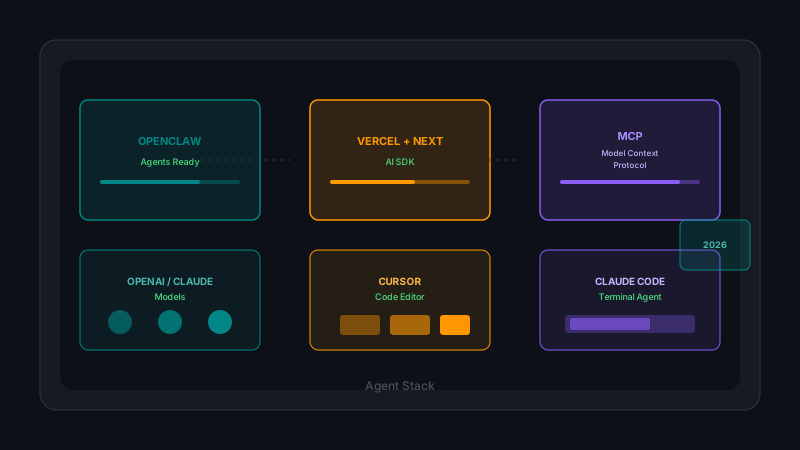
The proposed stack was clean: OpenClaw to get production-ready agents up and running, Vercel AI SDK with Next.js as the custom development layer, OpenAI and Claude models depending on use case, MCPs for standardized integrations, and Cursor or Claude Code as the programming environment. Let’s break down each piece, understand why they fit together, and explore the practical considerations that no tutorial tells you about.
🎯 The Right Question Before You Start
Before choosing tools, the important question isn’t “what stack should I use?” — it’s “what problem does my agent solve?”
This distinction matters because the current ecosystem has solutions for wildly different contexts:
- Personal productivity agent: Task automation, calendar management, email drafting.
- Software development agent: Code review, test generation, refactoring, legacy code explanation.
- Customer support agent: Ticket processing, contextual responses, smart escalation.
- Research agent: Search, document synthesis, report generation.
Each type has different requirements for latency, memory persistence, integration capability, and cost per execution. The stack that works for a personal productivity agent might be overkill for a code review agent, and vice versa.
🦞 OpenClaw: Move Fast Without Sacrificing Flexibility
OpenClaw is the most pragmatic starting point for someone who wants to build agents without reinventing the wheel from scratch. It’s not a development framework — it’s a collection of pre-configured agents you can deploy and customize.
Why OpenClaw works
OpenClaw’s value proposition is straightforward: time to first working agent. Agents come with templates for common use cases, built-in memory system, basic tool handling, and an abstraction layer that lets you swap the underlying model without rewriting code.
The valid critique against OpenClaw (and similar solutions) is that you can end up stuck inside an abstraction that doesn’t fit your specific case. The pragmatic response to that critique is: start with OpenClaw, identify real friction points, and build around or on top according to your needs.
The reality of indie development is that execution speed matters more than architectural elegance. A functional agent deployed today is worth more than a perfect agent planned for three months from now.
Use cases where OpenClaw shines
- Rapid prototyping of productivity agents.
- Personal projects where you don’t want to maintain infrastructure.
- Learning the agent space before investing in a custom stack.
Use cases where OpenClaw falls short
- Agents with ultra-low latency requirements (< 100ms).
- Deep integrations with legacy systems.
- Cases where total control over the pipeline is a non-negotiable requirement.
⚡ Vercel AI SDK + Next.js: The Custom Development Layer
If OpenClaw is the starting point, Vercel AI SDK is where you build when you need more control. It’s not just a library — it’s a development paradigm that treats agents as first-class web applications.
The philosophy behind Vercel AI SDK
The SDK is designed around a central concept: agents as streams. Instead of waiting for a complete response before displaying it, Vercel models responses as data flows you can render in real-time. This has profound implications for user experience — an agent that responds slowly but shows incremental progress feels faster than one that responds quickly but shows a loading spinner.
import { openai } from '@ai-sdk/openai';
import { Agent } from 'ai';

const agent = new Agent({
  model: openai('gpt-4o'),
  system: 'You are a technical assistant specialized in software architecture.',

  tools: {
    searchDocs: async ({ query }) => {
      // Search internal documentation
      const results = await searchVectorDB(query);
      return results;
    },

    executeCode: async ({ code, language }) => {
      // Sandboxed code execution
      const result = await sandbox.run(code, language);
      return result;
    }
  },

  onStep: ({ tool, result }) => {
    // Hook for progress tracking
    console.log(`Step completed: ${tool.name} → ${result.length} chars`);
  }
});
Next.js as the deployment platform
The choice of Next.js isn’t accidental. Vercel AI SDK is optimized for the Next.js ecosystem, which means features like Server Components, Edge Functions, and React Server Components streaming work out of the box.
For an indie developer, this translates to: less infrastructure configuration, more time building. The platform handles the CDN, scaling, environment variables, and continuous deployment.
The tradeoff of being in the Vercel ecosystem
The weakness is vendor lock-in. If you decide to move to another platform, there’s significant work involved. Vercel’s abstractions are good but not perfect — there are cases where the magic breaks and you need to understand what’s underneath.
The pragmatic recommendation: if you’re just starting, use Next.js and Vercel. When you hit a real limit, you’ll already have enough context to decide if the lock-in is worth it or if you need to migrate.
🧠 Models: OpenAI vs Claude vs Gemini
This is the question that generates the most debate, and the honest answer is: it depends on your use case.
OpenAI (GPT-4o, o1, o3)
Strengths:
- Excellent for structured reasoning and code generation.
- Robust and well-documented function calling.
- Mature ecosystem with debugging and evaluation tools.
Weaknesses:
- Higher cost per token than open-source alternatives.
- Tendency to be conservative in “controversial” responses.
- Dependency on external APIs for everything.
Ideal use case: Agents requiring complex reasoning over code, structured content generation, and where latency isn’t the primary constraint.
Claude (Sonnet 4, Opus 4)
Strengths:
- Excellent for technical writing and long document analysis.
- Massive context window (200k tokens) for complex projects.
- More analytical stance, less prone to “hallucinating” facts.
Weaknesses:
- Function calling less mature than OpenAI (though significantly improved).
- Pricing model has climbed with quality.
Ideal use case: Research agents, legacy code analysis, technical writing, and any case where extensive context is a requirement.
Gemini (1.5, 2.0)
Strengths:
- Huge context window (up to 1M tokens in some variants).
- Good cost-to-performance ratio for high volumes.
- Native integration with Google Cloud ecosystem.
Weaknesses:
- Less mature tooling ecosystem than OpenAI.
- Scarcer documentation and examples.
Ideal use case: Agents processing very long documents, cases where cost per token is the primary constraint.
The pragmatic strategy
For most indie developers, the right answer is use the model that best fits your specific use case, not the one everyone else uses. This means:
- Prototype with the cheapest model that meets your quality requirements.
- Measure real quality with eval sets specific to your use case, not generic benchmarks.
- Scale up to more capable models only when the cheaper one doesn’t meet thresholds.
const modelRouter = {
  'simple-reasoning': 'gpt-4o-mini',
  'complex-analysis': 'claude-sonnet-4',
  'long-context': 'gemini-1.5-pro',
  'code-generation': 'gpt-4o'
};

const selectedModel = modelRouter[taskType];
🔌 MCPs: The Integration Protocol That Changes Everything
The Model Context Protocol (MCP) from Anthropic is, in my opinion, the most important development in the agent ecosystem in the last 12 months. Not because it’s technically revolutionary — but because it solves a problem that was previously a maintenance nightmare.
The problem MCP solves
Before MCP, every integration with an external tool required custom code. If you wanted your agent to interact with GitHub, you needed to write specific handlers for the GitHub API. If you wanted to add Notion, more code. If you wanted to switch providers, you rewrote everything.
MCP standardizes the interface between the agent and tools. Instead of writing tool-specific code for each integration, the agent connects to MCP servers that expose capabilities uniformly.
How it works in practice
An MCP server is a process running locally or in the cloud that exposes a set of tools and resources the agent can discover and use.
Agent → MCP Protocol → GitHub MCP Server (tools: read repo, create issue, etc.)
                      → Notion MCP Server (tools: search page, update block, etc.)
                      → Filesystem MCP Server (tools: read file, write file, etc.)
The magic is that the agent doesn’t need to know how each server is implemented. It only needs to know what tools are available, and the protocol handles the communication.
Why it matters for indie developers
Because it drastically reduces the code you need to write to have a functional agent. Instead of building integrations from scratch, you connect existing MCP servers. The community has already built servers for the most common tools (GitHub, Slack, Notion, filesystem, databases).
Current limitations
MCP is still maturing. Not every tool has robust MCP servers. Documentation is scarce in some cases. And there are open design decisions (how to handle auth, how to structure complex tools) that are still being debated.
🖱️ Cursor and Claude Code: The Agentic Programming Environment
You can’t build effective AI agents if your development environment isn’t designed to interact with them. Cursor and Claude Code are the two tools defining the state of the art in 2026.
Cursor: The Agentic IDE
Cursor isn’t just an editor with better autocomplete — it’s an environment designed from the ground up for agentic workflows. The Agent mode takes instructions in natural language and acts across your entire codebase: editing files, running commands, reading errors, and fixing them.
The difference from GitHub Copilot (the most obvious competitor) isn’t autocomplete quality — it’s scope. Copilot completes lines and functions. Cursor Agent transforms instructions into systemic changes.
Typical flow in Cursor:
1. "Refactor the auth module to use the new JWT token system"
2. Cursor reads relevant files
3. Cursor identifies necessary changes
4. Cursor applies changes
5. Cursor runs tests
6. Cursor shows diff and asks for confirmation
Claude Code: The Terminal Agent
Claude Code runs from the command line and is designed for integration in automated pipelines, CI scripts, and SSH sessions. Where Cursor shines in visual interaction, Claude Code shines in contexts where there’s no GUI.
The practical integration I see for indie developers:
- CI/CD pipelines: Claude Code as an automatic review step.
- Automation scripts: Claude Code for scheduled maintenance tasks.
- Remote sessions: Working on servers where Cursor isn’t available.
Combining both
The optimal strategy isn’t choosing one or the other — it’s using Cursor for active development and Claude Code for automated and remote tasks. They’re complementary tools, not competitors.
# CI/CD script with Claude Code
#!/bin/bash
claude-code --system "You are a code reviewer. Comments only, don't modify."
git diff HEAD~1 --name-only | xargs -I{} claude-code --file {}
💰 Cost Considerations Nobody Tells You About
The cost of running AI agents is the elephant in the room that most tutorials ignore. Here’s the practical truth.
Cost structure
- Input token cost (prompt): typically $0.01-$15 per million tokens depending on model.
- Output token cost (response): typically $0.03-$75 per million tokens.
- Computation cost (if running models locally): hardware + electricity.
- Integration cost (APIs, webhooks, hosting): $0-$500/month depending on scale.
Practical estimates for an indie development agent
Assuming 1000 daily interactions with an agent using 8k token context:
| Model | Estimated monthly cost |
|---|---|
| GPT-4o-mini | $15-30 |
| Claude Sonnet 4 | $50-100 |
| GPT-4o | $200-400 |
| Claude Opus 4 | $500-1000 |
Cost optimizations that actually work
- Prompt compression: Reduce context needed without losing critical information.
- Model routing: Use cheap models for simple tasks, expensive ones only for complex ones.
- Caching: Store frequent responses to avoid re-execution.
- Local inference: For small models, Ollama or similar can eliminate API costs entirely.
🔒 Security and Privacy in 2026
Every architectural decision has security implications. For AI agents, there are three critical vectors:
1. Memory Poisoning
Memory poisoning occurs when an attacker manipulates the persistent state of the agent. If your agent reads emails or external documents and stores them in memory, a malicious document can introduce false instructions that survive restarts.
Mitigation: Source validation before ingestion, immutable memory snapshots, behavioral anomaly monitoring.
2. Prompt Injection
Prompt injection manipulates the agent’s instructions in real-time. Although it’s a known vector, it remains the most common vulnerability because developers trust model sandboxing too much.
Mitigation: Isolation of external instructions, prompt structure validation, audit logs.
3. Data Exposure
Agents have access to sensitive information. A breach in the memory system can expose years of conversations, documents, and context.
Mitigation: Encryption at rest and in transit, role-based access, minimal retention policies.
🚀 Hook: How to Start Today
If this guide has encouraged you to build your first agent, the most pragmatic path is:
- Quick prototype with OpenClaw — Build on a solid foundation instead of starting from scratch.
- Deploy on Vercel — Less infrastructure, more time building features.
- Use Cursor for development — The investment ($20/month) pays for itself in the first week.
- Connect an MCP server — Start with filesystem and GitHub.
- Measure costs from day one — Don’t let costs surprise you at the end of the month.
📚 References
-
r/AI_Agents — My Guide on What Tools to Use to Build AI Agents — https://www.reddit.com/r/AI_Agents/comments/1rdf5v7/my_guide_on_what_tools_to_use_to_build_ai_agents/
-
OpenClaw — Agent Framework for Production — https://openclaw.dev/
-
Vercel AI SDK — Build AI-powered applications with React, Svelte, and Vue — https://sdk.vercel.ai/
-
Model Context Protocol (MCP) — Anthropic. A universal protocol for connecting AI systems to data sources and tools — https://modelcontextprotocol.io/
-
Cursor — The AI-powered Code Editor — https://cursor.com/
-
Claude Code — Anthropic. AI-powered coding in your terminal — https://docs.anthropic.com/en/docs/claude-code
-
MCP Servers Repository — Community-maintained list of MCP server implementations — https://github.com/modelcontextprotocol/servers
You might also be interested in
The Persistent Memory Stack I Actually Use...
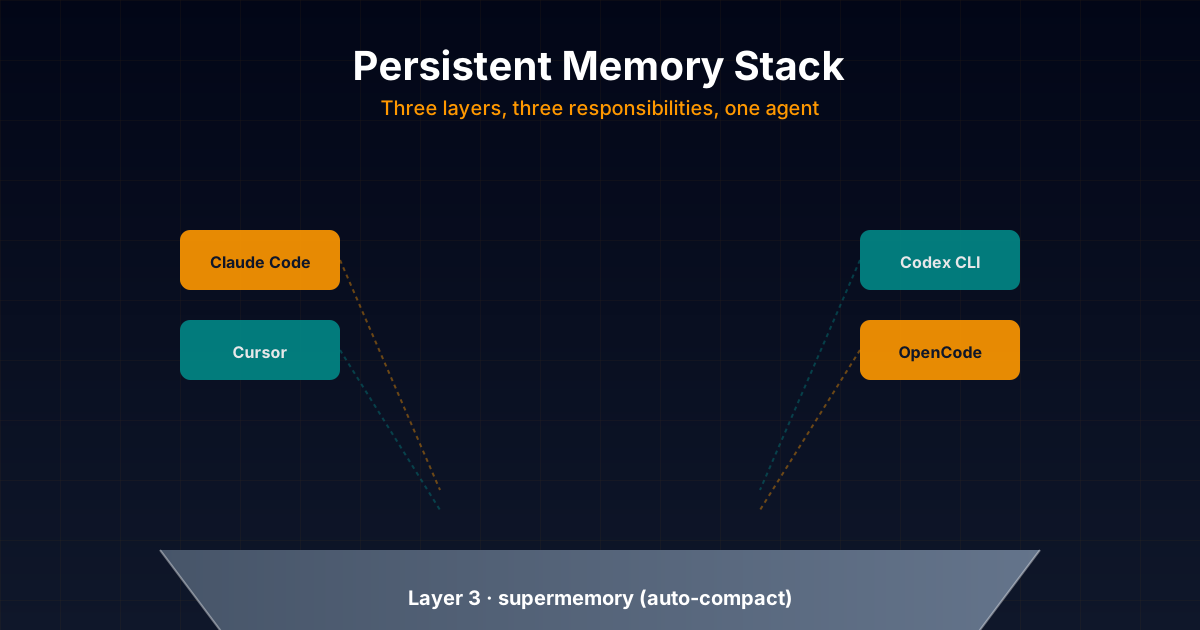
Honest technical deep dive into the persistent memory stack I combine daily in my projects: opencode-supermemory for auto-compact, basic-memory as main memory with Markdown + graph, and forgetful as procedural skills layer. With real configuration examples for Claude Code, Codex,
Cross-Agent MCP Servers for Persistent
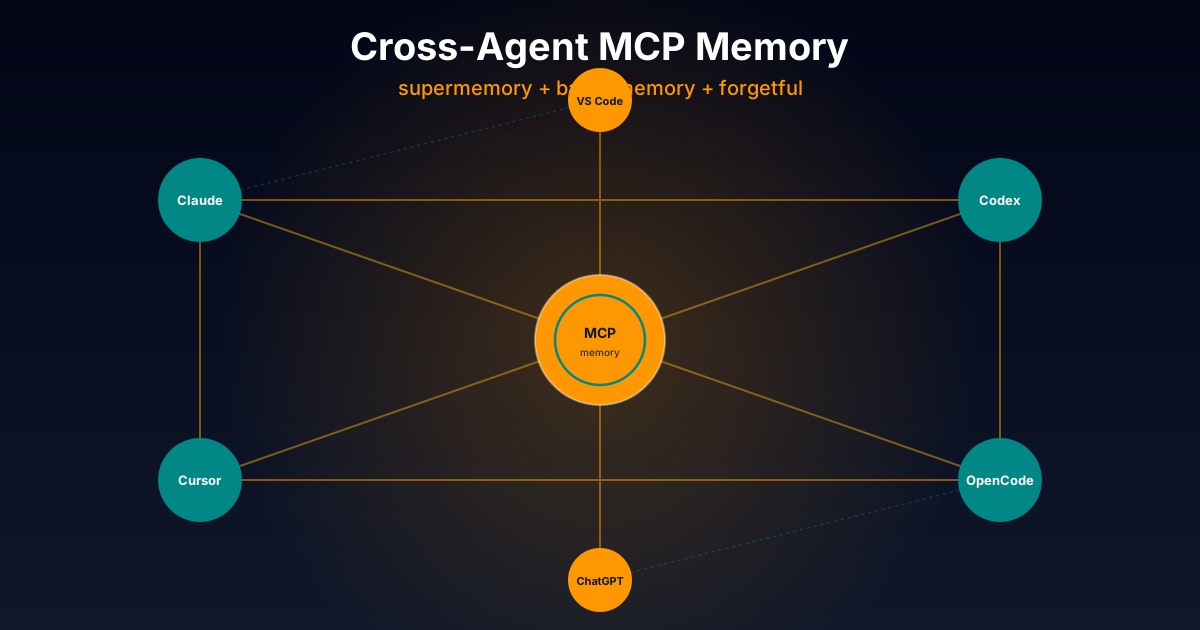
Exhaustive technical comparison of three cross-platform MCP servers to give AI agents persistent memory: opencode-supermemory (cloud), basic-memory (Markdown + graph), and forgetful (atomic Zettelkasten). Works with Claude Code, Codex, Cursor and more.
Hermes Agent vs OpenClaw: The Complete Gui...
A comprehensive comparison between Hermes Agent and OpenClaw, two open source autonomous AI agent frameworks. Analysis based on verifiable public information from their official repositories and documentation.