
Lean Task-First Development: Beads, LeanSpec, and Taskmaster in Practice
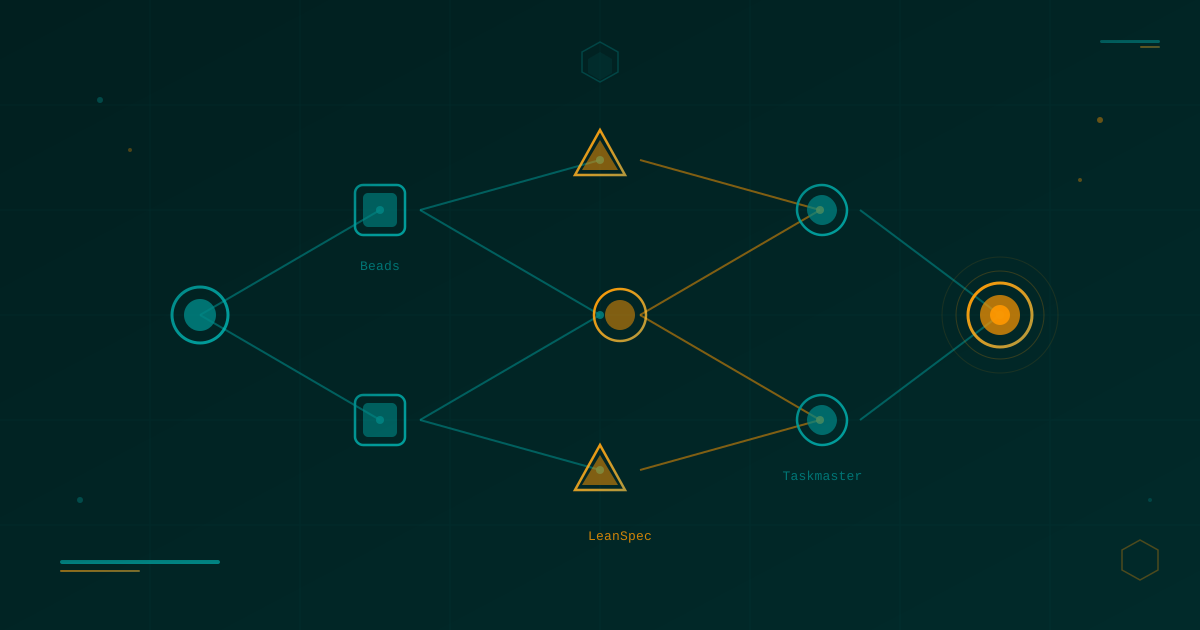
Table of Contents
Related reading: Alternative Paradigms in AI-Assisted Engineering · Spec-Driven Development with Agentic AI · SDD Frameworks Deep Dive: Spec Kit, OpenSpec, BMAD · Effective Context for AI
There is a particular kind of frustration that hits you around day three of an AI-assisted project. The first session was glorious — the agent understood the goal, generated sensible code, asked the right clarifying questions. By day three, you are starting each session with a long preamble: “Okay so the project is a task management app, we decided to use PostgreSQL instead of SQLite because of X, we dropped the Redux layer because of Y, and last time we got stuck on Z.” The agent nods politely and then proceeds to regenerate a Redux file.
This is context rot: the gradual erosion of accumulated project state as AI agents start each session with a blank memory. It is not a hallucination problem in the traditional sense — the model is working exactly as designed. It is a workflow infrastructure problem. The solution is not a smarter model; it is a smarter harness.
This article covers three tools that attack context rot from different angles: Beads, a git-native distributed issue tracker built as a DAG for AI agents; LeanSpec, a minimalist spec-driven workflow system with MCP integration; and Taskmaster, a PRD-to-task orchestration engine that plugs into the editors you already use. They are not competing tools — they are complementary layers of a lean, task-first development approach that keeps both you and your agents oriented at every step.
🦠 The Context Rot Problem in Depth
Before diving into the tools, it is worth spending a moment on the enemy they all target.
A typical AI-assisted development session has a beginning, a middle, and an end. The beginning is great: you explain the context, the agent gets oriented, you make progress. The end is where it gets messy. You close the IDE, the chat history evaporates, the agent’s working memory resets. Next time, you start from scratch — or worse, you give an incomplete briefing and the agent makes plausible-but-wrong assumptions.
The problem compounds with complexity. A simple CRUD app might survive a few sessions of context loss without major damage. But a project with architectural decisions, rejected approaches, discovered constraints, and cross-cutting concerns? By week two, you are spending more time re-explaining than building.
Traditional project management tools (GitHub Issues, Jira, Trello) were built for humans. They assume a person will read the board, understand the context, and make judgment calls. AI agents need something different: machine-queryable context that can be injected at the start of every session without manual re-narration. The tools below are built with this constraint in mind.
🔵 Beads — A DAG Issue Tracker for AI Agents
Beads was created by Steve Yegge (yes, that Steve Yegge, of “Stevey’s Blog Rants” fame) and represents a genuinely fresh take on what an issue tracker should be in an AI-native world. The core insight is simple but profound: your issues are a graph, not a list.
The DAG Model
In traditional issue trackers, issues are flat. You might have a “blocks” relationship or a parent-child hierarchy, but the mental model is still fundamentally a list with some edges bolted on. Beads builds a Directed Acyclic Graph (DAG) as its primary data structure, meaning every task is a node, every dependency is a directed edge, and the entire graph is computed and queryable at runtime.
Why does this matter for AI agents? Because the graph encodes what work is currently unblocked. At the start of a session, an agent does not need you to manually triage the backlog — it queries the DAG for ready nodes (tasks with no unsatisfied dependencies) and gets a machine-readable list of valid next steps. Context is not re-narrated; it is rehydrated from the graph.
Storage and Architecture
Beads stores the entire project graph in a compact JSONL file that lives in your git repository. This is a deliberate architectural choice with several knock-on benefits:
- Version-controlled history: every change to the issue graph is a git commit. You can
git blamea task. - Branch-friendly: different branches can have different task states, merging naturally.
- No external service: no server, no internet, no API key. The file is the database.
- Hash-based IDs: task IDs are content hashes, not sequential integers, which eliminates merge conflicts when multiple agents create tasks simultaneously.
SQLite is used under the hood for fast querying without reloading the entire JSONL file on every command — it acts as an ephemeral index, rebuilt from the JSONL source of truth when needed.
Practical Workflow
Getting started with Beads is intentionally fast:
# Initialize a Beads project in your repo
bd init

# Create a task node
bd add "Implement authentication middleware"

# Add a dependency (auth middleware depends on user model)
bd add "Create user model"
bd add "Implement authentication middleware" --after "Create user model"

# Query for ready work (tasks with no pending dependencies)
bd ready

# Show the current graph
bd graph

# Mark a task done and unblock dependents
bd done <task-hash>
The bd ready command is the key one for AI agent workflows. At the start of a session, an agent can run bd ready, get the list of unblocked tasks, pick one, and start working — without any human briefing. The agent rehydrates its context from the graph rather than from your memory.
The Context Rehydration Loop
The workflow Beads enables is a loop:
- Agent starts session → runs
bd ready→ picks the top unblocked task - Agent reads the task description and any linked notes → has sufficient context to act
- Agent implements the work → commits code → runs
bd done <hash> - New tasks are now unblocked → agent can immediately continue or stop cleanly
Each task can carry a description rich enough to stand alone as a mini-spec. The hash-based IDs mean you can reference tasks from code comments, commit messages, or other documents without worrying about ID collisions across agents or branches. This is especially powerful when you are running multiple AI agent sessions in parallel on different feature branches.
Where Beads Shines
Beads is not trying to be your entire project management system. It is a git-native coordination layer for task sequencing. It excels in projects where:
- The dependency graph between tasks is complex and evolves rapidly.
- You want AI agents to be self-directing within a session without constant hand-holding.
- You need multi-agent parallelism without coordination overhead.
- You prefer keeping everything in the repo rather than spinning up external services.
The philosophy is deliberately minimal: Beads gives agents a queryable task graph. What goes in those tasks, and how the agent executes them, is up to you and your other tooling.
🟡 LeanSpec — Minimal Specs, Maximum Alignment
If Beads solves task coordination, LeanSpec solves the upstream problem: what is the task actually supposed to do? It brings agile principles to Spec-Driven Development (SDD) with a hard constraint that forces clarity: every spec must stay under 2,000 tokens.
The Token Budget as a Design Constraint
That 2,000-token ceiling is not arbitrary. It is a forcing function. When you cannot write more than 2,000 tokens, you are forced to articulate what actually matters. You cannot pad. You cannot hedge with five alternative approaches. You have to commit to a design.
This constraint also keeps specs within the context window that most AI models handle comfortably as a single injected document. A spec that fits in 2,000 tokens can be loaded in full at the start of an agent session — no chunking, no retrieval, no summarization artifacts. The agent gets the complete picture in one shot.
This directly contrasts with heavyweight SDD frameworks that produce 20-page architectural documents. Those documents may be thorough, but they are too large to inject whole into a context window, too slow to update, and too intimidating to maintain. LeanSpec’s philosophy: a small spec that is always current beats a perfect spec that is always stale.
For deeper comparison with those heavyweight frameworks, see SDD Frameworks Deep Dive: Spec Kit, OpenSpec, and BMAD-METHOD.
Core Workflow: Discover → Design → Implement → Validate
LeanSpec structures work around four phases that map naturally to how indie developers actually build things:
Discover: Capture the problem. What are users trying to do? What constraints exist? No solution yet — just the problem space. A spec in this phase might be three bullet points and a question.
Design: Choose an approach. Make explicit decisions. Document what was rejected and why — this is the institutional memory that prevents agents from re-suggesting already-rejected approaches.
Implement: The spec becomes the source of truth for the implementation. The agent reads the spec, implements against it, and references it when making micro-decisions.
Validate: Acceptance criteria are checked. The spec is updated with any discoveries. The spec becomes a record of what was built, not just what was planned.
# Install LeanSpec globally
npm install -g lean-spec

# Initialize a project
lean-spec init

# View the Kanban board (specs by phase)
lean-spec board

# Create a new spec (opens editor)
lean-spec new "User authentication flow"

# Search specs by keyword
lean-spec search "authentication"

# View stats (token counts, phase distribution)
lean-spec stats

# Launch the web UI
lean-spec ui

# Install the AI agent skill (MCP integration)
lean-spec skill install
MCP Integration and Agent Skills
The lean-spec skill install command installs a Model Context Protocol (MCP) server that exposes your spec library to AI agents in supported editors. Once installed, Claude Code, VS Code Copilot, Cursor, Windsurf, and Gemini CLI can all query your spec library directly, without manual copy-paste.
When an agent starts working on a task, it can query the MCP server: “What is the current spec for user authentication?” and get the relevant document injected directly into its context. The agent does not need to guess at intent or rely on code comments — it reads the living spec.
The “leanspec-sdd” agent skill goes further: it encodes the Discover → Design → Implement → Validate workflow as agent behavior. The agent knows to check the spec phase before taking action, to update the spec as it learns, and to flag when an implementation decision diverges from the spec.
Dependency Tracking and the Living Document
LeanSpec also tracks dependencies between specs. If your “payment processing” spec depends on the “user authentication” spec being in the Implement or Validate phase, LeanSpec can surface that dependency on the board and block premature work.
# Add a dependency between specs
lean-spec dep add payment-processing --depends-on user-auth

# View specs that are blocked by unresolved dependencies
lean-spec board --blocked

# View the dependency graph
lean-spec deps
This inter-spec dependency tracking complements Beads’ task-level dependency graph. LeanSpec handles spec relationships (design decisions and architectural alignment); Beads handles task relationships (implementation sequencing and execution order).
Why “Lean” Matters
The word “lean” in LeanSpec is deliberate. The lean manufacturing principle of reducing waste — in this case, waste in documentation, planning overhead, and alignment ceremony — is the driving philosophy. Every spec should contain exactly what is needed to build the feature correctly and nothing more. The 2,000-token ceiling enforces this discipline on every entry.
For indie developers working alone or in tiny teams, this means you can maintain a spec library without it becoming a second job. You write the spec, the agent reads the spec, you build the thing. No 90-minute planning meetings. No spec review committees. Just you, the spec, and the agent — all pointed at the same target.
🟠 Taskmaster — From PRD to Executable Task Graph
Where Beads and LeanSpec handle the ongoing lifecycle of tasks and specs, Taskmaster addresses a different moment: the beginning of a project, when you have a Product Requirements Document (PRD) or a vague idea and need to turn it into a concrete, sequenced task list that an AI agent can execute.
Taskmaster is developed by Eyal Toledano and is available as an npm package (task-master-ai). It is an opinionated workflow tool: you give it a PRD, it gives you a task graph. It is designed for the reality of modern AI-assisted development, where you might start a project by typing your idea into a Claude chat and then need to bridge from that conversation to actual structured work.
Installation and Initialization
# Install globally
npm install -g task-master-ai

# Or install locally in a project
npm install task-master-ai

# Initialize Taskmaster in a project
task-master init

# Follow the prompts to configure your AI providers
The initialization process asks you to configure three model roles:
- Main model: the primary model for task generation and expansion (typically Claude Sonnet or GPT-4)
- Research model: used for
task-master researchqueries (typically a search-capable model like Perplexity) - Fallback model: used when the main model hits rate limits or errors
Taskmaster supports Anthropic, OpenAI, Google Gemini, Perplexity, xAI, OpenRouter, and local models via Ollama. You can mix providers — use Claude as your main model but Perplexity for research, for example.
The PRD-to-Task Pipeline
The core workflow is:
# Write your PRD (Product Requirements Document)
# This can be a Markdown file, a text file, or even a rough notes file
# It does NOT need to be formal — Taskmaster is good at interpreting intent

# Parse the PRD and generate the initial task graph
task-master parse-prd ./docs/prd.md

# View the generated task list
task-master list

# See what to work on next (respects task dependencies)
task-master next

# Inspect a specific task in detail
task-master show <task-id>

# Expand a high-level task into subtasks
task-master expand <task-id>

# Research a technical question relevant to a task
task-master research "What is the best approach for JWT refresh token rotation?"
The parse-prd command is where the magic happens. Taskmaster sends your PRD to the main model with a structured prompt that asks it to decompose the requirements into a dependency-ordered task graph. Each task gets an ID, a title, a description, acceptance criteria, and a list of dependencies. The output is stored as structured JSON in your project.
Task States and the Workflow Graph
Each task in Taskmaster moves through states:
pending → in-progress → done
              ↓
           blocked (if a dependency is not done)
The task-master next command is your primary navigation tool. It queries the task graph, finds the highest-priority unblocked task, and tells you what to work on. An AI agent integrated via MCP can call next at the start of every session and immediately know what to tackle without human direction.
# Move a task to in-progress
task-master set-status <task-id> in-progress

# Mark a task done
task-master set-status <task-id> done

# Add a new task not in the original PRD
task-master add-task "Add rate limiting to authentication endpoints"

# Move tasks between tag groups (e.g., v1.0 vs v2.0)
task-master move <task-id> --tag v2.0
Tool Loading Modes and Context Efficiency
One of Taskmaster’s thoughtful design decisions is its tool loading modes for MCP integrations. When AI agents connect via MCP, they load Taskmaster’s tools into their context. More tools = more context window consumed:
| Mode | Tools Available | Approx. Tokens |
|---|---|---|
all | 36 tools | ~21,000 tokens |
standard | 15 tools | ~10,000 tokens |
lean / core | 7 tools | ~5,000 tokens |
For agents with tight context budgets, the lean mode exposes only the essential tools (list, next, show, set-status, add-task, research, expand). This is the right default for most sessions — you rarely need all 36 tools in a single agent session.
Research-Augmented Development
The task-master research command is a first-class feature, not an afterthought. It routes queries to your configured research model, allowing the agent to answer technical questions grounded in current documentation, best practices, or library APIs — then incorporate those answers into task descriptions or implementation notes.
# Research a specific technical decision
task-master research "Prisma vs Drizzle for a Next.js project in 2025"

# Research attached to a specific task context
task-master research "Best approach for WebSocket reconnection" --task <task-id>
This bridges a gap that basic task management tools ignore: during implementation, you frequently encounter sub-questions that require research before you can proceed. Taskmaster treats research as a first-class workflow step rather than asking you to alt-tab to a browser and manually incorporate the answer.
⚖️ Comparing the Three Tools
These tools are not competitors — they operate at different layers of the development lifecycle. But it helps to understand the boundaries:
| Dimension | Beads | LeanSpec | Taskmaster |
|---|---|---|---|
| Primary purpose | Task graph & agent coordination | Spec authoring & lifecycle | PRD parsing & task orchestration |
| Storage | JSONL in git | Markdown files | JSON in project |
| Starting point | Empty project or mid-stream | Feature design time | PRD/requirements document |
| Token efficiency | Ultra-compact JSONL | Enforced 2k token limit | Configurable (lean/standard/all) |
| MCP integration | Agent-queryable commands | MCP server + skill install | Full MCP server |
| Dependency model | Task-level DAG | Spec-level dependencies | Task-level graph |
| Research support | None (focused) | Limited | First-class research command |
| Best for | Ongoing task coordination | Feature specs & design decisions | Project kickoff & PRD → tasks |
| Conflict resolution | Hash-based IDs | File-based, git-friendly | JSON state file |
The sweet spot is using all three in concert:
- LeanSpec at the design level: write small specs for each feature, capturing decisions and rejected approaches.
- Taskmaster to parse the collection of specs or a PRD into an initial task graph.
- Beads for ongoing task coordination once the project is in motion, especially if you have complex dependencies or parallel agent sessions.
🔗 Combining All Three: A Practical Indie Dev Workflow
Here is how you might use all three tools together on a real project — say, building an Android app with a backend API:
Phase 1: Project Start (Taskmaster)
Write a PRD. It does not need to be beautiful — just honest:
# MyApp PRD

## Problem
Users need to track their daily water intake. Existing apps are bloated.

## Solution
Minimal Android app with a Kotlin backend. Three screens: today view,
history, settings. No accounts — local storage first, optional sync later.

## Tech Stack
- Android: Kotlin, Jetpack Compose, Room
- Backend (optional): Ktor, PostgreSQL
- Target: API 26+

## v1.0 Scope
- Add water intake entries (volume + time)
- Daily progress bar
- 30-day history chart
- Reminder notifications
task-master parse-prd ./docs/prd.md
task-master list
# → 12 tasks generated, dependency-orderedPhase 2: Feature Design (LeanSpec)
For the more complex features, write focused LeanSpec specs:
lean-spec new "Daily progress tracking"
# Write the spec: data model, UI behavior, edge cases — all under 2,000 tokens
lean-spec new "Reminder notifications"
# Capture the decision: use WorkManager, not AlarmManager; documented why
Phase 3: Implementation (Beads + agents)
As implementation begins, use Beads for fine-grained task coordination:
bd init
bd add "Create Room database schema"
bd add "Implement DailyEntryDao" --after "Create Room database schema"
bd add "Build progress bar composable" --after "Implement DailyEntryDao"

# Agent session starts:
bd ready
# → "Create Room database schema" — no dependencies, start here
The agent reads the LeanSpec spec for context, executes the Beads task, commits, marks done, and picks up the next unblocked task. Zero re-narration needed.
Phase 4: Mid-project discoveries
Beads captures changes to the task graph. Taskmaster captures changes to task states. LeanSpec captures changes to design decisions. Nothing falls through the cracks because each layer persists independently in git.
🧪 When to Reach for These Tools
Not every project needs all three. Here is a rough guide:
- Side project, weekend hack: probably just Taskmaster to get a task list from your rough idea.
- Medium project (2–4 weeks): Taskmaster for kickoff + LeanSpec for the tricky features.
- Long-running project (months): all three — Beads especially becomes valuable as the dependency graph grows complex.
- Multi-agent or parallel sessions: Beads is essential; its hash-based IDs and DAG model were purpose-built for this.
The common thread across all three is the principle of making project state machine-readable. The goal is not to generate documentation for its own sake — it is to create a harness that lets AI agents rehydrate context reliably at the start of every session, without your manual intervention.
That is the lean, task-first philosophy: instead of fighting context rot session by session, you build infrastructure that makes context rot structurally impossible.
🎯 Final Thoughts
Context rot is a real problem that every developer working with AI agents will eventually hit. The tools in this article are not silver bullets — they require you to invest time upfront in structuring your project state. But that investment pays back immediately: faster agent sessions, fewer orientation mistakes, more parallel work, and a project history you can actually reason about.
The indie dev advantage here is real. Without meetings, without status update emails, without a JIRA instance managed by someone else, you are free to build a task management system that is exactly as lean or as structured as you need. Beads, LeanSpec, and Taskmaster are all built by developers who wanted tools that felt native to how AI-assisted development actually works — not retrofitted onto pre-AI processes.
Start small. Pick the one that solves your most immediate pain point. Build the habit. Then layer in the others as your projects grow.
📚 References
- Beads GitHub Repository — Steve Yegge’s git-native DAG issue tracker
- Beads Workflow on dev.to — Introductory article and workflow guide
- LeanSpec (lean-spec) — Minimal spec-driven development tool with MCP integration
- Taskmaster (claude-task-master) — PRD-to-task orchestration engine by Eyal Toledano
- task-master-ai on npm — Official npm package
- Spec-Driven Development with Agentic AI — Foundational reading on SDD principles
- Alternative Paradigms in AI-Assisted Engineering — Broader context on emerging methodologies
- SDD Frameworks Deep Dive: Spec Kit, OpenSpec, BMAD-METHOD — Comparison of heavier SDD frameworks
- Effective Context for AI — Practical guide to context management for AI agents
- Yegge, S. (2024). Distributed Issue Tracking for the AI Age. Personal blog.
- Toledano, E. (2025). Task-Driven Development with Claude. GitHub README.
You might also be interested in
SDD Frameworks Deep Dive: GitHub Spec Kit, OpenSpec, and BMAD-METHOD Compared
A thorough analysis of the three leading Spec-Driven Development frameworks: the architectural contracts of GitHub Spec Kit, the change-proposal agility of OpenSpec, and the multi-agent orchestration of BMAD-METHOD.
Spec-Driven Development with Agentic AI: Methodologies, Frameworks, and Real-World Implementation
A senior engineer's guide to SDD for agentic AI: from vibe coding to structured, reproducible development using GitHub Spec Kit, BMAD Method, OpenSpec, SPARC, and more.
Alternative Paradigms and Emerging Methodologies in AI-Assisted Software Engineering
A deep dive into IDD, Lean SDD, BEADS Workflow, Agent OS, and the Dark Factory concept: emerging methodologies that challenge conventional development flows and raise the abstraction level in the age of autonomous AI.