
Table of Contents
This article assumes some familiarity with AI agents and coding workflows. If you are just getting started, you may want to read these first:
- From Copilot to Autonomous Agents: Cline, Cursor and the Workflow in 2025 — The baseline: what changed when agents entered the picture.
- Autonomous AI Agents in Android Development — How multi-agent frameworks compare in a real project.
- Orchestrating AI Agents in a CI/CD Pipeline — Practical automation with LangGraph and CrewAI.
A recent thread on r/AI_Agents asked a question that is, frankly, the right one to be asking: which of these AI tools are actually worth learning, and which will quietly disappear in 12 months?
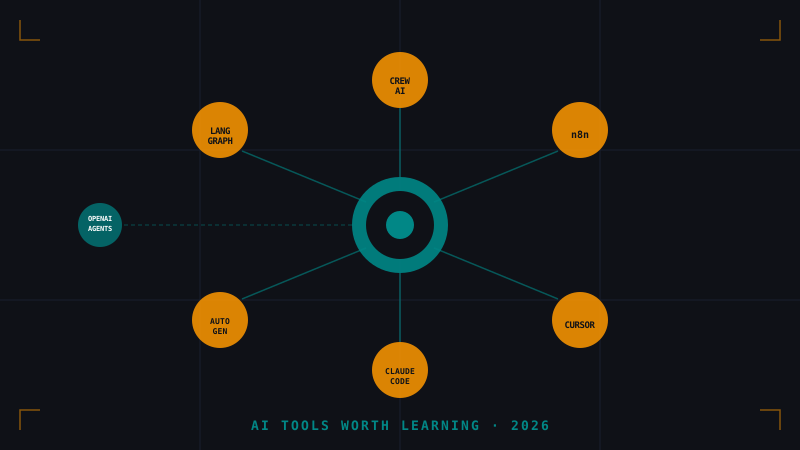
The tools named in the discussion: LangGraph, CrewAI, n8n, AutoGen, Cursor, Claude Code, and OpenAI Agents SDK. The community conclusion was roughly this — tools with a broad ecosystem and real production use cases have staying power; tools built on hype and demos tend not to survive contact with maintenance costs and API changes.
Let me break each one down from the perspective of a solo developer building personal projects.
🧠 The Framing: What Makes a Tool “Worth Learning”?
Before diving in, the evaluation criteria matter. A tool is worth investing time in if:
- It solves a real problem you have repeatedly, not just an impressive demo problem.
- It has organizational backing (company or strong open-source community) that makes long-term maintenance likely.
- It builds transferable skills. Even if the tool dies, the underlying concept should survive.
- The abstraction level is right. Too low-level and you’re doing things yourself; too high-level and you can’t customize or debug.
With that in mind, let’s go tool by tool.
🔗 LangGraph — High Investment, High Return
Verdict: Learn it. The concepts will last even if LangChain pivots.
LangGraph models your agent workflow as a directed graph: nodes are function calls or LLM prompts, edges are conditional transitions. This isn’t just a library pattern — it’s how complex agent behavior has to be modeled once you go beyond a single prompt.
The killer feature is state machines for agents. You get explicit control over what the agent “remembers” at each step, and branching logic (“if the test fails, retry this node; if it passes three times, exit”) is first-class. That is not possible in systems that treat the agent as a black box.
The concern people have is “LangChain fatigue” — the API has changed too many times. That criticism is fair for the older LangChain v0.x world. LangGraph is a more stable and distinct product. And even if you never use it professionally, understanding graph-based orchestration is the foundation for any serious multi-agent work.
When to use it: Pipelines with branching logic, retry loops, human-in-the-loop checkpoints, or state that needs to persist across steps.
👥 CrewAI — Practical and Opinionated
Verdict: Good entry point. The “roles and crew” model maps well to how indie devs already think.
CrewAI’s abstraction is simple: you define agents with roles (like the bot_*.md files in a repo), give each agent a set of tasks, and declare a process (sequential or hierarchical). The framework wires them together.
The opinionation is both its strength and weakness. It’s much faster to set up than LangGraph for standard scenarios, but less flexible for unusual flows. CrewAI has enterprise backing now, which reduces the “disappears in a year” risk substantially.
For solo projects, CrewAI is the pragmatic choice when you want to automate a repetitive workflow (PR review, content drafting, dependency checks) and you don’t need a custom graph topology. It’s also the easiest to explain to others.
When to use it: Role-based automation, small to mid-complexity multi-agent systems, situations where getting something running fast matters more than maximum flexibility.
🔄 n8n — Underrated by Developers, Loved by Everyone Else
Verdict: Seriously underestimated by the coding crowd. Worth a weekend to learn.
n8n occupies a unique position: it’s a workflow automation platform (think Zapier or Make, but self-hostable and open-source) that now has native LLM integration. You connect HTTP nodes, database nodes, and AI nodes visually.
Developers often dismiss it as “no-code” and move on. That’s a mistake. n8n’s value isn’t replacing code — it’s eliminating boilerplate plumbing for integrations that would otherwise take hours of API wrangling. Connecting a webhook to a database lookup to an OpenAI call to a Slack notification used to mean setting up a whole server. In n8n it’s 20 minutes.
The self-hosted nature is important. Your data stays on your infrastructure, which matters for personal projects that touch anything sensitive. The community is strong, the codebase is actively maintained, and the “AI Agent” node in n8n is surprisingly capable for simple automation.
When to use it: Integrations between external services, event-driven automations that don’t need custom business logic, prototyping AI workflows before committing to a coded solution.
🤝 AutoGen (Microsoft) — Powerful but Verbose
Verdict: Learn the concepts, use it selectively. The multi-agent conversation model is important.
AutoGen’s proposal is unique: instead of one agent solving a problem, you spin up a conversation between multiple agents. A Planner agent, a Coder agent, a Critic agent all talk to each other in rounds until they converge on a solution — or you define a termination condition.
This is genuinely useful for complex analysis tasks: imagine a security review where a “red team” agent proposes vulnerabilities and a “blue team” agent defends against them. Neither perspective alone catches everything.
The practical concern is verbosity and cost. A three-agent conversation about a simple task burns through tokens fast. AutoGen has also undergone API redesigns (v0.2 to v0.4 had significant changes). The underlying concept of multi-agent debate is solid; the API stability is less so.
The community landing post-v0.4 and the autogen-agentchat package feel more stable. Microsoft Research backing means it won’t disappear, but it may keep evolving.
When to use it: Complex reasoning tasks that benefit from multiple perspectives, adversarial analysis, research automation where conversation overhead is worth the quality gain.
🖱️ Cursor — The Clearest Winner
Verdict: If you’re not using it, you’re leaving real productivity on the table.
Cursor isn’t an “agent framework” in the same sense as the others — it’s your IDE. But it belongs in this list because the discussion was about tools that change how you work, and Cursor does that more visibly than anything else.
The jump from GitHub Copilot to Cursor isn’t about autocomplete quality; it’s about scope of operation. Copilot completes a line or a function. Cursor’s Agent mode takes a natural language instruction and acts across your entire codebase: editing files, running terminal commands, reading compiler errors, and fixing them.
For an indie dev working alone on personal projects, Cursor is essentially a junior developer who is always available, never tired, and doesn’t need onboarding. The cost ($20/month) is worth it in hours saved within the first week.
Staying power: Cursor has a massive and growing user base, a clear business model, and teams actively poaching from the best AI labs. It’s not going anywhere.
🤖 Claude Code — The CLI Alternative
Verdict: Excellent for terminal-first workflows. Cursor’s complement, not competitor.
Claude Code (Anthropic’s CLI agent tool) operates differently from Cursor: it runs from the command line, reads your project, and executes agentic tasks without a GUI. It is also deeply context-aware, designed to keep long sessions coherent.
The practical use case where Claude Code shines is exactly where Cursor gets awkward: running in SSH sessions, inside Docker containers, in automated scripts, or on headless CI environments. If you want an AI that can be called from a shell script as part of a pipeline, Claude Code is the right tool.
The tradeoff is that you lose the visual diff review of Cursor. You’re trusting it more directly, which requires more precise instructions.
When to use it: Headless environments, scripted automation, large refactoring tasks where you want to work in terminals, pairing with Cursor for overflow tasks.
🌐 OpenAI Agents SDK — Newest, Most Official
Verdict: Worth tracking. The backing is the strongest, but the ecosystem is youngest.
OpenAI’s Agents SDK (released in early 2025) formalizes patterns that had been built on raw API calls for years: tools, handoffs between agents, and the ResponseInputItem pattern. It includes built-in tools like web search, file access, and code execution.
The advantage is obvious: it’s built by the company that made the models. API compatibility concerns are minimal, and the tooling is designed to work naturally with GPT-4o and o-series models. The Swarm project that preceded it was experimental; the Agents SDK signals that OpenAI is serious about the orchestration layer.
The disadvantage: it’s model-locked to OpenAI’s ecosystem. If you want to use Claude or Gemini, you need a different framework. For indie projects where model flexibility matters (cost, capabilities, privacy), that lock-in is a real constraint.
When to use it: Projects committed to the OpenAI model stack, use cases needing the built-in tools (browsing, code interpreter), teams that value tight platform integration over flexibility.
🎯 The Community Verdict, and Mine
The Reddit thread’s conclusion holds up: ecosystem and real use cases predict survival better than feature count or demo quality.
Here’s how I’d rank these for a solo developer in 2026:
| Tool | Learn Priority | Reason |
|---|---|---|
| Cursor | Immediate | Pays off daily, clear staying power |
| n8n | High | Underestimated, extremely practical for integrations |
| LangGraph | High | Graph-based orchestration is the lasting concept |
| CrewAI | Medium-High | Fast to ship, good enough for most automation |
| Claude Code | Medium | Great CLI complement to Cursor |
| OpenAI Agents SDK | Medium | Strong backing, model-locked |
| AutoGen | Medium | Important concepts, unstable API history |
The tools that “disappear” are not usually the ones in this list — they’re the wrappers and thin clients built on top of these that don’t add enough of their own value. The primitives listed here (graph orchestration, role-based crews, workflow automation, IDE-level agents) represent durable patterns even if specific APIs change.
The meta-skill, as always, is learning how these tools work at the level below the abstraction — not just calling the API, but understanding when a graph is the right model, when a crew makes sense, and when you’re overengineering something that a shell script could do in 20 lines.
📚 References
-
r/AI_Agents Community Discussion — What AI tools are actually worth learning in 2026? https://www.reddit.com/r/AI_Agents/comments/1rum5uw/what_ai_tools_are_actually_worth_learning_in_2026/
-
LangGraph Documentation — LangChain. Building Stateful, Multi-Actor Applications with LLMs. https://langchain-ai.github.io/langgraph/
-
CrewAI Documentation — Role Playing Autonomous AI Agents. https://docs.crewai.com/
-
n8n Documentation — Workflow Automation Platform. https://docs.n8n.io/
-
AutoGen Documentation — Microsoft. A Programming Framework for Agentic AI. https://microsoft.github.io/autogen/
-
OpenAI Agents SDK — OpenAI. Build Production-Ready Multi-Agent Systems. https://openai.github.io/openai-agents-python/
-
Cursor Documentation — AI-first Code Editor. https://www.cursor.com/
-
Claude Code — Anthropic. AI-powered coding in your terminal. https://docs.anthropic.com/en/docs/claude-code
You might also be interested in
From Copilot to Autonomous Agents: Cline, Cursor and the Workflow in 2025
Autocomplete is a thing of the past. Discover how AI Agents like Cline and Cursor are redefining software development, allowing for multi-file editing and autonomous command execution.
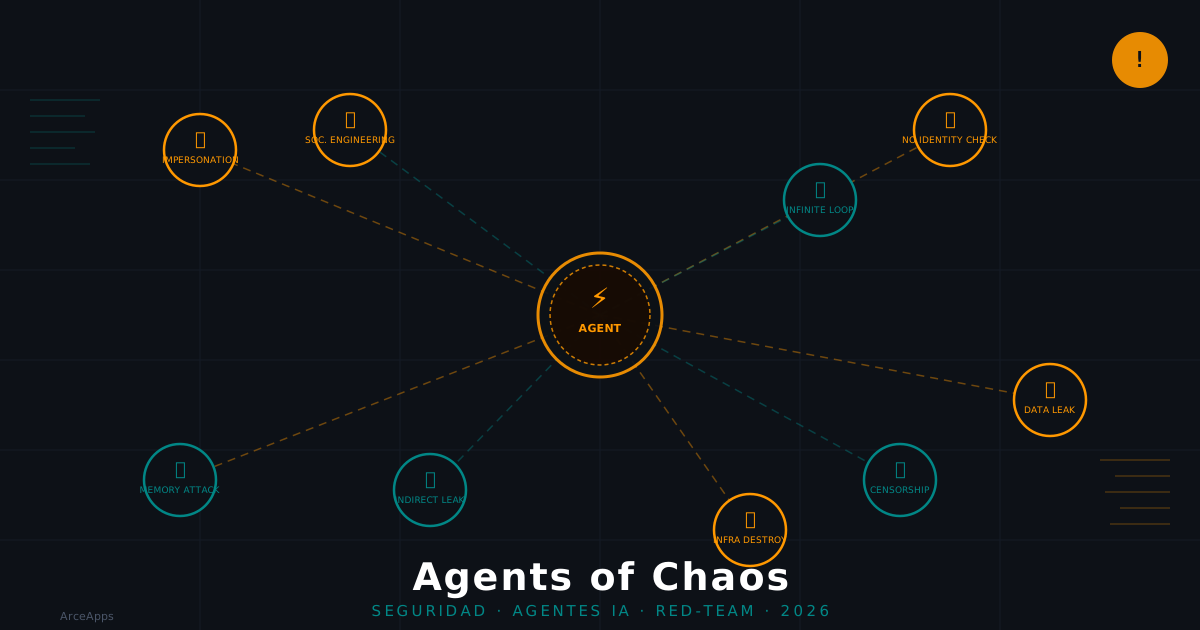
Agents of Chaos: What 38 Researchers Found About AI Agent Security
Analysis of the 'Agents of Chaos' paper (arXiv:2602.20021): 7 critical vulnerabilities found in two weeks of red-teaming autonomous AI agents with persistent memory, email, and shell access.
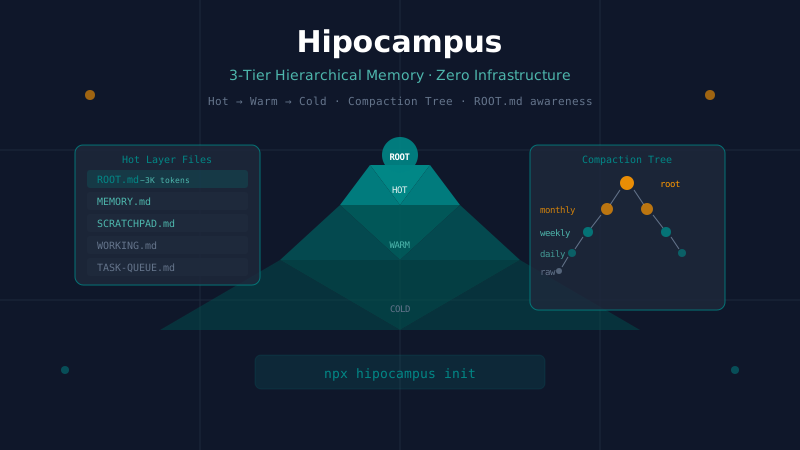
Hipocampus: Zero-Infrastructure Hierarchical Memory for AI Agents
A technical deep-dive into Hipocampus, a drop-in memory harness for AI agents that uses a 3-tier Hot/Warm/Cold architecture and a 5-level compaction tree. How ROOT.md enables constant-cost memory awareness and how it compares to hmem, Mem0, and Letta.