
GSD Core: the Anti-Ceremony Framework That Kills Context Rot in Coding Agents
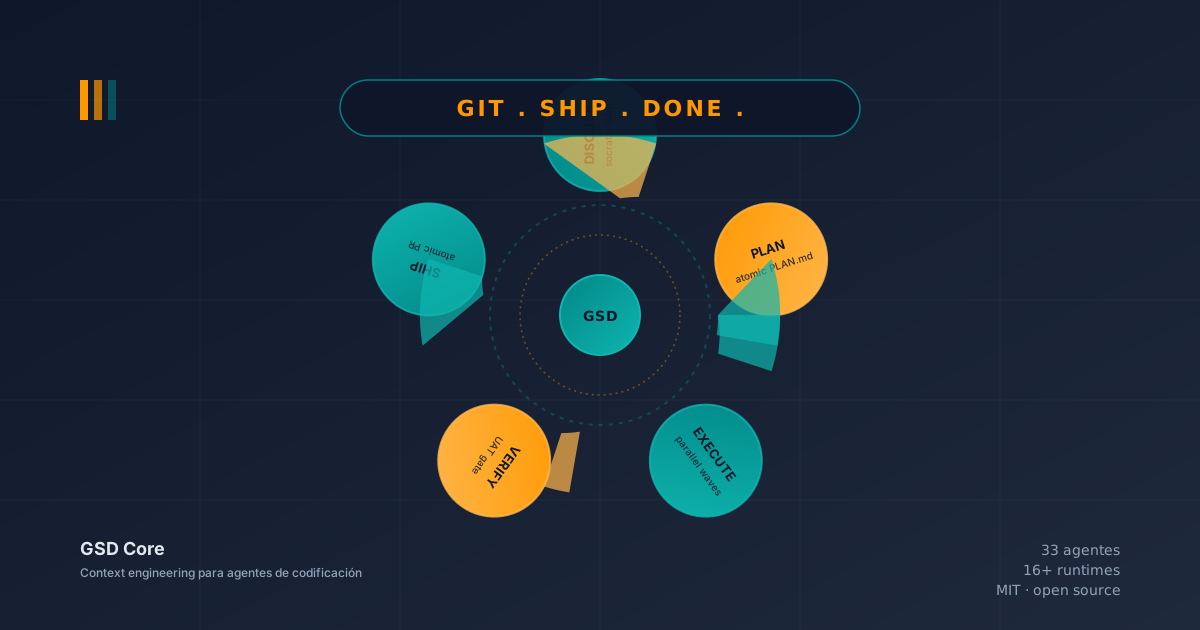
Table of Contents
Related reading: SDD Frameworks Deep Dive: Spec Kit, OpenSpec, and BMAD-METHOD · Lean, Task-First: Beads, LeanSpec, and Taskmaster · Spec-Driven Development with Agentic AI · Alternative Paradigms in AI-Assisted Engineering · Effective Context for AI
There was a Monday, a few months back, when I opened Claude Code with the best of intentions. The weekend project was a Kotlin invoice extractor: three screens, a basic parser, and the umpteenth iteration of a side project I had been dragging along for three months. I asked the agent to continue from where we left off. The first thing it did was regenerate a configuration file that already existed. I pointed it out. It regenerated it again. This time with a different name. I reminded it that we already had a working parser and it proposed “refactoring for better clarity.” When I finally snapped out of it, I had spent forty minutes of a session and the new code was worse than Friday’s.
It was not a model problem. The model was the same. It was not a tooling problem, which was probably the best on the market. The problem was structural: I was trying to do serious development with an agent that forgot everything between sessions, and the “solution” I had been using — re-explaining the context at the start of each session — had stopped scaling.
That same week I discovered GSD Core, and my way of working with agents changed forever.
This article is the one I wish I had read that Monday: what GSD is, how it is built, how to install it, how to use it on a real project, and honestly, when not to use it. It is not a surface-level tutorial or an apologetic review. It is the guide that a frustrated indie developer, tired of context rot and weary of enterprise jargon, needed.
🦠 The enemy: what context rot is (and why it is killing you)
Before talking about GSD we have to name the enemy. The GSD team calls it context rot, and the official definition does not beat around the bush: “the quality degradation that happens as an AI fills its context window.” It is not a hallucination in the classical sense. The model is doing exactly what it was trained to do. The problem is that its “working memory” is finite, opaque, and, most importantly, shared with your current session.
The empirical evidence is devastating, measured by the engineers who build GSD themselves:
- 0-30% occupancy: maximum quality. The model reasons well, holds attention, does not invent.
- 50%+ occupancy: subtle cuts and omissions start. Decisions you made two hours ago are “reinterpreted” with a variant you had already rejected.
- 70%+ occupancy: hallucinations of file names, invented function signatures, plans that ignore requirements buried in the history.
The academic reference paper is “Lost in the Middle” (Liu et al., Stanford, 2023), which demonstrates with data that transformers pay more attention to the first and last tokens of the window than to those in the middle, regardless of total size. This explains why a Claude Code session with 100k used tokens behaves worse than one with 30k, even though both “fit” in the window.
The practical consequence is that every /clear you do to “start over” is not a reset, it is a patch that returns you to a tabula rasa without memory. Every session that starts from scratch is a session where you have to re-explain the architecture, the decisions, the constraints, the modified files, and the next steps. And each additional explanation pushes the window towards that critical 50% where quality drops.
The question GSD asks — and that I should have asked before — is: what if, instead of managing context manually, I delegate to subagents that start with their own clean 200,000-token window?
💀 The Black Monday and the frameworks that almost convinced me
After Black Monday I did what any responsible developer would do: I investigated. I tried GitHub Spec Kit, which proposes a persistent constitution the agent reads at the start. Nice concept, but it assumes you already know your architecture well enough to write it down, and my invoice project was in full exploration mode. I tried OpenSpec, which treats every change as a proposal that needs approval. Useful for mature brownfield, overkill for a side project. I tried BMAD-METHOD, which simulates an agile team with 20+ agents, product manager, architect, scrum master. I installed it. I read it. I felt like I was hiring an agile coach for a one-person company.
And then I found a repository with 64,000 stars called gsd-build/get-shit-done. The name was deliberately provocative. The description, even more so:
“I’m a solo developer. I don’t write code — Claude Code does. Other spec-driven development tools exist; BMAD, Speckit… But they all seem to make things way more complicated than they need to be (sprint ceremonies, story points, stakeholder syncs, retrospectives, Jira workflows)… I don’t want to play enterprise theater.”
That was exactly what I needed to read. A tool built by someone who programs solo, in their spare time, tired of B2B jargon, and who decided that complexity should live in the system, not in my workflow.
The author is known as TÂCHES (a handle, not a team). The original project reached 64,300 stars, 5,500 forks, 2,928 commits and 78 releases before being archived as a pure redirect. In 2026 development transferred to the community organization Open GSD and the active code now lives in open-gsd/gsd-core, with v1.5.0 published on June 17, 2026 (one day before writing this article). All under the MIT license, no paid tiers, no locked features, no private Discord, no secret roadmap.
If the name offends you, GSD is probably not for you (you are looking for ceremonies). If it resonates, you fit. That is the first sign that we are going to get along.
🏗️ The architecture: five layers, one simple idea
What surprised me most about GSD when I started reading the code was how stripped down the architecture is. Instead of a monolith or a Python framework with distributed state, GSD is five layers that communicate by convention:
┌──────────────────────────────────────────────────────┐
│ USER                                                │
│ /gsd-command [args]                                  │
└─────────────────────┬────────────────────────────────┘
                      ▼
┌──────────────────────────────────────────────────────┐
│ COMMAND LAYER (commands/gsd/*.md)                    │
│ Slash commands as structured prompts                 │
└─────────────────────┬────────────────────────────────┘
                      ▼
┌──────────────────────────────────────────────────────┐
│ WORKFLOW LAYER (gsd-core/workflows/*.md)             │
│ Thin orchestrators that spawn agents                 │
└──┬──────────────┬─────────────────┬─────────────────┘
   ▼              ▼                 ▼
┌──────┐    ┌──────┐         ┌──────────┐
│Agent │    │Agent │   ...   │  Agent   │  (each with fresh 200K context)
└──┬───┘    └──┬───┘         └────┬─────┘
   ▼           ▼                 ▼
┌──────────────────────────────────────────────────────┐
│ CLI TOOLS LAYER (gsd-tools.cjs + lib/ modules)       │
│ Node.js utilities: state, config, phase, roadmap...  │
└──────────────────────┬───────────────────────────────┘
                       ▼
┌──────────────────────────────────────────────────────┐
│ FILE SYSTEM (.planning/)                             │
│ PROJECT.md, REQUIREMENTS.md, ROADMAP.md, STATE.md... │
└──────────────────────────────────────────────────────┘
The user types a command. The command is a Markdown file with a structured prompt. The workflow is another Markdown that knows which agents to spawn. Each agent is, again, a Markdown with its own prompt. All the logic lives in versionable plain text. And in the end, all artifacts — decisions, plans, states, verifications — are Markdown and JSON files in .planning/.
This design decision has three consequences I find profound:
-
Zero magic. If something behaves strangely, you open the workflow and read which agents it will spawn. If the planner does something odd, you open
gsd-planner.mdand read its prompt. There is no opaque engine deciding for you. -
Versionable. The entire
.planning/is committed to git. You cangit diffbetween branches and see exactly which decisions were made, which plans were executed, what was verified. Your decision history lives in the same place as your code. -
Truly multi-runtime. Because everything is Markdown and JSON, and because each runtime (Claude Code, Gemini CLI, Codex, Cursor, OpenCode) consumes slash commands in its own way, GSD does not lock you into a provider. It works in 16+ environments. I will explain this in detail later.
But the most important consequence is the one that directly fights context rot: the main orchestrator (your session) does not touch code. Your session only loads compact JSON payloads and results. The agents do the heavy lifting, each with their 200,000 clean tokens. Your main window stays at 30-40% occupancy, in the maximum quality zone.
🤖 The 33 agents: the roster you will not see (because you do not have to)
GSD is not a single agent. It is a team of 33 specialized agents invoked by phase and need. The beautiful thing about the design is that you do not invoke them individually. The workflows know which agents to spawn and when. Your job is to ask for the right result, not to coordinate an org chart.
The roster is documented in docs/INVENTORY.md and grouped into functional categories:
- Researchers (4 in parallel):
gsd-project-researcher,gsd-phase-researcher,gsd-ui-researcher,gsd-advisor-researcher. They read documentation, papers, blogs and repos to ground decisions. - Synthesizer (1 sequential):
gsd-research-synthesizerconsolidates the findings of the four parallel researchers. - Planners (2 sequential):
gsd-plannerandgsd-roadmapperbreak down the work into atomic plans. - Checkers (4 sequential, max 3 iterations):
gsd-plan-checker,gsd-integration-checker,gsd-ui-checker,gsd-nyquist-auditor. They verify that what was planned makes sense before being executed. - Executors (1 per plan, parallel within waves):
gsd-executoris the one that touches the code. - Verifiers (1 sequential):
gsd-verifierconfirms that the code executed what was promised. - Mappers (4 in parallel): for brownfield,
gsd-codebase-mapperanalyzes tech, architecture, quality, and concerns of existing code. - Debuggers (1 interactive):
gsd-debuggerfor systematic debugging sessions. - Auditors (2 sequential):
gsd-ui-auditorandgsd-security-auditorfor specialized audits. - Doc Writers (2 sequential):
gsd-doc-writerandgsd-doc-verifierto keep documentation in sync. - Profiler (1 sequential):
gsd-user-profilerto customize behavior according to your style.
The reasonable question is: why 33 agents and not 5 or 50? The answer is in separation of responsibilities. Each agent has a prompt optimized for one thing, which means its context fills with information relevant to its task, not with all the information of all the history. A stack researcher does not load the code, only library documentation. A plan executor does not load the entire project, only the specific PLAN.md it is responsible for. It is the practical application of the “context slices” idea I explained in Effective Context for AI: each agent receives only the slice of context that maximizes its probability of success.
🧭 The phase loop: Discuss → Plan → Execute → Verify → Ship
If there is one concept that defines GSD it is the canonical phase loop: five steps that repeat phase by phase within each milestone. Each step has a slash command, a workflow, specific agents, and versioned artifacts that survive context reset.
Phase 0: Discuss (/gsd-discuss-phase N)
Before planning, GSD wants to know how you are going to build, not just what. The command triggers an adaptive socratic interview: if the phase is visual, it asks about layouts and empty states. If it is API, it asks about response formats and verbosity. If it is database, it asks about migrations and consistency.
The useful flags are:
--all: walks through all gray zones without selection.--auto: selects recommended defaults without asking.--batch: groups questions into batches to answer in one go.--analyze: includes trade-off analysis in each question.--power: loads answers from a file (useful for CI or unattended sessions).--assumptions: shows the agent’s assumptions without asking, so you can correct or approve them.
Artifacts produced: XX-CONTEXT.md (your preferences for the phase) and XX-DISCUSSION-LOG.md (audit trail of decisions).
Phase 0.5: UI design (/gsd-ui-phase N) — optional
Only activates for phases with a visual component. Produces an XX-UI-SPEC.md which is a design contract: layouts, components, states, interactions. The justification for its existence is pragmatic: a written design contract costs less than re-implementing UI when there is ambiguity. For pure backend phases, this step is skipped automatically.
Phase 1: Plan (/gsd-plan-phase N)
This is the richest phase. The workflow launches three agents in chain:
-
Researcher investigates the ecosystem and writes
XX-RESEARCH.md. Since v1.42.1 it includes the Package Legitimacy Gate: every external package it recommends is submitted toslopcheck install <pkg> --jsonand the verdict is recorded in a table.[OK]approved,[SUS]flagged with human checkpoint,[SLOP]removed from the plan (defense against “slopsquatting”, the new trend of attackers uploading malicious packages with names similar to popular libraries). -
Planner reads
RESEARCH.md+CONTEXT.mdand breaks down the phase into atomic plans in XML format. Each plan hasname,files,action,verifyanddone. Real example:
<task type="auto">
  <name>Create login endpoint</name>
  <files>src/app/api/auth/login/route.ts</files>
  <action>
    Use jose for JWT (not jsonwebtoken - CommonJS issues).
    Validate credentials against users table.
    Return httpOnly cookie on success.
  </action>
  <verify>curl -X POST localhost:3000/api/auth/login returns 200 + Set-Cookie</verify>
  <done>Valid credentials return cookie, invalid return 401</done>
</task>- Plan-checker verifies each plan with max 3 iterations. Checks coverage of
REQ-IDsand decisions registered inCONTEXT.md. If a plan fails, it goes back to the planner with feedback.
The powerful flags here are:
--mvp: produces vertical slices UI→API→DB instead of horizontal layers. Instead of “first all the DB, then all the API, then all the UI”, you get “one feature end-to-end, then another, then another”.--tdd: every behavior-adding task starts with a red test. Yes, real TDD integration with the framework.--bounce: external validation with custom script.--ingest: loads ADRs (Architecture Decision Records) instead ofCONTEXT.md.--gaps: readsVERIFICATION.mdfrom previous phases and re-plans detected gaps.
Artifacts produced: XX-RESEARCH.md, XX-YY-PLAN.md (one per plan), XX-VALIDATION.md.
Phase 2: Execute (/gsd-execute-phase N)
This is where the magic happens. The executor does wave analysis: groups plans into waves by dependencies. Waves run in parallel among themselves; within each wave, executors do not touch overlapping files. Between waves there is state merge.
Each executor runs in a fresh 200,000-token context (or 1 million if the model is enabled for context_window ≥ 500,000) with its specific PLAN.md. Each completed task produces an atomic commit that can be independently reverted:
abc123f feat(08-02): add email confirmation flow
def456g feat(08-02): implement password hashing
hij789k feat(08-02): create registration endpoint
Parallel commit safety is solved with technical elegance: --no-verify on parallel commits to avoid hook fights, plus a mutex on STATE.md with STATE.md.lock (O_EXCL, 10-second timeout, spin-wait with jitter) to prevent read-modify-write race conditions. It is the kind of detail you only appreciate when you have seen a multi-agent system without it.
Other notable execute details:
- Checkpoint heartbeats: background executors emit
[checkpoint] phase N wave W/M starting, P/Q plans doneto avoid Claude API’sStream idle timeouton multi-plan phases. - Post-execute codebase drift gate: compares new directories, exports, and migrations against
.planning/codebase/STRUCTURE.mdto detect unplanned changes. - Worktree isolation: in
--worktreemode, each wave runs in a separate git worktree and merges at the end, completely isolating the work.
Artifacts produced: atomic commits, XX-YY-SUMMARY.md per plan, XX-VERIFICATION.md on phase completion.
Phase 3: Verify (/gsd-verify-work N)
The human returns to the center. GSD produces an XX-UAT.md with acceptance scenarios that you execute. If something fails, you mark it and the agent generates fix plans ready to re-execute. The official companion gsd-browser (gsd-browser mcp) enables visual verification with deterministic navigation, versioning, assertions, screenshots, and visual diffs. It is also compatible with Playwright MCP.
This phase is deliberately human. Automation goes as far as it goes; final acceptance is yours.
Phase 4: Ship (/gsd-ship N)
Creates a Pull Request with auto-generated body including: phase objective, changes (extracted from SUMMARYs), covered requirements (REQ-IDs), verification status, and key decisions. Additional sections configurable via ship.pr_body_sections in config.json. The --draft flag creates the PR as a draft.
The requirement is to have gh CLI installed and authenticated. Nothing more.
Navigation: /gsd-progress
After a few phases, the obvious question is “where am I?”. The command reads STATE.md and tells you:
- No project → suggests
/gsd-new-project. - Phase needs discussion → runs
/gsd-discuss-phase. - Phase needs planning → suggests
/gsd-plan-phaseor/gsd-plan-review-convergencewith--converge. - Phase needs execution →
/gsd-execute-phase. - Phase needs verification →
/gsd-verify-work. - Everything complete → suggests
/gsd-complete-milestone.
Notable flags: --next --auto chains steps until completing the milestone; --forensic adds 6-check audit (STATE consistency, orphan handoffs, scope drift, pending work, blocking todos, uncommitted code); --do "description" analyzes free-form intent and dispatches to the most appropriate command.
🛠️ Installation and first project: the minimum viable path
Installation is designed to be painless. A single command:
npx @opengsd/gsd-core@latestThe installer detects your runtime, asks you global vs local, and automatically adapts the command format, hook event names, and configuration paths. The three installation profiles control how many skills load at startup:
/gsd-core --claude --global --profile=core      # Core only, minimum startup cost
/gsd-core --claude --global --profile=standard  # Core + review + configuration
/gsd-core --claude --global --profile=full      # All skills (default)
For greenfield, the second command is:
/gsd-new-project                # Interactive mode, full socratic interview
/gsd-new-project --auto @prd.md # Auto-extracts requirements from existing PRD
The interview asks graduated questions, launches 4 researchers in parallel (stack, features, architecture, pitfalls), synthesizes the findings, and produces a roadmap with phases. The output is a .planning/ populated with:
PROJECT.md: project visionREQUIREMENTS.md: v1, v2, and out-of-scope requirementsROADMAP.md: phases with stateSTATE.md: living memory with position, decisions, and blockersconfig.json: workflow configuration
From there, a phase cycle is:
/gsd-discuss-phase 1   # Decide how it will be built
/gsd-plan-phase 1      # Investigate + plan + verify
/gsd-execute-phase 1   # Execute in parallel waves
/gsd-verify-work 1     # Manually accept tests
/gsd-ship 1            # Create the PR
On closing milestone:
/gsd-complete-milestone
# → Archive, tag release
For brownfield (which was my case, my invoice extractor already had code), the flow is:
# 1. Analyze existing code
/gsd-map-codebase             # 4 parallel mappers, output to .planning/codebase/
# or fast version:
/gsd-map-codebase --fast      # 1 single-focus mapper

# 2. Initialize (now with code context)
/gsd-new-project
# → Socratic questions focus on what you will add
The 7 files produced by map-codebase (STACK, ARCHITECTURE, CONVENTIONS, CONCERNS, STRUCTURE, TESTING, INTEGRATIONS) include YAML frontmatter with last_mapped_commit to detect drift. When the code changes, you re-map.
🧠 Technical concepts that deserve separate explanation
STATE.md: the backbone of distributed memory
STATE.md is the only file that all workflows read on startup and write on completion. It records:
- Current Position: milestone, phase, current plan, status
- Decisions: active decisions not yet executed (e.g. “Use jose for JWT, not jsonwebtoken”)
- Blockers: known blockers
- Metrics: commits per phase, failed verifications
- Last Updated: ISO 8601 timestamp
The trick is that STATE.md is committed with each phase change. Any future agent (including one in a new session after a /clear) can read the current state without re-asking you anything.
continue-here.md: the cross-session handoff
Generated by /gsd-pause-work --report, it captures current position, pending decisions, last commit, and logical next step. When starting a new session, /gsd-resume-work reads it and restores the complete context. It is the solution to “Black Monday”: never again do you arrive at a project without knowing where you left off.
Fresh-context subagents: the central design decision
The docs quote deserves to be repeated: “You can run an entire phase — deep research, multiple plans created and verified, thousands of lines of code written across parallel executors, automated verification — and your main context window stays at 30-40%.”
Subagents spawned by an orchestrator start with a clean 200,000-token window. The main orchestrator only receives compact JSON payloads and results. The explicit trade-off is that spawn latency is higher than an in-context edit, but the quality gained compensates for non-trivial work. For simple tasks, /gsd-quick skips the entire phase loop.
Adaptive Context Enrichment (1M+ models)
For models with context_window ≥ 500,000 (Opus 4.6, Sonnet 4.6 with 1M tokens), GSD automatically enriches prompts:
- Executors receive
SUMMARY.mdfrom previous waves andCONTEXT.md/RESEARCH.mdfrom the phase, allowing cross-plan awareness. - Verifiers receive
PLAN.md+SUMMARY.md+CONTEXT.md+REQUIREMENTS.mdcomplete, allowing verification with history.
For standard 200K windows, prompts use truncated versions with cache-friendly ordering.
Context monitor hooks: the safety net
GSD registers runtime hooks to monitor context occupancy:
- statusLine: shows model, task, directory, and usage bar.
- context-monitor (PostToolUse/AfterTool): injects warnings:
- ≤ 35% remaining: WARNING “Avoid starting new complex work”
- ≤ 25% remaining: CRITICAL “Context nearly exhausted, inform user”
- Debounce: 5 tool uses between repeated warnings; severity escalates without debounce.
- Hot-reload config:
FileChangedhook reloads.planning/config.jsonwithout needing/clear.
It is defense in depth: even though the phase loop keeps your context at 30-40%, if for any reason you start filling the window, the hook warns you before it is too late.
Multi-runtime hooks
Each runtime exposes events with different names:
- Claude Code:
PreCompact,Stop,SubagentStop,FileChanged - Gemini:
BeforeAgent,AfterAgent,BeforeModel - Qwen:
SubagentStop,Stop,PreCompact
GSD registers the semantic equivalent in each runtime, maintaining the multi-runtime philosophy even at the observability layer.
Namespace Meta-Skills (v1.40)
To avoid listing 86 skills at the start of each session (cost ~2,150 tokens), v1.40 introduces 6 routers that act as entry points:
| Router | Routes to |
|---|---|
/gsd-workflow | Phase pipeline: discuss / plan / execute / verify / phase / progress |
/gsd-project | Project lifecycle: milestones, audits, summary |
/gsd-quality | Quality gates: code review, debug, audit, security, eval, ui |
/gsd-context | Codebase intelligence: map, graphify, docs, learnings |
/gsd-manage | Management: config, workspace, workstreams, thread, update, ship, inbox |
/gsd-ideate | Exploration and capture: explore, sketch, spike, spec, capture |
The model selects the namespace, and the router directs it to the specific nested skill. Total cost: ~120 tokens for 6 routers vs ~2,150 for 86 flat skills. It is token economy done with good taste.
🌐 The multi-runtime ecosystem: 16+ environments where GSD works
One of GSD’s smartest design decisions is that it does not lock you into Claude Code. The installer (bin/install.js, ~10,700 lines) automatically adapts the command format, hook event names, and configuration paths to each runtime. Supported environments are:
- Claude Code (the original)
- OpenCode and Kilo (original OpenCode port, github.com/rokicool/gsd-opencode)
- Gemini CLI (uses colon syntax:
/gsd:command) - Kimi CLI (with custom agent skills)
- Codex (
$prefix syntax) - GitHub Copilot
- Cursor, Windsurf, Devin Desktop
- Antigravity, Trae, Cline, Augment Code
- Qwen Code, Hermes Agent, CodeBuddy
Why does it matter? Because throughout 2026 I have changed editors three times. I started with Claude Code, tried Cursor for a month, and now I’m back on OpenCode because Claude Pro got too expensive for me. If my workflow framework depended on the editor, I would be rewriting .planning/ every two months. With GSD: I install it once, it works the same everywhere.
💰 Token management and cost: the inevitable question
The question everyone asks: how much does this cost? The honest answer is “it depends on the profile.” GSD offers five model profiles configurable in config.json or via /gsd-config --profile:
| Profile | Planning | Execution | Verification | Cost |
|---|---|---|---|---|
quality | Opus | Opus | Sonnet | High |
balanced (default) | Opus | Sonnet | Sonnet | Medium |
budget | Sonnet | Sonnet | Haiku | Low |
adaptive | adjusts dynamically per agent | Variable | ||
inherit | uses the current session model | Variable |
Since v1.40 you can fine-tune per phase type: models.planning, models.discuss, models.research, models.execution, models.verification, models.completion. Since v1.42, model_policy.provider + model_policy.budget enables presets per catalog (OpenAI, Anthropic, Google, Qwen, generic).
The main levers to reduce cost:
budgetprofile (Sonnet + Haiku instead of Opus).- Installation profile
core/standard/full. - Disable research/plan_check/verifier in
config.jsonfor simple tasks. /gsd-quickinstead of full phase for trivial changes.- Don’t abuse heavy MCP servers (browser/playwright, mac-tools can cost 20k+ tokens per turn).
For my invoice project, the balanced profile cost me approximately what it cost before without a framework, with the difference that now the generated code is coherent between sessions and verifiable.
🚫 When NOT to use GSD: the honesty I appreciate
The official documentation includes a section few frameworks dare to write. Cases where GSD does not apply:
- Quick 1-2 hour prototypes to validate an idea. The full phase loop is overhead.
- Small scripts or single-function utilities. Not even
/gsd-quickcompensates here. - Trivial changes (a color, a text, a minor dependency).
- Exploratory learning where you want to iterate fast without structure.
The team’s practical rule: if you can specify the task in a short prompt and complete it in a single turn without clarification, skip the phase loop. If it requires investigation, recently-unread files, or unresolved decisions, the loop protects you.
In my flow, /gsd-quick has become the default mode for things like “add this log”, “change this endpoint to POST”, or “rename this variable”. I reserve the full phase loop for features that justify investigation, architectural decisions, or multi-file work.
⚖️ Honest comparison: GSD vs the rest of the SDD ecosystem
I already covered Spec Kit, OpenSpec, and BMAD-METHOD in depth, and also Beads, LeanSpec, and Taskmaster. Here is the comparison that was missing: how GSD positions itself against each family.
GSD vs the “heavyweights” (Spec Kit, OpenSpec, BMAD)
| Dimension | GSD Core | Spec Kit | OpenSpec | BMAD-METHOD |
|---|---|---|---|---|
| Philosophy | Context engineering + agentic | Constitutional | Change proposals | Multi-agent agile team |
| Main focus | Combat context rot with subagents | Maintain constitution | Traceability per change | Simulate agile team |
| Initial complexity | Low | Low-Medium | Low | High |
| Learning curve | Gentle | Medium | Gentle | Steep |
| Startup token cost | Low (6 routers) | Medium | Low | High (20+ agents) |
| Ideal for | Solo devs, freelancers | Teams with stable stack | Brownfield, maintenance | Enterprise, compliance |
| Verification | UAT + verifier | Phase gates | openspec validate | Quality gate 90% |
| Main command | /gsd-plan-phase | /speckit.constitution | openspec new-change | /pm (agent) |
| Runtimes | 16+ | 3 | 20+ | 3 |
| Brownfield first | Yes (/gsd-map-codebase) | No (greenfield) | Yes (incremental) | No |
| Atomic commits | Yes, per task | Not automatic | No | Optional |
When to choose GSD over the others:
- You are solo or freelance and want “describe what you need, get reliable code”.
- Your biggest problem is context rot, not lack of documentation.
- You want to work with any runtime (Claude, Codex, Gemini, Cursor, etc.).
- You hate ceremonies and want atomic commits without effort.
When NOT to choose GSD:
- You need strict compliance with per-change traceability → OpenSpec is better.
- Your project is enterprise with multiple teams and formal processes → BMAD.
- Your architecture is stable and you want a persistent constitutional document → Spec Kit.
GSD vs the “lean” tools (Beads, LeanSpec, Taskmaster)
| Dimension | GSD Core | Beads | LeanSpec | Taskmaster |
|---|---|---|---|---|
| Layer | Full SDD + context engineering | DAG issue tracker | Spec lifecycle | PRD → tasks |
| Main artifact | PLAN.md (atomic XML) | JSONL in git | Specs <2K tokens | Task graph JSON |
| Storage | .planning/ (Markdown) | .beads/issues.jsonl | specs/*.md | tasks.json |
| Dependencies | Waves within phase | DAG cross-issue | Spec-level | Task-level graph |
| Project start | /gsd-new-project (interview) | bd init (empty) | lean-spec new | task-master parse-prd |
| Planning | Researcher + planner + checker | No (tracking only) | Discover→Design→Impl→Validate | Expand tasks with subtasks |
| Execution | Parallel subagents with fresh context | No (manual) | No (manual) | No (manual) |
| Verification | Verifier + UAT | No | Validate phase | Status tracking |
| Ceremony | Medium (5-step loop) | Minimum | Minimum | Minimum |
| Multi-runtime | 16+ | Claude Code focus | 5+ | 7+ |
Complementary relationship: Nothing prevents using GSD for planning/execution and Beads for cross-issue coordination if the task graph complexity justifies it. However, GSD already covers most of the use cases those three tools address separately, integrated into a single loop. If you are coming from the article on Beads, LeanSpec, and Taskmaster, my honest recommendation is: try GSD first. If after one phase you feel you need the external dependency graph, add Beads. But you probably will not need it.
GSD vs Ralph Loop (autonomous iteration)
Ralph Loop (by Geoffrey Huntley) runs agents in loops until specs are fulfilled, using git as memory. GSD and Ralph are complementary in spirit but different in execution:
- Ralph: iterates over the same session with stop hooks; simple and robust.
- GSD: spawns subagents with fresh contexts; richer structure.
In fact there is bmalph (by Lars Cowe) that combines BMAD for planning + Ralph for execution. It is the kind of composition the agentic ecosystem is exploring in 2026.
🛡️ Security and defense in depth: what GSD does for you without you asking
An aspect that pleasantly surprised me is the amount of integrated security mechanisms. They are not optional features, they are the default behavior:
- Plan-checker with max 3 iterations: a plan that does not pass three verification rounds is discarded. Poorly planned code is not executed.
- Post-execute verifier: confirms the code executed what the plan promised. If not, generates fix plans.
- Atomic commits: each task is an isolated commit. If something goes wrong,
git revertrecovers state in seconds. - Package Legitimacy Gate: defense against slopsquatting with
slopcheck. A new package, with no history, no downloads, no verifiable repo, is not installed. - Worktree isolation: in
--worktreemode, each wave runs in its own branch and merges at the end. If one wave breaks something, the rest survives. - Post-execute codebase drift gate: detects unplanned changes in structure, exports, and migrations.
- Context monitor hooks: context capacity warnings before they degrade quality.
- Mutex on
STATE.md: prevents race conditions in multi-agent scenarios.
It is not a framework that assumes you blindly trust the agent. It is a framework that treats the agent as a potentially brilliant but error-prone collaborator, and builds the scaffolding so those errors do not cost you hours.
📚 Real example: a PLAN.md in pure state
So the phase loop does not remain abstract, here is a real (anonymized) excerpt from a 02-01-PLAN.md I generated for an authentication feature:
<task type="auto">
  <name>Add login endpoint with JWT</name>
  <files>
    src/app/api/auth/login/route.ts
    src/lib/auth/jwt.ts
    src/lib/auth/password.ts
  </files>
  <action>
    1. Create POST /api/auth/login handler.
    2. Use jose for JWT signing (NOT jsonwebtoken, has CJS issues
       with our ESM setup per package-legitimacy audit).
    3. Validate credentials against users table.
    4. Use bcryptjs with 12 rounds for password comparison.
    5. Return httpOnly + secure + sameSite=strict cookie on success.
    6. Return 401 on invalid credentials (no enumeration).
    7. Log auth attempts (without credentials) at INFO level.
  </action>
  <verify>
    curl -X POST localhost:3000/api/auth/login \
      -H "Content-Type: application/json" \
      -d '{"email":"test@example.com","password":"correct"}' \
      -i
    # Expect: 200 + Set-Cookie header with JWT
  </verify>
  <done>
    Valid credentials return 200 + cookie.
    Invalid credentials return 401.
    Empty body returns 400.
  </done>
</task>

<task type="auto">
  <name>Add session validation middleware</name>
  <files>
    src/middleware.ts
  </files>
  <action>
    Read JWT from cookie.
    Verify signature with jose.
    Attach decoded user to request context.
    401 if invalid or expired.
  </action>
  <verify>
    curl -X GET localhost:3000/api/protected \
      -H "Cookie: auth_token=<valid-jwt>"
    # Expect: 200 with user data
  </verify>
  <done>
    Protected routes require valid JWT.
    Expired tokens trigger redirect to /login.
  </done>
</task>
What you see is a plan a human can review, approve, and understand. It is not a code blob. It is not a vague promise. It is an executable contract with its own verification.
The complete flow with those two plans was:
/gsd-discuss-phase 2 --auto(recommended defaults)./gsd-plan-phase 2 --mvp --tdd(vertical slices + TDD).- I approved the plan manually (interactive mode).
/gsd-execute-phase 2→ wave 1 executed both plans in parallel → two atomic commits./gsd-verify-work 2→ I ran the curls manually → UAT green./gsd-ship 2→ auto-generated PR with well-structured body.
Total time: 22 minutes. Without GSD, that same feature would have taken me an entire afternoon and two sessions of context re-explanation.
🎓 What GSD taught me about developing with AI
Beyond the specific tool, GSD made me rethink several things about how I develop with agents:
1. The problem is not the model, it is the harness. An Opus 4.6 with 100k used tokens produces worse code than a Sonnet 4.5 with 30k. The difference is not the model’s intelligence, it is the discipline of the system orchestrating it. GSD forced me to think of the agent as a finite-capacity resource, not as an infinite oracle.
2. Persistent memory is more valuable than the perfect prompt. I have spent hours fine-tuning prompts. GSD taught me that a versioned file system with atomic STATE.md and PLAN.md is worth more than any prompt engineering trick. Conversation is ephemeral; artifacts survive.
3. Human verification remains irreplaceable. The automated verifier detects that the code compiles and passes tests. It does not detect that the feature solves the user’s real problem. The manual UAT phase exists for a reason: acceptance is a value judgment, not an automatable metric.
4. Multi-runtime is a feature, not a concession. Thinking that your workflow depends on the editor is like thinking that your business logic depends on the framework. Portability is freedom. If tomorrow a better runtime appears, my .planning/ and my STATE.md migrate with one command.
5. Ceremony must earn its place. A framework that forces you to do planning for a one-line change is overhead. One that lets you do it with /gsd-quick is design. One that makes the full phase loop available for features that justify it is maturity. GSD does not assume that all your tasks are epic; it assumes that some are and gives you the apparatus to handle them.
🎯 Indie verdict: who GSD is for, who it is not for
It is for you if:
- You are an independent developer or work in a small team (1-3 people).
- Your biggest frustration with agents is quality degradation in long sessions.
- You are tired of SDD frameworks that ask you to play roles in a team you do not have.
- You want your workflow to be portable between Claude Code, Cursor, OpenCode, Codex, or Gemini CLI.
- You like the idea of atomic commits per task with real
git bisect. - You value open source without paywalls and process transparency.
It is not for you if:
- You work in a large organization with strict compliance and per-change traceability (OpenSpec).
- Your team follows formal agile methodologies and you want to simulate them literally (BMAD).
- Your project is ultra-mature greenfield where a persistent constitution makes sense (Spec Kit).
- Your tasks are always trivial and a single turn suffices (any LLM without a framework).
- You do not want to learn a new system and prefer an ad-hoc workflow.
My personal recommendation: if you are coming from the SDD frameworks analysis or the lean tools review and have not tried anything yet, start with GSD. It is the option that best balances power, portability, and sobriety. If after two phases you feel you need something more constitutional, add Spec Kit to the stack. If you feel you need an external dependency graph, evaluate Beads. But give yourself two phases to form an opinion. The phase loop has a familiarity curve: the first two phases feel ceremonious, the third already flows, and by the fifth you do not want to go back.
📚 Bibliography and References
Official GSD sources
- GSD Core — Active repository — github.com/open-gsd/gsd-core. Source code, 3,785 commits, 24 releases, v1.5.0 (Jun 17, 2026). MIT license.
- GSD (legacy) — Redirect archive — github.com/gsd-build/get-shit-done. 64,300 stars, 2,928 commits, 78 releases, v1.42.3 (May 16, 2026).
- Official documentation (mintlify) — gsd-build-get-shit-done.mintlify.app. Includes
/why-gsd,/concepts,/commands,/workflow. - GSD Core on npm — npmjs.com/package/@opengsd/gsd-core. Install with
npx @opengsd/gsd-core@latest. - Open GSD homepage — opengsd.net.
- Official Discord — discord.gg/mYgfVNfA2r.
- OpenCode port (original) — github.com/rokicool/gsd-opencode.
In-depth articles on GSD
- Web Reactiva — “GSD (Git. Ship. Done.): guía completa del framework de context engineering para Claude Code” — Daniel Primo, Feb 27, 2026 (updated Jun 12, 2026). webreactiva.com/blog/gsd. Comparison with PAUL, BMAD, cc-sdd; user testimonials; detailed installation in Spanish. Required reading if you come from the Spanish-speaking world.
- The New Stack — “Beating context rot in Claude Code with GSD” — David Eastman, Jan 31, 2026. thenewstack.io/beating-the-rot-and-getting-stuff-done. Technical analysis of context rot and hands-on experience installing GSD.
- Pasquale Pillitteri — “Goodbye Vibe Coding: Spec-Driven Development Framework” — Jan 23, 2026 (updated May 2026). pasqualepillitteri.it/en/news/158. Comparison of 7 SDD frameworks with the “100,000 LOC in 2 weeks” case of Alex Lavaee with GSD.
Papers and technical foundations
- “Lost in the Middle: How Language Models Use Long Contexts” — Liu et al., Stanford, 2023. cs.stanford.edu/~nfliu/papers/lost-in-the-middle.arxiv2023.pdf. The paper that demonstrates transformers pay more attention to window edges than to the middle.
- “Attention is all you need” — Vaswani et al., NeurIPS 2017. papers.neurips.cc/paper/7181-attention-is-all-you-need.pdf. The foundation of the transformer architecture.
- Redis Blog — “What is context rot?” — redis.io/blog/context-rot. Accessible articulation of the phenomenon for technical audiences.
Referenced frameworks and alternatives
- GitHub Spec Kit — github.com/github/spec-kit. Constitutional workflow.
- OpenSpec — github.com/Fission-AI/OpenSpec. Change-proposal pattern.
- BMAD-METHOD — github.com/bmad-code-org/BMAD-METHOD. 20+ agents, multi-agent agile; v6.6.0 April 2026.
- PAUL — github.com/ChristopherKahler/paul. PLAN → APPLY → UNIFY loop; CARL context augmentation.
- cc-sdd — github.com/gotalab/cc-sdd. Kiro-style commands for multi-IDE.
- Beads — github.com/steveyegge/beads. DAG issue tracker for AI agents.
- LeanSpec — github.com/codervisor/lean-spec. Specs <2K tokens with MCP.
- Taskmaster — github.com/eyaltoledano/claude-task-master. PRD-to-task pipeline.
- Ralph Wiggum — Official Anthropic plugin at github.com/anthropics/claude-code/tree/main/plugins/ralph-wiggum. Autonomous loop.
- Kiro (AWS) — kiro.dev. Agentic IDE with native SDD.
- Tessl — tessl.io. Spec-as-source with
// GENERATED FROM SPEC. - Spec-Flow — github.com/marcusgoll/Spec-Flow. Quality gates and token budgets.
Related ArceApps articles
- SDD Frameworks Deep Dive: GitHub Spec Kit, OpenSpec, and BMAD-METHOD — Previous analysis of the three “heavyweight” SDD frameworks.
- Spec-Driven Development with Agentic AI — Theoretical framework of SDD and mention of GSD-2.
- Lean, Task-First: Beads, LeanSpec, and Taskmaster in Practice — The three lean tools that GSD integrates.
- Alternative Paradigms in AI-Assisted Engineering — IDD, Lean SDD, and Beads as alternative methodologies.
- Effective Context for AI — The 4Cs of manual prompt engineering that GSD automates.
- Orchestrating AI Agents in CI/CD Pipelines — Sentinel, Scribe, and Bolt as coordinated agents.
- Production Agentic Frameworks — LangGraph, CrewAI, and PydanticAI as production frameworks.
- The Complete Beginner’s Guide to AI Agents Stack 2026 — Where GSD fits in the general stack.
🚪 Closing
A year ago, if you had told me that I was going to publicly defend a framework called “Get Shit Done” and that I was going to obsess over a file called STATE.md, I would have laughed. But the laugh stopped on the Monday I lost forty minutes regenerating code that already existed.
GSD is not magic. It is a piece of infrastructure that takes seriously the fact that coding agents are brilliant collaborators with fragile memory, and that the human developer should not pay the cost of manually managing that fragility. It does so by delegating to subagents with fresh contexts, keeping versioned artifacts in .planning/, and building a phase loop that scales from /gsd-quick for trivial changes to 33-agent pipelines for features that justify the apparatus.
If you are an indie developer tired of context rot and enterprise jargon, give it an afternoon. Install it, map your codebase, execute a phase, and see how it feels. If it resonates, keep going. If not, you are left with plain Claude Code and have not lost more than a Sunday.
I, meanwhile, am going back to my invoice extractor. I have three phases on the roadmap, and this time, when I close the session on Friday, I know that on Monday I will be able to continue exactly where I left off.
If you are encouraged to try it, I would love to read your experience. And if you find a bug in my comparison with BMAD, that too. We are here, iterating in public.
You might also be interested in
Agentic Engineering Methodologies: Superpowers vs OpenSpec
A deep dive comparison of two distinct approaches to AI software development: the skill-based methodology of Superpowers and the artifact-guided workflow of OpenSpec.
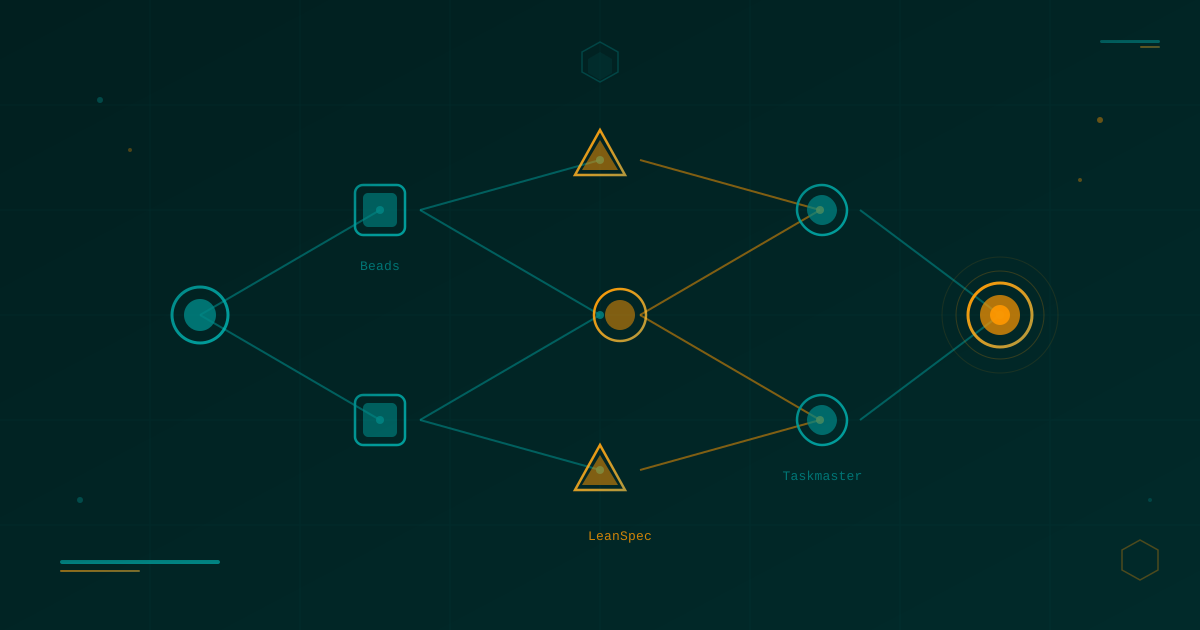
Lean Task-First Development: Beads, LeanSpec, and Taskmaster in Practice
A deep dive into three tools that solve context rot and keep AI coding agents focused: Beads (git-native DAG issue tracker), LeanSpec (minimal spec-driven workflow), and Taskmaster (PRD-to-task orchestration). Real commands, real workflows, real indie dev perspective.
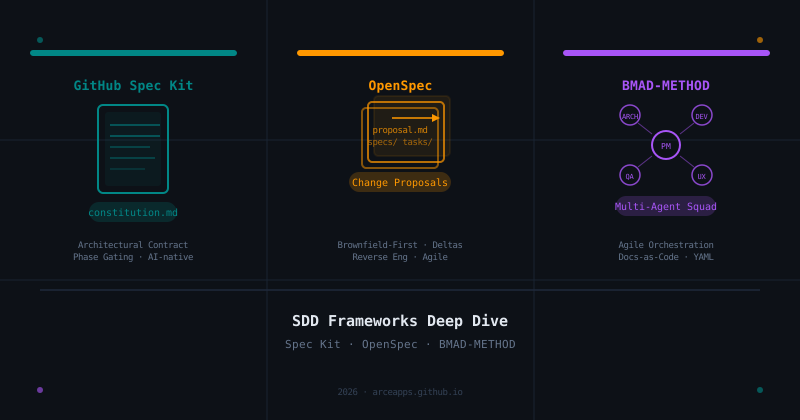
SDD Frameworks Deep Dive: GitHub Spec Kit, OpenSpec, and BMAD-METHOD Compared
A thorough analysis of the three leading Spec-Driven Development frameworks: the architectural contracts of GitHub Spec Kit, the change-proposal agility of OpenSpec, and the multi-agent orchestration of BMAD-METHOD.