
Table of Contents
This is the third article in the persistent memory series. In the first we covered three native OpenCode plugins. In the second, three cross-agent MCP servers. Today I close the series with what actually matters: how I combine the best ones in my real flow, with verified configurations, maintenance scripts, and honest use cases — including the moments where each piece fails.
Honest Disclaimer: The Perfect Stack Does Not Exist
Before diving in, a confession: I have been iterating on my persistent memory setup for six months. I have tested the six tools analyzed in this series plus others that did not make it to the blog. The combination I am going to tell you about works for me, but it has real trade-offs.
If you are reading me looking for the “definitive stack” you never have to touch again, I will tell you right now: it does not exist. What does exist is a stack you can defend rationally, that fails in understandable ways, and that you can migrate piece by piece without getting stuck.
What I am about to share assumes that:
- You work on 2-5 projects simultaneously (my real case with Android + Astro + Python scripts).
- You switch agents depending on the task: Claude Code for serious architecture, Cursor for quick refactors, OpenCode for long sessions, Codex in CI.
- You care more about auditability and portability than cloud convenience.
- You have Python 3.12+ and uv installed (if not, part of the setup does not apply).
If any of this does not match your reality, adapt. This is a guide, not a dogma.
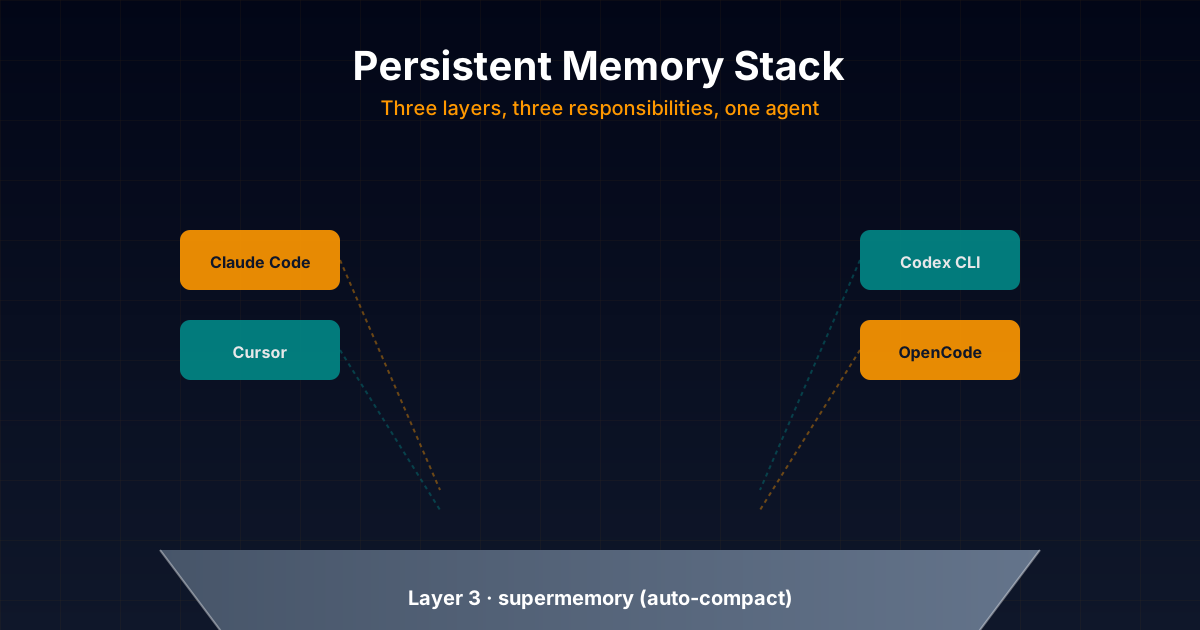
The Three-Layer Architecture
┌─────────────────────────────────────────────────────────┐
│  LAYER 3: opencode-supermemory                          │
│  Preemptive auto-compact + context injection             │
│  (OpenCode only — but critical for long sessions)        │
├─────────────────────────────────────────────────────────┤
│  LAYER 2: forgetful                                     │
│  Procedural skills + entities + Zettelkasten             │
│  (Cross-agent — Claude, Cursor, Codex, Gemini, etc.)     │
├─────────────────────────────────────────────────────────┤
│  LAYER 1: basic-memory                                  │
│  Main memory: Markdown + knowledge graph                 │
│  (Cross-agent — works with all MCP clients)             │
└─────────────────────────────────────────────────────────┘
The logic of the three layers:
-
Layer 1 (basic-memory): the central “brain”. Everything I want to remember across projects lives here: architectural decisions, preferences, user context, technical knowledge. It is the layer I use most and the only one I consider indispensable.
-
Layer 2 (forgetful): the “muscle memory”. Here I store reusable procedures (skills) that I distribute among agents, and entities (people, services, external dependencies) I need to reference.
-
Layer 3 (supermemory): the “intelligent compactor”. I only activate it for long OpenCode sessions where native compaction would destroy critical context. It is opt-in, not always on.
This separation is not dogma. The practical reason: each layer has a different update cycle, token cost, and failure mode. Mixing them in a single tool sounds elegant but in practice forces you to accept trade-offs in every dimension.
This is what the full stack looks like — pragmatic, iterable, open-source.

Layer 1: basic-memory as Main Memory
Why basic-memory and Not Others
Of the six plugins analyzed, basic-memory is the only one that simultaneously fulfills:
- Human-readable and editable storage (Markdown + Obsidian).
- Universal MCP compatibility (Claude Code, Codex, Cursor, VS Code, ChatGPT, OpenCode, OpenClaw, Hermes, Oh My OpenCode).
- Local hybrid search (FTS5 + FastEmbed, no cloud).
- Knowledge graph via wikilinks.
- Active and funded project (3.3k stars, frequent releases, active Discord).
The other candidates had weaknesses in some dimension:
opencode-supermemoryonly officially supports OpenCode.forgetfulrequires atomic discipline I do not always maintain.- The native plugins from the previous article are not cross-agent.
Step-by-Step Initial Configuration
1. Install basic-memory
uv tool install basic-memoryVerify with:
basic-memory --version
# basic-memory, version 0.22.1
If you want it to auto-update, do nothing else. basic-memory checks for updates every 24h. To force:
basic-memory update2. Configure Projects
My personal setup has three projects:
# Main work: Android + Astro
basic-memory project add work ~/basic-memory/work

# Learning and side projects
basic-memory project add study ~/basic-memory/study

# Personal notes / experiments
basic-memory project add personal ~/basic-memory/personal
Verify:
basic-memory project list
# NAME      PATH                  MODE
# work      ~/basic-memory/work        local
# study     ~/basic-memory/study       local
# personal  ~/basic-memory/personal    local
3. Configure Obsidian (Optional but Recommended)
Point Obsidian at ~/basic-memory as root vault. Inside, create three sub-vaults:
~/basic-memory/
├── work/
├── study/
└── personal/
Enable in Obsidian:
- “Graph” plugin (native) — visualizes the wikilinks graph.
- “Backlinks” plugin (native) — automatic bidirectionality.
- “Dataview” plugin — SQL-like queries over frontmatter.
4. Connect with Each MCP Agent
Claude Code (my main agent for serious work):
claude mcp add basic-memory -- uvx basic-memory mcpTo verify:
claude mcp list
# basic-memory: uvx basic-memory mcp - ✓ Connected
Claude Desktop (when I want chat without code):
// ~/Library/Application Support/Claude/claude_desktop_config.json
{
  "mcpServers": {
    "basic-memory": {
      "command": "uvx",
      "args": ["basic-memory", "mcp"]
    }
  }
}
Codex CLI (for CI and quick sessions):
# ~/.codex/config.toml
[mcp_servers.basic-memory]
command = "uvx"
args = ["basic-memory", "mcp"]
Cursor (visual refactors):
// .cursor/mcp.json (project-level) or ~/.cursor/mcp.json (global)
{
  "mcpServers": {
    "basic-memory": {
      "command": "uvx",
      "args": ["basic-memory", "mcp"]
    }
  }
}OpenCode:
// ~/.config/opencode/opencode.json
{
  "plugin": ["basic-memory"]
}
Note that basic-memory officially announces compatibility with OpenCode via its dedicated plugin, although the MCP server also works directly.
5. Configure Auto-Update
Edit ~/.basic-memory/config.json and verify auto_update is true (default):
{
  "auto_update": true
}
This prevents a new version from breaking compatibilities without you noticing.
My Real Knowledge Structure
After six months of iterating, this is the structure that works for me. I give it to you as I use it, with explanations of why each section exists:
~/basic-memory/work/
├── index.md                          # Entry point to the graph
├── preferences/
│   ├── coding-style.md               # My code preferences
│   ├── communication-style.md        # Tone, language, format
│   └── tooling-preferences.md        # What I use for what
├── architecture/
│   ├── android/
│   │   ├── module-structure.md       # How I organize modules
│   │   ├── dependency-injection.md   # Hilt patterns
│   │   └── persistence-layer.md      # Room + DAOs
│   └── astro/
│       ├── content-collections.md    # Blog/apps/devlog schema
│       └── i18n-strategy.md          # English default + Spanish
├── decisions/
│   ├── 2026-01-15-why-bun-not-npm.md # Decision about package manager
│   ├── 2026-02-03-typescript-strict.md
│   └── 2026-03-22-svg-not-png-heroes.md
├── projects/
│   ├── sudoku-android.md             # Current project state
│   ├── puzzle-hub.md
│   └── arceapps-site.md
└── meetings/
    └── 2026-06-10-pair-coding-claude.md
index.md — The Entry Point
This file is critical. I open it when starting a session with any agent and ask it to read it first:
---
title: Work Memory Index
permalink: work-index
tags: [meta, index]
---

# Work Memory Index

This is the entry point to my work knowledge graph. Start here.

## Active Projects
- [[Sudoku Android]] - Current sprint: solving algorithm optimization
- [[Puzzle Hub]] - Paused, returning next week
- [[ArceApps Site]] - Active, content focus

## My Preferences (load these every session)
- [[Coding Style Preferences]]
- [[Communication Style]]
- [[Tooling Preferences]]

## Architectural Patterns I Use
- Android: [[Module Structure]], [[DI Patterns]], [[Persistence Layer]]
- Astro: [[Content Collections]], [[i18n Strategy]]

## Recent Decisions
- [[2026-01-15 Why Bun not npm]]
- [[2026-02-03 TypeScript Strict Mode]]
- [[2026-03-22 SVG Not PNG Heroes]]

## How to Use This Memory
1. Read `index.md` at session start.
2. Use `search_notes` to find specific topics.
3. Use `build_context` to navigate wikilinks.
4. Use `recent_activity` to see what I changed recently.
preferences/coding-style.md — Code Preferences
---
title: Coding Style Preferences
permalink: coding-style
tags: [preferences, style]
---

# Coding Style Preferences

## Kotlin
- [rule] Use `data class` for DTOs and value objects
- [rule] Prefer expression bodies for single-line functions
- [rule] Coroutines over Threads, always
- [rule] `Result<T>` for error handling, not exceptions in domain layer
- [rule] Hilt for DI, never manual factories
- [rule] Room for persistence, never raw SQLite

## TypeScript
- [rule] Strict mode enabled, never `any` (use `unknown` if needed)
- [rule] Prefer `interface` for object shapes, `type` for unions
- [rule] Async/await over `.then()`, always
- [rule] Destructuring over property access when 3+ fields
- [rule] No default exports (except config files)

## Astro / Web
- [rule] Tailwind utility classes, no `<style>` blocks
- [rule] Components in `src/components/`, never inline
- [rule] All images in `public/images/`, referenced absolutely
- [rule] i18n via folder prefix (`en/`, `es/`)

## Git
- [rule] Conventional commits, always
- [rule] Never commit secrets, ever
- [rule] Squash commits on PR, rebase on main
This note is loaded automatically by the agent via build_context when I ask for new code.
decisions/2026-03-22-svg-not-png-heroes.md — The Decision Format
---
title: Why SVG not PNG for Hero Images
permalink: 2026-03-22-svg-heroes
tags: [decision, astro, design]
---

# Why SVG instead of PNG for Hero Images

## Context
Was using PNG/JPG for hero images on blog posts. 132 images, ~50MB total.

## Decision
Switch to SVG with simple geometric patterns. Brand colors only (#018786 teal, #FF9800 orange).

## Rationale
- [fact] SVG files average 2-8KB vs 200-500KB for equivalent PNG
- [fact] SVG scales perfectly for retina/4K without 2x assets
- [principle] Geometric minimalism fits indie dev aesthetic
- [principle] Easier to maintain, edit text in any editor

## Consequences
- [consequence] 95% reduction in image weight
- [consequence] Hero images now version-controlled diff-friendly
- [consequence] Some illustrations less photographic (acceptable trade)

## Alternatives Considered
- WebP with fallback: too complex for indie flow
- PNG with compression: still 10x bigger than SVG
- Icon library (Undraw, Heroicons): limited customization

## Date
2026-03-22
Note the structure: Context → Decision → Rationale → Consequences → Alternatives. This is the format I recommend for all important decisions. It allows the agent (and me six months from now) to reconstruct the reasoning.
How I Use It Day-to-Day
Typical Session with Claude Code
$ claude> Read ~/basic-memory/work/index.md and tell me which projects are active.
[Claude reads index.md via MCP build_context]
Claude: You have three active projects according to your memory:
- Sudoku Android (current sprint: solver optimization)
- Puzzle Hub (paused, returning next week)
- ArceApps Site (active, content focus)
Do you want to continue with Sudoku or switch projects?
> Sudoku. Read the project file and show me the latest state.
[Claude reads ~/basic-memory/work/projects/sudoku-android.md via MCP read_note]
Claude: Your latest state on Sudoku Android:
- Solver implemented with backtracking, O(n!) in pathological cases
- Next step: implement constraint propagation before backtracking
- Open decision: DLX (Algorithm X) vs keep optimized backtracking
- Current blocker: regression tests for hard puzzles fail
Do you want me to explore the DLX option or would you rather optimize backtracking first?This is exactly what I want. No re-explaining anything. No “do you prefer X or Y?” three times. The agent already knows what I do, what decisions I made, what I left pending.
When I Find Something Important
I work with the agent, find a pattern, make a decision. I tell it:
> This is important: add to memory that for difficult Sudoku puzzles, Norvig's algorithm
> (constraint propagation + backtracking) is 100x faster than pure backtracking.

[Claude calls write_note with type=learning, scope=work/sudoku]

Claude: I saved it to ~/basic-memory/work/decisions/2026-06-18-sudoku-norvig-algorithm.md
with tags [sudoku, algorithm, performance]. Do you want me to also add the reference to
Peter Norvig's original paper?

> Yes, and link it to the project.

[Claude does edit_note adding wikilink [[Sudoku Android]] in the Relations section]
Memory grows organically. No ceremonies. No export, import, sync.
When I Search Past Knowledge
> Do you remember why we chose Bun over npm?

[Claude calls search_notes with query="bun npm decision"]

Claude: Yes, you decided it on 2026-01-15. The main reasons:
1. ~3x faster on install
2. Built-in native TypeScript, without ts-node or tsx
3. Simpler lockfile (bun.lock vs package-lock.json)
4. Compatibility with Node.js scripts

Alternatives you ruled out: pnpm (slower), yarn classic (abandoned),
deno (smaller ecosystem).

Do you want to revisit this decision or is it still valid?
Refactor with Cursor
I open Cursor in ~/code/sudoku-android. The global MCP config is active, so the agent already has access to basic-memory.
> Refactor Solver.kt to use the Norvig algorithm I have in memory.

[Cursor calls search_notes "norvig algorithm kotlin"]

Cursor: I found your note from 2026-06-18. I will refactor Solver.kt applying
constraint propagation + backtracking. First I read the current file...Critical: the memory is the same. I do not have to configure anything specific for Cursor. The MCP layer takes care of it.
Real Maintenance
This is what nobody tells you about persistent memory: it requires maintenance, just like a garden.
Weekly Compaction Script
I have a script at ~/bin/basic-memory-maintenance.sh:
#!/bin/bash
# Run weekly: ./basic-memory-maintenance.sh

set -e

echo "=== Basic Memory Maintenance ==="
echo ""

echo "1. General status..."
basic-memory status
echo ""

echo "2. Doctor check (file <-> DB consistency)..."
basic-memory doctor
echo ""

echo "3. Reindex if needed..."
if basic-memory doctor --check 2>&1 | grep -q "out of sync"; then
  echo "Reindexing..."
  basic-memory reindex
fi
echo ""

echo "4. Search for orphan notes (no relations)..."
orphans=$(basic-memory tool list_directory --output json | jq -r '.entries[] | select(.relations_count == 0) | .permalink')
if [ -n "$orphans" ]; then
  echo "Notes without relations:"
  echo "$orphans"
  echo "Consider linking them with wikilinks to strengthen the graph."
fi
echo ""

echo "5. Recent activity (last 7 days)..."
basic-memory tool recent_activity --days 7
echo ""

echo "=== Done ==="
I run it every Sunday night. It takes ~30 seconds.
Trivial Backup with Git
~/basic-memory/ is a Git repository:
cd ~/basic-memory
git init
echo "*.db" > .gitignore
echo "*.db-journal" >> .gitignore
echo ".basic-memory/" >> .gitignore
git add .
git commit -m "Initial memory snapshot"
And I sync to a private repo on GitHub:
git remote add origin git@github.com:arceapps/basic-memory-private.git
git push -u origin main
Why this setup matters: if basic-memory disappeared tomorrow (abandoned project, AGPL incompatible, whatever), I have all my memory files in Git, in standard Markdown format, recoverable with any tool.
When to Edit Manually vs. Let the Agent
Rule I follow:
- The agent edits: operational notes, specific technical decisions, learnings from bugs.
- I edit manually: preference notes, philosophical decisions, index.md, folder structure.
The reason: the notes I care most about being exactly as I want them are the ones that define my technical identity. The agent is good at extracting factual knowledge; I am better at defining tone and style.
Layer 2: forgetful as Procedural Skills Memory
Why forgetful as Second Layer
The main reason: the Agent Skills SKILL.md format is portable. forgetful can import/export skills in this format, which is the standard Claude Code, Codex and other modern agents are adopting (we covered this in the article on dynamic Skills).
My concrete use: I have a repository of procedural skills (how to debug Gradle issues, how to configure CI for Android, how to do safe refactor in Astro) that I want available in whatever agent I use. forgetful is the central repository.
Minimal Configuration
uv tool install forgetful-aiVerify:
forgetful --help
# Or using uvx directly:
uvx forgetful-ai --help
Connection with Agents
Claude Code:
claude mcp add forgetful -- uvx forgetful-aiOpenCode:
// ~/.config/opencode/opencode.json
{
  "plugin": ["forgetful"]
}Codex:
# ~/.codex/config.toml
[mcp_servers.forgetful]
command = "uvx"
args = ["forgetful-ai"]
Real Use Case: “Debug Gradle Build Failures” Skill
Imagine after fighting a failing Gradle build in Android, you identify a reproducible pattern:
- You save it in forgetful with a prompt to the agent:
> Create an atomic memory in forgetful with title "Debug Gradle Build Failures Pattern".
> Content: when ./gradlew fails without stacktrace, run ./gradlew --stacktrace --info
> | head -200. If error is dependencies, check gradle/wrapper/gradle-wrapper.properties
> and compare with version catalog in gradle/libs.versions.toml. If nothing works, delete
> ~/.gradle/caches and retry.
> Tags: gradle, android, debugging, build-failures
> Importance: 8-
The agent calls
execute_forgetful_tool("create_memory", ...)with those parameters. -
Months later, in another Android project:
> I have a Gradle failure without clear stacktrace. Do you have any relevant memory?

[The agent calls execute_forgetful_tool("query_memory", { query: "gradle build failure debugging" })]

Agent: Yes, I found your "Debug Gradle Build Failures Pattern" memory (importance 8).
I recommend:
1. Run ./gradlew --stacktrace --info | head -200
2. Check gradle/wrapper/gradle-wrapper.properties vs libs.versions.toml
3. If nothing works: rm -rf ~/.gradle/caches and retry

Shall I apply these steps?
Why forgetful and Not basic-memory for Skills
One could argue basic-memory could store this too. The practical difference:
- basic-memory is optimized for declarative knowledge (facts, decisions, categorized observations). You write about the world.
- forgetful is optimized for procedural knowledge (steps, sequences, conditions). You teach how to do.
The atomic format of forgetful (short title + self-contained content + tags + importance) is perfect for skills that get invoked and executed. The format of basic-memory (Markdown with observations + relations) is perfect for navigable knowledge graph.
Using the right tool for the right job simplifies the cognitive architecture.
Layer 3: opencode-supermemory for Auto-Compact
Why OpenCode Only
opencode-supermemory only officially works with OpenCode. This limits its scope but also clarifies when to use it.
My rule: I only activate supermemory when I am going to have a long OpenCode session (>20 prompts) where compaction is likely. For the rest, I do not turn it on.
Installation
bunx opencode-supermemory@latest installTo authenticate:
bunx opencode-supermemory@latest loginIf you prefer self-hosted:
# Clone and start the backend
git clone https://github.com/supermemoryai/supermemory.git
cd supermemory
docker compose up -d

# Configure the plugin to point at localhost
echo '{"baseUrl": "http://localhost:8787"}' > ~/.config/opencode/supermemory.jsonc
Optimized Configuration for Long Sessions
// ~/.config/opencode/supermemory.jsonc
{
  "similarityThreshold": 0.65,
  "maxMemories": 8,
  "maxProjectMemories": 15,
  "maxProfileItems": 7,
  "injectProfile": true,
  "compactionThreshold": 0.75,
  "containerTagPrefix": "arceapps"
}
The values that deviate from default:
compactionThreshold: 0.75(default 0.8) — compact earlier, when I still have plenty of context to make good decisions.maxMemories: 8(default 5) — more memories per injection because my profile is rich.containerTagPrefix: "arceapps"— custom namespace to avoid collisions with other devs using the same git email hash.
When I Activate It Manually
It is not always on. I activate it at the start of sessions I know will be long:
# Verify if loaded
bunx opencode-supermemory@latest status

# Typical session
opencode
Inside OpenCode, I run /supermemory-init if I am in a new codebase (so it explores and memorizes the architecture), or jump straight to work if it already knows it.
How It Cooperates with basic-memory
Here is the interesting part: supermemory and basic-memory do not compete, they cooperate.
In a typical session:
- basic-memory injects persistent knowledge at the start (via
build_context). - supermemory adds session-current memories and detects keywords.
- When context reaches 75%, supermemory triggers compaction and saves the summary as a memory.
- basic-memory stays stable as long-term repository; supermemory handles the immediate lifecycle.
If you want to verify the difference, open ~/.config/opencode/opencode.json:
{
  "plugin": ["basic-memory", "opencode-supermemory"]
}
Both plugins coexist without conflicts. Each writes to its own backend.
The Complete Flow in a Real Day
Let me tell you about a recent day so you see how it all fits together.
9:00 AM — Morning session with Claude Code
claude> Good morning. Continue with the Solver.kt refactor.
[Claude reads basic-memory/work/projects/sudoku-android.md]
[Claude reads basic-memory/work/decisions/2026-06-18-sudoku-norvig-algorithm.md]
Claude: Good morning. According to your memory, you are implementing Norvig's algorithm
in Solver.kt. Latest state: constraint propagation partially implemented, missing
integration with backtracking. Continue from there or want to rethink?I work for 2 hours. I find an edge case. I save it:
> Create note: when the puzzle has only 2 empty cells and backtracking does not find
> solution, it is a bug in my candidates implementation. Verify candidateValues()
> function excluding values already assigned in row/col/box.

[Claude calls write_note via basic-memory]
11:30 AM — Switch to OpenCode for long session
# Verify supermemory status
bunx opencode-supermemory@latest status
# Connected, 247 memories stored, 12 project memories for current dir

opencode
I work 3 hours on a big feature. At the 2-hour mark, automatic compaction triggers:
> [Automatic compaction executed by supermemory]
> Context reduced from 87% to 42%.
> 3 project memories updated with session summary.
I keep working 1 more hour without losing the thread.
3:00 PM — Visual refactor in Cursor
I open Cursor. The global MCP config loads basic-memory automatically.
> Refactor the SudokuGrid.kt component to use ConstraintLayout instead of the
> nested LinearLayout. Remember my Kotlin style preferences.

[Cursor reads basic-memory/work/preferences/coding-style.md]
[Cursor searches memory:// style preferences via build_context]

Cursor: Applying your rules: data class for value objects, expression bodies
for simple functions, Hilt for DI. Refactoring SudokuGrid.kt...
5:00 PM — CI issue with Codex
GitHub Actions fails. I open Codex CLI locally to reproduce:
codex> CI fails on ./gradlew test. Look at the log and tell me what is happening.
[Codex reads the log directly]
[Codex queries basic-memory via MCP: "gradle test failures"]
Codex: The log shows `Unsupported class file major version 67`. According to your memory
("Debug Gradle Build Failures Pattern"), this is usually JDK mismatch. CI is
probably using JDK 21 while libs.versions.toml asks for JDK 17.
Do you want me to update CI to JDK 17 or the version catalog to JDK 21?7:00 PM — Wrap-up
# Weekly maintenance every Sunday, but daily is trivial
basic-memory status
# 89 notes, 234 relations, healthy
Done. No ceremonies. No reinventing context every time.
Honest Trade-offs
I would not be honest if I did not tell you where this stack fails.
The “Uncurated Memory” Problem
basic-memory grows non-stop. After six months I have ~90 notes in work/ and ~40 in study/. Not all are equally useful. I do not have a systematic pruning process.
This is a real problem. My partial solution: review notes with recent_activity --days 30 and merge the redundant ones. But it is not systematic.
If I had to start over, I would dedicate one hour monthly to review and consolidate.
The Cost of Injected Tokens
basic-memory injects knowledge at the start of every session. With 90 notes and a generous retrieval system, that is ~3000-5000 context tokens consumed before your first prompt.
This is not dramatic (200k token context in Claude, 1M in Gemini), but it accumulates. If you pay per token, it is a real cost.
Mitigation: use the build_context tool with a specific URL (memory://work/projects/sudoku-android) instead of loading the whole graph.
Synchronization Between Machines
basic-memory does not sync automatically between machines (unless you pay for the cloud). My solution: Git + manual push every night. It is ugly but works.
Alternative I tried and discarded: using Syncthing to sync ~/basic-memory/ directly. Problem: SQLite does not play well with concurrent writes. The database corrupted twice before I went back to Git.
Inconsistency Between Agents
Each MCP agent has its quirks. Claude Code respects build_context perfectly. Cursor sometimes ignores output_format=json. Codex has its own way of invoking tools that sometimes does not match FastMCP annotations.
This is not basic-memory’s fault, it is ecosystem MCP immaturity. But you hit it.
The Cognitive Load of Maintaining Three Systems
Three layers, three CLIs, three databases, three failure modes. Sometimes I think “I should just stick with basic-memory and forget the rest”.
The truth: for 80% of my needs, basic-memory alone would suffice. forgetful and supermemory are the 20% of cases where specialization adds real value (portable procedural skills, long sessions with auto-compact).
If I had to choose just one, it would be basic-memory. Without hesitation.
What I Would Change (And What I Would Not)
After six months with this stack:
I would change:
- The project routing system in basic-memory. Three projects is fine, but when I move to five I want something more sophisticated.
- The lack of automatic versioning of the SQLite database. If it corrupts, I lose the vector index (the Markdown files stay intact, but semantic search has to be reindexed).
I would not change:
- The decision to have three layers instead of one monolith. The trade-offs are real, but the separation of cognitive responsibilities is valuable.
- Markdown as the main format. It is the most defensible decision long-term.
- Git for versioning. Simple, portable, free.
Series Conclusion
In the first article we saw native OpenCode plugins. In the second, cross-agent MCP servers. In this third one, my real stack.
If I had to summarize everything in one sentence: the best persistent memory is the one your agent uses without you having to think about it, that survives a tool change, and that you can audit with cat.
basic-memory fulfills all three. forgetful and supermemory complement specific cases. The native plugins from the first article are perfect to start with before deciding to invest in more serious infrastructure.
And most importantly: you do not need to implement all of this today. Start with basic-memory, live with it for a month, and add the other layers only when you identify real friction.
References and Further Reading
- basic-memory repository
- basic-memory documentation
- opencode-supermemory repository
- forgetful repository
- Model Context Protocol specification
- Agent Skills specification
- FastMCP framework
- FastEmbed (local embeddings)
- Claude Code MCP documentation
- Codex CLI MCP guide
- Cursor MCP documentation
- uv (Astral Python package manager)
- Previous article: Native OpenCode plugins for persistent memory
- Previous article: Cross-agent MCP servers for persistent memory
- Previous article: Architecture of Persistent AI Agent Memory
- Previous article: Dynamic AI agent Skills
You might also be interested in
Cross-Agent MCP Servers for Persistent
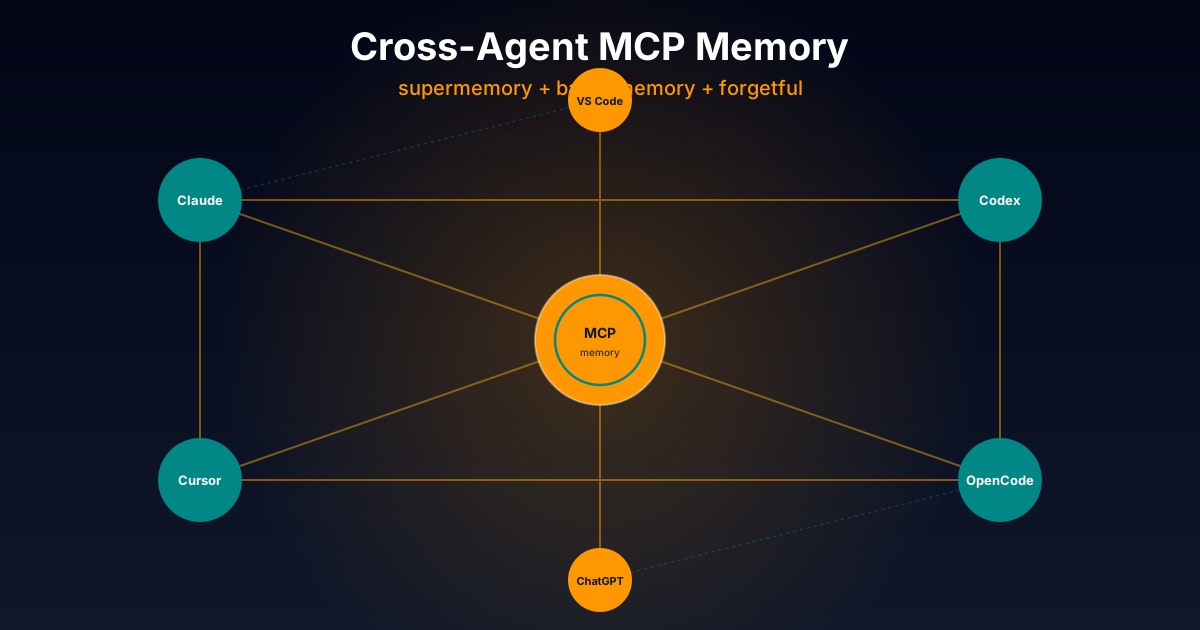
Exhaustive technical comparison of three cross-platform MCP servers to give AI agents persistent memory: opencode-supermemory (cloud), basic-memory (Markdown + graph), and forgetful (atomic Zettelkasten). Works with Claude Code, Codex, Cursor and more.
Native OpenCode Plugins for Persistent
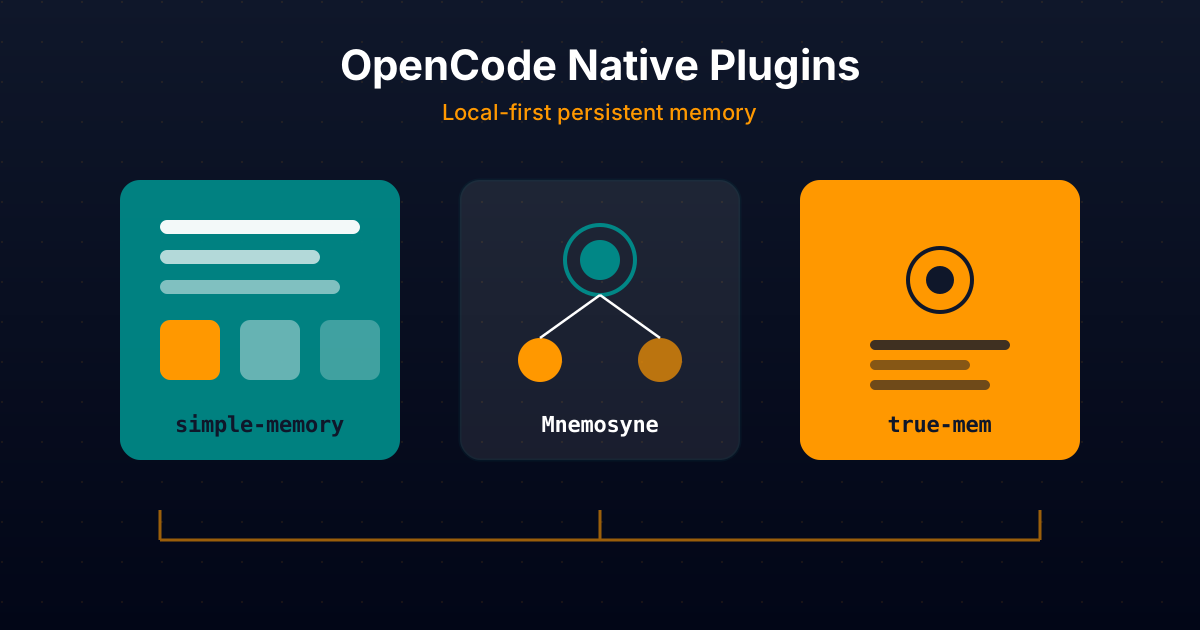
Comparative technical analysis of three native OpenCode plugins to give your AI agent persistent local memory: simple-memory (logfmt), Mnemosyne (offline Go binary), and true-mem (cognitive psychology).
Complete Beginner's Guide: Recommended Sta...
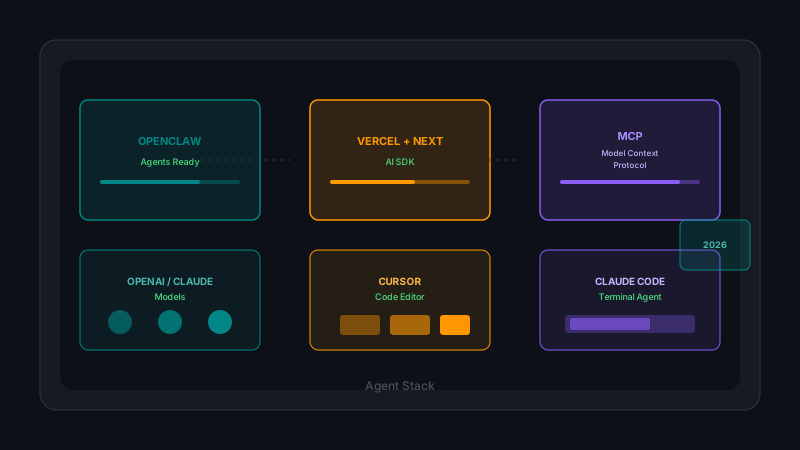
OpenClaw for ready-to-use agents, Vercel AI SDK with Next.js for custom development, OpenAI and Claude models, MCPs for integrations, and Cursor/Claude Code for programming. Complete analysis with practical examples and cost considerations.