
Cross-Agent MCP Servers for Persistent Memory: supermemory, basic-memory and forgetful In Depth
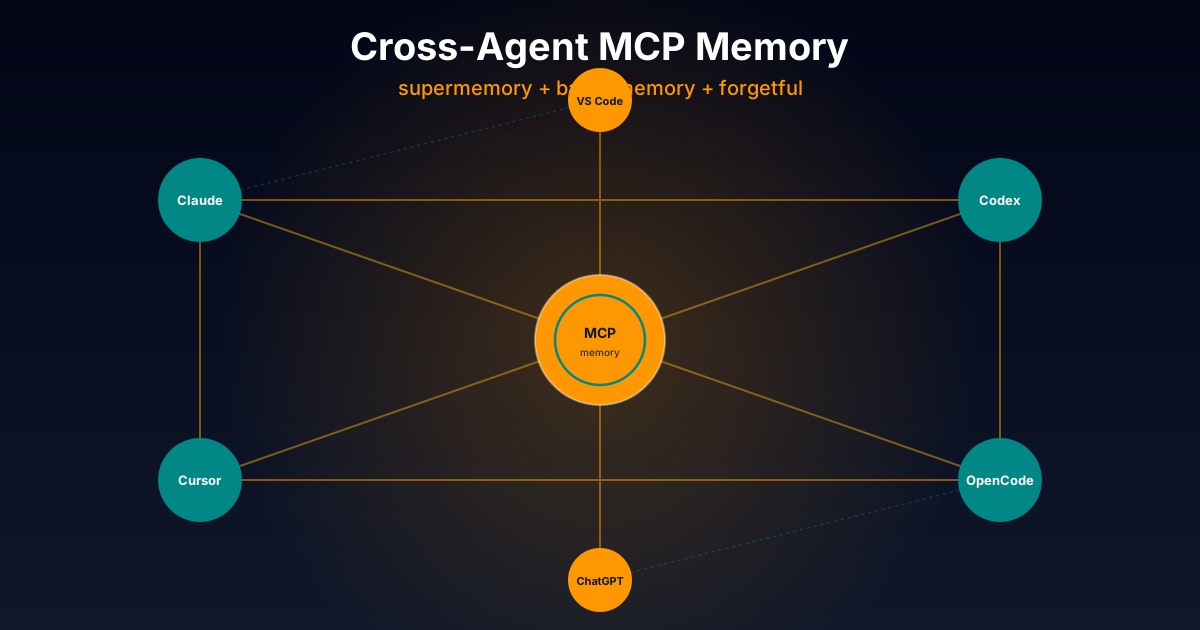
Table of Contents
The native OpenCode plugins we covered in the previous article are fantastic for personal use within the OpenCode ecosystem. But what happens when you want to use Claude Code for a serious task, Codex in your CI pipeline, or Cursor for a quick refactor? If your memory lives only in OpenCode, you have to start from zero in each tool. This is where cross-agent MCP servers come in.
Why MCP Changes the Rules of the Game
The Model Context Protocol (MCP) is the open standard Anthropic launched in late 2024 so external tools (databases, APIs, file systems, memory systems) could integrate with any coding agent speaking the protocol. Today it is natively supported by:
- Claude Code (via
claude mcp add) - Claude Desktop (via
claude_desktop_config.json) - Codex CLI (via
~/.codex/config.toml) - Cursor (via
.cursor/mcp.json) - VS Code (via native MCP config)
- ChatGPT (Custom GPTs with actions)
- Gemini CLI
- Copilot CLI
- OpenCode (via plugin config)
- Oh My OpenCode, Hermes, OpenClaw
This means a well-written MCP server works with all modern agents without porting code. And the three plugins we cover today are exactly that: MCP servers that connect to your persistent memory.
Unlike native plugins (covered in the previous article), these three projects offer more serious infrastructure: vector embeddings, knowledge graphs, entities, projects, procedural skills, and more. The trade-off is that installation is slightly more complex and, in some cases, there is a cloud component.
Let us get into it.
Comparison Criteria
These are the axes I will use. Same ones as the previous article so you can compare between the two families:
- Persistence model and backend: files + local SQLite, cloud, or both. Where do your memories live?
- Real multi-agent: how many agents does it work with out-of-the-box?
- Installation curve: prerequisites (Python, uv, Docker), credential setup, first run.
- Memory model: atomic (one concept per note), automatic chunking, embeddings, graph, etc.
- Auto-detection and extraction patterns: does the server detect automatically when to save, or does it require explicit instructions?
- Search and retrieval: full-text, vector, hybrid, with re-ranking.
- Advanced features: entities, skills, projects, plans/tasks, Obsidian integration.
- Project maturity: stars, release frequency, community, documented cases.
1. opencode-supermemory: Cloud-First with Smart Auto-Compact
Repository: github.com/supermemoryai/opencode-supermemory.
Author: supermemoryai (the company behind supermemory.ai).
Stars: ~1.3k. Language: TypeScript 73%, JavaScript 26%.
Backend: Supermemory cloud API (with self-host option at localhost:8787).
Multi-agent: Mainly OpenCode; integrable with others via manual configuration.
Design Philosophy
opencode-supermemory is the “plug-and-forget” of the persistent memory world. Its thesis is: agentic memory is such a hard problem that it deserves a dedicated company solving it, and you as an indie developer should be able to use it in 30 seconds without worrying about embeddings, SQLite or Python.
The actual backend is the Supermemory API, a commercial service that does the heavy lifting: embeddings, semantic search, deduplication, summaries. You send content, they index it; you query, they return relevant context with scoring.
Installation
Surprisingly simple for a cloud product:
bunx opencode-supermemory@latest install
bunx opencode-supermemory@latest login
The install command registers the plugin in ~/.config/opencode/opencode.jsonc and creates the /supermemory-init command. The login command opens an OAuth flow in the browser to authenticate.
For headless environments (servers, CI), you can use an API key directly:
export SUPERMEMORY_API_KEY="sm_..."And optionally create ~/.config/opencode/supermemory.jsonc with your custom configuration:
{
  "apiKey": "sm_...",
  "baseUrl": "https://api.supermemory.ai",
  "similarityThreshold": 0.6,
  "maxMemories": 5,
  "maxProjectMemories": 10,
  "maxProfileItems": 5,
  "injectProfile": true,
  "containerTagPrefix": "opencode",
  "compactionThreshold": 0.8
}
The baseUrl field is the portability key: point it at your self-hosted instance (http://localhost:8787) and you have a 100% local setup.
Memory Model: Containers
Supermemory organizes memories in tagged containers. By default:
- User container:
{prefix}_user_{sha256(git_email)}. Follows the user across projects. If you setuser.emailin Git (which you should), your memories sync automatically across machines. - Project container:
{prefix}_project_{sha256(directory)}. Project-specific.
You can override both with custom tags (userContainerTag, projectContainerTag) to, for example, share memories across team members or sync between your laptop and desktop.
Preemptive Auto-Compaction
This is the star feature of the plugin. When the OpenCode context reaches 80% capacity (compactionThreshold: 0.8), the plugin:
- Triggers OpenCode’s native compaction.
- Injects relevant project memories into the summary prompt, so the agent does not lose critical context when compacting.
- Saves the session summary as a project memory.
This elegantly solves one of the most subtle problems with long-duration agents: compaction destroys valuable context. With Supermemory, that context is preserved before compaction and restored to the agent afterwards.
Codebase Indexing with /supermemory-init
Running /supermemory-init launches a process where the agent explores your codebase, identifies architectural patterns, and memorizes them. With a medium Kotlin project (200 files, ~50k lines), it takes a few minutes but the result is notable: in future sessions the agent already knows you use Hilt for DI, Room for persistence, and that the :feature:auth module follows MVVM architecture.
Keyword Detection and Privacy
The plugin detects keywords like “remember”, “save this”, “don’t forget” to auto-save. You can add custom patterns with keywordPatterns (regex):
{
  "keywordPatterns": ["log\\s+this", "write\\s+down"]
}
For privacy, it supports <private>...</private> tags that are filtered before storing. Useful if you share logs that accidentally contain secrets.
The Good
- 30-second setup: the fastest of the three to be operational.
- Smart auto-compaction: the feature that adds the most value in long sessions.
- Robust semantic search: thanks to Supermemory’s infrastructure, which has been working on this problem for years.
- Automatic cross-machine sync via git email hash.
- Compatible with Oh My OpenCode: just disable the native compaction hook with
"disabled_hooks": ["anthropic-context-window-limit-recovery"]in~/.config/opencode/oh-my-opencode.json.
The Not-So-Good
- Cloud dependency (by default): although it has self-hosted, most users will use the cloud version. Your memories live on their servers.
- Partial vendor lock-in: if Supermemory.ai shuts down or dramatically raises prices, migrating requires effort. Although
baseUrlpoints to self-hosted, not all features are guaranteed. - Only officially OpenCode: although the API is standard HTTP, there are no officially pre-packaged integrations with Claude Code, Cursor or Codex.
- The cost: although it has a free tier, paid plans can add up for intensive use over time.
- API learning curve: configuring
containerTagPrefixand understanding the container model is not trivial.
Verdict
opencode-supermemory is the plugin I would recommend to someone who wants immediate results and does not mind (or prefers) the cloud component. If your main headache is “how do I prevent the agent from losing context in long sessions?”, auto-compaction is worth its weight in gold. The trade-off is the service dependency.
I use it sporadically for long refactoring sessions where compaction is a real problem, but I keep basic-memory as my main memory for privacy.
2. basic-memory: Bidirectional Markdown with Knowledge Graph
Repository: github.com/basicmachines-co/basic-memory. Author: basicmachines-co (with optional cloud offering at basicmemory.com). Stars: ~3.3k (the most popular of the six analyzed in this series). Language: Python 83%. Backend: SQLite (default) or PostgreSQL. License: AGPL-3.0 (with optional paid cloud at $15/month). Multi-agent: Yes, officially — Claude Desktop, Claude Code, Codex, Cursor, VS Code, ChatGPT, Obsidian, Hermes, OpenClaw, Oh My OpenCode.
Design Philosophy
basic-memory is the most philosophical of the three. Its thesis is: an agent’s memory should not be a proprietary database; it should be Markdown files that both humans and LLMs can read and write.
It is the culmination of the OpenClaw vision we covered in The Architecture of Persistent Memory: plain text files, versionable with Git, editable in Obsidian, queryable via MCP.
The difference is that basic-memory adds:
- Knowledge graph (categorized observations + wikilinks).
- Local semantic search (FastEmbed + sqlite-vec).
- Native MCP with behavior annotations (
readOnlyHint,destructiveHint,idempotentHint,openWorldHint). - Optional cloud for cross-device sync.
- Auto-updates via
uv tool.
Installation
The simplest method is via uv tool (Astral’s Python package manager):
uv tool install basic-memoryThis installs the basic-memory CLI (alias bm). To connect with your favorite MCP agent:
Claude Desktop — edit ~/Library/Application Support/Claude/claude_desktop_config.json:
{
  "mcpServers": {
    "basic-memory": {
      "command": "uvx",
      "args": ["basic-memory", "mcp"]
    }
  }
}
Claude Code:
claude mcp add basic-memory -- uvx basic-memory mcpCodex CLI — add to ~/.codex/config.toml:
[mcp_servers.basic-memory]
command = "uvx"
args = ["basic-memory", "mcp"]
Cursor — .cursor/mcp.json:
{
  "mcpServers": {
    "basic-memory": {
      "command": "uvx",
      "args": ["basic-memory", "mcp"]
    }
  }
}
VS Code — in User Settings (JSON):
{
  "mcp": {
    "servers": {
      "basic-memory": {
        "command": "uvx",
        "args": ["basic-memory", "mcp"]
      }
    }
  }
}
The notable thing: the same command (uvx basic-memory mcp) works with all clients. That is MCP working as designed.
The Markdown Format
Each note is structured Markdown with observations and relations:
---
title: Coffee Brewing Methods
permalink: coffee-brewing-methods
tags: [coffee, brewing]
---

# Coffee Brewing Methods

## Observations
- [method] Pour over highlights subtle flavors over body
- [technique] Water at 205°F (96°C) extracts optimal compounds
- [principle] Freshly ground beans preserve aromatics

## Relations
- relates_to [[Coffee Bean Origins]]
- requires [[Proper Grinding Technique]]
- affects [[Flavor Extraction]]
Observations are categorized facts with [category] and optionally tagged with #. Relations are wikilinks [[Target]] that form the graph.
What is powerful: this is pure Markdown. You open it in Obsidian, edit it in VS Code, commit it in Git, search it with grep. And simultaneously it is a structured semantic note that the agent can navigate.
MCP Tools with Behavior Annotations
Basic Memory exposes MCP tools with FastMCP 3.0 annotations:
- Content:
write_note,read_note,edit_note,move_note,delete_note,read_content,view_note. - Search & discovery:
search,search_notes,recent_activity,list_directory. - Knowledge graph:
build_context(navigatesmemory://URLs),canvas(generates Obsidian canvas). - Projects:
list_memory_projects,create_memory_project,get_current_project,sync_status. - Schema:
schema_infer,schema_validate,schema_diff. - Cloud:
cloud_info,release_notes.
The readOnlyHint, destructiveHint, idempotentHint, openWorldHint annotations allow MCP-aware agents to progressively discover capabilities without burning tokens trying tools. This is a subtle but important improvement to the MCP standard.
Projects and Routing
Basic Memory supports multiple projects within the same installation:
basic-memory project list
basic-memory project add research ~/research
basic-memory project set-cloud research    # route via cloud
basic-memory project set-local research    # revert to local
This allows you to have ~/basic-memory/work, ~/basic-memory/study, ~/basic-memory/personal, each with its own knowledge graph but accessible from the same agent.
Auto-Updates
One of the most polished features: Basic Memory auto-updates every 24 hours when installed via uv tool or Homebrew. To force manually:
basic-memory updateTo disable:
// ~/.basic-memory/config.json
{ "auto_update": false }
This is ideal for the indie developer who does not want to manually maintain a critical daemon.
Obsidian Integration
The icing on the cake: Obsidian reads the same files directly. Point Obsidian at ~/basic-memory and you have a visual vault with graph view, backlinks, native search, Obsidian plugins — and simultaneously accessible via MCP from any agent.
This is the killer feature. It means you can:
- Think and edit manually in Obsidian.
- The agent reads, writes and structures via MCP.
- The source of truth is always the files.
The Good
- The most versatile of the six: officially compatible with Claude Code, Codex, Cursor, VS Code, ChatGPT, Obsidian, OpenClaw, Hermes, Oh My OpenCode.
- Human-readable and editable Markdown: fulfills the most important property we asked for in the previous article on persistent memory.
- Navigable knowledge graph:
[[wikilinks]]relations become first class, not second class. - Real hybrid search with FastEmbed + sqlite-vec locally.
- Optional cloud at $15/month with cross-device sync.
- Auto-updates that work.
- MCP 3.0 annotations for progressive discovery.
- Active: 86+ releases, frequent commits, Discord community, professional funding.
The Not-So-Good
- Requires Python 3.12+ via
uv. If your environment is pure Node, initial friction. - AGPL-3.0: strong copyleft. If you want to make a commercial fork or integrate it into a proprietary product, you cannot without opening your code.
- Format complexity: categorized observations + wikilinks is more sophisticated than pure Markdown, but requires discipline to keep consistent.
- CLI has 40+ commands: non-trivial learning curve.
- Optional cloud is expensive compared to self-hosted ($15/month is reasonable but not free).
Verdict
basic-memory is the one I use the most and the one I recommend as primary memory for serious indie developers. Its combination of readable Markdown + semantic graph + universal MCP compatibility is unbeatable for a real multi-agent workflow. If I could only keep one of the six plugins analyzed in this series, it would be this.
3. forgetful: Atomic Zettelkasten with Entities and Skills
Repository: github.com/ScottRBK/forgetful. Author: ScottRBK. Stars: ~278. Active version: v0.4.2 (June 2026). Language: Python 100%. Backend: SQLite (default) or PostgreSQL. Multi-agent: Yes — Claude Code, Claude Desktop, VS Code, Cursor, Codex, Gemini CLI, Opencode, Copilot CLI.
Design Philosophy
forgetful is the most opinionated of the three. While basic-memory embraces free Markdown and supermemory outsources everything to the cloud, forgetful takes a firm position: agentic memory works better if we imitate the Zettelkasten method.
The Zettelkasten method (literally “slip box” in German) is an atomic notes system where each note contains a single concept, is self-contained, and connects to other notes by semantic similarity or explicit reference. Niklas Luhmann, the German sociologist who popularized it, used this system to write more than 70 books and 400 academic articles.
forgetful’s thesis is: if humans produce better knowledge with atomic notes, agents should also store atomic memories. Each memory is ~300-400 words about a single concept, with clear title (200 char limit), explicit context, keywords and tags.
Installation
The simplest conceptually of the three:
# Option 1: direct with uvx (no installation)
uvx forgetful-ai

# Option 2: install globally
uv tool install forgetful-ai
forgetful

# Option 3: Docker for production
cd docker
cp .env.example .env
docker compose -f docker-compose.sqlite.yml up -d
Data stored in platform-appropriate locations: ~/.local/share/forgetful on Linux/Mac, AppData on Windows.
To connect with agents, the standard MCP pattern:
{
  "mcpServers": {
    "forgetful": {
      "type": "stdio",
      "command": "uvx",
      "args": ["forgetful-ai"]
    }
  }
}
Or via HTTP if you use Docker:
{
  "mcpServers": {
    "forgetful": {
      "type": "http",
      "url": "http://localhost:8020/mcp"
    }
  }
}
The Meta-Tools Architecture
The most original thing about forgetful is its meta-tools pattern: instead of exposing 42 individual tools to the agent (consuming valuable tokens), it exposes only 3:
execute_forgetful_tool(tool_name, args)— the meta-tool that dispatches to any of the 42 real tools.
This is a brilliant design decision from a context token budget perspective. If each MCP tool consumes ~100 tokens of description and forgetful has 42 tools, that is 4200 tokens spent on definitions alone. With meta-tools, it is ~300 tokens and the agent dispatches dynamically.
The 42 Real Tools
Grouped into 7 categories:
- Memory Tools (7): create, query, update, link, mark obsolete.
- Project Tools (5): organize knowledge by context/scope.
- Entity Tools (15): track people, organizations, devices; build knowledge graphs.
- Code Artifact Tools (5): store reusable code snippets.
- Document Tools (5): store long-form content (>400 words).
- Skill Tools (10): procedural memory with semantic search and import/export in Agent Skills SKILL.md format.
- User Tools (2): profile and authentication.
The Skill Tools are particularly interesting: they import and export in the SKILL.md format, which means forgetful can be a centralized repository of procedural skills that you then distribute to multiple agents.
Auto Semantic Linking: The Brain of the Graph
When you create a memory, forgetful:
- Generates the embedding locally with FastEmbed (
BAAI/bge-small-en-v1.5model, 384 dimensions). - Searches for similar memories with threshold ≥ 0.7.
- Auto-links the top 3-5 matches (configurable with
MEMORY_NUM_AUTO_LINK). - Creates a navigable graph automatically.
Auto-linking is what distinguishes forgetful from a simple vector database. It is the algorithmic equivalent of “this idea reminds me of that other one”. And it accumulates: over time, your knowledge graph grows organically without you having to maintain relations manually.
Entities: People, Organizations, Devices
Forgetful introduces typed entities that are not memories:
- Individual: a person (Jordan Taylor, Backend Engineer).
- Organization: a company or team.
- Team: a group within an organization.
- Device: a server or service.
Entities have directional relations with metadata:
Jordan Taylor --works_for--> TechFlow Systems
  metadata: { role: "Backend Engineer II", department: "Payments", start_date: "2025-01-20" }
And can be linked to specific memories. This creates a two-level graph:
Memory ──linked_to──> Entity
Memory ──auto_link──> Memory (semantic similarity)
Entity ──relates_to──> Entity
This is conceptually similar to the Cognee model (covered in the persistent memory article) but implemented as a standalone Python library.
Cross-Encoder Reranking
To improve retrieval precision, forgetful uses cross-encoder reranking in addition to the initial embedding search. The pipeline is:
- Dense retrieval (embeddings) → top 50 candidates.
- Sparse retrieval (BM25) → top 50 candidates.
- Reciprocal Rank Fusion (RRF) → combines both.
- Cross-encoder reranking → reorders the top 20 with finer scoring.
All locally via FastEmbed. Zero cloud calls.
The Good
- Atomic Zettelkasten model: conceptually the most correct. Small, self-contained, linkable notes.
- Meta-tools pattern: brilliant for token budget.
- 42 real tools accessible on demand.
- Semantic auto-linking that builds the graph organically.
- Entities + relations: rich modeling of the real world.
- Skill Tools with Agent Skills standard format.
- Local cross-encoder reranking for high-precision retrieval.
- Standalone: runs as independent MCP server, integrable with any client.
The Not-So-Good
- Atomic format requires discipline: each memory must be a single concept. Storing long documents (>400 words) requires manually extracting 3-7 atomic memories. Extra work, but better retrieval in exchange.
- Python only: if your environment is pure Node, initial friction.
- Scattered documentation: they have 11 Markdown documents in
/docsbut navigating between them is not trivial. You have to read several to understand all capabilities. - Initial search is keyword/semantic: no filters by date or scope in the meta-tool. You have to specify filters in each call.
- Less popular than
basic-memory(278 vs 3300 stars), although technically more mature.
Verdict
forgetful is what I recommend for those who want the conceptually richest memory model. If you are drawn to the idea of an atomic knowledge graph with semantic auto-linking and typed entities, this is your MCP server. The trade-off is that it requires more discipline to maintain the atomic format.
I use it as the procedural memory layer: I store skills (step-by-step procedures) in forgetful and distribute them to multiple agents via the SKILL.md format.
Quick Comparison Table
| Feature | opencode-supermemory | basic-memory | forgetful |
|---|---|---|---|
| Stars | ~1.3k | ~3.3k | ~278 |
| Backend | Cloud API (+ optional self-host) | Local SQLite (optional Postgres) | Local SQLite (optional Postgres) |
| Official multi-agent | OpenCode (+ manual in others) | Wide: Claude, Codex, Cursor, VS Code, ChatGPT | Wide: Claude, Codex, Cursor, Gemini, Copilot |
| Installation | bunx (1 min) | uv tool install (2 min) | uv tool install or Docker |
| Memory model | Containers with user/project scope | Free Markdown with graph | Atomic notes with auto-link |
| Search | Cloud semantic vector | Local hybrid (FTS + FastEmbed) | Local hybrid with cross-encoder reranking |
| Graph | No | Yes (wikilinks + observations) | Yes (semantic auto-link + entities) |
| Procedural skills | No | No | Yes (SKILL.md format) |
| Entities | No | No | Yes (Individual, Org, Team, Device) |
| Optional cloud | Yes (is the basis) | $15/mo at basicmemory.com | No |
| Privacy | Depends on backend | Local-first | Local-first |
| Learning curve | Low | Medium | High |
| Best for | Quick start, auto-compact, long sessions | Markdown + graph, universal multi-agent | Atomic Zettelkasten, procedural memory |
When to Use Each One
- If you want to start in 5 minutes and prefer cloud:
opencode-supermemory. - If you want the balance between power, multi-agent and human editability:
basic-memory. - If you want the conceptually richest memory model and do not mind the discipline:
forgetful.
My personal setup, if you are curious: basic-memory as primary memory (editable Markdown, graph, multi-agent), forgetful as procedural skills layer (I import/export SKILL.md between agents), and opencode-supermemory sporadically for long sessions where auto-compaction is critical.
All three can coexist without conflicts: each uses its own MCP port and its own database.
What Is Coming in the Next Article
Now that you have the full map of the two plugin families (native OpenCode and cross-agent MCP), in the third article of this series I go into the day-to-day detail: how I combine basic-memory + forgetful + opencode-supermemory in my real flow with Claude Code, Codex and OpenCode, with concrete configuration examples, maintenance scripts, and real use cases in Kotlin and Astro projects.
References and Further Reading
- opencode-supermemory repository
- Official Supermemory documentation
- basic-memory repository
- basic-memory documentation
- forgetful repository
- Model Context Protocol specification
- FastMCP framework (used by forgetful)
- FastEmbed (local embeddings)
- Zettelkasten method (Wikipedia)
- A-MEM: Agentic Memory paper (arXiv)
- pgvector (Postgres vector extension)
- Agent Skills specification
- Previous article: Native OpenCode plugins
- Previous article: Architecture of Persistent AI Agent Memory
You might also be interested in
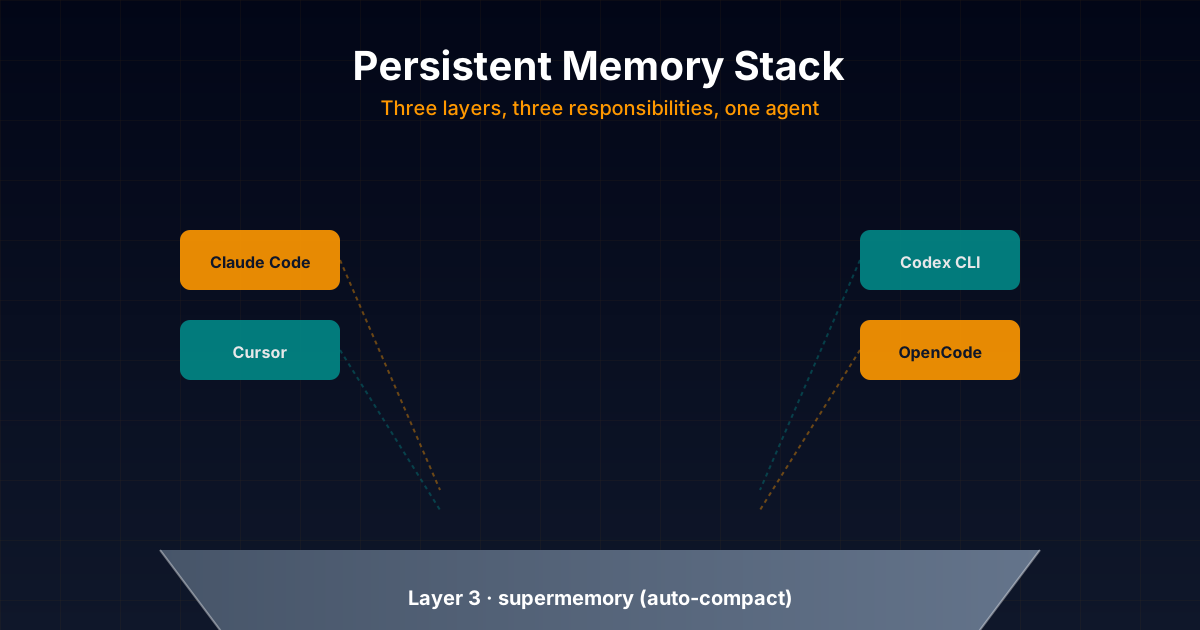
The Persistent Memory Stack I Actually Use: supermemory + basic-memory + forgetful Day-to-Day
Honest technical deep dive into the persistent memory stack I combine daily in my projects: opencode-supermemory for auto-compact, basic-memory as main memory with Markdown + graph, and forgetful as procedural skills layer. With real configuration examples for Claude Code, Codex, Cursor and OpenCode.
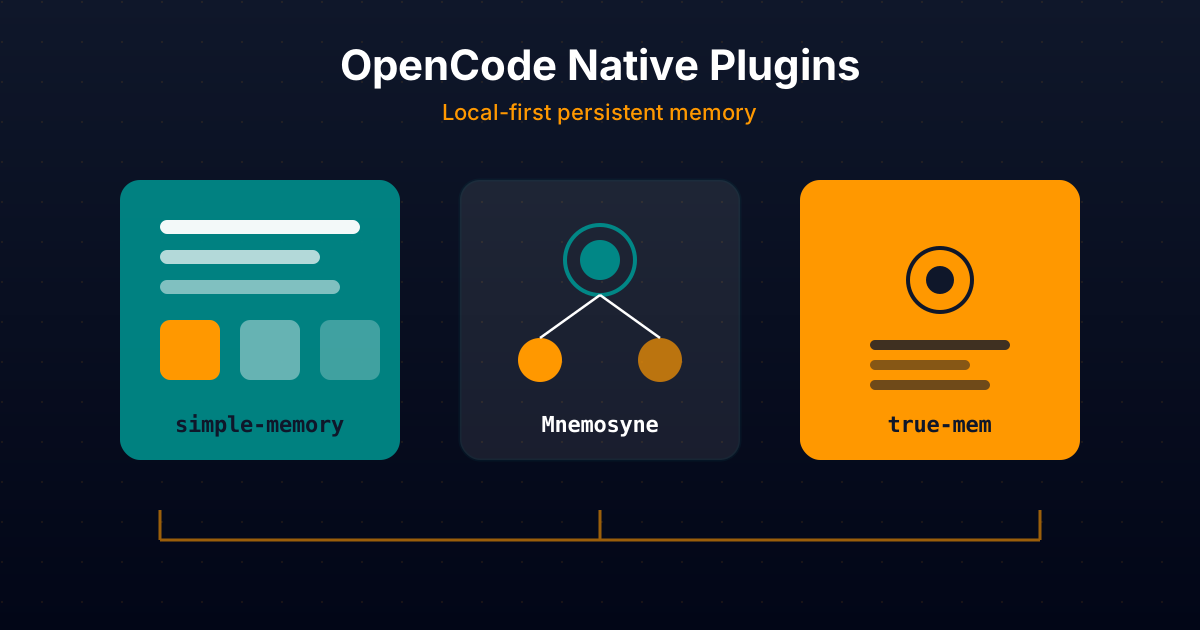
Native OpenCode Plugins for Persistent Memory: simple-memory, Mnemosyne and true-mem In Depth
Comparative technical analysis of three native OpenCode plugins to give your AI agent persistent local memory: simple-memory (logfmt), Mnemosyne (offline Go binary), and true-mem (cognitive psychology).
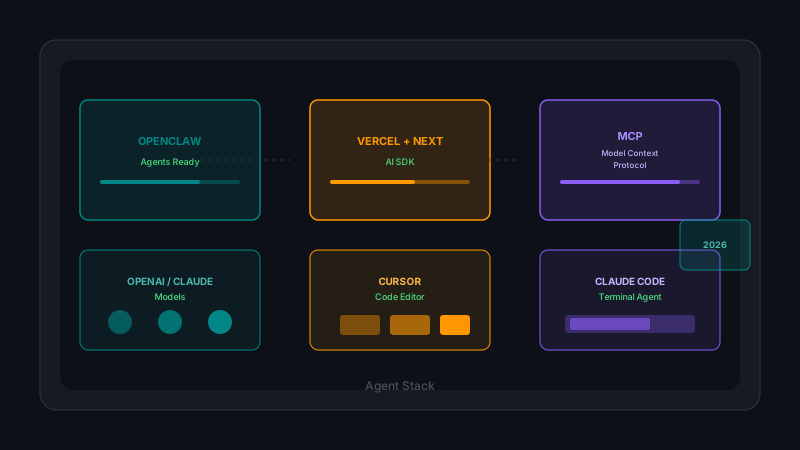
Complete Beginner's Guide: Recommended Stack for Building AI Agents in 2026
OpenClaw for ready-to-use agents, Vercel AI SDK with Next.js for custom development, OpenAI and Claude models, MCPs for integrations, and Cursor/Claude Code for programming. Complete analysis with practical examples and cost considerations.