
Paseo: the coding agent orchestrator that rewrote the category
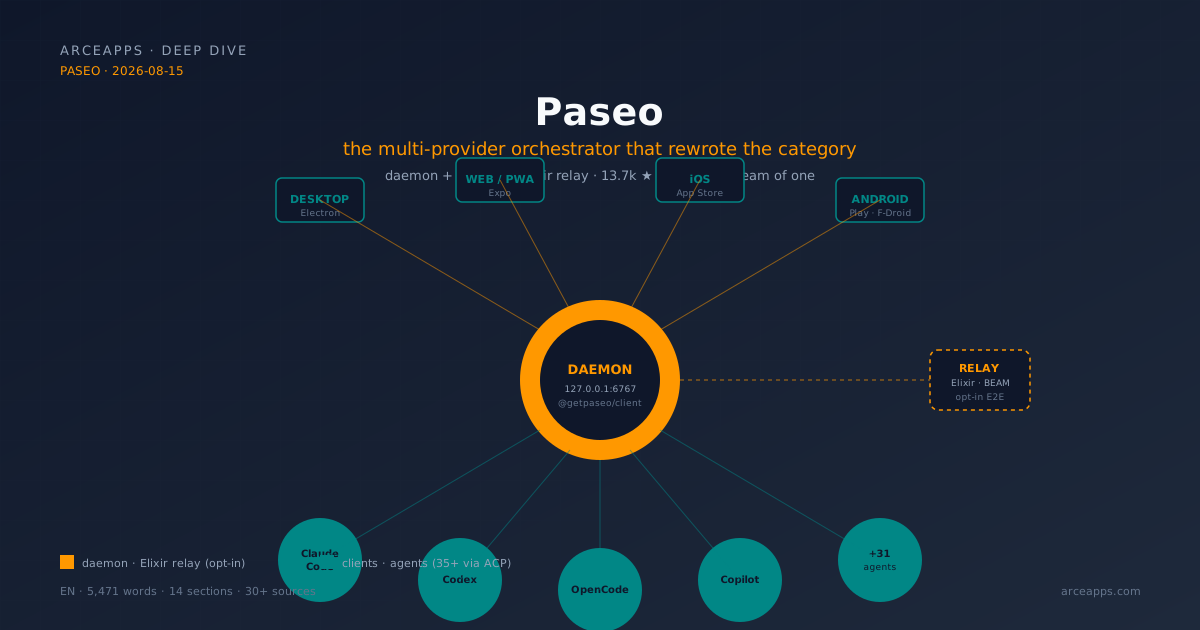
Table of Contents
Related reading on the blog: The operational comparison with OpenChamber, CodeNomad and opencode-mobile (Aug 14, 2026) · OpenChamber, CodeNomad, nomacode and opencode-mobile: honest OpenCode comparison · The OpenCode ecosystem map · OpenCode sub-agents: workflows and Superpowers
Why Paseo deserves its own article
On August 14, I published a comparison of four frontends for coding agents on this blog. The piece worked as an operational map: which one do I install today? Within that map, Paseo took the role of “most disruptive piece.” But the comparison format didn’t do it justice. There are design decisions in Paseo that deserve more space than a paragraph can explain, a backstory that deserves its own time, and a case study (RFC #1042) that merits an article on its own.
At the risk of sounding biased, I think Paseo is the most interesting story in coding agent open source in 2026. Not because it’s the most popular —that crown still belongs to OpenCode with 197,365 stars— nor the prettiest —that debate is subjective—. It’s because Paseo solved a problem the rest of the ecosystem was ignoring: how to have a single cockpit to run several coding agents at once, without committing to a single provider, without building a proprietary fork, without paying a license, without handing your data to a SaaS. And it did it under a real operational constraint: the team, as the maintainer confirmed in the Show HN, “team of one right now.” One person. Fifteen thousand stars. Hundreds of contributions. And an Elixir relay architecture that works in production.
This article is the deep counterpart to the comparison. I’ll explain what Paseo does, how it does it, why it was built that way, and where the line is between magic and technical debt. We’re going to get into code, issues, RFCs, and official skills. If you came from the comparison post, the context will be familiar; if not, this holds on its own.
What Paseo is (and isn’t) in one sentence
Paseo is a local daemon that orchestrates coding agents from multiple providers under a unified interface, with clients for desktop, web, mobile, and CLI, plus an optional end-to-end encrypted point-to-point relay for remote access. That sentence, though long, captures the four elements that separate Paseo from anything else in the ecosystem:
- Local daemon: a background process on your machine that you control. Not a SaaS. Not a webservice you hand your code to. It’s your server. If you turn it off, nothing happens except you lose Paseo, not because someone deauthorizes you.
- Multi-provider orchestrator: it doesn’t talk to a single agent. It talks to Claude Code, Codex, OpenCode, GitHub Copilot, Pi, Gemini CLI, Cursor, Hermes, Kimi, Qwen Code, and a catalog of 25+ more. Each runs as its own process with its real CLI, its real config, its real credentials. Paseo doesn’t wrap — it executes.
- Clients on five surfaces: desktop (Electron), web (PWA), iOS (App Store), Android (Google Play and F-Droid), CLI. They all talk to the same daemon over WebSocket. The experience is coherent: you start a session on the Mac, review it from the iPad, approve it from the phone.
- Optional relay: if you want to connect devices across the internet without opening ports, Paseo has a distributed relay written in Elixir that uses E2E encryption. If you don’t want it, you connect over LAN, Tailscale, or VPN. The relay is opt-in, not mandatory.
What Paseo is not: a coding agent. It doesn’t generate code on its own. It’s not a frontend for a single provider. It’s not a complete IDE. It’s the coordination layer that was missing from the ecosystem.
The architecture: the daemon as the core, everything else as a client
The repo is an npm monorepo with six packages:
packages/
  server/     ← The daemon: orchestrates agent processes, exposes WebSocket API, also serves as MCP server.
  app/        ← Expo client (iOS, Android, web, PWA).
  cli/        ← The `paseo` binary for terminal control.
  desktop/    ← Native Electron app.
  relay/      ← Relay client + encryption, used by daemon and clients.
  website/    ← Marketing site + docs (paseo.sh).
There’s a seventh satellite project, getpaseo/paseo-relay, written in Elixir. It’s the official distributed relay for when you want to connect devices across the internet without opening ports. I’ll cover it in detail later.
Why a daemon, not an app
The most important architectural decision in Paseo is separating the brain (daemon) from the interfaces (clients). The daemon is the process that knows what agents are running, what session is active, what models are available, what credentials you have, what history each agent preserves. The clients are just control surfaces: they launch, connect, display, send prompts, and disconnect. When you close the desktop app, sessions stay alive in the daemon. When you kill the mobile client, the daemon keeps running. When you open the PWA from a friend’s PC, it connects to your daemon (via relay, of course) and you see the same thing you saw from your Mac.
That separation has three practical consequences you only understand when you live them:
- Sessions survive closing the app. This is what HN calls “ship on the go.” If you leave an agent working and close the Mac, the daemon process keeps running under your user. You open Paseo on the iPhone and the session is still there, with its last message, its log, its state. It’s not magic: it’s the pattern of every decent Unix tool (
tmux,systemd,screen). - History is per-agent, not per-client. If you opened a Claude Code session from the Mac and closed it, then opened it from the iPad, you’re seeing the same session. Paseo doesn’t duplicate state; it routes to the real agent’s session. You notice this when you’ve been using Paseo for weeks: the sense of continuity across devices is greater than any SaaS app.
- The daemon is a single process you can monitor and restart. If something goes wrong, you don’t “reinstall the app”: you restart the daemon. If you want to automate, you put a
systemdunit on it. If you want to see it from outside, you usepaseo status. It’s Unix, not Electron.
The WebSocket API: the spine
The daemon exposes a WebSocket API at 127.0.0.1:6767 (configurable port). The client endpoint is /ws. For external integrations, there’s also a TypeScript SDK (@getpaseo/client) that wraps the connection. The example from the README:
import { createPaseoClient } from "@getpaseo/client";

const client = createPaseoClient({ url: "ws://127.0.0.1:6767/ws" });
await client.connect();

const agent = await client.agents.create({
  config: { provider: "codex/gpt-5.5" },
  cwd: "/Users/me/dev/storefront",
  prompt: "Review the current diff and name the riskiest change.",
});

const result = await agent.waitForFinish();
console.log(result.lastMessage);

await client.close();
What this code reveals is exactly what makes Paseo different: the primitive is “create an agent”, not “open a session.” In a classic OpenCode frontend, you open a session and switch models inside the session. In Paseo, you create an agent (with its provider, its CWD, its prompt), send it commands, wait for it to finish (waitForFinish), and read the last response. If you want another agent with another provider, you create another. The session is not a UI abstraction; it’s a real process under control.
The SDK also supports operations like paseo run --host workstation.local:6767, which means you can point at a remote daemon from the CLI. That opens the door to the pattern power users love and beginners fear: a daemon at home, several clients across the city, distributed coordination.
The provider catalog: 35+ agents, one abstraction
Paseo doesn’t implement an adapter for every coding agent. That would be a maintenance nightmare. What it does is lean on the Agent Client Protocol (ACP), a standard protocol for applications to talk to AI agents. The strategy, per RFC #1042 that the maintainer published on May 15, 2026, is:
“Replace paseo’s three bespoke provider adapters (claude-agent.ts, opencode-agent.ts, codex-app-server-agent.ts, ~10k lines combined) with the existing generic ACP adapter (acp-agent.ts, ~1.1k lines), leveraging maintained ACP shims for each provider.”
The figure deserves a pause: 10,000 lines of custom adapters replaced by a 1,100-line generic. That’s the difference between maintaining “a fork that goes stale” and “delegating to an abstraction that evolves.” But the story is more interesting than the figure, and I’ll tell it because it teaches how solo open source is done with judgment.
The story of RFC #1042
The RFC documents a bug that went undetected for six months. OpenCode, in version 1.14, migrated session storage from JSON files in ~/.local/share/opencode/storage/{session,message,part}/*.json to a SQLite database (opencode.db). Paseo’s adapter branch opencode-agent.ts kept scraping the old layout on a specific path (listPersistedAgents). The live stream (streamHistory) used OpenCode’s HTTP server and kept working. Result: the session import silently returned zero results for six months. While resume (reopening a session you had open) worked fine, importing historical sessions (opening a session from two weeks ago) returned nothing. And nobody noticed because the UI showed “no old sessions” without error.
The RFC diagnoses that the problem isn’t the bug itself, but the class of bug: any future storage migration, schema change, or capability addition repeats the cycle. The RFC proposes replacing all the custom plumbing with the generic ACP adapter, which asks each provider for its current state through the protocol. The maturity figures the RFC cites for each ACP adapter are concrete:
- OpenCode: supports ACP natively from 1.14.x. Mailing lists, calls,
session/list,session/update,resume. Verified on 1.14.33. - Claude Code: shim at
agentclientprotocol/claude-agent-acp. 1.9k stars, 91 releases, actively maintained. - Codex: shim at
zed-industries/codex-acp(with a parallel atagentclientprotocol/codex-acpled by JetBrains toward feature parity). 746 stars, v0.14.0.
That decision — abandoning custom code in favor of a standard protocol — is what separates Paseo from the “fork that gets stale” pattern. It’s also the decision that lets the catalog grow without the maintainer maintaining 35 adapters. Every time a provider publishes an ACP shim, Paseo supports it with a small change.
The catalog you see today
Paseo doesn’t only support Claude Code, Codex, and OpenCode. The “one-click installs” list in the docs includes Cursor, Gemini, GitHub Copilot, Hermes, Kimi, Qwen Code, Pi, and “25+ more.” Each appears in the UI with an install button that downloads the provider’s CLI and configures the credentials. You can have a single daemon with six different tools installed, and from the same UI run any combination.
The obvious question is: how stable are the ACP shims for each provider? The honest answer: it depends on the provider. Claude Code and OpenCode are in stable production. Codex is approaching. The rest come in waves. The RFC itself includes a maturity table per provider, and there’s an open issue (#1041) auditing the state-sync problems that remain in the daemon. Paseo doesn’t hide that debt.
The three official skills: Handoff, Advisor and Committee
Paseo isn’t just a control panel. It’s a platform that exposes three official skills — small scripts that extend what the agent can do when you invoke it from another agent (for example, inside Claude Code). All three are in skills/ and install with npx skills add getpaseo/paseo. All three are user-invocable: true, which means you invoke them with /paseo-handoff, /paseo-advisor, /paseo-committee from any conversation where the skill is loaded.
paseo-handoff — pass work with full context
The SKILL.md file defines this skill as:
“Hand off the current task to another agent with full context. Use when the user says ‘handoff’, ‘hand off’, ‘hand this to’, or wants to pass work to another agent.”
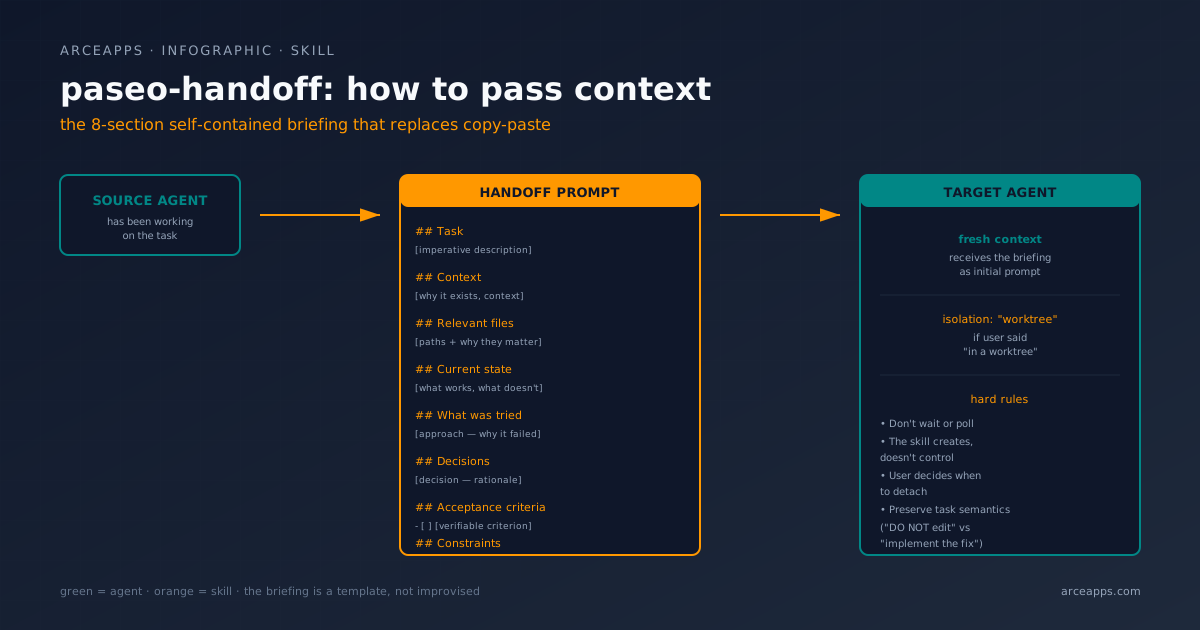
The technical problem it solves is real: when you pass work from one agent to another, the receiver starts with zero context. The skill requires that the handoff prompt be a self-contained briefing with this structure:
## Task
[Imperative description.]

## Context
[Why this task exists, required context.]

## Relevant files
- `path/to/file.ts` — [what it is and why it matters]

## Current state
[What's done, what works, what doesn't.]

## What was tried
- [Approach] — [why it failed or was abandoned]

## Decisions
- [Decision — rationale]

## Acceptance criteria
- [ ] [Criterion]

## Constraints
- [Must-not / must-preserve]
That template is, in itself, a design decision. Paseo doesn’t expect the user to know how to structure the handoff. The skill imposes it. When you invoke /paseo-handoff, the current agent reads the context, packs it into that format, and creates a new agent with that briefing as the initial prompt. If you say “in a worktree”, the skill adds isolation: "worktree" automatically. If you say “this is analysis only, don’t edit anything”, the skill preserves the task semantics (“Investigate-only → ‘DO NOT edit files.’ Fix → ‘implement the fix.’ Refactor → ‘refactor, not rewrite.’ Carry the user’s exact intent.”).
The fine detail I find most interesting: the skill doesn’t wait or poll. “Do not wait or poll for the agent to finish.” The new agent stays in the user’s subagent track, and they release it manually when they want. The analogy is with an intern: you hand over the briefing, let them work, come back when they notify you. You don’t stand there watching.
paseo-advisor — a second opinion without delegation
Sometimes you don’t want another agent to do the work. You want it to opine. The paseo-advisor skill raises an agent as advisor, you give it the question, it gives you a recommendation with reasoning, and it doesn’t touch anything. The SKILL.md makes it clear: “the advisor doesn’t drive the work.”
The advisor’s briefing has fewer sections than the handoff (no acceptance criteria, no constraints): the question, what you’ve already considered, what you’ve ruled out, relevant paths, and a fixed suffix:
This is analysis only. Do NOT edit, create, or delete any files. Do NOT write code.That suffix is the most practical piece of the whole skill. It’s the discipline that separates “consult another model” from “let the model edit your code elsewhere.” The maintainer knows it and repeats it in every skill. It’s the same discipline I apply in my own blog when I ask a reviewer for a PR: I do it in a separate session, without edit permissions.
paseo-committee — two contrasting agents, one plan
The most ambitious. “Two agents from contrasting profiles, fresh context, planning a solution in parallel.” When you’re stuck, seeing everything with tunnel vision, or facing a hard planning problem, you raise a committee of two agents from different profiles (always from different provider families so the second opinion is genuinely fresh). Each works in parallel, both arrive at a proposal, the committee delivers a plan.
The hard rule: “No edits.” Every prompt to a committee member ends with the no-edits suffix. “Trust the finish notification. Do not poll, send hurry-ups, or interrupt. Models can reason for 15–30 minutes. You can go idle and Paseo will notify you.”
That last line is what I like most about the whole project. It’s the honest acceptance that models reason when you let them reason, and that interrupting is counterproductive. The same principle Anthropic applies with Claude Code when it runs long tasks: you leave, you come back when it finishes. Paseo formalizes the pattern in a skill.
Mobile, voice, and the “local processing” promise
Three angles of the project that require explanation because they’re the ones that generate the most skepticism on HN and Discord.
The mobile app: real lightness
I asked a concrete question in the Show HN on June 9: “after the next few weeks, will Claude Code keep working with Paseo?” The maintainer answered: “Claude Code (via the subscription) will continue working under Paseo but it will consume a different pool of credits, which depending on your sub you get different amounts. Practically speaking you will be able to use only a fraction of your usage in Paseo, this applies to any programmatic usage of Claude Code.”
But the most important proof of the mobile app’s quality came from an anonymous user in the same thread: “Gotta say: I love how mobile app works on my 13 years old Nexus 7 (2GB RAM). It was the sole reason I choose it, actually - other PWAs are too much for the little guy.”
TwoGB of RAM. A Nexus 7 from 2013. The app runs. This is the practical confirmation that it’s not packaged Electron: it’s an Expo app (which on Android is native Java/Kotlin wrapped by the React Native runtime, optimized for modest hardware). Qualitative feedback on Reddit, Discord, and the /r/PaseoAI subreddit aligns: the app is snappy, doesn’t eat battery, doesn’t hang on screens with many messages. The price you pay is that some advanced features (previews, preview of running app, visual fusion) are desktop-only. Mobile is for supervising, approving, and launching.
Distribution covers the four main paths: iOS App Store (id6758887924), Google Play (sh.paseo), F-Droid, and the direct APK from GitHub Releases. It’s not an “if you have to install it from the repo” app: it’s a first-class citizen app.
Voice: the best-kept secret
The README announces it in the first feature paragraph: “Voice control: Dictate tasks or talk through problems in voice mode. Hands-free when you need it.” But what the README doesn’t detail — and what the GIGAZINE review of July 5, 2026 did capture — is the key detail: “Voice data, such as voice input and text-to-speech, is processed locally and not transmitted externally.”
That’s a serious privacy promise. It’s not “your data isn’t sold”; it’s “your data doesn’t leave your device.” If it’s true (and the verification is in the package code, not just the promise), Paseo is the only coding agent client in the ecosystem that offers voice without sending audio to the cloud. The processing probably runs on-device with Whisper or a derivative; I haven’t confirmed it 100% by reading the code, but GIGAZINE’s statement is specific and from a serious technical outlet, not marketing.
The reality is that voice in Paseo is a work in progress. It works well on iPhone 15 Pro and goes borderline on mid-range Android. The maintainer has been transparent about this on Discord. If voice is core to your workflow, test before committing.
Desktop shortcuts: small things that add up
One small thing that adds a lot. In the GIGAZINE review, they list: “Panel switching, split-screen display, new agent creation, command palette, and more can all be operated using shortcuts.” The multiple panels (each agent in a window) can be managed with ⌘1, ⌘2, ⌘3; the command palette is ⌘K (industry standard); split-screen divides the current window into two agents side by side. Small decisions that, added together, make the dwell time in the app much higher than in any OpenCode frontend.
The official Elixir relay: why they wrote a server on BEAM
The satellite project getpaseo/paseo-relay is, technically, the most ambitious piece of the ecosystem. It’s written in Elixir, runs on the BEAM VM, and handles coordination between daemons for discovery and route ownership.
The natural question is: why Elixir? Why not Node, which is the rest of the repo? The answer is in the problem it solves: a distributed relay is, technically, a system with massive concurrency, supervision trees, and need for failover without downtime. The BEAM VM was designed exactly for that — it’s the VM of WhatsApp, Discord, LinkedIn. Three things Elixir gives you almost for free and that are nightmares in Node:
- Concurrency without a dedicated server. Thousands of WebSocket connections in a single VM, without you having to think about thread pools or blocked event loops.
- Supervision trees. If a process dies, the supervisor restarts it. If an entire node dies, another node takes its place. The README is explicit: “Nodes use OTP only for discovery and route ownership.” This is pure BEAM.
- Distribution by design. BEAM allows native clustering between nodes, with discovery and replication included. Building a distributed relay in Node is writing all that by hand.
The relay is opt-in. When you start the daemon for the first time, Paseo asks if you want to enable the relay. If you say no, you keep connecting over LAN, Tailscale, or VPN. If you say yes, the daemon registers on the relay and you get a pairing offer URL of the type https://app.paseo.sh/#offer=... that you can scan with the mobile app to pair. Encryption is E2E: the relay only routes encrypted bytes, it can’t read the content.
The official relay is one of the few cases where the use of Elixir is justified beyond taste. If Paseo had written the relay in Node, today it would be a project with a cluster mode in permanent beta. In Elixir, it’s one more piece of the platform.
The AGPL-3.0 license: the decision few people understand
I’m going to devote an entire paragraph to this because it raises frequent debates. Paseo is AGPL-3.0. The choice is deliberate, and has practical implications.
What does AGPL-3.0 mean? You can use Paseo freely, modify it, self-host it, fork it. If you distribute a modified version to third parties (for example, you sell a SaaS based on Paseo), you must open the source of your fork under the same license. If you’re an individual user or a company that only uses it internally, you have no obligation to open anything.
Why not MIT? The maintainer explains it in the README: “Privacy-first: Paseo doesn’t have any telemetry, tracking, or forced log-ins.” If Paseo were MIT, anyone could take the code and build a proprietary SaaS without contributing back. With AGPL-3.0, if you do, your SaaS has to open up. It’s the license that puts the bar so that commercial forks give back to the community.
Is it a problem for normal use? No. If you’re an indie dev, a small team, or a company using it internally, AGPL-3.0 is identical to MIT in practice. It only becomes relevant when you want to sell Paseo modified as a service. If you want a more permissive version, open an issue and discuss with the community; the license could change in the future.
Why not regular GPL-3.0? AGPL covers the SaaS case, which is where most modern software is licensed. GPL-3.0 has a “redistribution” clause that in practice doesn’t apply to web services. AGPL extends it to “network use.” Without that clause, someone could mount a SaaS of Paseo without opening anything. With AGPL, no.
The license is a product decision, not a whim. It’s the statement the maintainer makes about how they want the project to stay free.
Why it matters: the developer behind the project
On June 14, in the HN thread, someone asked: “Could you publish terminal-bench scores? What about memory usage?” And the maintainer answered: “team of one right now.”
One person. Fifteen thousand stars in less than four months. An RFC with closure of serious technical debt. A relay in Elixir. Three skills with structured briefings. A mobile app that runs on a 2013 Nexus 7. A license that protects the project’s integrity long-term. A privacy policy that says “data doesn’t leave your device” and implements it.
That’s what makes Paseo different. It’s not the technology (which is solid), nor the UI (which is good), nor the voice (which is an experiment). It’s the operation: one person writing a manifesto, maintaining a project that matters.
And that, honestly, is what I like most about the project. It’s not the technology (solid), the UI (good), or the voice (an experiment). It’s the operation: one person writing a manifesto, maintaining a project that matters.
What Paseo doesn’t solve (the honest criticisms)
I don’t want to end this article as a pamphlet. Paseo has problems. I’ll enumerate and opine:
- Multi-provider has a maintenance cost. The 35+ provider catalog is a promise, not a fact. Each ACP shim has its own release cadence. If your favorite agent goes stale, Paseo can’t do anything: it depends on the external shim. RFC #1042 is proof that the maintainer knows it and is working on the solution (delegate to ACP), but today stability varies by provider.
- Team of one is an operational risk. If the maintainer gets tired, gets sick, or simply changes projects, Paseo is left without a leader. The project has community contributions (thanks to the AGPL license, there’s incentive) but nobody with the full system vision. Mitigation: the AGPL license protects a serious fork maintaining the direction; in practice, contributions at the right level are still missing.
- Voice is still experimental. The “local processing” promise is excellent, but transcription quality varies a lot by device. It’s not a feature you can rely 100% on for production.
- The
paseo run --host remotecommand requires the remote daemon to be accessible. If you want to use Paseo from the office against your home daemon, you need Tailscale, SSH tunnel, or the relay. There’s no magic “Paseo Cloud”, and there won’t be (by the license). - The pricing model for Claude Code changed recently. As the maintainer commented on HN, Claude Code under subscription now counts toward a different, more restrictive credit pool. That complicates the setup economics if you depend on Claude Code. Mitigation: alternate with OpenCode (free), Codex (subscription), or the others.
These criticisms don’t invalidate the project. They’re the honesty the maintainer shows in every HN response, Discord post, and Reddit comment. They don’t promise what they don’t have; they publish what they have.
How to get started: from zero to a daemon with agents
Let me close with the most direct installation path, the one I recommend to first-timers:
Path 0 — recommended (zero-hosted, actual desktop)
- Download the desktop app from paseo.sh/download. The app opens and starts the daemon in the background. No more setup.
- Install at least one provider: Paseo UI itself has a “one-click installs” catalog. I start with OpenCode (free, no subscription) and then add Claude Code if I have an active subscription.
- Create your first agent from “Add Project”: give it a working directory, write it a prompt, launch it. The session stays alive in the daemon.
- Pair the mobile: Settings → your host → Pair Device. A QR appears that you scan with the mobile app. Done.
Path 1 — headless server (for the Mini PC or NAS)
npm install -g @getpaseo/cli
paseo
Paseo starts locally, asks if you want to enable the relay. If you say no, you open Tailscale on the server and the mobile, and connect via paseo --host workstation.local:6767 from the CLI or from the mobile app with the Tailscale IP. It’s the right path for a home server.
Path 2 — Docker
docker run -d --name paseo \
  -p 6767:6767 \
  -e PASEO_PASSWORD=change-me \
  -v "$PWD/paseo-home:/home/paseo" \
  -v "$PWD:/workspace" \
  ghcr.io/getpaseo/paseo:latest
Open http://localhost:6767, extend the image with the CLIs of the providers you use, pass credentials via env vars or the persistent volume. The base image is good enough to start; you complicate it when you need to.
Lessons I take from this project
After three weeks with Paseo as my daily client, I draw four conclusions that are already in my workflow:
- Daemon + client is the right pattern for individual tools. If your agent app is going to last more than a year, consider not being an app with state; be a process with state and clients that control it. Longevity is higher. The UX, counterintuitively, isn’t worse.
- Delegating to standard protocols is better than maintaining custom adapters. The OpenCode / Claude Code / Codex via ACP case is the proof: 10,000 lines of custom code replaced by 1,100 of a generic. If your project has a similar protocol, move to it. If it doesn’t exist, consider contributing to one that already does.
- Licenses are product statements. AGPL-3.0 in Paseo is a deliberate decision to protect the project’s direction. If you have an open source project that matters, think about which license embodies your long-term vision.
- Local voice is the missing frontier. Paseo is on it with Whisper on-device. If your project needs voice, that’s the ceiling: data that doesn’t leave the device. The promise is serious and the implementation, though young, is already in production.
And one observation that isn’t a lesson but awe: a team of one, with discipline, did in six months what teams of four don’t manage in a year. Paseo is living proof that well-run open source is more efficient than VC-fueled. The model matters.
Bibliography and references
Repository and official documentation
- getpaseo/paseo — Main repo. Verified as of 2026-08-14: 13,679 stars, 1,410 forks, AGPL-3.0, TypeScript, last push 2026-08-14T11:39Z.
- getpaseo/paseo-relay — Distributed relay in Elixir. 3 forks.
- paseo.sh — Official site with docs, alternates, SDK reference, providers list.
- Paseo Docs: Skills — Documentation of the three official skills.
- Paseo Docs: Providers — Catalog of supported providers with install links.
- Paseo Docs: CLI — Full CLI reference, including
--hostfor remote daemons.
RFCs and technical decisions
- RFC #1042: Migrate provider adapters to the Agent Client Protocol (ACP) — The RFC that tells the story of the OpenCode ≥1.14 storage migration bug and the decision to migrate to ACP. Closed, with the proposal approved. Source of the RFC story section.
- ACP Providers · DeepWiki — Technical documentation generated on June 21, 2026 about the specialized ACP providers.
- OpenCode Provider · DeepWiki — Documentation of the OpenCode provider inside Paseo, August 6, 2026.
Official skills
- paseo-handoff SKILL.md — The briefing template for inter-agent handoffs.
- paseo-advisor SKILL.md — The second-opinion mechanism without delegation.
- paseo-committee SKILL.md — Committee of two contrasting agents for hard planning.
Threads and community discussions
- Show HN: Paseo – Beautiful open-source coding agent interface — June 9, 2026 thread, source of verbatim quotes about “ship on the go”, the licensing decision, and the confirmation of “team of one”.
- r/PaseoAI — Official subreddit, ongoing community feedback.
- Paseo Discord — Community channel where the maintainer responds by name.
External reviews and analysis
- Paseo is a free, self-hostable, open-source application — GIGAZINE — July 5, 2026 review. Source of the confirmation of locally-processed voice, the desktop shortcuts, and the official App Store and Google Play IDs.
- Paseo Review 2026: Cross-Device Control for Claude Code — External review from July 3 with usage scenarios.
- Paseo: Self-Host Claude Code, Codex, OpenCode — DevGENT — Self-host guide focused on Tailscale and relay.
- Paseo — единый интерфейс для оркестрации — Russian analysis focused on the relay architecture.
Related articles on this blog
- The operational comparison with OpenChamber, CodeNomad and opencode-mobile — The August 14 post, where Paseo is the anchored piece.
- OpenChamber, CodeNomad, nomacode and opencode-mobile: honest OpenCode comparison — The July 26 post, predecessor of the comparison.
- The OpenCode ecosystem map — The ecosystem overview.
- OpenCode sub-agents: workflows and Superpowers — How to work with sub-agents in OpenCode.
- Alternative paradigms for AI software engineering — Where I mention Conductor as a conceptual predecessor of Paseo.
Closing
Paseo is one of those projects that reconciles you with open source. Not because it’s perfect — we saw it isn’t — but because the maintainer’s honesty, the RFC’s quality, the discipline of not shipping features that don’t work, and the license that protects the direction, are things you see very little in any software category. If your workflow looks like “I use several models, I want to supervise from mobile, I don’t want to give my data to a SaaS, and I don’t mind learning something new,” Paseo is the answer. If your workflow is “I only use OpenCode from the terminal and I’m not going to move,” Paseo is overkill and OpenChamber serves you better.
Next time someone tells you that individual open source can’t compete with corporate software, send them the link to RFC #1042. One person, 10,000 lines removed, a standard abstraction adopted, and a project getting better every day. That’s the story of software when it’s done right.
See you in the next devlog.
You might also be interested in
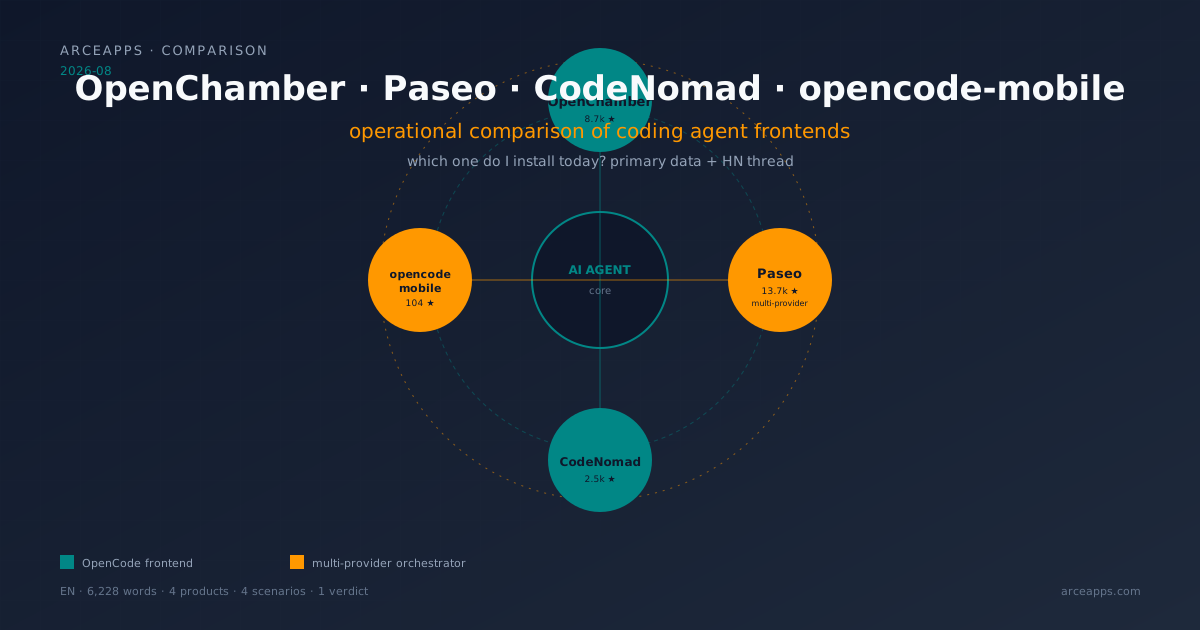
OpenChamber, Paseo, CodeNomad, opencode-mobile: 2026 comparison
Four visual frontends for coding agents tested on desktop and mobile. Paseo as multi-provider orchestrator, OpenChamber as full cockpit, CodeNomad as premium IDE, opencode-mobile as native Android. Primary data from repos and HN.
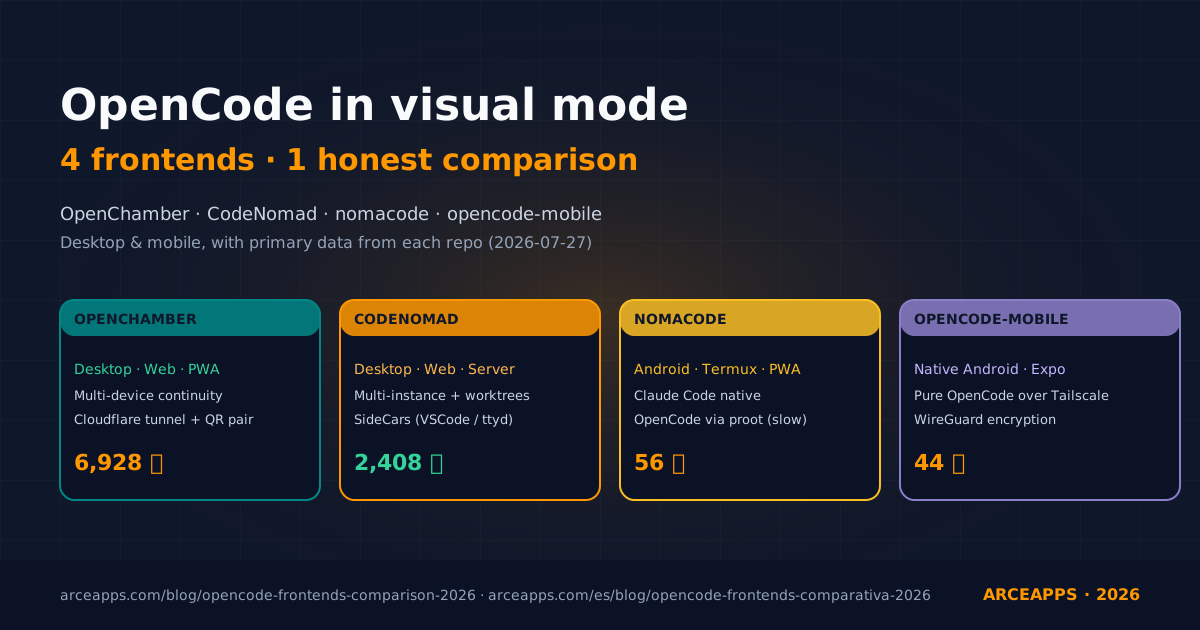
OpenChamber, CodeNomad, nomacode, opencode-mobile: honest OpenCode comparison
Four visual clients for OpenCode put through real work on desktop and mobile. We compare install, day-to-day feel, remote access setup, and the parts each one still falls short on, with primary data from their own repos.
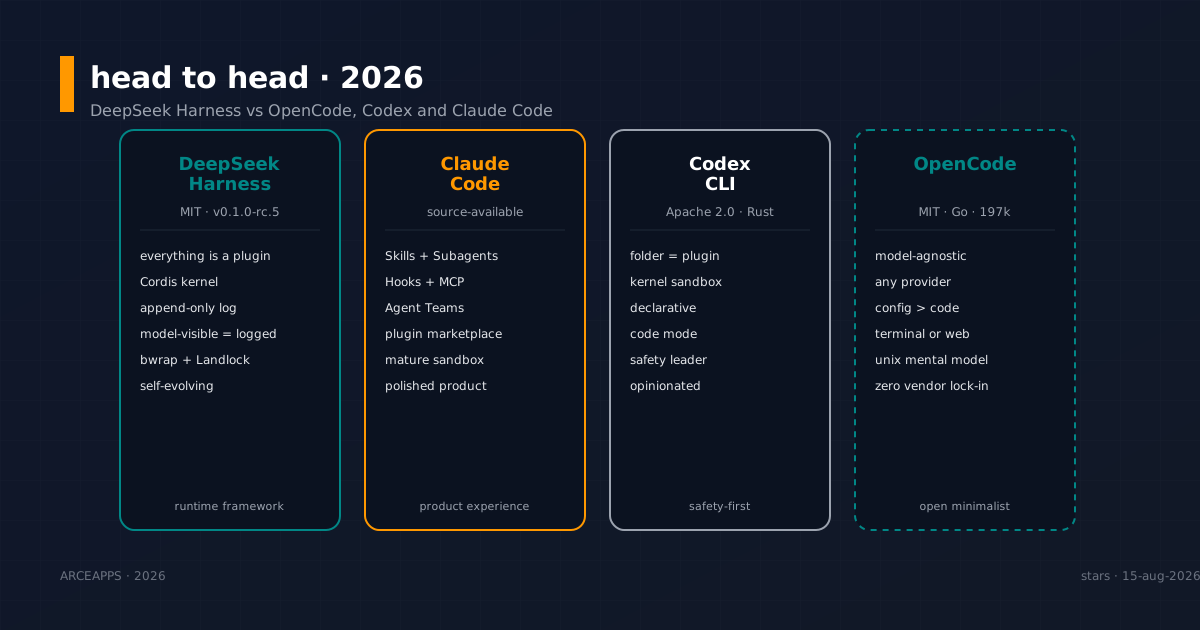
DeepSeek Harness vs OpenCode, Codex and Claude Code: head to head
Honest comparison of DeepSeek Harness (dsh), OpenCode, Codex CLI and Claude Code. Philosophy, plugin model, sandbox, ecosystem and who wins each in 2026.