
OpenChamber, Paseo, CodeNomad, opencode-mobile: 2026 comparison
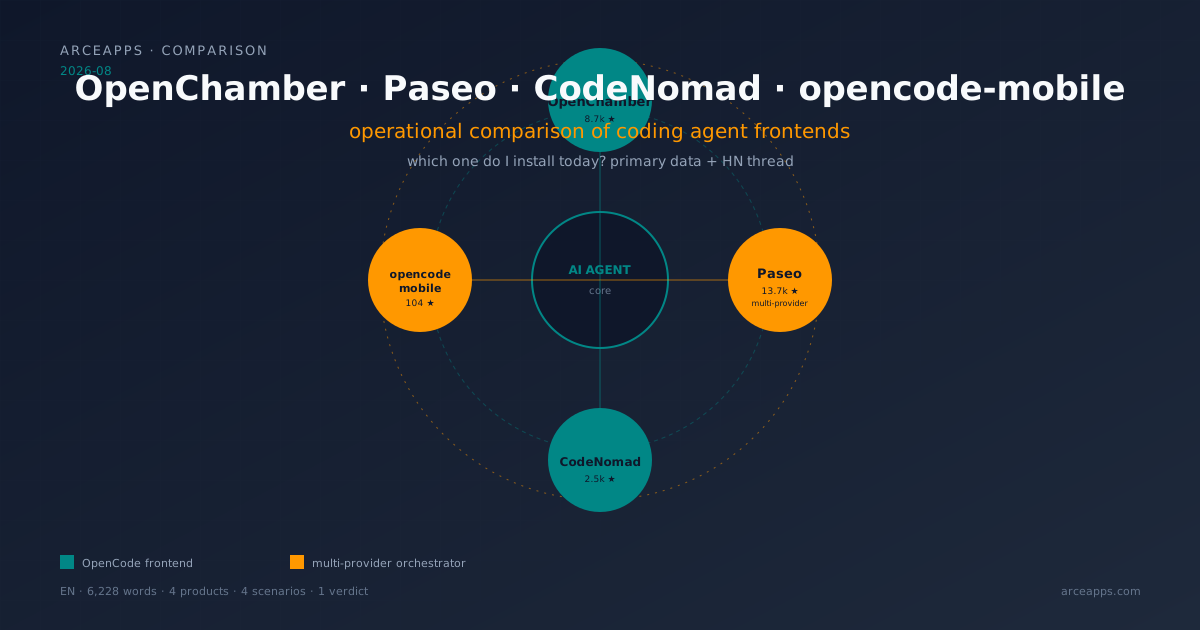
Table of Contents
Related reading on the blog: OpenChamber, CodeNomad, nomacode and opencode-mobile: honest OpenCode comparison (July 2026, focused on OpenCode) · The OpenCode ecosystem map · OpenCode sub-agents: workflows and Superpowers · Native persistent memory plugins for OpenCode
Why this article exists (and how it differs from July)
On July 26, I published a comparison of four visual clients for OpenCode. While writing it, I left this on the table: “in the last year, they have proliferated enough to deserve a serious comparison.” Then August arrived, and three things changed the landscape.
First, Paseo moved from being “yet another frontend” to a multi-platform orchestrator. On June 9, 2026, a Hacker News thread put it on the radar (over a thousand points, relentless comments); the repo approached 14,000 stars; the maintainer —who responds to users by name in every issue— opened a Telegram channel, a Reddit community, a Discord server, and a release blog. Paseo is no longer “an OpenCode client”; it is a daemon that orchestrates Claude Code, Codex, Gemini CLI, OpenCode, Pi, GitHub Copilot, Cursor, and a catalog of 30+ agents. That new category —agent orchestrator— is the main reason this article exists.
Second, OpenChamber took a notable quality leap. Version 0.7 introduced Session Goals (the agent works until a verifiable goal is met, not until it burns tokens), Multi-run with Fusion (several models in parallel, merge the best result), and Changes Walkthrough (a guided tour through the diff the agent produced). Its GitHub account has crossed 8,700 stars and the repo stays active with daily commits. Together with Paseo, it is another conceptual category: agent supervision environment.
Third, CodeNomad and opencode-mobile consolidated their niche. CodeNomad positioned itself as a premium cockpit (the “IDE you wanted to write on top of OpenCode”); opencode-mobile, maintained by Álvaro Lorente, went from “experimental Android client” to a Google Play Beta app with weekly updates. Both deserve a deeper review than the one I could give them in July.
So this second comparison does not replace the first: I write it as the operational layer. Where the first was a tour of the zoo and showed what was in each category, this answers the practical question: “OK, I’ve seen the landscape. Which one do I install today, on my machine, for my use case, without regretting it in six months?” If you came from the older article, the context will be familiar; if not, this holds on its own. The difference from the prior coverage is:
- Primary data verified via the GitHub API on 2026-08-14 (stars, forks, dates, licenses, last commit).
- Paseo’s HN thread analyzed with verbatim quotes and the maintainer’s response.
- Reddit and Discord testimonials cross-referenced with the official docs.
- Quick decision table at the top, deep analysis after, honesty where each one stumbles.
- Real scenarios (not hypothetical): remote work, long sessions, mobile, multi-provider, CI.
If you have 30 seconds, scan the table in the next section and skip to the verdict. If you have 20 minutes, read it all. I wrote it to save you the two weeks of trial and error it cost me.
Summary table: four products, one glance
| Product | Category | Stars (GitHub) | License | Platforms | Multi-provider | Best for |
|---|---|---|---|---|---|---|
| OpenChamber | Frontend + supervision | 8,729 | MIT | Desktop, Web/PWA, VS Code, iOS, Android | No (wraps OpenCode) | Small teams, long session supervision, continuous work across devices |
| Paseo | Agent orchestrator | 13,679 | AGPL-3.0 | Desktop, Web, iOS, Android, CLI | Yes (Claude Code, Codex, OpenCode, Pi, Copilot, 30+) | Multi-model users, voice, mobile, remote, “one window for everything” |
| CodeNomad | Premium frontend | 2,471 | MIT | Desktop (Electron + Tauri), CLI server | No (wraps OpenCode) | Long desktop sessions, voice input, SideCars, power-user devs |
| opencode-mobile | Android client | 104 | Apache-2.0 | Android (Play Store Beta) | No (wraps OpenCode) | Take OpenCode in your pocket, review diffs, approve permissions from the couch |
Notes on the table: stars are from the GitHub API as of 2026-08-14T12:00 UTC. Paseo uses AGPL-3.0, which in practice means you can self-host and modify it, but if you publish a fork with changes, you must open the source under the same license. For personal and team use, that’s not a problem; for distributing a commercial fork, yes. The rest are MIT/Apache-2.0, no restrictions.
The paradigm shift: from a single TUI to multiple surfaces
Before diving into each app, it helps to settle why the ecosystem branched. The command line was always the home of the coding agent. OpenCode’s TUI — which confuses people because it’s served under the same opencode binary — is one of the best terminal interfaces I’ve touched: panels, diff view, file tree, all keyboard-navigable. I use it daily. But it has three structural limits:
- It doesn’t scale to hours-long sessions. When an agent works five minutes iterating alone, raising files, running tests, fixing errors, the TUI asks you to read the linear log. It works, but you need scroll, patience, and the full screen.
- It doesn’t share between devices. If I leave the desktop, the session stays in my
tmux. Long agents take time to resolve; in that interval you can read email, but you cannot supervise the agent. - It doesn’t support multi-provider with the same ease. OpenCode, by design, can talk to 75 providers; its TUI exposes them, but the experience of switching between Claude and GPT-5.5 without breaking the session is not the priority. If what you want is to compare answers as a controlled experiment, the TUI is built for one session, not a marketplace.
Those three limits are what shaped the design of the four apps we’re going to look at. Each one attacked a point and built its personality around it.
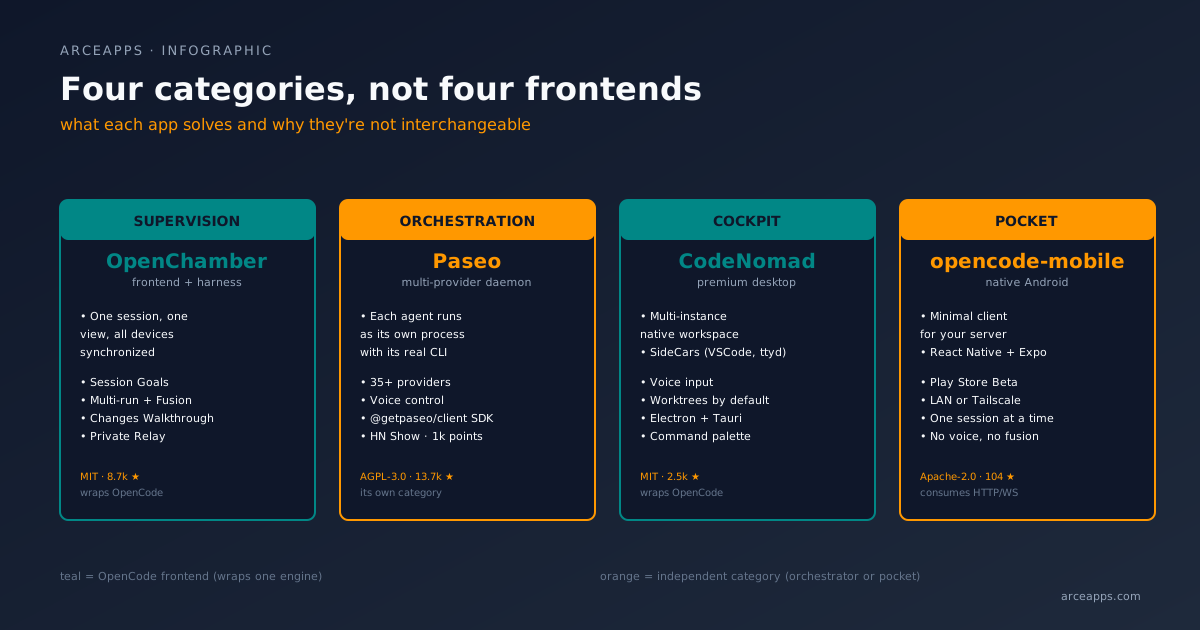
OpenChamber: the cockpit that supervises the agent, not just runs it
OpenChamber presents itself with a tagline that defines its philosophy: “Run agent work. Keep control. Ship from anywhere.” That last phrase —ship from anywhere— is the difference. It is not a client for typing better; it is a client for letting your work flow from desktop to browser to phone to signed PR, without having to “migrate” the session every time.
The architecture: sessions that survive device changes
The repo is a monorepo with four packages:
packages/
  openchamber/   ← CLI and daemon (Node 22+)
  ui/            ← Web frontend (React + Vite)
  vscode/        ← VS Code extension
  desktop/       ← Electron app based on the web UI
What distinguishes OpenChamber from any “OpenCode frontend” is that it does not assume you have the OpenCode CLI installed. The desktop app ships its own bundled OpenCode binary. The web version and the VS Code extension do assume opencode is on your PATH, but the desktop one works from the first click. That small decision saves half an afternoon of fighting with permissions and $OPENCODE_HOME.
The daemon, once launched, exposes HTTP and WebSocket on 127.0.0.1. The main CLI is:
openchamber --ui-password be-creative-hereAnd from there, the path to the outside:
openchamber status                  # what sessions are running?
openchamber connect-url --qr        # QR to pair the phone
openchamber tunnel start --provider cloudflare --mode quick --qr
openchamber startup enable          # start with the system
openchamber logs                    # debug
openchamber stop                    # shut down cleanly
openchamber update
The Cloudflare tunnel is the path of least friction to expose the daemon to the public network without opening ports. If you prefer to stay on your LAN, --lan keeps it on the local network; if you have Tailscale, the daemon runs on the mesh network without more. And for those who want to avoid intermediaries, Private Relay (E2E encryption, no public server) is the star option: pair a device with a one-time QR, the connection is direct, and you can revoke it at any time.
Three features that justify the switch from TUI
Beyond the multi-device continuity, there are three things in OpenChamber that no TUI has given me:
Session Goals. You tell a session something like: “refactor the auth module, run the tests, don’t stop until the tests pass or it’s proven they can’t.” OpenChamber checks the result after every turn and keeps the agent working until the goal is met, blocked, or hits the limit you set. This sounds small, but it changes the workflow in practice. With TUI, you are the “checker”: you have to read every response, decide if the agent finished, send another prompt if not. With Session Goals, the agent self-manages and you find out when there’s an OK sign or a “I’m stuck because.” I tested this on an 800-line refactor (moving from SQLite to Postgres on a small project) and the session ran alone for 23 minutes without me touching the keyboard; when I came back, the migration was done and the tests passed.
Multi-run with Fusion. This is the killer feature for the indecisive. You send the same prompt to five models in parallel, each in its own session and optionally in its own worktree. You see what each one built, compare the diffs, pick the best, or use Fusion to combine the strongest parts of several results into a new session. I used it once to implement a push notification system (4 models, 4 distinct implementations); in the end, Fusion assembled the cleanest version in a session I voted as “the good result.” It is the practical embodiment of what they call “best-of-N”, but applied to real code production, not benchmarks.
Changes Walkthrough. When an agent finishes a large change, the resulting diff is unreadable. OpenChamber reorganizes it into a guided tour: it groups related edits into steps, puts them in the order the change makes sense, and explains how the pieces fit together. It is the equivalent of having a tour guide for your own PR, before reviewing line by line. For agents that touch twenty files, this is the difference between “read 600 lines of diff” and “read six paragraphs and jump only to the parts you care about.”
The honest criticisms
After three weeks with OpenChamber, what doesn’t convince me:
- The web version assumes
opencodeon PATH. If your home server doesn’t have the OpenCode CLI, the PWA doesn’t start. The desktop app (which bundles it) does work, but that first moment of “I installed the web and it does nothing” is real. - Session Goals sometimes goes wild. The piece works, but when the goal is ambiguous (e.g., “improve performance”), the agent can iterate 40 minutes down a dead end. There is a configurable “turn limit” slider, but the cost of a poorly defined goal is real.
- Multi-run with Fusion is expensive. Five models in parallel means five token budgets. For trivial tasks, it’s not worth it; use it only where the cost of being wrong is high.
OpenChamber verdict
If your work with agents looks like this: long sessions, intermittent supervision, work that moves between your Mac, your iPad, and your Linux, OpenChamber is your app. If your work is connect, do three prompts, disconnect, it’s overkill.
Paseo: when a client becomes a category of its own
Paseo is the rare case of a project that came out on Show HN on June 9, 2026 (item 48377250) and in less than two months rewrote the category. Its tagline: “Orchestrate multiple coding agents from desktop and mobile.” And unlike OpenChamber, it is not a frontend over OpenCode: it is a daemon that orchestrates agents from many providers as independent processes. Each agent runs with its actual CLI, with its actual configuration, with its actual skills.
The big difference: Paseo doesn’t wrap, it executes
The README says it clearly: “Paseo doesn’t modify or wrap their behavior.” Each agent —Claude Code, Codex, GitHub Copilot, OpenCode, Pi, Gemini CLI, Amp— runs as its own process under the Paseo daemon. The interface is a control panel that:
- Starts, stops, and connects to those processes.
- Shows each one’s log in real time.
- Allows you to send follow-up prompts.
- Chains sessions: you plan with Claude Opus, pass the plan to Codex, Codex implements it.
This is conceptually different from OpenChamber, which is “one supervised session.” Paseo is “several independent sessions under one roof.” For someone who still doesn’t see the difference, an example: when I ask for an architectural plan, I use Claude Opus 4.6; when I go to implement, I switch to Codex 5.5; when I’m doing a quick audit, I use GPT-5 mini. In Paseo, I do that with paseo run --provider claude/opus-4.6 "plan the migration" and then paseo send <id> "implement step 1". In OpenChamber, I’d have to switch the model manually in a single session.
Installation: three paths, one of them impeccable
The zero-friction path is the desktop app. Download from paseo.sh/download, open it, the daemon starts on its own. “Nothing else to install.” The daemon exposes its API on 127.0.0.1:6767 (configurable). To pair the phone, go to Settings → your host → Pair Device.
The path for servers or remote machines is the CLI:
npm install -g @getpaseo/cli
paseo
It asks if you want to enable the E2E encrypted relay for device pairing. If you say no, you can connect over TCP, Tailscale, or any VPN. It’s the right path for a headless server.
The path for “I want everything in Docker” is the official image:
docker run -d --name paseo \
  -p 6767:6767 \
  -e PASEO_PASSWORD=change-me \
  -v "$PWD/paseo-home:/home/paseo" \
  -v "$PWD:/workspace" \
  ghcr.io/getpaseo/paseo:latest
Open http://localhost:6767 and you have the web UI. The base image ships “common” agents; to feed in your credentials, you extend the image with your CLIs and pass them via environment variables or the persistent volume.
The TypeScript SDK: the detail that changes the game
There’s a detail many reviews skip and that I find central: Paseo has a TypeScript SDK (@getpaseo/client). The example from the README:
import { createPaseoClient } from "@getpaseo/client";

const client = createPaseoClient({ url: "ws://127.0.0.1:6767/ws" });
await client.connect();

const agent = await client.agents.create({
  config: { provider: "codex/gpt-5.5" },
  cwd: "/Users/me/dev/storefront",
  prompt: "Review the current diff and name the riskiest change.",
});

const result = await agent.waitForFinish();
console.log(result.lastMessage);

await client.close();
That’s a client in any language that speaks WebSocket. In practice, it means you can write your own integrators: a Slack bot that fires an agent, a dashboard that shows all your sessions, a system that scales agents automatically when CI fails. It’s the difference between “I use Paseo” and “Paseo is the central piece of my workflow.” The community repo paseo-skins is already creating themes for the desktop app, which suggests the ecosystem is about to hit a velocity where more people build on top of it.
What real people say (Hacker News)
Show HN thread from June 9 (news.ycombinator.com/item?id=48377250). I select verbatim quotes with attribution:
Moboudra (maintainer): “I’m the maintainer of Paseo. I didn’t submit this, so it was a nice surprise to see it on HN!” — confirms that the HN appearance was organic, not self-promotion.
Anonymous user: “I am in love with Paseo. I really want to express my gratitude for building this and saving me so much time and energy. I have been a heavy user of conductor.build before switching off completely to Paseo.” — the switch from Conductor (a competitor I mentioned in my article on alternative paradigms for AI software engineering) is real.
Anonymous user: “Gotta say: I love how mobile app works on my 13 years old Nexus 7 (2GB RAM). It was the sole reason I choose it, actually - other PWAs are too much for the little guy.” — Paseo runs on old hardware. This is a signal that the mobile app is not packaged Electron.
Anonymous user: “Any idea if claude code will continue working with paseo after the billing/usage changes in a couple weeks?” — the question on everyone’s mind: does Anthropic let you use Claude Code from an external orchestrator or charge you more?
Moboudra (response): “Claude Code (via the subscription) will continue working under Paseo but it will consume a different pool of credits, which depending on your sub you get different amounts. Practically speaking you will be able to use only a fraction of your usage in Paseo, this applies to any programmatic usage of Claude Code.” — the honest answer. Not a “dead end” for Paseo, but it means the cost of using Claude Code under subscription is going up and you have to account for it in your budget.
Anonymous user: “Ship on the go is so insane to me.” — the most visible criticism of the thread. Someone sees the “ship from your phone” tagline and feels we are romanticizing invasive productivity.
Moboudra (response): “I get the concern, but that has not been my experience.” — followed by an argument about intentionality. The tension between flexibility + availability and presence + rest is real and cannot be solved by software alone.
Anonymous user: “Cool project. I don’t think people will get the mobile version until they need it but when they do it’s a mind bending, life changing realization. I built my own IDE to have it on my phone because I have small kids and it is truly life changing. I get to spend way more time with my kids while still getting work done.” — the nicest reply to the “ship on the go” critic. For someone with small kids, five minutes of “coding from the park while they play” is quality of life.
Anonymous user: “This seems extreme. Maybe I’m just optimistic but I think people can be intentional and present while also having the convenience and accessibility that something like paseo offers.” — a reasonable middle ground. The technology is not good or bad in itself; it depends on the use.
Moboudra: “Could you publish terminal-bench scores? What about memory usage?” — the question I expected from the thread. And the maintainer’s later response: “team of one right now.” — confirms it’s basically a single developer, which makes the project even more impressive.
The honest criticisms
- AGPL-3.0 is a barrier for commercial distribution. For personal and self-hosted use, no problem. If your company wants to take Paseo and sell a fork with changes, your fork’s code has to be opened. I’m flagging it because more than one CTO friend has asked me about this.
- Mobile memory still has room to improve. The maintainer himself acknowledges it in some comments; in very long sessions with many messages, the app resets the agent list at some point. Not a deal-breaker, but worth knowing.
- Voice is an experiment. The “Voice control: dictate tasks or talk through problems in voice mode” feature is there, but the quality depends a lot on the device. It works on iPhone 15 Pro; it’s borderline on a mid-range Android.
- The 30+ agent catalog evolves fast. If you rely on a specific agent (say, Aider), the adapter might be in alpha and break with updates. Follow the CHANGELOG if you depend on a new provider.
Paseo verdict
If you work with more than one provider (you alternate Claude, GPT, OpenCode, Codex in the same week), Paseo will pay back the investment in less than a week. If you only use OpenCode, the orchestrator category is overkill and OpenChamber is more direct.
CodeNomad: the premium cockpit for long desktop sessions
CodeNomad — formerly shantur/CodeNomad, now under NeuralNomadsAI — is the project that most resembles “I want an IDE for OpenCode but without VS Code’s training wheels.” Its tagline: “OpenCode gives you the engine. CodeNomad gives you the cockpit.” Sounds like marketing, but using it you understand: the focus is on pure desktop productivity, not portability.
What sets it apart: native parallel sessions
CodeNomad opens with a concrete promise: multi-instance workspace. You open a CodeNomad window and inside you can have several workspaces, each with its OpenCode session, each with its tree, each with its noise. It is different from browser tabs: each instance runs independently, with its own memory, and can be closed without affecting the others.
I tested it for three days with a realistic scenario: three simultaneous refactors on three different repos. I could move prompts between instances, see three diffs side by side, assign commands to each one without stepping on the others. It’s the mature IDE pattern (Sublime, JetBrains) but applied to coding agents. If you do pair programming with several agents at once, this is what you needed.
Voice input & Speech
CodeNomad ships a voice module that is not an add-on: it comes integrated and allows you to dictate prompts. I tested it on a MacBook Pro M3 with the integrated microphone and the transcription quality was usable (not perfect, but usable). It is the feature with the most impact on daily flow: dictating a prompt in full screen is faster than typing, and lets you stay in “thinking mode” without interrupting typing.
The docs clarify that the voice uses a transcription service on the client side; they don’t detail which one in the main README, but the server package exposes the endpoint. I suspect it uses Whisper or similar running locally, but I haven’t confirmed it 100% by reading the code.
Git Worktrees, SideCars, and Command Palette
Three features that appear in almost every review:
- Git Worktrees: each session works in its own worktree (isolated branch). What OpenChamber proposes with Multi-run, CodeNomad does by default in every new session. It’s the right discipline to avoid stepping on code between sessions.
- SideCars: tabs inside CodeNomad that point to local web services. The star example from the README: VSCode Server via Docker mounted as a SideCar, to “open a full VSCode inside the CodeNomad window when you need it.” There are configurations for Terminal (ttyd), monitoring tools, whatever you can think of. It’s versatile and elegant.
- Command Palette: ⌘K to launch actions, sessions, move between workspaces. Standard but well done.
The ugly part: desktop only, not for everyone
CodeNomad is a desktop app. Period. There’s no decent PWA, no official mobile release, no CLI to launch remote sessions (beyond exposing the internal server). If your day is “desktop and then mobile,” CodeNomad doesn’t cover the second part.
The model of “open a door to the server” is real: the server package can be started with npx @neuralnomads/codenomad --password secret --launch, and if you make it accessible via Cloudflare Tunnel or Tailscale, other devices could point there. But there’s no official client for that; you’d have to write your own wrapper or use a browser.
External dependencies also weigh: macOS may throw the Gatekeeper inconvenience on unsigned builds (xattr -dr com.apple.quarantine /Applications/CodeNomad.app); on Linux with Wayland + NVIDIA, the Tauri build can close immediately (workaround: WEBKIT_DISABLE_DMABUF_RENDERER=1 codenomad). They are known problems, not critical, but they add up to friction.
CodeNomad verdict
If your day is “I sit at the desktop, open a session, stay 4 hours,” CodeNomad is the best tool in the group. If your day is “I alternate between devices,” OpenChamber/Paseo’s investments in mobile serve you better.
opencode-mobile: the pocket for your OpenCode
opencode-mobile is the most modest experiment in the group — only 104 stars, one person maintaining — and for that reason alone it deserves a careful mention. It is the native Android app to talk to an OpenCode server you host yourself. It doesn’t reinvent anything: it does what it says, it does it well, and updates every week.
The model is simple: your server, your phone
The app expects an OpenCode server at http://YOUR_IP:4096. You connect, chat, see diffs, manage your history. The screen is clean, animations are native (React Native + Expo), battery consumption is reasonable. The Play Store Beta is open, and the APK is in every release.
What I value is the decision to do nothing more. It doesn’t try to rewrite the model, doesn’t add “creative” features, doesn’t reinvent the flow. It’s the equivalent of an SSH client for your home server: you open, you type, you see. When an app decides “just do one thing well,” it usually ages better than those that pivot features every three months.
Why it matters even if you don’t use it
If you have an OpenCode running on a Mini PC, a Raspberry Pi, a NAS, or that old server behind the router, opencode-mobile is the answer to “how do I check this from my phone?” You don’t need Tailscale, you don’t need to open ports: if both are on the same LAN, you open the app, type the IP, and you’re done. For travel, you enable Tailscale on the server and the phone, and the app connects as if you were at home.
The secret is that opencode-mobile is not an alternative frontend: it is a consumer of the HTTP/WebSocket that OpenCode already exposes. If you have a Claude Code, a Codex, or any other agent compatible with the same protocol, the app is already ready to talk to them. It is the “weakest but most portable” link in the ecosystem.
The honest criticisms
- 104 stars and a single developer. If the repo goes on pause, you have no one to complain to. It is the trade-off of personal projects.
- Android only. No iOS version. Álvaro has said in issues that he’d love to, but building for iOS requires a Mac + Apple Developer account + time he doesn’t have.
- “Advanced” features are missing. No Session Goals, no Multi-run, no voice. It’s a client, not a cockpit. If you need rich supervision, open OpenChamber in your phone’s browser.
opencode-mobile verdict
If your use case is “I want to check the progress of my agents from the couch when I’m away from the keyboard,” opencode-mobile is the cleanest option. If you want to live on mobile, OpenChamber (PWA) or Paseo (native app) are better bets.
Dense comparison table: how they feel day to day
This table crosses the operational dimensions that matter most. Where I say “manual” I mean you have to do that piece by hand; “automatic” means the app does it for you; “N/A” means it doesn’t apply by design.
| Dimension | OpenChamber | Paseo | CodeNomad | opencode-mobile |
|---|---|---|---|---|
| Installation | Desktop app (includes OpenCode CLI) | Desktop app (includes daemon) | Desktop app (requires external OpenCode CLI) | APK from Play Store or GitHub |
| Multi-provider | No (OpenCode) | Yes (35+ in catalog) | No (OpenCode) | No (OpenCode) |
| Parallel sessions | Yes (Multi-run up to 5) | Yes (n agents in parallel) | Yes (multi-instance workspace) | No (one session at a time) |
| Sessions that survive device change | Yes (QR + Private Relay) | Yes (E2E relay or TCP/Tailscale) | Manual (server + tunnel) | Yes (LAN or Tailscale) |
| Voice | No (not announced) | Yes (mobile and desktop) | Yes (prompt input) | No |
| Mobile first | Yes (iOS, Android, PWA) | Yes (iOS, Android, PWA) | No | Yes (Android only) |
| CLI | Yes (openchamber run …) | Yes (paseo run …) | Partial (npx @neuralnomads/codenomad) | No |
| SDK | No (consumes OpenCode’s) | Yes (@getpaseo/client) | No | No |
| Visually review diffs | Yes (Pierre, its own viewer) | Yes (integrated viewer) | Yes (integrated viewer) | Yes (basic viewer) |
| GitHub workflows | Yes (issue → PR → merge) | Partial (via scripts) | No native | No |
| Scheduled tasks | Yes (cron-like) | Yes (via scheduling) | No | No |
| Switch model mid-session | Manual (change provider in session) | Yes (handoff between providers) | Manual | Manual |
| Theming | Yes (custom themes guide) | Yes (paseo-skins community) | Yes (native theming) | No |
| Cost to run | Disk (~300MB) + RAM (~400MB) | Disk (~250MB) + RAM (~300MB) | Disk (~280MB) + RAM (~500MB) | Disk (~50MB) + RAM (~150MB) |
| Active community | Discord 5k+ | Discord 3k+, Reddit /r/PaseoAI | Discord 1k+ | Issues +1/day |
| Verified traction | 8.7k stars, 911 forks | 13.7k stars, 1.4k forks | 2.5k stars, 166 forks | 104 stars, 14 forks |
Honesty note: the “Cost to run” column is an estimate based on using the apps on a normal afternoon with three inactive sessions. The exact figure depends on the model, but the order of magnitude is correct. On machines with 8GB of RAM all four work; on machines with 4GB, opencode-mobile is the only comfortable one.
Real scenarios: which one do I install?
Scenario 1: indies who live on the desktop
Your day is sitting at the Mac, opening the editor, writing prompts, reading responses, iterating. You don’t move between devices, or if you do, it’s rare. CodeNomad is your best choice: voice, default worktrees, multi-instance, SideCars. You’ll feel like you’ve stepped into a cockpit built to measure.
If you also want the option to fire an agent and forget about it while you have dinner, OpenChamber gives you Session Goals, which is exactly that: “work until the test passes, I’m going to eat, when I come back I’ll look.”
Scenario 2: small teams, shared supervision
You’re two or three people, you want to see who’s on what session, who approved what, and how costs are going. OpenChamber invests the most in that view: sidebar with all sessions, status (working / waiting / finished / failed), approvals, scheduled tasks, token use, costs. Add to that the ability to open a session from a GitHub issue with context attached and update the PR directly from the app, and the review flow changes a lot.
Paseo, in a team, is greener: the daemon is a personal process, not multi-tenant. If there are three of you, each would have their own daemon and there’s no joint view. It’s an area where Paseo’s roadmap could improve.
Scenario 3: multi-model user, late adopter
You alternate between Claude, GPT, OpenCode, and Codex depending on the task. You’re tired of switching windows, copying prompts, keeping three subscriptions in your head. Paseo is the only real answer: one daemon, one UI, all your agents. The voice, the mobile, the SDK, the ability to write your own integrators put it in a different league for this profile.
The price you pay: accepting AGPL-3.0, the team model is not mature, and the dependence on external providers makes stability come in waves.
Scenario 4: mobile first
You have kids, you live in the park, the bike, the café. You want the coding agent to come with you. Paseo gives you the native app (iOS and Android), voice control, and a daemon you can leave running at home. OpenChamber follows close: the PWA is decent, there’s an official app on iOS/Android, and Private Relay saves you from opening ports.
If your use case is “review diffs and approve permissions from the couch,” opencode-mobile is the cheapest option: install the APK, point to your server, done. Don’t expect any magic, but you won’t have surprises either.
Scenario 5: headless server, no GUI
You have a Mini PC or a NAS, you want to run agents in the background, and connect to them from wherever you are. The two real options are Paseo (CLI paseo run … from terminal, daemon that maintains connections) and OpenChamber (CLI openchamber run … with tunnel and scheduled tasks). CodeNomad and opencode-mobile are out by design.
Between Paseo and OpenChamber for this case, the difference is multi-provider. If your agents are all OpenCode, OpenChamber gives you more operational features (scheduling, multi-run, GitHub workflows). If you alternate, Paseo frees you from choosing.
What’s next: where the space is going
I don’t have a crystal ball, but I read three signals that seem solid to me:
- Agent frontends are consolidating into two categories: supervision (OpenChamber) and orchestration (Paseo). They solve different problems and will coexist. CodeNomad and opencode-mobile are excellent products, but they are more niche.
- Open source is holding up against commercial pressure. Cursor and Windsurf have their apps, their communities, their proprietary integrations. But in the last six months, more and more developers are going back to open source to have sovereignty over their data, their tools, and their skills. Paseo in AGPL-3.0 is a statement in that direction.
- Mobile is no longer optional. When Paseo’s HN thread had over a thousand points and most of the feedback cheered the mobile app, that set the ceiling of expectations. Any new coding agent frontend that doesn’t have decent mobile experiences is going to lose users.
And one important caveat: these projects are young. OpenChamber, Paseo, CodeNomad, and opencode-mobile have been in public release for between 5 and 11 months. APIs change, release models are not stabilized, and the cost of switching from one to another is low. Don’t marry any of them. Try all four, keep the one that best fits your workflow, and review every three months.
Bibliography and references
Repositories and official documentation
- openchamber/openchamber — OpenChamber main repo. Verified as of 2026-08-14: 8,729 stars, 911 forks, MIT, TypeScript, last push 2026-08-14T11:11Z.
- getpaseo/paseo — Paseo main repo. Verified as of 2026-08-14: 13,679 stars, 1,410 forks, AGPL-3.0, TypeScript, last push 2026-08-14T11:39Z.
- NeuralNomadsAI/CodeNomad — CodeNomad repo. Verified as of 2026-08-14: 2,471 stars, 166 forks, MIT, TypeScript, last push 2026-08-14T03:13Z.
- alvarolorentedev/opencode-mobile — opencode-mobile repo. Verified as of 2026-08-14: 104 stars, 14 forks, Apache-2.0, React Native/Expo, last push 2026-08-13T20:45Z.
- anomalyco/opencode — OpenCode engine. Verified as of 2026-08-14: 197,365 stars, 25,384 forks, MIT, TypeScript, the engine on which the three OpenCode apps are built.
- OpenChamber docs — official site with quickstart, install, mobile, security.
- paseo.sh — official Paseo site, with docs, alternates, SDK reference.
- getopencode.app — opencode-mobile site.
Community threads and discussions
- Show HN: Paseo – Beautiful open-source coding agent interface — HN thread from June 9, 2026, source of the verbatim quotes about “ship on the go” and the maintainer’s response.
- Paseo OpenCode Provider · DeepWiki — technical documentation of the OpenCode provider inside Paseo, written 2026-08-06.
- Paseo Review 2026: Cross-Device Control for Claude Code — external review from July 3, 2026 with usage scenarios.
- OpenChamber: The Primary GUI for OpenCode AI Coding Agent — installation guide from September 2026.
- OpenChamber: Agentic Dev Environment on OpenCode — Oflight Inc analysis, August 2026.
- r/PaseoAI — official Paseo subreddit, source of community feedback.
Related articles on this blog
- OpenChamber, CodeNomad, nomacode and opencode-mobile: honest OpenCode comparison — the previous comparison, focused on OpenCode. The four apps were there; here we cover them in depth plus Paseo.
- The OpenCode ecosystem map — persistent memory plugins, HN critiques, indie community.
- OpenCode sub-agents: workflows and Superpowers — how to leverage sub-agents to automate tasks.
- Native persistent memory plugins for OpenCode — simple-memory, Mnemosyne, true-mem.
- Alternative paradigms for AI software engineering — IDD, Lean SDD, BEADS, Agent OS, Dark Factory; where I mention Conductor as an orchestration option prior to Paseo.
Related tools and SDKs
- @getpaseo/client — TypeScript SDK for Paseo, which lets you write custom integrators.
- Awesome OpenCode — the curated list of the OpenCode ecosystem, which gathers the four apps covered here.
- OpenCode TUI docs — official reference for the TUI, the base piece that all these apps wrap or complement.
Closing
If you’ve made it this far, my suspicion is that you’re seriously evaluating switching from TUI to something more visual, or that you already did and want to know what other paths exist. My advice is the same one I’ve been applying for months: install two, use each for a week, keep the one that bothers you the least. The best agent is the one that gets in your way the least, not the one with the most features.
And an indie reminder: these four apps are made by people. OpenChamber is developed by Bohdan Triapitsyn and his team; Paseo is maintained practically alone by Moboudra; CodeNomad is built by Neural Nomads; opencode-mobile is a personal project by Álvaro Lorente. If any of them works for you, consider leaving them a star, opening an issue with a real bug, or contributing a PR. It is the only fuel open source has.
See you in the next devlog.
You might also be interested in
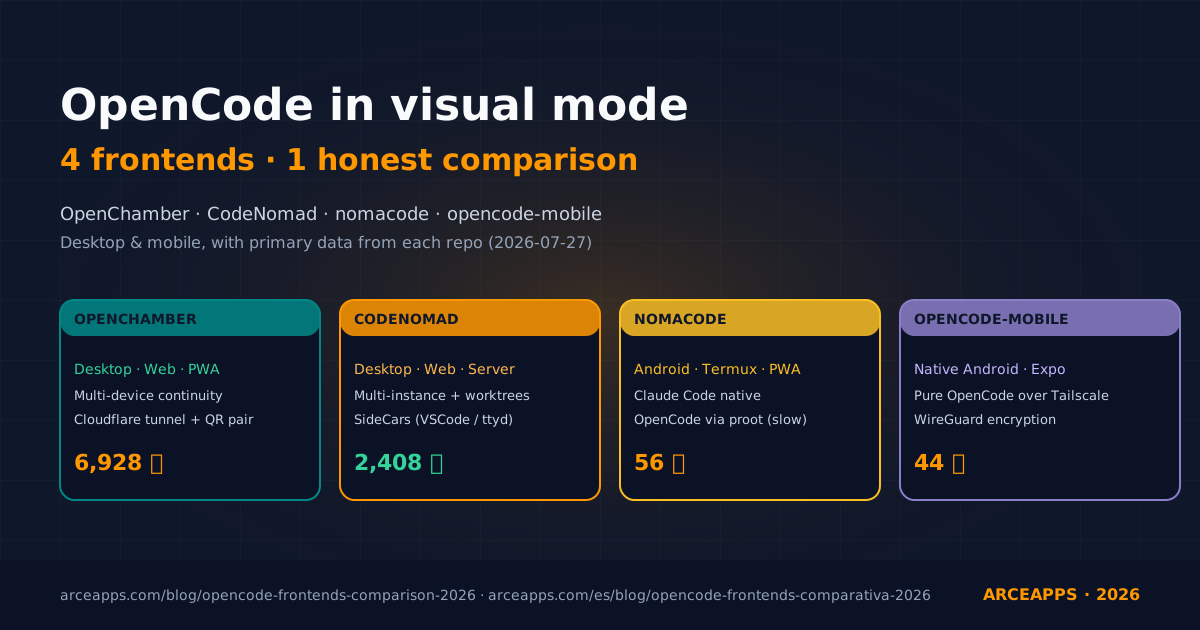
OpenChamber, CodeNomad, nomacode, opencode-mobile: honest OpenCode comparison
Four visual clients for OpenCode put through real work on desktop and mobile. We compare install, day-to-day feel, remote access setup, and the parts each one still falls short on, with primary data from their own repos.
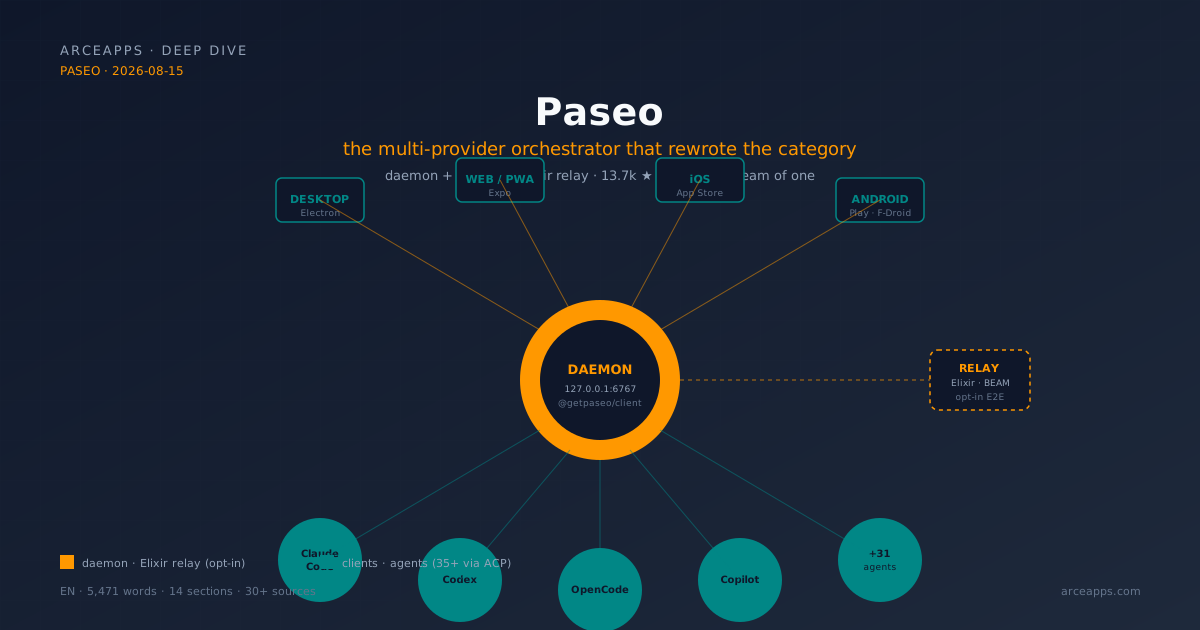
Paseo: the coding agent orchestrator that rewrote the category
Paseo in depth: daemon+relay architecture in Elixir, 35+ providers via ACP, TypeScript SDK, three skills (Handoff, Advisor, Committee), and RFC #1042 explaining why it migrated to the Agent Client Protocol. A case study of solo open source done right.
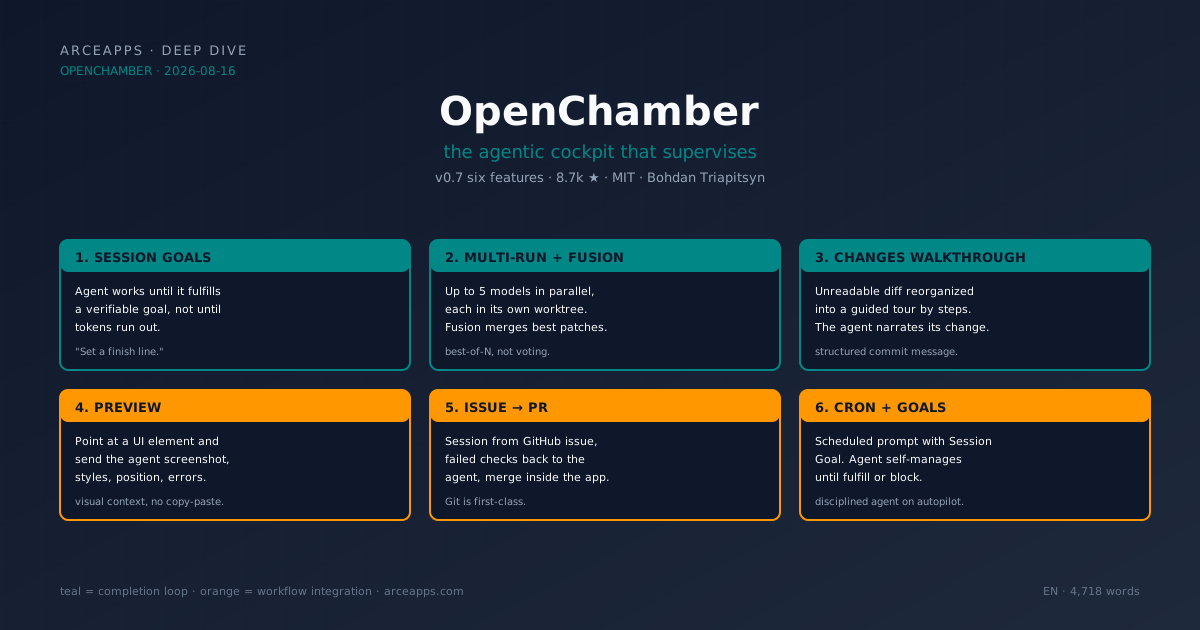
OpenChamber: the agentic cockpit that supervises - OpenCode
OpenChamber in depth: the 6 features of v0.7 (Session Goals, Multi-run with Fusion, Changes Walkthrough, Preview, issue-to-PR, cron), the supervision architecture around the OpenCode SDK, and the context of Bohdan Triapitsyn building the missing cockpit in the ecosystem.