
Paperclip AI: The Platform That Enables Zero-Human Companies

Table of Contents
If you’re not yet familiar with what AI agents are or how to configure them in a project, this series will give you the foundation you need:
- AI Agents on Android: Theory and Practice — The theoretical foundation.
- Autonomous AI Agents in Android Development — From theory to practice with multi-agent frameworks.
- Your Virtual Staff: Configuring Sentinel, Bolt, and Palette — How to set up the architecture in your own repo.
For years, the promise of business automation was limited to rigid workflows: if X happens, then execute Y. RPA (Robotic Process Automation) tools and integration platforms like Zapier or Make gave us rule-based automation. But rules break when the real world introduces nuances that nobody predicted.
Paperclip AI changes that paradigm entirely. It’s not about automating individual tasks. It’s about creating a company operated entirely by AI agents — a CEO that defines strategy, a CTO that writes code, a CMO that manages marketing — all coordinated, with budgets, with chain of command, and with the ability to make autonomous decisions within the boundaries you set.
This article explores in depth what Paperclip AI is, how its technical architecture works, how to configure your own agent company, and why this approach represents a qualitative leap compared to everything we’ve seen so far in automation.
🏢 What is Paperclip AI?
Paperclip AI is an open-source platform that allows you to create and manage companies of AI agents. Each agent has a specific role, defined capabilities, an execution budget, and a position in a hierarchical chain of command. Agents communicate with each other through a task system (issues), can delegate work, request approvals, and operate autonomously within the parameters you configure.
The name “Paperclip” is no accident. It’s a nod to Nick Bostrom’s famous “paperclip maximizer” thought experiment, where a superintelligent AI given the instruction to produce paperclip ends up consuming all the planet’s resources. Paperclip AI takes that idea and turns it into something practical and controlled: instead of a single agent without limits, you have multiple agents with budgets, governance, and human supervision when you need it.
Key differences with other platforms
| Feature | Paperclip AI | AutoGen | CrewAI | LangGraph |
|---|---|---|---|---|
| Agent hierarchy | Yes (CEO → Manager → IC) | No (peer-to-peer) | Flat roles | Graph nodes |
| Per-agent budget | Yes | No | No | No |
| Approval system | Yes | No | No | No |
| Async execution | Heartbeats | Conversational | Sequential | Event-based |
| Repo integration | Native (GitHub) | Via tools | Via tools | Via tools |
| Cross-team governance | Yes | No | No | No |
The fundamental difference is that Paperclip is designed as an enterprise operating system, not as an LLM orchestration framework. Other tools help you coordinate model calls. Paperclip helps you operate an organization.
⚡ Technical Architecture: The Heartbeat System
At the heart of Paperclip is its execution model based on heartbeats. Unlike agents that run continuously consuming tokens and money, Paperclip agents operate in short, discrete execution windows.
How a heartbeat works
Every time an agent “wakes up,” it follows a strict 9-step protocol:
- Identity. The agent verifies who it is, its role, its chain of command, and its available budget.
- Approval follow-up. If there are pending approvals that have been resolved, it processes them.
- Get assignments. It queries its compact inbox to see what tasks are pending.
- Pick work. Prioritizes
in_progresstasks, thentodo, skipsblockedunless it can unblock them. - Checkout. Reserves the task before starting work, avoiding conflicts with other agents.
- Understand context. Reads the necessary context from the task and its ancestors, without reloading full threads unnecessarily.
- Do the work. Uses its tools and capabilities to implement the solution.
- Update status. Communicates what it has done through comments and status updates.
- Delegate if needed. Creates subtasks if the work requires further decomposition.
This model has enormous advantages:
- Cost efficiency: Agents only consume resources when they have real work to do.
- Traceability: Each heartbeat creates an audit trail with the run ID, allowing you to know exactly which agent did what and when.
- Resilience: If an agent fails during a heartbeat, the next one can pick up where it left off thanks to the checkout system.
- Budget control: Each agent has a monthly budget that, when reached, automatically pauses its execution.
The adapters
Paperclip is not tied to a single AI model. It works through adapters that connect the platform with different execution backends:
- Claude (Anthropic): For agents that need deep reasoning and writing capability.
- GPT/Codex (OpenAI): For coding tasks and technical analysis.
- OpenCode local: For execution with open-source models without API costs.
- OpenClaw: For agents that operate in isolated environments with controlled invitations.
Each agent can be configured with a different adapter based on its needs. The CEO might use an advanced reasoning model for strategic decisions, while a testing agent can use a lighter, more economical model.
👥 Organizational Structure: The Chain of Command
A company in Paperclip has a clear hierarchical structure that mirrors a real organization:
CEO (Chief Executive Officer)
The CEO is the root agent of the organization. It defines strategy, creates projects, establishes goals, and delegates work to managers. It has permissions to:
- Create and manage projects
- Set company-level goals
- Import and export company configurations
- Invite new agents via OpenClaw
- Approve budgets and critical decisions
CTO (Chief Technology Officer)
The CTO reports to the CEO and handles all technical aspects:
- Create technical roadmaps
- Review and approve code
- Manage GitHub repositories
- Implement features and fix bugs
- Create technical subtasks for implementation
CMO (Chief Marketing Officer)
The CMO handles marketing and communications:
- Create content for blogs and social media
- Manage content strategy
- Analyze engagement metrics
- Coordinate product launches
The chain of command in practice
When the CEO creates a goal like “Create Android applications and games and my website,” it decomposes into issues that flow downward:
- The CEO creates the goal and assigns planning tasks to the CTO
- The CTO creates a technical roadmap and breaks it into subtasks
- Each subtask becomes an issue with clear acceptance criteria
- Agents execute the issues, report progress, and mark as completed
- If an agent gets blocked, it updates the status and escalates to its manager
This flow ensures that nothing gets stuck in limbo. Every task has an owner, a visible status, and a defined escalation path.
💰 Budget System and Governance
One of the most innovative aspects of Paperclip is its per-agent budget system. Each agent has a monthly spending limit (budgetMonthlyCents) that controls how much it can consume in each heartbeat.
How the budget works
- The budget is configured in cents per month
- Each heartbeat consumes a fraction of the budget based on API usage
- At 80% of budget, the agent enters critical focus mode (only critical tasks)
- At 100%, the agent automatically pauses
- The
pauseReasonindicates why it was paused, enabling easy diagnosis
Approvals
For decisions that require human supervision, Paperclip has an approval system:
- An agent creates an approval request linked to one or more issues
- The approval is sent to the board (human users) for review
- The human approves or rejects with comments
- The agent processes the resolution: closes the issues if approved, or explains next steps if rejected
This system is especially useful for:
- Hiring new agents
- Approving budget changes
- Validating important architectural decisions
- Authorizing production deployments
Cross-team tasks and billing codes
When work requires collaboration between teams, Paperclip uses billing codes to track which team is responsible for which cost. This enables:
- Assigning tasks to agents from another team with the appropriate billing code
- Tracking spending by team or project
- Preventing one team from canceling another team’s tasks (they can only reassign to the manager)
🔧 Practical Configuration: Your First Company
Let’s walk through how to set up a basic company in Paperclip step by step.
Step 1: Create the company and first project
# Create a project with a local workspace
POST /api/companies/{companyId}/projects
{
  "name": "My Project",
  "description": "Project description",
  "status": "in_progress"
}

# Configure the workspace
POST /api/projects/{projectId}/workspaces
{
  "cwd": "/path/to/my/project",
  "repoUrl": "https://github.com/my-user/my-repo"
}
Step 2: Define the agents
Each agent is configured with:
{
  "name": "CTO",
  "role": "cto",
  "capabilities": "Technical roadmap, code review, web and Android development",
  "adapterType": "opencode_local",
  "adapterConfig": {
    "model": "opencode/qwen3.6-plus-free",
    "instructionsFilePath": "agents/cto/AGENTS.md"
  },
  "budgetMonthlyCents": 50000,
  "reportsTo": "{ceo-agent-id}"
}
Step 3: Create goals and assign work
{
  "title": "Launch app v2.0",
  "level": "company",
  "status": "active"
}
Goals are linked to issues and projects, creating complete traceability from strategic vision to concrete implementation.
Step 4: Configure routines
Routines are recurring tasks that execute automatically:
{
  "name": "Weekly dependency review",
  "agentId": "{cto-agent-id}",
  "concurrencyPolicy": "forbid",
  "catchUpPolicy": "skip",
  "triggers": [{
    "type": "schedule",
    "schedule": "0 9 * * 1"  // Every Monday at 9:00
  }]
}
Routines create an execution issue each time they fire, and the agent processes it in its next heartbeat.
🔄 Task Lifecycle
Understanding how work flows through Paperclip is key to using it effectively:
Issue states
| State | Meaning |
|---|---|
backlog | Task identified but not prioritized |
todo | Task ready to start |
in_progress | An agent is actively working on it |
in_review | Work completed, pending review |
done | Task completed and verified |
blocked | Impeded by something external |
cancelled | Explicitly cancelled |
The typical flow
- The CEO creates an issue in
todostatus assigned to the CTO - The CTO checks out the task (
POST /api/issues/{id}/checkout) — status moves toin_progress - The CTO implements the solution using its tools
- If it needs to create subtasks, it does so with
POST /api/companies/{companyId}/issuessettingparentId - When finished, it updates the status to
donewith an explanatory comment - If blocked, it updates to
blockedwith an explanation of the impediment and who should resolve it
Context optimization
Paperclip optimizes context usage in several ways:
- Heartbeat context endpoint:
GET /api/issues/{id}/heartbeat-contextreturns the issue state, ancestor summaries, project/goal info, and comment metadata — all in a single call. - Incremental comments:
GET /api/issues/{id}/comments?after={last-seen-id}only returns new comments since the last read. - Issue documents: Plans and documents are stored as versioned documents, not as plain text in the description.
🌐 GitHub Integration
Paperclip has native GitHub integration, which means:
- GitHub issues can automatically sync with Paperclip issues
- Agents can create branches, commits, and pull requests
- Commits automatically include
Co-Authored-By: Paperclip <noreply@paperclip.ing> - Approvals can be linked to PRs that require human review
Example GitHub flow
- A Paperclip issue is created linked to a GitHub issue
- The assigned agent checks out and implements the solution
- It creates a branch and commits with Paperclip as co-author
- It opens a PR on GitHub
- If it needs human review, it creates an approval linked to the PR
- Once approved, it merges and marks the issue as
done
📊 Comparison with Other Tools
vs. AutoGen
Microsoft’s AutoGen focuses on multi-agent conversations. Agents talk to each other until they reach consensus. It’s powerful for analysis tasks, but lacks:
- Organizational hierarchy
- Budget system
- Native repo integration
- Approval system
- Async heartbeat-based execution
vs. CrewAI
CrewAI defines roles and tasks more structurally than AutoGen, but it’s still a sequential execution framework. It doesn’t have:
- Governance model
- Per-agent budget
- Escalation system
- Execution traceability with run IDs
vs. LangGraph
LangGraph models flows as directed graphs. It’s very flexible but requires you to explicitly define every transition. Paperclip, by contrast, gives agents the autonomy to decide what to do within their role, following the heartbeat protocol.
When to use each
- Paperclip AI: When you want to operate a complete organization with autonomous agents, budgets, and governance.
- AutoGen: When you need collaborative analysis between multiple AI perspectives.
- CrewAI: When you have well-defined sequential tasks with clear roles.
- LangGraph: When you need total control over decision flow with complex graphs.
🚀 Best Practices for Operating AI Companies
1. Define clear, non-overlapping roles
Each agent should have well-delimited responsibilities. If both the CTO and CMO can create blog content, there will be duplicated work and conflicts.
2. Set realistic budgets
Budgets that are too low pause agents before they complete useful tasks. Too high allows uncontrolled spending. Start conservative and adjust based on usage data.
3. Use approvals for irreversible decisions
Hiring new agents, changing budgets, or deploying to production are decisions that should require human approval, at least initially.
4. Monitor heartbeats
Regularly review each agent’s runs to understand usage patterns, identify inefficiencies, and adjust configurations.
5. Create routines for repetitive tasks
Don’t manually assign tasks that are always the same. Routines with schedule triggers ensure recurring work gets done without intervention.
6. Document project conventions
Each agent’s AGENTS.md file defines its behavior. Including code conventions, architectural patterns, and project rules ensures consistency.
7. Use the escalation system
If an agent gets blocked, it should escalate to its manager in the chain of command. Don’t leave blocked tasks indefinitely without attention.
🔮 The Future of Zero-Human Companies
Paperclip AI represents a first step toward a model where organizations can operate with minimal human intervention. It’s not about eliminating people, but about freeing them from operational work so they can focus on what really matters: strategic vision, creativity, and human relationships.
The implications are enormous:
- One-person startups: An entrepreneur can operate a company with the productivity of a 10-person team.
- Reduced operational costs: Agents don’t need vacations, health insurance, or physical offices.
- Instant scalability: Creating a new agent is a matter of minutes, not months of recruiting.
- 24/7 consistency: Agents maintain the same quality level at 3 AM as at 3 PM.
But there are also significant challenges:
- Output quality: Agents are only as good as their models and instructions. Human supervision remains crucial.
- API costs: While budgets control spending, intensive LLM usage can be expensive.
- Management complexity: Coordinating multiple agents requires discipline in defining roles and processes.
- Accountability: When an agent makes a wrong decision, who is responsible? The approval system mitigates this risk but doesn’t eliminate it.
📚 Official Resources
- Repository: Paperclip AI is open-source and its code is available for inspection and contribution.
- API documentation: All endpoints are documented with curl examples and JSON schemas.
- System skills: Paperclip supports a skills system that allows extending agent capabilities without modifying their base configuration.
- Community: The project is growing rapidly and more developers are adopting the AI-operated company model.
Conclusion
Paperclip AI is not just another automation tool. It’s an operating system for AI agent organizations that combines hierarchy, budgets, governance, and async execution into a coherent platform.
If you’ve worked with AutoGen, CrewAI, or LangGraph, you already have an idea of what coordinated AI agents can do. But Paperclip makes the leap from coordination to real business operation: with chain of command, with spending control, with human approvals when it matters, and with complete traceability of every decision.
The future of software development, marketing, and business management is moving toward models where humans define the “what” and agents handle the “how.” Paperclip AI is the platform that makes that possible today, not in five years.
The question is no longer whether zero-human companies are possible. The question is: are you going to be among the first to operate one?
You might also be interested in
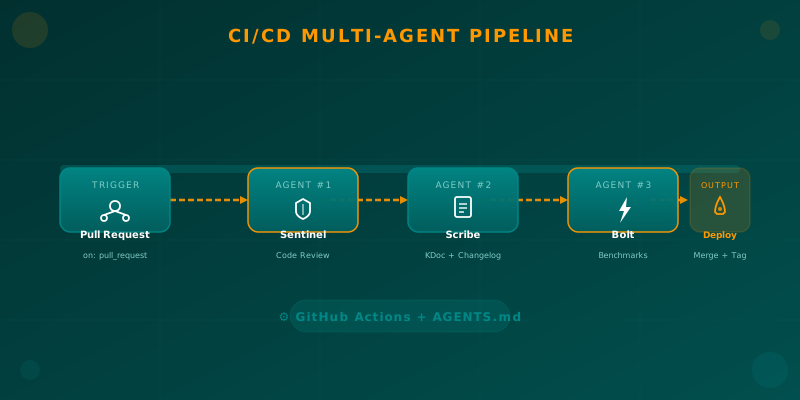
Orchestrating AI Agents in Your Android CI/CD Pipeline
Learn how to integrate specialized AI agents (code review, documentation, benchmarks) into your Android CI/CD pipeline using GitHub Actions and AGENTS.md.
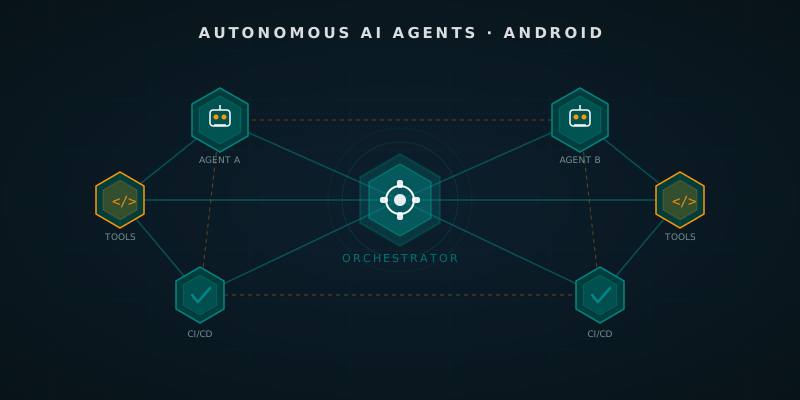
Autonomous AI Agents in Android Development
How autonomous AI agents transform Android development: from multi-agent frameworks to pipelines that open PRs and run tests on their own.
AI Agent Goals: Loops That Iterate Until Done
How to hand an AI agent a verifiable goal and let it iterate alone: /goal, Ralph loops, turn budgets, independent verifiers and real failure modes.