
Autonomous AI Agents in Android Development: Beyond the Assistant
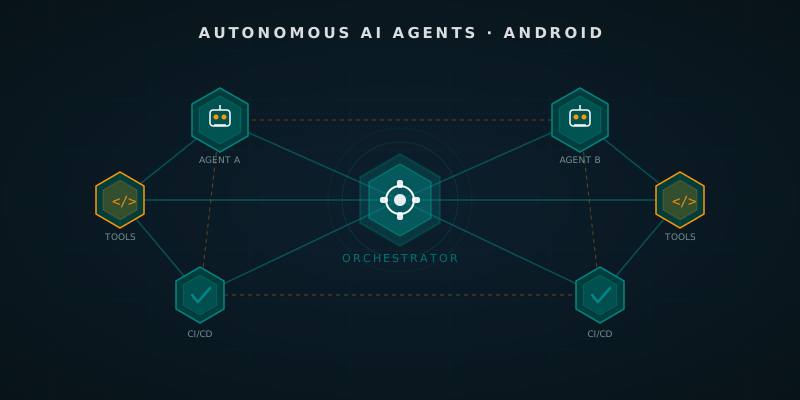
Table of Contents
If you’re not yet familiar with what AI agents are or how to configure them in an Android project, this article assumes those concepts. Start with this series first:
- AI Agents on Android: Theory and Practice — The theoretical foundation.
- Asynchronous Pair Programming with Agents — Real use cases with Sentinel, Bolt, and Palette.
- Your Virtual Staff: Configuring Sentinel, Bolt, and Palette — How to set up the architecture in your own repo.
Until now, we’ve been talking about agents that help while you’re sitting at the keyboard. Agents that answer questions, review code when you ask them to, or suggest refactorings. They’re useful, no doubt. But there’s a conceptual leap that many teams are starting to make: agents that act on their own, without you being present.
This is the difference between an assistant and an autonomous agent. And in the context of Android development, that difference can mean hours recovered every week.
🤖 Assisted vs. Autonomous: The Conceptual Leap
An assisted agent responds when asked. You need to initiate each interaction, provide the context, and evaluate its output. It’s like having a consultant you need to call for every decision.
An autonomous agent monitors, decides, and acts on its own within boundaries you’ve defined. It’s like having a team member who knows what to do when a new task arrives.
Working definition: An autonomous agent is an AI system that perceives events from the environment (an opened PR, a failed test, a created issue), reasons about what action to take, executes that action through external tools, and evaluates the result — without human intervention at each step.
In the Android development cycle, this translates into concrete things: the agent detects that a PR has been opened, analyzes the changes, runs the tests for the affected feature, writes the review with specific inline comments on the Kotlin code, and publishes it. All while you focus on coding the next feature of your project.
🧠 The Multi-Agent Frameworks That Matter
Before jumping into implementation, it’s worth understanding what tools exist and which one fits best with an Android development environment.
LangGraph
LangGraph is LangChain’s orchestration framework. Its key proposal is modeling the agent flow as a directed graph (a DAG, or even with cycles). Each node is a function or model call; each edge is a transition conditioned by the previous output.
For Android development it works well when you have complex flows with branches: “if tests pass, merge; if they fail, create an issue and assign to the commit author.”
AutoGen (Microsoft)
AutoGen introduces the concept of multi-agent conversations: multiple LLM agents communicating with each other until they reach consensus or complete a task. One agent plans, another executes tools, another critiques the result. It’s powerful for analysis tasks where you want multiple perspectives (security review + performance review + style review).
CrewAI
CrewAI is more opinionated. It defines explicit roles (like the bot_*.md you already use in your repo), concrete tasks, and a process that can be sequential or hierarchical. If you’ve already defined Sentinel, Bolt, and Palette, CrewAI is the easiest to adopt because its “crew with roles” abstraction maps directly to that philosophy.
⚙️ Real Use Cases in Android Projects
Let’s skip the theory. Here are concrete scenarios where an autonomous agent delivers real value:
Autonomous PR Review Agent
Every time a PR is opened in your Android repository, the agent:
- Fetches the full diff via the GitHub API.
- Analyzes whether there are changes in the data layer (Room, Retrofit) and runs the corresponding integration tests.
- Verifies that new
UseCaseclasses follow the pattern defined in your AGENTS.md or CONVENTIONS.md. - Publishes a review with inline comments on problematic lines.
Crash Monitoring Agent
With access to Firebase Crashlytics via its REST API, the agent can run every hour, detect crashrates that exceed a threshold, and automatically:
- Search the codebase for the relevant stack trace.
- Create a GitHub issue with the context already analyzed.
- Assign it to the last author who touched the affected file.
Dependency Management Agent
Every week the agent reviews your libs.versions.toml, queries the latest versions available on Maven Central, evaluates the changelog for breaking changes affecting your specific usage, and opens a PR with the pre-validated safe updates.
🔧 Configuring an Autonomous Agent: Example with CrewAI + GitHub Actions
Let’s see what an autonomous PR review agent for an Android project looks like in code. The flow is triggered via GitHub Actions when a PR is opened.
// AndroidReviewAgent.kt — Configuration pseudocode for the agent
// In production this lives in a Python/Node script running in CI,
// but we model the decision logic in Kotlin to illustrate the flow.

data class PullRequestContext(
    val diffContent: String,
    val changedFiles: List<String>,
    val commitMessages: List<String>,
    val authorName: String
)

data class ReviewResult(
    val overallVerdict: Verdict,
    val inlineComments: List<InlineComment>,
    val summary: String
)

enum class Verdict { APPROVE, REQUEST_CHANGES, COMMENT }

// The orchestrator agent decides which sub-agents to activate based on changed files
class AndroidReviewOrchestrator(
    private val sentinelAgent: SecurityReviewAgent,
    private val boltAgent: PerformanceReviewAgent,
    private val architectureAgent: ArchitectureReviewAgent
) {
    suspend fun reviewPullRequest(context: PullRequestContext): ReviewResult {
        val activeAgents = selectAgentsFor(context.changedFiles)

        // Run relevant agents in parallel
        val reviews = activeAgents.map { agent ->
            async { agent.analyze(context) }
        }.awaitAll()

        return consolidateReviews(reviews)
    }

    private fun selectAgentsFor(changedFiles: List<String>): List<ReviewAgent> {
        return buildList {
            // If there are changes in the network or storage layer, Sentinel always participates
            if (changedFiles.any { it.contains("data/") || it.contains("network/") }) {
                add(sentinelAgent)
            }
            // If there are changes in Composables or ViewModels, Bolt checks performance
            if (changedFiles.any { it.contains("ui/") || it.contains("viewmodel/") }) {
                add(boltAgent)
            }
            // Always checks architecture
            add(architectureAgent)
        }
    }
}
And the GitHub Actions workflow that triggers it:
# .github/workflows/ai-review.yml
name: AI Autonomous Review

on:
  pull_request:
    types: [opened, synchronize]

jobs:
  ai-review:
    runs-on: ubuntu-latest
    steps:
      - uses: actions/checkout@v4
        with:
          fetch-depth: 0

      - name: Run Android Review Agent
        env:
          GEMINI_API_KEY: ${{ secrets.GEMINI_API_KEY }}
          GITHUB_TOKEN: ${{ secrets.GITHUB_TOKEN }}
          PR_NUMBER: ${{ github.event.pull_request.number }}
        run: |
          python scripts/agents/android_review_agent.py \
            --pr $PR_NUMBER \
            --repo ${{ github.repository }}
🚧 Limits and Anti-Patterns
Not everything an autonomous agent can do should it actually do. There are important limits:
What NOT to delegate to an autonomous agent:
- Merging code to
mainwithout human approval (at least for now). - Publishing releases to production on Play Store automatically without a human in the loop.
- Modifying security configurations (
network_security_config, ProGuard rules) without review. - Responding to users on public channels on behalf of the company.
Anti-pattern: the agent that does too much. An agent with too many responsibilities loses focus and generates generic outputs. Sentinel should know about security, not performance. Specialization is the key to quality.
Anti-pattern: no retry limits. An autonomous agent that fails on a step and retries indefinitely can consume tokens (and money) exponentially. Always define a max_retries and an explicit failure state.
🔮 Where This Is Headed
Current frameworks like LangGraph or CrewAI are the first generation of serious multi-agent tooling. What’s coming is interesting: agents with real episodic memory (that remember what they did in the previous PR from the same author), agents that learn from your specific codebase patterns (not just generic rules), and coordination between agents from different organizations (a client’s agent coordinating with yours).
For Android development, the next logical step is integrating these agents directly with Android Studio via plugins, so the feedback cycle is instantaneous and doesn’t require leaving the IDE.
Conclusion
The difference between an AI assistant and an autonomous agent is not just a matter of degree — it’s a paradigm shift. Moving from “chatting with AI” to “defining behavioral contracts for agents that act on their own” fundamentally changes how you manage your time as an Android developer.
Start with the most painful use case in your current workflow — it’s probably PR review or dependency management — and automate just that. Validate that the output quality is sufficient. Then expand. Autonomous agents are not a replacement for human judgment; they’re a smart delegation of routine work so you can focus your attention on what genuinely requires discernment.
References
-
LangGraph Documentation — LangChain. Building Stateful, Multi-Actor Applications with LLMs. https://langchain-ai.github.io/langgraph/
-
AutoGen: Enabling Next-Gen LLM Applications via Multi-Agent Conversation — Wu et al. (2023). Microsoft Research. https://arxiv.org/abs/2308.08155
-
CrewAI Documentation — Role Playing Autonomous AI Agents. https://docs.crewai.com/
-
GitHub Actions: Using the GitHub REST API in workflows — GitHub Docs. https://docs.github.com/en/rest
-
Agents (2025) — Lilian Weng. LLM-powered Autonomous Agents. https://lilianweng.github.io/posts/2023-06-23-agent/
You might also be interested in
Orchestrating AI Agents in Your Android CI/CD Pipeline
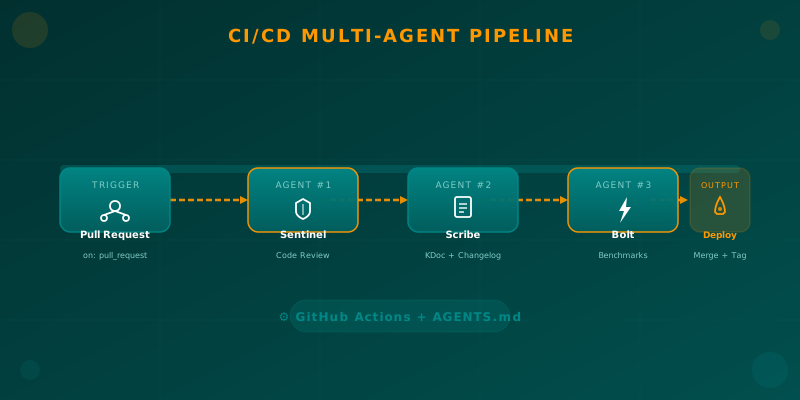
Learn how to integrate specialized AI agents (code review, documentation, benchmarks) into your Android CI/CD pipeline using GitHub Actions and AGENTS.md.

Paperclip AI: The Platform That Enables Zero-Human Companies
Discover how Paperclip AI revolutionizes business management with autonomous AI agents, heartbeats, budgets, and multi-team governance to operate organizations without human intervention.
AI Agents on Android: Theory and Practice
Understanding the role of AI Agents in modern mobile development. From theoretical foundations to practical implementation strategies using LLMs.