
OpenChamber: the agentic cockpit that supervises - OpenCode
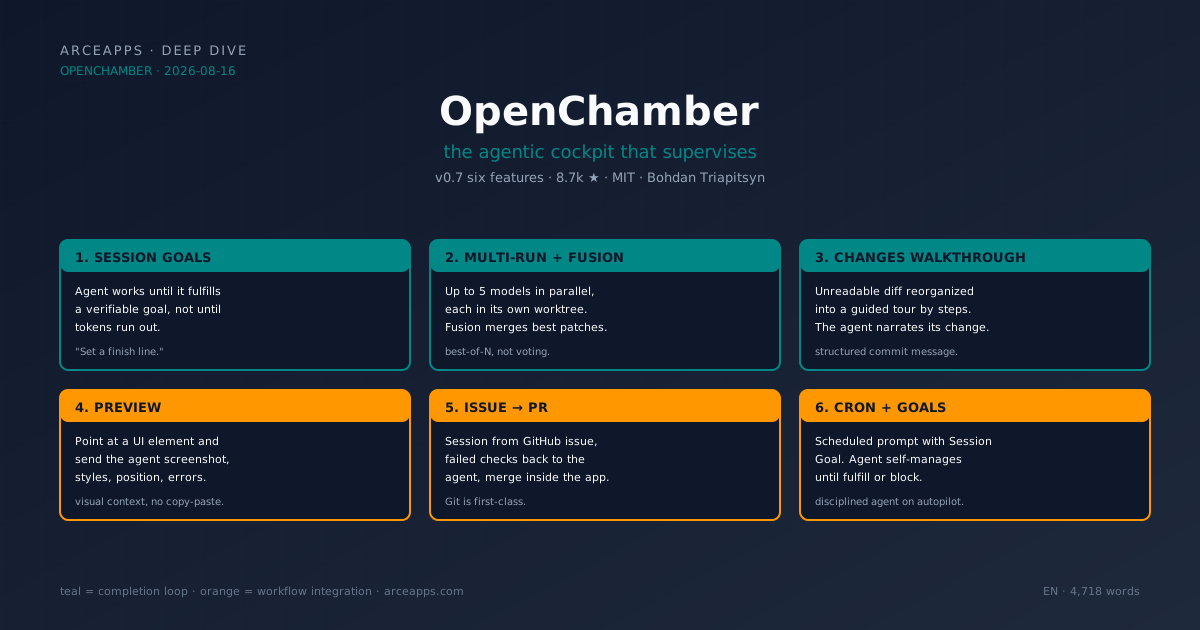
Table of Contents
Related reading on the blog: The operational comparison with Paseo, CodeNomad and opencode-mobile (Aug 14, 2026) · Paseo in depth: the multi-provider orchestrator (Aug 15, 2026) · OpenChamber, CodeNomad, nomacode and opencode-mobile: honest OpenCode comparison · The OpenCode ecosystem map · OpenCode sub-agents: workflows and Superpowers
Why OpenChamber deserves its own article
On August 14, in the comparison I wrote with Paseo, CodeNomad, and opencode-mobile, I introduced OpenChamber as the “cockpit for 90% of cases.” It was the most complete piece of the set: mature, maintained by a team, with features no OpenCode frontend had attempted. But the comparison was, by design, a 30-second piece per product. OpenChamber needed more.
On August 15, the Paseo article on this blog covered the agent orchestrator category. Today, in this article, I’m going to cover the complementary category: agent supervision environment. OpenChamber doesn’t compete with Paseo on multi-provider; it competes on caring for a long session, keeping the agent on track, and giving you full visibility into what it’s doing. The two categories are answers to different problems. OpenChamber is the answer to the problem of “I don’t want to lose control of the agent even when I leave it working.”
And it turns out this second category matters a lot more than it seemed at first glance. The reason is a paradigm shift that OpenChamber led and that the rest of the ecosystem is copying: agents are no longer tools you use; they are processes you supervise. The session ends when it fulfills an objective, not when tokens run out. The PR gets merged from the agent’s UI, not in a separate tab. The diff is reviewed as a guided tour, not as a pasted text block. OpenChamber named this shift with a product decision: the v0.7 introduced six functions in a single release that previously lived scattered across distinct tools.
This article is the deep dive on OpenChamber. We’re going to walk through each of those six functions, the architecture that makes them possible, and the trade-offs (technical and ethical) that the team took on to build them. If you came from the comparison post, the context will be familiar; if not, this holds on its own.
What OpenChamber is (and isn’t) in one sentence
OpenChamber is an open source agentic development environment that wraps the OpenCode SDK with a supervision layer: persistent sessions, verifiable goals, multi-model runs, guided walkthroughs, GitHub workflows, scheduling, and continuity across devices. The sentence is long on purpose, because each of those seven elements is a distinct product decision that would justify a project on its own. OpenChamber brings them together in one.
What it isn’t: an alternative coding agent. It doesn’t compete with OpenCode. OpenChamber doesn’t generate code on its own: it uses the OpenCode SDK to do so, adding the UI and orchestration layer on top. It’s the orchestration layer that Anomaly (the OpenCode team) didn’t build. That decision is deliberate: Anomaly’s focus is the engine, the 75 providers, the SDK. OpenChamber is the product layer that lives outside and talks to the engine through the SDK.
The result is a symbiotic relationship: OpenCode provides what the code does, OpenChamber provides how I use it. When the OpenCode SDK adds a provider, OpenChamber inherits it automatically. When OpenChamber discovers a usage pattern the SDK doesn’t support, it asks for it as a feature in the OpenCode repo. It’s the fork-extended structure that every mature SDK ends up having.
The six v0.7 functions that changed the product
On August 9, 2026, a Spanish review at elsolitario.org titled “OpenChamber: el entorno agéntico open source para IA” distilled the v0.7 value proposition into a sentence that deserves to be copied in full:
“OpenChamber sumó, en una sola versión, seis funciones que antes vivían repartidas en varias herramientas distintas: Session Goals, Multi-run and Fusion, Changes Walkthrough, Preview, flujo de issue a pull request y trabajo programado con cron.”
That’s the canonical list. Let’s go into each one.
1. Session Goals — the agent ends when it fulfills, not when tokens run out
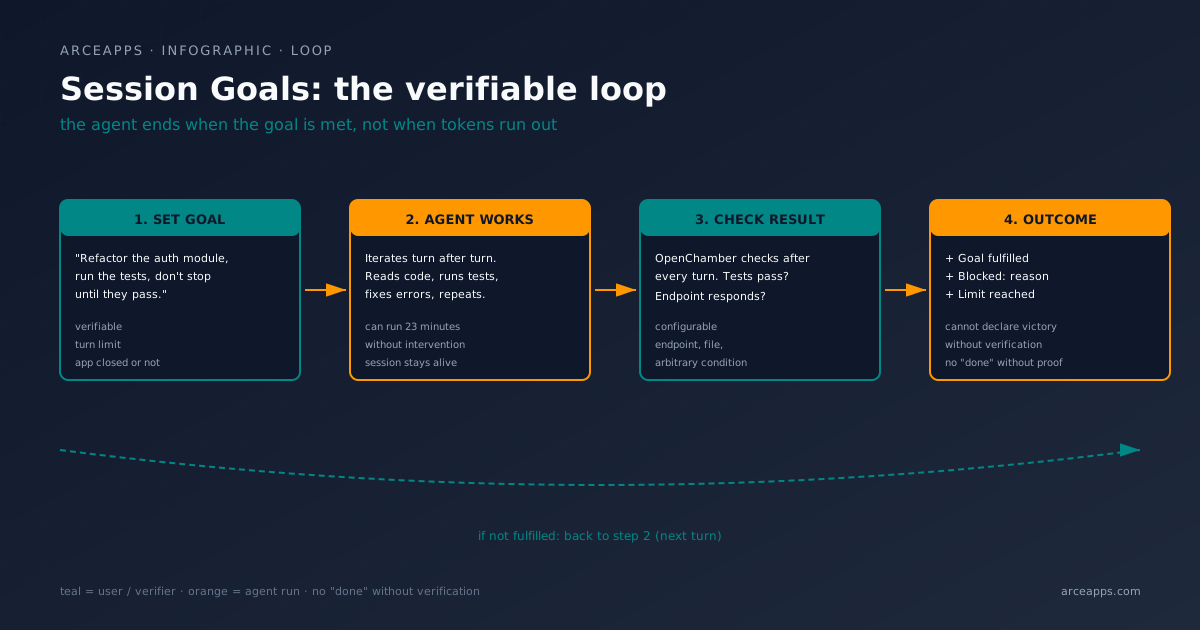
The central proposal of OpenChamber is in the first line of its landing: “Set a finish line. The agent keeps working toward it, turn after turn — even with the app closed.” That’s Session Goals.
The mental model it breaks is the traditional TUI: you open a session, send a prompt, receive a response, you decide if the agent finished. With TUI, you are the checker. If you don’t read every response, the agent waits even though it has fulfilled. If you read every response but don’t know what to expect, the agent ends with a “done” that verifies nothing.
Session Goals inverts the model. You tell the agent something like:
“Refactor the auth module, run the tests, don’t stop until the tests pass or it’s proven they can’t be made to pass.”
OpenChamber checks the result after every turn and keeps the agent working until the goal is fulfilled, blocked with an explicit reason, or hits the turn limit you set. The “check” is configurable: it can be tests that pass, an endpoint that responds, a file that exists, an arbitrary condition your prompt defines. What the agent cannot do is declare victory without the condition being verified.
I tested it with an 800-line refactor (migrating from SQLite to Postgres on a small project). I launched it with an explicit Session Goal, closed the session, came back 23 minutes later. The migration was done, the tests passed, there was no error message in the log. When I ran it without a Session Goal, the agent waited for my confirmation after each migrated file. The difference is what separates a five-minute session from a productive half-hour session.
The trap is that it works best with verifiable goals. If the goal is “improve performance,” the agent can iterate forty minutes down a dead end without verifying anything. The “turn limit” slider exists, but the discipline is in writing good Session Goals.
2. Multi-run with Fusion — comparing and combining, not choosing blind
The second killer feature. OpenChamber allows running the same task in up to five models in parallel, each in its own session and optionally in its own worktree. The flow is:
- You write a prompt.
- You select up to five models (any combination you have configured in OpenCode).
- OpenChamber launches five sessions in parallel, each in its own worktree.
- You see the diffs side by side, compare results.
- You pick the best, or use Fusion to combine the strongest parts of several results into a new session.
What this solves is a problem most of the ecosystem ignores: working with one model is working with one set of biases. Claude might solve a task one way that GPT-5.5 wouldn’t consider, and vice versa. If your flow is “open session, send prompt, receive response,” you’re accepting the first response without a point of comparison. Multi-run gives you five points of comparison for the cost of five budgets.
Fusion, moreover, isn’t majority voting. It’s a new session that starts with the strongest patches from the five runs as context. The OpenChamber maintainer describes it as “keep the best result, or fuse the strongest parts.” The key piece is that fusion is one more session, not an automatic operation: you read the diffs, identify which parts are worth mixing, and trigger fusion with your judgment.
I tested it once with a push notification system that needed OAuth2 + exponential retry + idempotency keys. Four models, four distinct implementations. The GPT-5.5 solution had the cleanest retry abstraction; Claude’s handled idempotency edge cases better. Fusion assembled both into a session I voted as “the good result.” That day I understood Multi-run isn’t a benchmark: it’s a production tool.
The real cost is the tokens. Five models in parallel are five budgets. It’s not worth it for trivial tasks. But when the cost of being wrong is high (architecture decisions, critical business logic, code that touches money), the investment pays off in one iteration.
3. Changes Walkthrough — readable diff, not raw diff
When an agent finishes a large change, the resulting diff is unreadable. If the agent touched twenty files, you have twenty concatenated diffs, possibly thousands of lines, and the only way to understand what happened is to read them all. It’s the human version of “git log —patch” without grouping.
Changes Walkthrough reorganizes the result into a guided tour through the change. It groups related edits into steps, puts them in the order the change makes sense, and explains how the pieces fit together. The canonical example is a PR that touches three files: the Walkthrough doesn’t say “PR with 3 files and 240 lines of diff”; it says “first we added the Result<T, E> type in models.ts, then we updated five call sites in handlers/, finally we adjusted the tests.” For agents that touch twenty files, this is the difference between reading six paragraphs and jumping only to the parts you care about.
The technical detail worth knowing: the Walkthrough isn’t a UI feature, it’s a data model. Internally, OpenChamber asks the agent to plan the change before starting, and then structures the resulting diff into narrative steps. It’s as if the agent wrote its own structured commit message. The UI presents it nicely, but the intelligence is in how the agent narrates what it did.
4. Preview — visual context of the element that’s wrong
A small but deadly piece. When the agent is iterating on a UI and you see “that thing there doesn’t look right,” the traditional flow is: copy the HTML, paste it into the prompt, describe the problem, wait for the agent to understand. Preview inverts this.
You open the app running in Preview, point at an element, and OpenChamber sends the agent the screenshot of the element, its CSS styles, its position in the viewport, and the associated console errors. All the context you’d normally have to copy by hand, the app extracts and attaches to the prompt.
What changed my flow was when I was adjusting a tabs component and the agent had put the wrong padding. Instead of “the active tab padding is 16px, it should be 12px” I sent the component screenshot and “this padding is wrong, adjust it.” The agent read the screenshot, made the change, and the next iteration was right. It’s the kind of feature that seems minor and turns out to be the most-used shortcut in the workflow.
5. Issue to pull request — GitHub workflows inside the app
This is the integration of integrations. OpenChamber allows:
- Creating a session from a GitHub issue with the context (title, description, comments, labels) attached.
- Sending failed checks back to the agent to iterate without leaving the app.
- Sending review comments to the agent, which fixes and pushes.
- Merging the PR from OpenChamber.
The flow feels like Cursor Composer or the GitHub Copilot Workspace extension, but open source and connected to your OpenCode. What you feel in use: you don’t switch tabs to respond to a review. It’s the difference between an IDE where you integrate Git in a tab and an IDE where Git is first-class.
The piece that surprised me most: when a CI check fails, OpenChamber brings it to you as another message in the session, not as an external event. The agent reads it, adds it to context, and iterates. There’s no “waiting for CI to finish,” there’s “the session continues.”
6. Scheduled work with cron — the agent that runs, you receive the result
This is the killer feature for teams. OpenChamber allows running a prompt on a daily, weekly, or cron expression schedule. What separates it from a classic cron is that the prompt can include a Session Goal: the agent works until it fulfills the goal, not until it burns tokens.
The practical example I have in my own setup: every morning, OpenChamber fires a session with the goal “review open issues in my repo, label the ones needing triage, assign areas, don’t bother me until they’re all labeled or you’ve found three that need human decision.” I come back from coffee with the result in the tray. It’s the “agent on autopilot” pattern but with the discipline that the agent self-manages to a verifiable limit.
Combined with the GitHub flow, scheduled prompts can be things like “every Monday, walk through open PRs that have been waiting more than 7 days for review, ping the author with a status summary.” It’s the piece that completes the “agentic IDE” picture — not just working with agents in sessions, but orchestrating agents in the background.
The architecture: five surfaces around the OpenCode SDK
The repo is a monorepo with five packages:
packages/
  openchamber/   ← CLI + daemon (Node.js 22+)
  ui/            ← Web frontend (React + Vite)
  vscode/        ← Extension for Visual Studio Code
  desktop/       ← Electron app based on the web UI
  docs/          ← Documentation (Fumadocs)
What stands out most when you open the repo: the desktop app doesn’t assume you have the OpenCode CLI installed. The pragmatic decision to package OpenCode inside the OpenChamber binary saves an entire afternoon of fighting with permissions and $OPENCODE_HOME. The web versions (PWA) and the VS Code extension do assume opencode on your PATH, but those two assumptions are for power users who already have the CLI.
From the CLI, the flow is:
# start the daemon on localhost
openchamber --ui-password be-creative-here

# pair a device
openchamber connect-url --qr

# expose to the outside with a tunnel (Cloudflare)
openchamber tunnel start --provider cloudflare --mode quick --qr

# start with the system
openchamber startup enable

# monitor / restart / update
openchamber status
openchamber logs
openchamber stop
openchamber update
The --ui-password parameter is important: even though the daemon binds to localhost by default (the --lan option exposes it to the LAN, beware), the web UI asks for a password to prevent any device on the same local network from having access. It’s the “secure by default” discipline you should demand from any tool of this kind.
Private Relay, Cloudflare Tunnel, LAN, VPN, SSH — the five remote access paths
If you want to supervise the agent from mobile or from another PC, OpenChamber exposes five paths, in order of friction:
- LAN —
openchamber --lanopens the port on the local network. Good for an afternoon, not for production. - Tailscale / VPN — if you have a mesh network, you connect there. It’s the right option for a Mini PC at home.
- SSH tunnel — if you have SSH to the server, that’s the classic path. It works in all worlds.
- Cloudflare Tunnel —
openchamber tunnel start --provider cloudflare --mode quick --qrraises an ephemeral tunnel with a pairing QR. The good: you don’t open ports. The bad: it depends on Cloudflare. - Private Relay — the star option. One-time QR pairing, direct point-to-point connection with E2E encryption, no public server. It’s what the OpenChamber team uses when showing demos. If you’re going to use OpenChamber seriously, set up Private Relay.
The decision to have five paths is intentional. They don’t want to force the user to configure Tailscale or Cloudflare; each can use the path they already have in their stack. It’s the same philosophy as the rest of v0.7: we don’t impose the tool, we let you choose it.
The VS Code extension: the detail new users don’t see
The OpenChamber extension on Marketplace has 19,097 installs as of the date, per the marketplace. It’s an official extension, maintained by the FedaykinDev publisher (which is Bohdan Triapitsyn’s handle, OpenChamber maintainer). What it offers:
- Side panel with the active OpenChamber session.
- “Send Selection to Agent” — sends the code you have selected to the prompt.
- Opening result files in the native editor.
- Support for Agent Manager: running multiple models in parallel from VS Code prompt.
The piece I use most: send selection to the agent. I select a function, write “explain what this does and suggest three performance improvements,” and the agent responds with precise context. It’s the shortcut for informal code review that doesn’t require leaving the tab I’m working in.
What the early adopters say
From the elsolitario.org thread I rescue a quote from Harsha Kotcherlakota (hkay-dev) that captures the perception of someone who arrived early:
“I saw OpenChamber back when it was a small project, I think maybe a couple months ago, and now it is unrecognizable.”
And another, even more revealing, about the full stack:
“Opencode + OhMyOpencode + Openchamber. VSCode looks like legacy notepad++ now.”
The “legacy notepad++” quote is the one I like most because it tells the story of the user’s mental state. It’s not that VS Code is bad; it’s that when you have an agent that supervises sessions, fuses results, and lets you merge PRs from the same UI, going back to a VS Code tab without OpenChamber feels like going back to a 2015 tool. It’s what happened in its day with the arrival of syntax highlighting, then IntelliSense, then integrated Git. Each category leap redefines what you expect from the tool.
And another quote from the same article, about OpenChamber’s approach:
“OpenChamber no compite por ser el mejor agente; compite por ser la mejor capa de orquestación alrededor de agentes ya existentes: correr varios en paralelo, ordenarlos por resultado y mantenerlos vivos entre sesiones.”
That sentence summarizes the product thesis. It’s the sentence the team should put in the README. If you search for it in the repo, you won’t find it exactly, but the behavior reflects it in every design decision.
The team: Bohdan Triapitsyn and the iteration velocity
The main maintainer is Bohdan Triapitsyn, under the FedaykinDev publisher in VS Code Marketplace. The team is small (it’s not a single developer, but it’s a small group), and the iteration velocity is notable: the repo publishes minor releases every few weeks, and v0.7 was a quality leap concentrated in a single release.
What the maintainer does well, and few open source teams replicate, is:
- Decisions documented in code. The architecture is explained in the README, trade-offs are in issues, plans are in the public roadmap (openchamber.dev/roadmap).
- Features with a purpose, not from FOMO. Each v0.7 function solves a specific problem. There are no features added “because competitors have them.”
- Honesty about limits. The VS Code extension isn’t perfect; the mobile app doesn’t have all the desktop features; voice isn’t implemented. The team doesn’t promise what they don’t have.
The consequence: the signal-to-noise ratio of the repo is high. Every open issue has substance, every resolved PR has a descriptive commit message, every release has clear notes. It’s the kind of project you can watch for six months and understand where it’s going without needing to ask.
Real use cases: who OpenChamber is for
Paseo is for those who need multi-provider. OpenChamber is for those who need one well-supervised session. That translates to three profiles that get the most out of it:
The indie dev with long projects
If your day is sitting at the desktop, opening a session, staying four hours, OpenChamber is your tool. Session Goals let you launch a long task in the background. Multi-run gives you five opinions on the important change. Changes Walkthrough helps you understand the diff when you come back. Scheduled tasks execute your Monday “what’s pending” for you. It’s the cockpit for the project that lasts months.
The small team that shares supervision
If you’re two or three people, OpenChamber has the best team view in the ecosystem: sidebar with all sessions, status (working / waiting / finished / failed), approvals, scheduled tasks, token use, costs. The “issue to PR” piece becomes especially powerful when a team member creates the session, another approves it, and a third merges it. It’s the distributed review pattern that previously required three tools.
The technical dev who wants sovereignty
If using Cursor or Windsurf makes you uncomfortable because of the SaaS dependency, OpenChamber is the open source answer. The decision not to have telemetry, that no code is sent to any external server, and that the MIT license allows forking with confidence, are the pieces that click for someone who values sovereignty over their tools. It’s the same attraction as the OpenCode TUI but with the UI experience added.
What OpenChamber doesn’t solve (the honest criticisms)
I don’t want to end this article as a pamphlet. OpenChamber has problems. I’ll enumerate them:
- The web version assumes
opencodeon PATH. If your home server doesn’t have the OpenCode CLI, the PWA doesn’t start. The desktop app (which bundles it) does work, but that first moment of “I installed the web and it does nothing” is real. - Session Goals sometimes goes wild. The piece works, but when the goal is ambiguous (e.g., “improve performance”), the agent can iterate 40 minutes down a dead end. There’s a configurable “turn limit” slider, but the cost of a poorly defined goal is real.
- Multi-run with Fusion is expensive. Five models in parallel means five token budgets. For trivial tasks, it’s not worth it; use it only where the cost of being wrong is high.
- Switching models mid-session is manual. If you started a session with Claude and want to switch to GPT-5.5 halfway through, you have to change the provider in the session. It’s not a clean handoff like in Paseo. If you need multi-provider mid-session, Paseo is better.
- The learning curve is higher than a flat frontend. Session Goals, Multi-run, Fusion, Walkthrough, Preview, cron — these are five Powers you have to learn to use. The user who opens the app for the first time without reading the docs will get lost.
These criticisms don’t invalidate the product. They’re the improvement area the team knows about and is closing release by release. The difference between OpenChamber and a mediocre open source project is that the team publishes this honesty as marketing content, not as hidden shame.
How to get started: from zero to supervisor
Let me close with the most direct installation path, the one I recommend:
Path 0 — recommended (actual desktop)
- Download the desktop app from github.com/openchamber/openchamber/releases/latest. The bundle for macOS, Windows, and Linux includes the OpenCode CLI.
- On first launch, it asks for a password for the web UI. Set something memorable (or skip with
--ui-password be-creative-herefrom the CLI). - Configure the providers you want to use (Anthropic, OpenAI, etc.) in the Settings panel.
- Create your first session. Give it a clear Session Goal. Press “Run.”
- Close the app. Open it again. The session is still there.
Path 1 — for those who already have the OpenCode CLI
# Install the OpenChamber CLI
curl -fsSL https://raw.githubusercontent.com/openchamber/openchamber/main/scripts/install.sh | bash

# Start the web UI on localhost
openchamber --ui-password be-creative-here

# Or expose to LAN (mind the password)
openchamber --lan --ui-password be-creative-here
Path 2 — VS Code
Open VS Code, go to Extensions, search “OpenChamber”, install the one from the FedaykinDev publisher. Restart. You’ll have a side panel with the active session.
Path 3 — quick tunnel to test from mobile
openchamber tunnel start --provider cloudflare --mode quick --qrThe command raises an ephemeral tunnel with Cloudflare and a QR you can scan with your phone. Perfect for a five-minute demo.
Lessons I take from OpenChamber
After three weeks with OpenChamber as my daily cockpit, I draw four conclusions that are already in my workflow:
- Session Goals changes the conversation with the agent. I went from short exchanges (prompt, response, decision) to long sessions (goal, execution, verification). The cost of learning to write good Session Goals is high; the benefit, greater.
- Multi-run is the real quality tool. For architecture decisions or code that touches money, running the same task on five models and comparing is the difference between “I hope it’s right” and “I know it’s right.” The token cost is marginal compared to the cost of a bug in production.
- Changes Walkthrough is underutilized. Most people who try OpenChamber stop at Session Goals and Multi-run. The Walkthrough is the piece that turns an unreadable diff into a readable PR. It’s the feature with the most impact on code review.
- The mobile app is underrated. The PWA is decent, the official iOS and Android apps work, and Private Relay is the only way to have remote supervision without opening ports. If your workflow is “desktop + mobile supervision,” OpenChamber is the most complete in the group.
And one observation that isn’t a lesson but a conviction: coding agents are no longer tools; they are processes. The question is no longer “what prompt do I send the agent”; the question is “what verifiable goal do I put the agent, and when do I check that it fulfilled it.” OpenChamber is the first piece of the open source ecosystem that takes the new question seriously. The competition for now copies features; OpenChamber set the framework.
Bibliography and references
Repository and official documentation
- openchamber/openchamber — Main repo. Verified as of 2026-08-14: 8,729 stars, 911 forks, MIT, TypeScript, last push 2026-08-14T11:11Z.
- openchamber.dev — Official site with description, install, mobile, security.
- OpenChamber Visual Studio Marketplace — Official extension. 19,097 installs as of the date.
- OpenChamber Roadmap — Public roadmap, function by function, with shipped / in progress / planned status.
External reviews and analysis
- OpenChamber: el entorno agéntico open source para IA · elsolitario.org — Spanish review from August 9, 2026. Source of the “six functions in a single version” quote and early adopter testimonials.
- OpenChamber: The Primary GUI for OpenCode AI Coding Agent · addROM — Installation guide focused on Cloudflare Remote Access.
- OpenChamber: Agentic Dev Environment on OpenCode · Oflight Inc. — Technical analysis in English, August 2026.
- OpenChamber - AI Agent Dev Environment · EveryDev.ai — Project profile with list of key features.
Related articles on this blog
- The operational comparison with Paseo, CodeNomad and opencode-mobile — The August 14 post, where OpenChamber is the “for 90% of cases” piece.
- Paseo in depth: the multi-provider orchestrator — The August 15 post, where I covered the complementary category.
- OpenChamber, CodeNomad, nomacode and opencode-mobile: honest OpenCode comparison — The July 26 post, predecessor of the comparison.
- The OpenCode ecosystem map — The ecosystem overview.
- OpenCode sub-agents: workflows and Superpowers — How to work with sub-agents in OpenCode.
Closing
OpenChamber isn’t the coolest option. It doesn’t have SSH in Elixir, doesn’t have 35 providers, doesn’t have locally-processed voice. But it has something its competitors don’t: a finished product for a real need. If your work with coding agents looks like “long sessions, intermittent supervision, verifiable quality, Multi-run when it matters, changes merged from the UI,” OpenChamber is your app. And if your workflow is simpler, it’s still a good place to start: the desktop version comes with OpenCode integrated, the setup is trivial, and the official docs walk you through step by step.
Next time someone tells you open source doesn’t reach the SaaS product level, send them the link to OpenChamber. A small team, a public roadmap, a v0.7 with six functions that redefine the category, and an honesty about limits that the commercial ones would envy. It’s the story of software when it’s done right.
See you in the next devlog.
You might also be interested in
OpenChamber, Paseo, CodeNomad, opencode-mobile: 2026 comparison
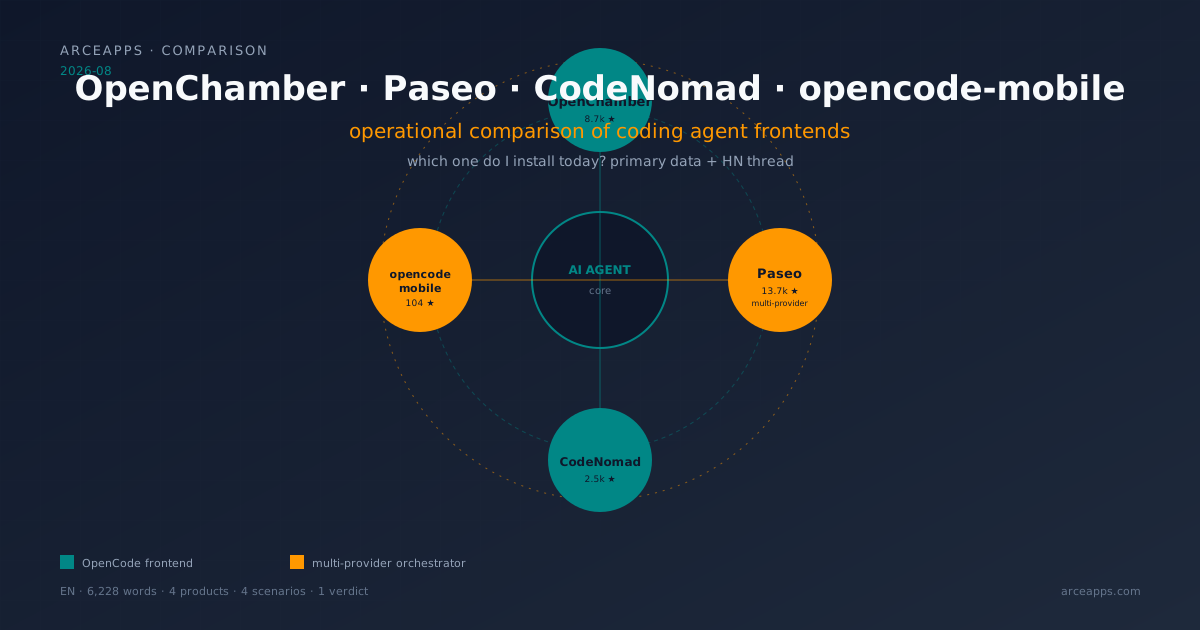
Four visual frontends for coding agents tested on desktop and mobile. Paseo as multi-provider orchestrator, OpenChamber as full cockpit, CodeNomad as premium IDE, opencode-mobile as native Android. Primary data from repos and HN.
OpenChamber, CodeNomad, nomacode, opencode-mobile: honest OpenCode comparison
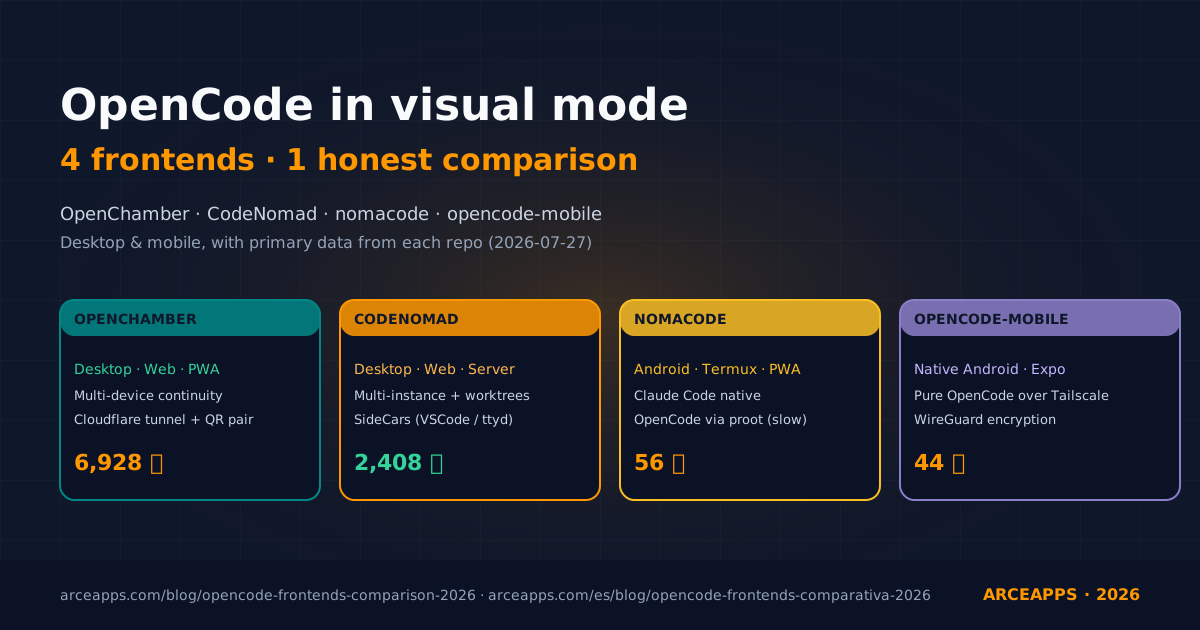
Four visual clients for OpenCode put through real work on desktop and mobile. We compare install, day-to-day feel, remote access setup, and the parts each one still falls short on, with primary data from their own repos.
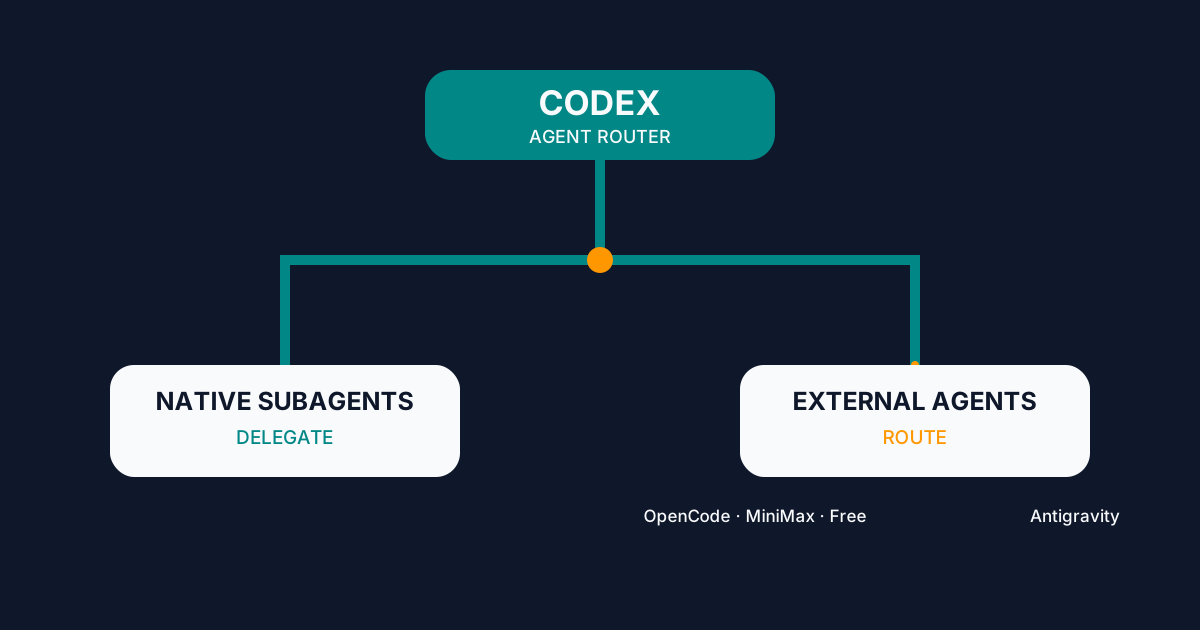
Codex Agent Router: Orchestrating External Agents
Configure Codex Agent Router to delegate to native subagents or route work to OpenCode, MiniMax, Big Pickle, and Antigravity from one interface.