
GitHub Agentic Workflows: Automation With ...
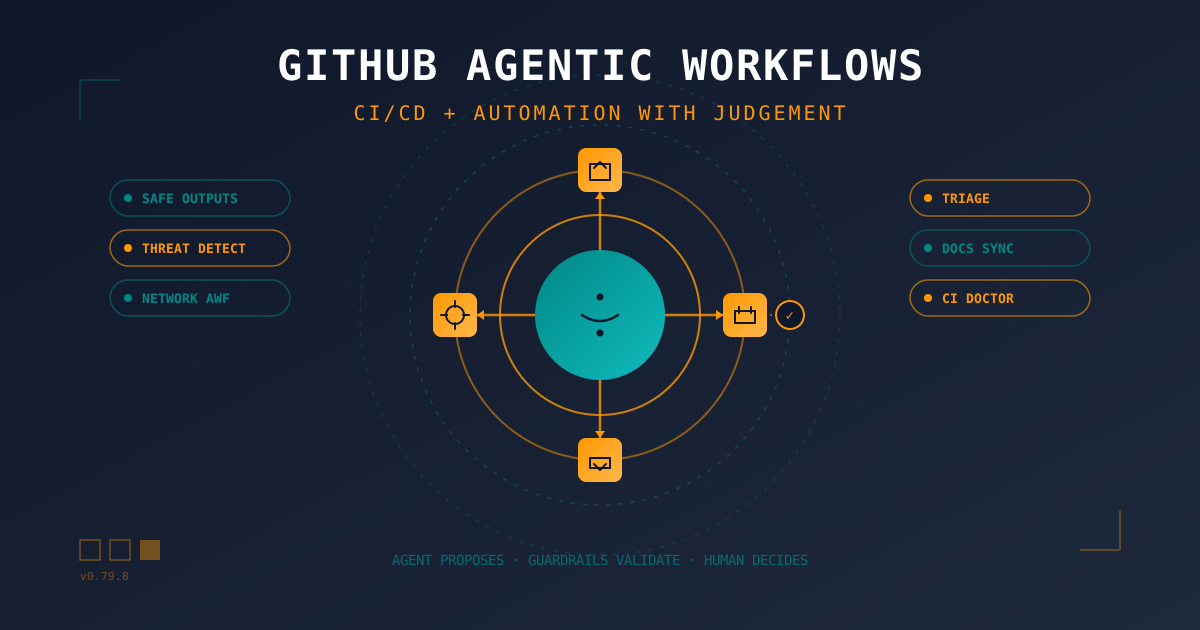
Table of Contents
This piece dialogues with two previous articles on the blog. Read them before or after, in whatever order you prefer:
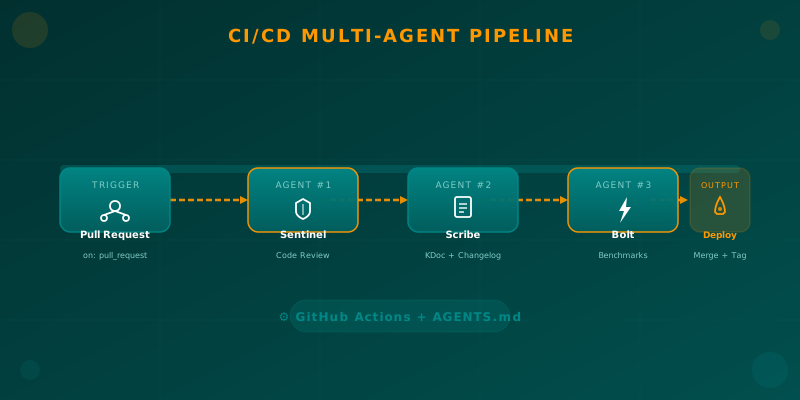
- Orchestrating AI Agents in Your Android CI/CD Pipeline — building a classic multi-agent pipeline with GitHub Actions + Python.
- Automated Documentation: CI/CD with Dokka and MkDocs — the deterministic automation use case.
What we cover here goes one step further: the agent reasons about the repo in natural language, but only proposes its actions through a validated channel.
🪝 The Saturday at 11 PM That Made Me Write This
Saturday night. The notification lands as always: CI failed on main. I open the log. Forty-seven lines. By the third scroll I already know what happened. I bumped a dependency “to stay current” on Tuesday and the test that’s been flaky for three months finally stopped pretending to pass. It’s not a new bug. It’s not my code. It’s maintenance debt wearing a feature costume.
In that moment, hunting for the last commit where the test “still worked,” I thought something that keeps coming back to me as an indie developer:
“My GitHub Actions pipeline is solid. Builds and deploys run themselves. Why am I still doing everything that surrounds CI by hand?”
Issue labels. PR descriptions that are one line long. Release notes nobody writes. “This was already like that” comments on ancient PRs. Documentation that went stale last week. All of it is work that’s automatable with judgement, not with rigid if/then. And that’s exactly the gap GitHub Agentic Workflows (gh-aw) fills.
🎯 The Gap CI/CD Doesn’t Close
Traditional CI/CD — GitHub Actions, Jenkins, GitLab CI, CircleCI — automates the happy path: build, test, package, deploy. It does this very well. But everything that requires judgement still depends on human hours:
- Classifying a new issue: bug, question, feature, docs?
- Deciding whether a PR deserves a high-priority label.
- Writing a coherent changelog from 47 commits.
- Diagnosing why the 3 AM test fails (spoiler: the flaky test).
- Keeping docs in sync with every API change.
These are the jobs that absorb focus from an indie dev. They don’t pay money directly, but they cost hours of concentration that don’t come back. And they can’t be expressed in declarative YAML because each case is different.
The GitHub Next team’s thesis is direct: “CI/CD already automates builds and deploys, but we still spend hours on triage, CI failures, and stale documentation. There’s a second ring of repetitive, collaborative tasks that are automatable with judgement, not with rigid scripts.” They wrote this in the official post announcing the technical preview in February 2026, and it’s exactly the problem I’ve been tripping over for years.
🧠 What GitHub Agentic Workflows (gh-aw) Actually Is
GitHub Agentic Workflows is an experimental layer from GitHub Next, incubated in the github/gh-aw repo, which by June 2026 carried more than 4.6k stars, 384 releases, and version 0.79.8 from June 12. The idea is simple to explain and elegant to execute:
Describe in Markdown + frontmatter YAML what you want to happen in your repo, and a compiler translates it into a traditional GitHub Actions workflow. The workflow runs a coding agent (Copilot CLI, Claude Code, Codex, or Gemini) that reads the repo, reasons, and proposes — but never has direct write permissions.
Three concepts separate it radically from “drop an AI agent in an Actions step”:
1. Workflows in Markdown, Not Pure YAML
The file .github/workflows/daily-status.md is the source of truth. A compiler (gh aw compile) translates it into an executable .lock.yml that’s also committed. Both are reviewable, both are PR-readable, both go through human code review.
---
on:
  schedule: daily

permissions:
  contents: read
  issues: read
  pull-requests: read

safe-outputs:
  create-issue:
    title-prefix: "[repo status] "
    labels: [report]

tools:
  github:
---

# Daily Repo Status Report

Create a daily status report for maintainers.

Include
- Recent repository activity (issues, PRs, discussions, releases, code changes)
- Progress tracking, goal reminders and highlights
- Project status and recommendations
- Actionable next steps for maintainers

Keep it concise and link to the relevant issues/PRs.
2. Safe Outputs: The Agent Never Writes — It Only Proposes
This is the key design twist. The agent’s job runs with contents: read, issues: read. No write permissions. When the agent decides it wants to create an issue, label a PR, or comment, it doesn’t do it directly — it produces an agent_output.json artifact describing what it would like to do. A separate job, with the minimum scoped permissions (create-issue, add-labels, noop, create-pull-request…), validates and executes the proposal.
It’s the functional equivalent of a commit-msg hook, but at the Actions level. The blast radius of a “rogue” agent is, by construction, zero.
3. Threat Detection: A Second Agent Audits the First
Before any safe-output goes external, a second job runs with a dedicated security prompt. It reviews agent_output.json + the proposed patch + the original prompt, looking for:
- Secret leaks (referenced
secrets.*are automatically redacted toabc*****). - Malicious patches or attempts to modify
.github/workflows. - URLs to internal infrastructure.
- Scope violations.
If the audit fails, the workflow aborts. No external writes. No ghost PR. No drama.
🛡️ The Three Layers of Guardrails (Defense-in-Depth)
What I like most about gh-aw is that the threat model is written and public. It’s not “trust the prompt.” They’re three explicit layers:
- Substrate layer — kernel, hypervisor, iptables. The agent runs on GitHub-hosted runners.
- Declarative configuration layer — frontmatter with JSON Schema, action pinning by SHA, compile-time linters (
actionlint,zizmor,poutine). - Plan layer — Safe Outputs + Threat Detection + Agent Workflow Firewall (AWF) + MCP Gateway.
Agent Workflow Firewall (AWF)
A Squid proxy with an explicit domain allowlist. By default, the agent only talks to:
network:
  firewall: true
  allowed:
    - defaults     # basic infra (GitHub, etc.)
    - python       # PyPI ecosystem
    - node         # npm ecosystem
    - "api.example.com"  # any custom domains you declare
If the agent tries curl https://evil.example.com, the URL is redacted as (redacted) and the request is blocked. It’s the formal answer to the prompt injection data exfiltration problem.
MCP Gateway
MCP servers (including the official GitHub MCP) run in isolated containers with tool filtering. Only the tools you list in allowed: are invokable. The agent cannot, for example, call delete_repo if you didn’t declare it.
Content Sanitization Pipeline
Before repo content reaches the agent’s prompt:
@mentionsare neutralized (prevents the agent from pinging real people).- Bot triggers like
fixes #123are blocked (prevents accidental issue closures). - HTML/XML tags are converted to safe
(tag)format. - Non-HTTPS URIs are filtered.
- Unicode is normalized.
- Payloads are capped at 0.5 MB / 65k lines.
Integrity Filtering
Controls what content the agent can access based on author and merge status, not just push access:
min-integrity: approved # owners, members, collaboratorsFour levels exist (merged, approved, unapproved, none). For public repos, approved is the reasonable default. This means a PR opened by a random internet user cannot poison the agent’s context.
📦 A Real Case: Auto-Triage Issues in Production
The github/gh-aw repo itself runs a workflow called auto-triage-issues.md every 6 hours. It’s the most honest example of the tool: it works, it’s in production, and you can read the YAML.
---
emoji: "🔧"
name: Auto-Triage Issues
on:
  issues:
    types: [opened, edited]
  schedule: every 6h
  workflow_dispatch:
max-daily-ai-credits: 10000
user-rate-limit:
  max-runs-per-window: 5
  window: 60
permissions:
  contents: read
  issues: read
  copilot-requests: write
engine:
  id: copilot
  model: gpt-5-mini
strict: true
network:
  allowed:
    - defaults
    - github
imports:
  - shared/github-guard-policy.md
  - shared/reporting.md
tools:
  github:
    mode: gh-proxy
    toolsets: [issues]
    min-integrity: approved
  bash:
    - "jq *"
    - "cat *"
safe-outputs:
  add-labels:
    max: 10
  create-discussion:
    expires: 1d
    title-prefix: "[Auto-Triage] "
    category: "audits"
    close-older-discussions: true
    max: 1
  noop:
timeout-minutes: 15
---

# Auto-Triage Issues Agent 🏷️
...
Three details I love:
max-daily-ai-credits: 10000— predictable cost. If the credit runs out, the workflow stops. No surprise bill.imports:— composability. You sharegithub-guard-policy.mdacross workflows the same way you share reusable GitHub Actions.noop— explicit output for “I did nothing.” The agent learns that not acting is also valid. This reduces dangerous inventiveness.
📊 The Numbers: What the May 2026 Impact Report Says
GitHub Next published on May 14, 2026 an Impact Report measuring results in 15 open source repos that have been running Repo Assist (gh-aw’s package of agentic workflows) for months.
The hard numbers:
- 651 net issues closed across 13 repos analyzed.
- Median 9× increase in both issue-closure velocity and PR-merge velocity.
- Median issue closure: from 0.13 to 3.61 issues/week.
- Median PR merge: from 0.34 to 5.63 PRs/week.
- Median PR-merge throughput: 82% (684/877).
- In “dormant” repos like
GenPRES,FSharp.Data, andAsyncSeq, the backlog went from stuck to 100% completed.
The most spectacular case: FSharp.Formatting, an F# documentation tool. It went from closing 0.00 issues/week to 8.12. And from merging 0.09 PRs/week to 11.15. A ×90 multiplier.
But — and this is the part that interests me most as an indie — the report is emphatic about one thing:
The bottleneck is always human.
30% of runs are explicit human interventions. 52% involve some kind of human direction. 37.4% of agentic PRs receive human commits on top before merge. The repos that did NOT improve are the ones with inaction bottlenecks (nobody reviews PRs) or rejection bottlenecks (PRs get rejected without explanation).
The agent doesn’t remove work. It shifts it to the point where the human decides.
🆚 Differences With Alternatives You Already Know
| Solution | What it does well | Where it falls short |
|---|---|---|
| Classic GitHub Actions (YAML) | Deterministic build/test/deploy. Perfect for the happy path. | Doesn’t interpret natural language. Every if has to be anticipated. |
Copilot Coding Agent (#issue) | A single agent assigned to an issue, opens a PR. | Monolithic, no scope guardrails, no Safe Outputs, no threat detection. Lives outside the Actions flow. |
| Dependabot auto-triage | Closes Dependabot PRs that don’t make sense or batches updates. | Very narrow domain (dependencies only). No reasoning. |
| Claude Code / Codex in a loose step | Invoking an AI CLI in a normal step. | The agent receives more permissions than necessary. No Safe Outputs. No automatic threat detection. No network allowlist. The gh-aw team explicitly flags this as an anti-pattern. |
| Atlassian Rovo / Jira Service Management | Agents over the ITSM/ITIL layer. | Different platform (Jira), different use case (service desk, not repo). |
| gh-aw / GitHub Agentic Workflows | Markdown + AI + 3 guardrail layers. Safe Outputs, Threat Detection, AWF, MCP Gateway. | Research preview, not GA. The README ends with “Use it with caution, and at your own risk.” |
The unique contribution gh-aw makes that the others don’t: the agent never writes — it only proposes through a validated buffer. It’s the difference between “a junior with merge permissions” and “a junior who leaves proposals in a tray and lets you decide.”
⚠️ The Honest Truths That Hurt
Because this isn’t marketing, it’s real engineering. Read this before adopting it in a client repo:
- It’s not GA. Technical preview since February 2026. The repo literally says “research prototype”. If you adopt it in production, pin the version and have a plan B.
- There was a real billing bug. Versions 0.68.4 through 0.71.3 were withdrawn for affecting Copilot billing. If you pin a version, make sure to avoid that range.
- Automation fatigue is real. Two maintainers in the report (FsAutoComplete, fantomas) slowed down or paused workflows because of “notification anxiety” and “too noisy”. Agentic can increase maintenance pressure if you don’t configure it thoughtfully.
- The cost per run. ~2 Copilot premium requests per execution. A workflow with
schedule: every 6his ~240 runs/month. Setmax-daily-ai-creditsfrom day 1. - The README ends with a notice you must read: “Using agentic workflows in your repository requires careful attention to security considerations and careful human supervision, and even then things can still go wrong.”
And a nuance worth repeating: the agent doesn’t speed up the code — it speeds up the human decision. That’s liberating if you understand it as an indie dev: gh-aw isn’t going to take control of your roadmap. It’s going to take away the 47 lines of log you had to read to diagnose a flaky test. The decisions stay yours.
🛠️ Setup for an Indie: From git clone to Your First Agentic Workflow
Assuming you already have a repo with GitHub Actions working (if not, check my GitHub Actions guide for Android):
# 1. Install the gh-aw CLI
curl -sL https://raw.githubusercontent.com/github/gh-aw/main/install-gh-aw.sh | bash

# 2. Verify installation
gh aw version

# 3. Create workflow from template
gh aw new auto-triage-issues

# 4. Compile to .lock.yml
gh aw compile auto-triage-issues

# 5. Review diffs before committing
git diff .github/workflows/

# 6. Commit both (Markdown source + compiled YAML)
git add .github/workflows/auto-triage-issues.md .github/workflows/auto-triage-issues.lock.yml
git commit -m "ci(agentic): add auto-triage workflow"
git push
The CLI has more useful commands:
gh aw logs <workflow-name>   # view past runs
gh aw audit <run-id>          # audit a specific run (see what the agent proposed)
gh aw fix --write             # update to the latest compatible version
gh aw compile --validate      # validate without writing the .lock.yml
🔁 Continuous AI: The “Third Leg” Beside CI/CD
Don Syme, one of the authors of the official blog post, names it well: “as CI/CD transformed software development by automating integration and deployment, Continuous AI covers the ways in which AI can be used to automate and enhance collaboration workflows.”
If Hudson and Travis took away my manual scp to the server, gh-aw takes away my manual git log --oneline | head -20 to write the changelog. It’s exactly the same conceptual leap, applied to a different category of tasks.
The official Continuous AI Patterns are 16 and worth knowing: ChatOps, DailyOps, DataOps, IssueOps, ProjectOps, MultiRepoOps, OrchestratorOps, SpecOps, LabelOps, MemoryOps, MonitorOps, BatchOps, WorkQueueOps, DeterministicOps, DispatchOps, CentralRepoOps, ResearchPlanAssignOps. Each one is a reusable job shape.
🎬 Closing: The Copilot, Not the Autopilot
Back to Saturday at 11 PM. With gh-aw, that 11 PM red CI would look like this:
- At 23:01, the
ci-doctor.mdworkflow runs automatically. - At 23:03, the agent read the log, identified the test was flaky in
commit abc123(already known from previous runs), and proposed a PR that bumps thetimeoutand marks the test asflaky=true. - At 23:04, Safe Outputs created the PR.
- At 23:05, Threat Detection marked it as ✅ no secrets, doesn’t touch workflows, scope correct.
- At 23:06, I get the notification: “PR #247 ready for review. Proposed action: add to quarantine. Human action required: confirm.”
I open the PR, read the diff (15 lines), approve, and by 23:12 I’m back writing Sunday’s feature.
Did I lose control? No. I got it back. The agent doesn’t decide for me; it does the tedious work that was preventing me from deciding well. That’s exactly the difference between a copilot and an autopilot.
If you have a repo on GitHub — even a personal one — try it on a branch with a daily-report workflow first. You’ll see the mental model shift: you stop thinking “I have to do X this week” and start thinking “what do I want the agent to do this week?”. That’s the right question.
📚 Bibliography and References
Official Documentation
- GitHub Blog — Automate repository tasks with GitHub Agentic Workflows — Technical preview announcement, February 2026 (Don Syme & Peli de Halleux).
github/gh-awrepository — Source code, templates, and theauto-triage-issues.mdworkflow running in production.- Documentation — How They Work — Execution model, threat model.
- Documentation — Security Architecture — Guardrail layers, AWF, MCP Gateway.
- GitHub Next — Agentic Workflows project page — Research context.
- GitHub Next — Continuous AI project page — The “third leg” conceptual framework.
- Impact Report — Repo Assist, May 2026 — Real metrics across 15 open source repos.
- Example workflow
auto-triage-issues.md— Production reality, not a demo. - Peli’s Agent Factory — blog intro — Over 100 agentic workflows running.
Related Articles on the Blog
- Orchestrating AI Agents in Your Android CI/CD Pipeline — Classic multi-agent approach with Python + Actions.
- Automated Documentation with Dokka and MkDocs — The deterministic automation use case.
- GitHub Actions for Android: Complete Guide — The CI/CD foundation gh-aw builds on.
- TDD with AI in Android — A philosophical counterpoint to “letting the agent do the work.”
- Autonomous AI Agents in Android — Conceptual framework for agents that act without human intervention.
Secondary Sources
- LinkedIn — GitHub LATAM, “Automatiza lo que se puede predecir” — The post that motivated this article (URL provided by the reader).
Reddit Threads Mentioned (Not Verifiable at Fetch Time)
- r/devops — CI/CD integration experiences — Blocked by Reddit’s verification screen at the time of research.
- r/devopsjobs — AI tools automating CI/CD monitoring — Blocked by Reddit’s verification screen at the time of research.
Methodological note: The two Reddit threads from the original brief were blocked by Reddit’s verification screen at the time of research. Their content is neither quoted nor paraphrased. If you want to read them, open them in an authenticated browser.
You might also be interested in
Orchestrating AI Agents in Your Android CI/CD Pipeline
Learn how to integrate specialized AI agents (code review, documentation, benchmarks) into your Android CI/CD pipeline using GitHub Actions and AGENTS.md.

GitHub Actions: The Engine of Your CI/CD
Learn the fundamentals of GitHub Actions to automate your Android CI/CD workflows, from running tests to automated deployment on Google Play Store.
AI Agent Goals: Loops That Iterate Until Done
How to hand an AI agent a verifiable goal and let it iterate alone: /goal, Ralph loops, turn budgets, independent verifiers and real failure modes.