
Automated Documentation: CI/CD with Dokka and MkDocs

Table of Contents
📝 The Documentation Gap
Manual documentation gets stale. Automated documentation (from code) is always accurate.
Tools
- Dokka: For API reference (KDoc).
- MkDocs: For guides and tutorials.
- GitHub Actions: For deployment.
🛠️ Step 1: Configure Dokka
Add to build.gradle.kts:
plugins {
    id("org.jetbrains.dokka") version "1.9.20"
}

tasks.dokkaHtml.configure {
    outputDirectory.set(file("build/dokka/html"))
}
Run ./gradlew dokkaHtml. You now have HTML files in build/dokka.
🛠️ Step 2: Configure MkDocs
Install MkDocs (Python tool).
# mkdocs.yml
site_name: My Android Project
theme:
  name: material
nav:
  - Home: index.md
  - Architecture: architecture.md
  - API Reference: api/index.html # Link to Dokka output
🚀 Step 3: GitHub Actions Workflow
Create .github/workflows/docs.yml:
name: Deploy Docs
on:
  push:
    branches: [ main ]

jobs:
  deploy:
    runs-on: ubuntu-latest
    permissions:
      contents: write
    steps:
      - uses: actions/checkout@v4

      - name: Set up JDK 17
        uses: actions/setup-java@v4
        with:
          java-version: '17'
          distribution: 'temurin'

      - name: Build Dokka
        run: ./gradlew dokkaHtml

      - name: Set up Python
        uses: actions/setup-python@v5
        with:
          python-version: 3.x

      - name: Install MkDocs
        run: pip install mkdocs-material

      - name: Move Dokka to MkDocs
        run: |
          mkdir -p docs/api
          cp -r build/dokka/html/* docs/api/

      - name: Build & Deploy
        run: mkdocs gh-deploy --force
🧠 Why This Matters
- Single Source of Truth: Code comments = Documentation.
- Versioning: Docs are versioned with git.
- Accessibility: Easy for new devs to browse API.
🏁 Conclusion
Invest 30 minutes setting this up once, and never worry about stale docs again. Your team will have a professional documentation site updated on every commit.
You might also be interested in

Android Documentation: Best Practices for Developers
Master the art of documenting Android projects. From KDoc to GitHub Actions, ensure your code is maintainable and scalable.
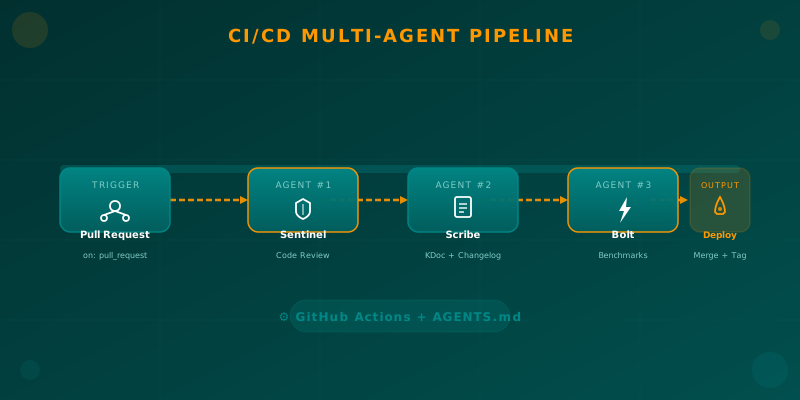
Orchestrating AI Agents in Your Android CI/CD Pipeline
Learn how to integrate specialized AI agents (code review, documentation, benchmarks) into your Android CI/CD pipeline using GitHub Actions and AGENTS.md.

Semantic Versioning in CI/CD: The Science of Continuous Delivery
Master semantic versioning in CI/CD pipelines. Learn to calculate versions automatically and ensure traceability in your Android deployments.