
GitHub Actions: The Engine of Your CI/CD

Table of Contents
🏗️ Anatomy of a Workflow
GitHub Actions allows you to automate anything based on events in your repository. Understanding its basic components is crucial for building robust pipelines.
Key Components
- Workflow: The complete automated process (a
.ymlfile in.github/workflows). - Event (on): What triggers the workflow (
push,pull_request,schedule). - Job: A set of steps that run on the same runner.
- Step: An individual task (shell command or action).
- Runner: The virtual machine (Ubuntu, Windows, macOS) where the job runs.
🛠️ Your First Android Workflow
Let’s create a basic workflow that compiles the app and runs unit tests every time someone pushes code.
name: Android CI

on:
  push:
    branches: [ "main" ]
  pull_request:
    branches: [ "main" ]

jobs:
  build:
    runs-on: ubuntu-latest

    steps:
    # 1. Checkout code
    - uses: actions/checkout@v4

    # 2. Setup Java 17
    - name: Set up JDK 17
      uses: actions/setup-java@v4
      with:
        java-version: '17'
        distribution: 'temurin'
        cache: gradle

    # 3. Grant execute permission
    - name: Grant execute permission for gradlew
      run: chmod +x gradlew

    # 4. Run Unit Tests
    - name: Run Unit Tests
      run: ./gradlew testDebugUnitTest

    # 5. Build APK (optional to verify build)
    - name: Build APK
      run: ./gradlew assembleDebug
🚀 Performance Optimizations (Caching)
Time is money (literally in GitHub Actions). The most important optimization is dependency caching.
Gradle downloads hundreds of megabytes of dependencies. You don’t want to do this on every run.
The actions/setup-java action already has native support for Gradle caching:
    - name: Set up JDK 17
      uses: actions/setup-java@v4
      with:
        java-version: '17'
        distribution: 'temurin'
        cache: 'gradle' # This line is magic!
This automatically caches ~/.gradle/caches and ~/.gradle/wrapper.
🛡️ Secrets Management
Never hardcode tokens or passwords in your YAML. Use GitHub Secrets.
- Go to
Settings -> Secrets and variables -> Actions. - Create a secret, e.g.,
API_KEY. - Use it in your workflow:
    - name: Build with Secrets
      run: ./gradlew assembleRelease
      env:
        API_KEY: ${{ secrets.API_KEY }}
🧩 Workflow Reuse (Composite Actions)
If you have repeated logic (e.g., environment setup) in multiple workflows, create a Composite Action.
File: .github/actions/setup-android/action.yml
name: 'Setup Android Environment'
description: 'Sets up Java and Gradle cache'

runs:
  using: "composite"
  steps:
    - uses: actions/setup-java@v4
      with:
        java-version: '17'
        distribution: 'temurin'
        cache: 'gradle'
Usage in your main workflow:
    steps:
    - uses: actions/checkout@v4
    - uses: ./.github/actions/setup-android # Clean reuse
    - run: ./gradlew test
📊 Testing Matrix
Do you want to test your library on different Java or Android versions? Use a matrix.
jobs:
  test:
    runs-on: ubuntu-latest
    strategy:
      matrix:
        api-level: [29, 31, 33]
        target: [default, google_apis]

    steps:
    - name: Run InstrumentedTests
      uses: reactivecircus/android-emulator-runner@v2
      with:
        api-level: ${{ matrix.api-level }}
        target: ${{ matrix.target }}
        script: ./gradlew connectedCheck
🎯 Conclusion
GitHub Actions is the backbone of modern DevOps. It’s not just for running tests; you can use it to:
- Tag PRs automatically.
- Generate release notes.
- Deploy to Play Store.
- Notify Slack.
Start small (Build & Test) and evolve your pipeline as your project grows.
You might also be interested in
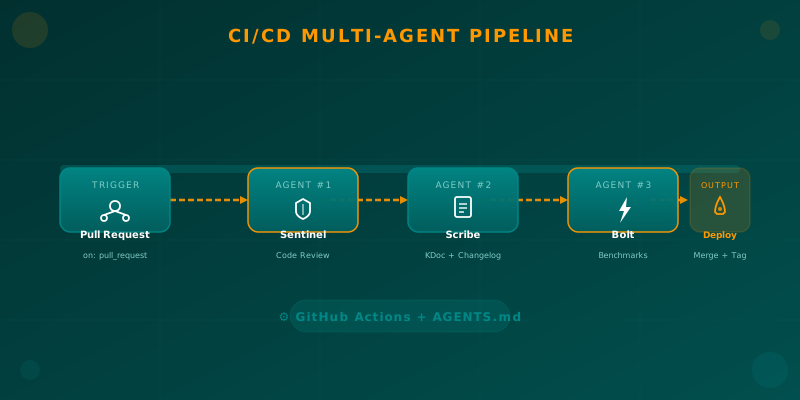
Orchestrating AI Agents in Your Android CI/CD Pipeline
Learn how to integrate specialized AI agents (code review, documentation, benchmarks) into your Android CI/CD pipeline using GitHub Actions and AGENTS.md.

Semantic Versioning in CI/CD: The Science of Continuous Delivery
Master semantic versioning in CI/CD pipelines. Learn to calculate versions automatically and ensure traceability in your Android deployments.

Automated Deployment to Google Play Store with GitHub Actions
Learn how to configure a robust Continuous Deployment pipeline that automatically compiles, signs, and publishes your Android App to Google Play Store.