
Semantic Code Search Tools for AI Coding Agents: CocoIndex Code and CodeGraph
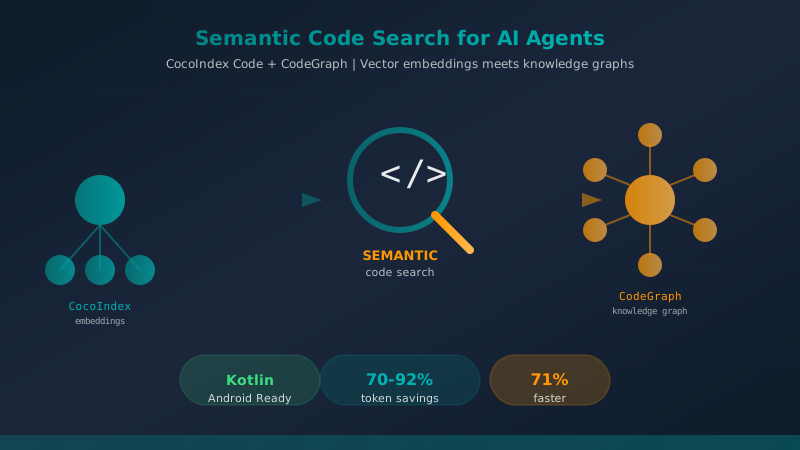
Table of Contents
Related reads: Spec-Driven Development with Agentic AI · Complete Guide: Stack Recommended for Building AI Agents in 2026 · AI Agents in Android Development
When you work with an AI coding agent on a large codebase, you have probably noticed something frustrating: the agent spends a significant portion of its token budget navigating the code. Before it can implement a feature or fix a bug, it needs to understand the surrounding context. It fires off grep commands, glob patterns, and find operations — searching for the right file, the relevant function, the correct abstraction. This exploration phase consumes tokens that could be spent actually writing code.
The problem gets worse as the codebase grows. A clean Android project with proper layering might have hundreds of Kotlin files. The agent needs to understand the repository pattern here, the coroutine usage there, the ViewModel conventions everywhere. Without semantic understanding, it falls back to textual search — which means you pay for the agent to read files that are only partially relevant, because the words match but the semantics do not.
Two tools have emerged to solve this problem: CocoIndex Code and CodeGraph. Both use Abstract Syntax Tree (AST) parsing to build a semantic index of your codebase, enabling AI agents to find exactly what they need in one query. But they take different approaches — CocoIndex Code uses vector embeddings with asymmetric retrieval, while CodeGraph builds a knowledge graph with call graph analysis. This article examines both tools in depth, with concrete benchmarks, use cases, and practical guidance for Android and Kotlin development.
The Problem: Context Window Waste in AI Coding Sessions
Every AI coding agent — whether Claude Code, Cursor, Codex, or OpenCode — operates within a context window. The model can only consider a limited amount of code at once, and every file you include consumes tokens from that budget. The standard workflow for exploring a codebase today looks like this:
- The agent fires a glob pattern to find relevant files
- It reads multiple files to understand the architecture
- It searches for function definitions with grep
- It reads more files to trace call chains
- Only then does it start the actual work
For a medium-sized Android project, steps 1-4 can consume 20-40% of the session’s token budget before a single line of production code is written. For larger projects with 500+ Kotlin files, this exploration overhead becomes the dominant cost.
The root cause is that textual search does not understand code structure. A grep for “Repository” returns every file containing that word, including test files, documentation, and unrelated classes. The agent must then read each result to determine which one is the actual repository interface it needs.
Semantic code search tools solve this by building an index that understands the AST — the actual structure of your code. Function definitions, class hierarchies, call relationships, and type information are all indexed. When an agent queries for “the repository interface used in the login flow,” it gets exactly that — not 47 files containing the word “Repository.”
CocoIndex Code: AST-Based Semantic Search with Vector Embeddings
CocoIndex Code (from cocoindex-io/cocoindex-code) is a CLI tool that indexes your codebase using AST parsing and stores embeddings in a vector database. When you search, it finds semantically similar code based on meaning rather than keyword matching.
How It Works
CocoIndex Code parses your source files into ASTs, extracts meaningful chunks (function bodies, class definitions, interface contracts), and generates embeddings using a transformer model. These embeddings capture semantic relationships — code that serves a similar purpose will have similar vectors, even if the variable names are completely different.
The default local model is Snowflake/snowflake-arctic-embed-xs, which is fast and free, requires no API key, and works entirely offline. For better accuracy on code-specific queries, the recommended local model is nomic-ai/CodeRankEmbed (137M parameters, 8192 token context window). If you prefer cloud-based embeddings, CocoIndex Code supports over 100 providers through LiteLLM: OpenAI, Voyage code-3, Cohere v4, Google Gemini, Azure, AWS Bedrock, Ollama, and others.
Installation and Setup
Getting started with CocoIndex Code takes about one minute with zero configuration required for most projects:
# For local (offline) operation with free embeddings — no API key needed
pipx install "cocoindex-code[full]"

# For cloud-based operation with API key
pipx install cocoindex-code
After installation, initialize the index for your project:
ccc init
ccc index
The ccc doctor command verifies your setup if anything goes wrong, and ccc reset clears everything if you need a fresh start. A Docker option is also available:
# Lite version (~450MB) — uses cloud embeddings
docker run -it cocoindex/cocoindex-code:latest

# Full version (~5GB) — includes local sentence-transformers for offline embedding
docker run -it cocoindex/cocoindex-code:full
The Docker approach is particularly useful for teams because the container keeps the embedding model warm across sessions, avoiding the cold-start penalty of loading a 5GB model every time.
The CLI Commands
CocoIndex Code exposes a clean set of commands:
| Command | Purpose |
|---|---|
ccc init | Initialize the index configuration |
ccc index | Build the semantic index |
ccc search <query> | Search the codebase semantically |
ccc status | Show index statistics |
ccc doctor | Diagnose setup issues |
ccc reset | Clear and rebuild index |
ccc daemon status/restart/stop | Manage background daemon |
ccc mcp | Start MCP server in stdio mode |
For MCP integration (Model Context Protocol), run ccc mcp to connect with AI agents that support MCP tools. This allows the agent to query the semantic index directly without leaving the conversation.
Token Savings: 70% Reduction
The primary selling point of CocoIndex Code is its token efficiency. According to the project’s benchmarks, the semantic index enables AI agents to find relevant context with 70% fewer tokens compared to naive file inclusion. This is because:
- Exact matching over fuzzy search: Instead of reading 20 partially-relevant files identified by grep, the agent reads only the 3 files that are semantically relevant.
- Chunk-level retrieval: The index stores embeddings at the function/class level, so the agent receives only the relevant code sections, not entire files.
- Asymmetric retrieval: CocoIndex Code supports indexing parameters optimized for code search (using models like Cohere, Voyage, or Snowflake Arctic that are trained on code-specific retrieval tasks).
Language Support
CocoIndex Code supports an impressive range of languages through tree-sitter parsers: C, C++, C#, CSS, DTD, Fortran, Go, HTML, Java, JavaScript, JSON, Kotlin, Lua, Markdown, Pascal, PHP, Python, R, Ruby, Rust, Scala, Solidity, SQL, Svelte, Swift, TOML, TSX, TypeScript, Vue, XML, and YAML. Kotlin and Java support is particularly relevant for Android development.
Configuration
Two configuration files control behavior:
~/.cocoindex_code/global_settings.yml— user-wide settings.cocoindex_code/settings.yml— project-specific overrides
You can tune indexing_params and query_params to switch between embedding models or adjust retrieval behavior. The project-level config allows different teams to use different models or indexing strategies per repository.
CodeGraph: Knowledge Graph with Call Graph Analysis
CodeGraph (from colbymchenry/codegraph) takes a different approach. Instead of vector embeddings, it builds a knowledge graph from AST parsing. Each AST node becomes a vertex; relationships (call, inheritance, import, reference) become edges. This creates a rich web of code relationships that can be traversed efficiently.
How It Works
CodeGraph parses source files with tree-sitter, extracts AST nodes, and records their relationships. The resulting knowledge graph is stored in a local SQLite database with FTS5 (Full-Text Search 5) for keyword fallback. Everything is 100% local — no API key, no cloud dependency, no embedding model to download.
The graph structure enables queries that vector search cannot handle well:
- Callers of a function: “What calls this repository method?”
- Callees of a function: “What does this ViewModel do when it receives a login result?”
- Impact analysis: “If I change this interface, what other code depends on it?”
These are the questions that come up constantly during refactoring or bug fixing — and they are exactly what a knowledge graph can answer in O(1) relative to the graph size, rather than O(n) file reads.
Benchmark Results: 92% Fewer Tool Calls, 71% Faster
The CodeGraph project publishes impressive benchmark results measured with Claude Code’s Explore agent on real-world codebases:
| Project | Language | Tool Calls (CodeGraph) | Tool Calls (Baseline) | Speed Improvement |
|---|---|---|---|---|
| VS Code | TypeScript | 3 | 52 | 82% faster |
| Excalidraw | TypeScript | 3 | 47 | 72% faster |
| Claude Code | Python+Rust | 3 | 40 | 43% faster |
| Claude Code | Java | 1 | 26 | 77% faster |
| Alamofire | Swift | 3 | 32 | 78% faster |
| Swift Compiler | Swift/C++ | 6 | 37 | 73% faster |
| AVERAGE | — | 3.2 | 39 | 71% faster |
The pattern is striking: in every case, CodeGraph reduced tool calls by approximately 92% and completed tasks 71% faster on average. For the Java project, it achieved 96% fewer tool calls and 77% faster completion. This is the kind of improvement that translates directly to real token savings.
Installation
CodeGraph is an npm package:
# Interactive installer (recommended for first-time setup)
npx @colbymchenry/codegraph

# Direct installation
npm install -g @colbymchenry/codegraph
The interactive installer sets up the database, configures file watching, and walks you through the initial indexing.
CLI Commands
| Command | Purpose |
|---|---|
codegraph install | Install dependencies and configure |
codegraph init -i | Initialize project |
codegraph index | Build the knowledge graph |
codegraph sync | Sync changes after modifications |
codegraph status | Show index statistics |
codegraph query | Search the graph |
codegraph files | List indexed files |
codegraph context | Get call context for a symbol |
codegraph affected | Find affected files after changes |
codegraph serve --mcp | Start MCP server |
The codegraph serve --mcp command exposes the knowledge graph as MCP tools, enabling AI agents like Claude Code, Cursor, Codex CLI, and OpenCode to query the graph directly.
MCP Tools
CodeGraph exposes eight MCP tools for agent integration:
codegraph_search— Full-text and semantic searchcodegraph_context— Get call context for a symbolcodegraph_callers— Find functions that call a given functioncodegraph_callees— Find functions called by a given functioncodegraph_impact— Analyze the impact of changing a symbolcodegraph_node— Get detailed information about a graph nodecodegraph_files— List all indexed filescodegraph_status— Check index health
Framework Awareness
CodeGraph is explicitly framework-aware, with built-in routes for 13 web frameworks:
- Django, Flask, FastAPI (Python)
- Express (Node.js)
- Laravel, Rails (Ruby/PHP)
- Spring (Java)
- Gin/chi/gorilla/mux (Go)
- Axum/actix/Rocket (Rust)
- ASP.NET (C#)
- Vapor (Swift)
- React Router, SvelteKit (frontend frameworks)
This means CodeGraph understands routing patterns and can trace HTTP request flows through the codebase — a capability that is extremely valuable when debugging or adding features to Android apps that communicate with backends.
Language Support
CodeGraph supports 18+ languages: TypeScript, JavaScript, Python, Go, Rust, Java, C#, PHP, Ruby, C, C++, Swift, Kotlin, Scala, Dart, Svelte, Vue, Liquid, and Pascal/Delphi. The Kotlin and Swift support makes it directly relevant for Android and iOS development.
Auto-Sync
CodeGraph monitors your codebase using native OS file events (FSEvents on macOS, inotify on Linux, ReadDirectoryChangesW on Windows) with a 2-second debounce. When you save a file, the graph updates automatically — no manual re-indexing required.
Backend Performance
The default backend uses better-sqlite3, a native Node.js binding for SQLite. This is 5-10x faster than the WASM fallback. If you encounter slow queries, rebuild the native module with:
npm rebuild better-sqlite3Comparing CocoIndex Code and CodeGraph
Both tools solve the same problem — enabling semantic code search for AI agents — but their approaches differ significantly. Here is a structured comparison:
Architecture
| Aspect | CocoIndex Code | CodeGraph |
|---|---|---|
| Core technology | Vector embeddings (transformer models) | Knowledge graph (AST + SQLite) |
| Index storage | Vector database (local or cloud) | SQLite with FTS5 |
| Cold start | Requires embedding model loading (~5GB for full) | Instant (SQLite only) |
| Token model | Snowflake Arctic (default local), 100+ cloud options | Native (no external model needed) |
| API key required | Optional (depends on embedding model) | No (100% local) |
Query Capabilities
| Capability | CocoIndex Code | CodeGraph |
|---|---|---|
| Semantic similarity search | ✅ Excellent | ✅ Good |
| Call graph traversal | ❌ Not supported | ✅ Full support |
| Impact analysis | ❌ Not supported | ✅ Supported |
| Framework routing | ❌ Not supported | ✅ 13 frameworks |
| Natural language queries | ✅ Strong | ✅ Good |
| Symbol-based queries | ❌ Not supported | ✅ Strong |
Token Savings
CocoIndex Code claims 70% token reduction through better retrieval. CodeGraph’s benchmarks show 92% fewer tool calls and 71% faster completion. The numbers are not directly comparable (different measurement methodologies), but both clearly demonstrate significant improvement over baseline exploration.
Android/Kotlin Suitability
Both tools fully support Kotlin and Java, making them directly applicable to Android development:
- CocoIndex Code: 70% token savings means more budget for actual implementation. The asymmetric retrieval is particularly useful for finding specific Android patterns like Room database operations, Jetpack Compose state management, or Coroutine Flow usage.
- CodeGraph: The call graph analysis is extremely valuable for understanding ViewModel-to-Repository relationships, tracking LiveData/StateFlow propagation, or tracing navigation arguments through the app. Framework awareness helps when Android apps interact with REST APIs.
Use Case Recommendations
Choose CocoIndex Code when:
- You want offline operation with no API key
- You prefer embedding-based semantic search
- You need support for 30+ languages
- You want flexibility to swap embedding models
- You are working with multiple agents across different providers
Choose CodeGraph when:
- You need call graph analysis and impact tracing
- You work with Django, Rails, Spring, or other supported frameworks
- You want zero configuration and instant startup
- You need framework-aware routing analysis
- You are working primarily in TypeScript, Java, Python, Swift, or Go
Use both together is also a valid strategy: CodeGraph for call graph queries and CocoIndex Code for semantic similarity searches. They serve different query patterns and can complement each other in a well-equipped development workflow.
Installation Guide for Android/Kotlin Projects
Setting Up CocoIndex Code
For an Android Kotlin project with Jetpack Compose, Room, and Hilt:
# Install
pipx install "cocoindex-code[full]"

# Navigate to your project
cd ~/projects/my-android-app

# Initialize (auto-detects Kotlin and Java)
ccc init

# Index the codebase
ccc index

# Verify
ccc status
# Output should show Kotlin files indexed and the embedding model loaded
The initialization auto-detects your project’s language mix. For a typical Android project, it will index all .kt files in app/src/main/java and app/src/test/java.
Setting Up CodeGraph
# Install
npm install -g @colbymchenry/codegraph

# Navigate to your project
cd ~/projects/my-android-app

# Initialize
codegraph install
codegraph init -i

# Index
codegraph index

# Check status
codegraph status
The interactive installer creates a config.json in your project root with language detection and exclusion patterns. For Android projects, you typically want to exclude build/ and .gradle/ directories:
{
  "languages": ["kotlin", "java"],
  "exclude": ["**/build/**", "**/.gradle/**", "**/gen/**"],
  "maxFileSize": 1048576,
  "extractDocstrings": true,
  "trackCallSites": true
}
Verifying Integration with Claude Code
Both tools integrate with Claude Code through MCP. In your Claude Code session:
# Start the MCP server for CocoIndex Code
ccc mcp

# Or for CodeGraph
codegraph serve --mcp
Claude Code will automatically detect the MCP tools and make them available in the session. You can then query the codebase semantically:
> Find all Repository implementations that handle user authenticationReal-World Workflow: Android Feature Development
Consider a typical Android development scenario: you need to add biometric authentication to a login screen. The app uses Hilt for dependency injection, Room for local storage, and Coroutines for async operations.
Without semantic search:
- Claude Code runs
find . -name "*.kt" | grep -i login(10+ files returned) - It reads
LoginActivity.kt,LoginViewModel.kt,LoginRepository.ktto understand the flow - It searches for “biometric” to find existing implementations
- It reads
BiometricHelper.ktand several related utilities - By this point, 15 minutes have passed and 30,000 tokens have been consumed
With CocoIndex Code:
- Query: “Repository interface for login with authentication token storage”
- Agent receives only the relevant
LoginRepository.ktinterface and its implementation - Query: “Biometric authentication utility classes”
- Agent receives
BiometricHelper.ktandBiometricManager.kt - Implementation begins with full context in 5 minutes and ~8,000 tokens
With CodeGraph:
- Query: “Who calls the login repository?”
- Agent receives call graph:
LoginViewModel→LoginRepository→AuthInterceptor - Query: “What functions does BiometricHelper expose?”
- Agent receives function signatures and call sites
- Implementation begins with exact context in 5 minutes and ~6,000 tokens
The token savings compound across a full development session. If you make 20 queries during a feature development cycle, semantic search saves roughly 400,000-600,000 tokens — the difference between a $0.10 session and a $0.50 session on most LLM pricing.
How Agents Use These Tools
CocoIndex Code and CodeGraph are not just for human developers. AI coding agents can leverage them directly through MCP integration.
When an agent starts a session with these tools active, it can:
-
Understand architecture at query time: Instead of reading 50 files at session start to understand the architecture, the agent queries the semantic index only when it needs specific context.
-
Trace call chains in one step: “Show me the call path from the login button click to the network request” returns a complete trace in a single query, rather than requiring the agent to manually trace through 8 files.
-
Find similar implementations: “Find other places in the codebase that handle retry logic for network failures” uses semantic similarity to surface relevant patterns the agent might not have discovered through text search.
-
Validate refactoring impact: Before making a breaking change, the agent can query “what depends on this interface?” and get a complete dependency list in seconds.
This changes the economics of AI-assisted development. The agent becomes a more efficient consumer of your codebase’s knowledge, spending tokens on implementation rather than exploration.
Configuration Deep Dive
CocoIndex Code: Tuning for Kotlin
For Android/Kotlin projects, you can optimize the indexing behavior in .cocoindex_code/settings.yml:
indexing:
  languages:
    - kotlin
    - java
  exclude_patterns:
    - "**/build/**"
    - "**/.gradle/**"
    - "**/gen/**"
    - "**/.idea/**"
  chunk_size: 512  # tokens per chunk
  overlap: 64       # overlap between chunks

query:
  default_model: nomic-ai/CodeRankEmbed
  top_k: 5          # number of results to return
  rerank: true      # rerank results with cross-encoder

retrieval:
  asymmetric: true   # optimize for code-specific retrieval
  # Supported models for asymmetric retrieval:
  # - Cohereembed-v4
  # - Voyage code-3
  # - Snowflake Arctic Embed
CodeGraph: Framework-Aware Configuration
For projects that interact with backends, enable framework awareness in config.json:
{
  "frameworks": ["django", "express"],
  "trackCallSites": true,
  "extractDocstrings": true,
  "maxFileSize": 1048576
}
CodeGraph will then understand routing patterns and can trace HTTP request flows through the full stack — useful for mobile apps that have both Android frontend and Python/Django backend components.
Limitations and Trade-offs
CocoIndex Code Trade-offs
-
Cold start penalty: The first
ccc indexcommand downloads and caches the embedding model (~5GB for CodeRankEmbed). Subsequent runs are faster because the model stays warm. -
Embedding quality varies: The default model (Snowflake Arctic) is fast but less accurate than CodeRankEmbed for code-specific queries. Switching models requires re-indexing.
-
No call graph: Vector embeddings cannot answer “what calls this function?” — they only find semantically similar code.
-
Cloud dependency if you choose it: While local operation is supported, some features may require cloud API access if you configure cloud embeddings.
CodeGraph Trade-offs
-
SQLite-only storage: CodeGraph does not support remote indexes or distributed configurations. Each developer must index independently.
-
No semantic similarity for unrelated concepts: FTS5-based search works well for exact and fuzzy keyword matching, but does not understand that “authentication” and “login” are related unless they appear in similar contexts.
-
Native module compilation: The
better-sqlite3dependency requires native compilation. On some systems,npm rebuildmay be needed after installation or update. -
Fewer languages: 18 languages versus 30+ in CocoIndex Code — though this covers most mainstream development scenarios.
Conclusion
Semantic code search is rapidly becoming a prerequisite for effective AI-assisted development. As codebases grow and context windows remain limited, the ability to retrieve exactly the relevant code — without reading 50 files to find 3 — determines how efficiently your AI agent operates.
CocoIndex Code excels at semantic similarity: it understands what code means, not just what it says. Its 70% token savings, 30+ language support, and flexible embedding model options make it a powerful addition to any AI development workflow. The local-first design (no API key required with the default model) is particularly attractive for indie developers and teams with privacy requirements.
CodeGraph excels at relationship understanding: it knows how code connects. Its knowledge graph, call graph analysis, and framework awareness make it invaluable for tracing dependencies, understanding architecture, and performing impact analysis before refactoring. The 92% reduction in tool calls demonstrated in benchmarks is a direct result of this structural understanding.
For Android and Kotlin developers specifically, both tools provide native support and measurable improvements. Whether you choose one or both, integrating semantic code search into your AI development workflow is one of the highest-ROI changes you can make — reducing token costs, accelerating exploration, and letting your agents focus on what they do best: writing code.
References
You might also be interested in

Power Up Your AI Agents with Skills: From Gemini to Copilot
Discover how to transform your generalist AI assistant into a team of specialists using Agent Skills. Includes practical examples for Android, Kotlin, and Conventional Commits.
Socratic Method Prompts: Breaking AI Sycophancy in Kotlin & Android Development
Learn how to stop LLMs from being compliant assistants and turn them into ruthless evaluators. Discover the mathematical anatomy of Socratic prompts for Android architecture, Kotlin Coroutines, and strict Spec-Driven Development.
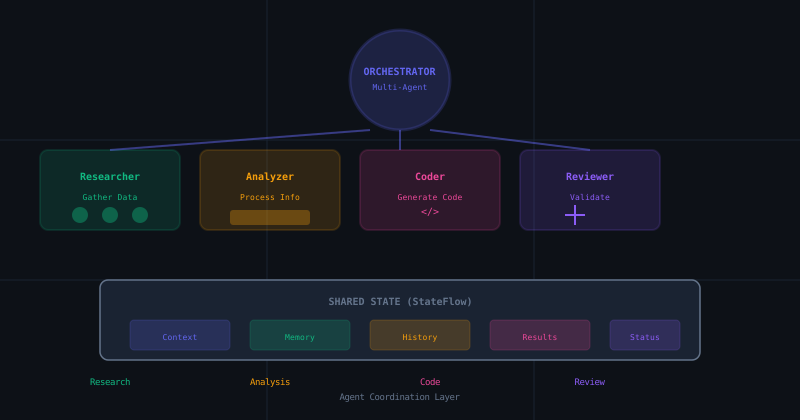
The Socratic Agent Series (Part 3): Building a Socratic Multi-Agent Orchestrator in Android
A pragmatic guide to building advanced multi-agent interactions using Kotlin Coroutines and StateFlow. From MARS to MotivGraph-SoIQ, bringing academic theory to production code.