
OpenBot vs MausBot: The New Era of AI Assistants
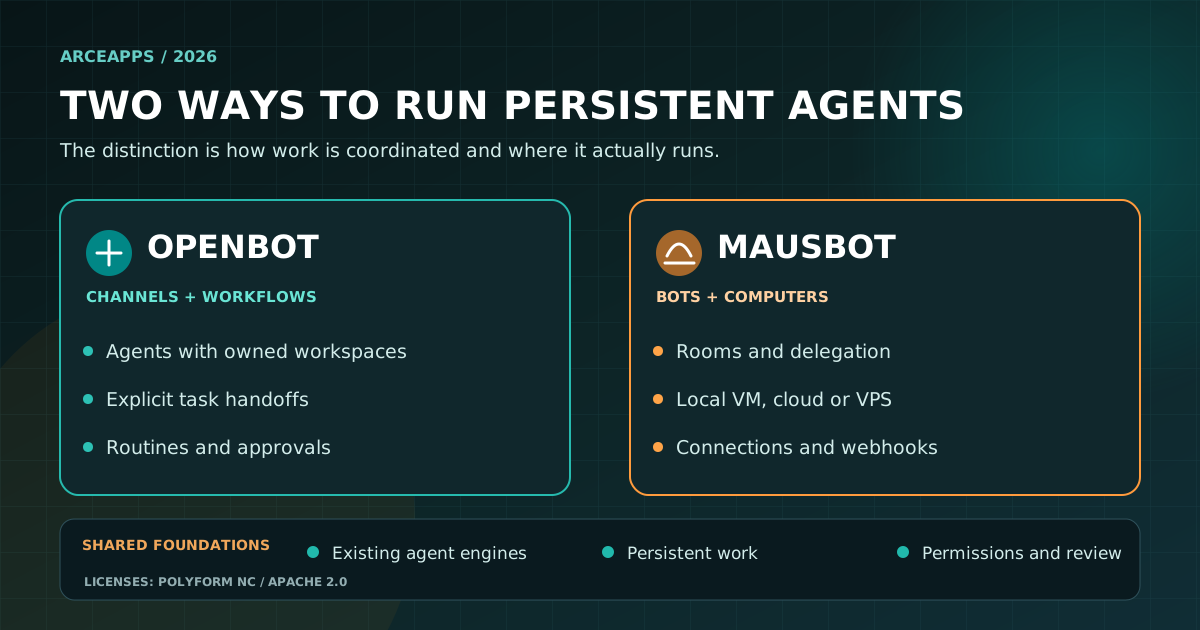
Table of Contents
Not long ago we asked chatbots to write a function. Then we gave them a terminal, a repository and a browser. The next question is much more interesting: what if tomorrow’s assistant were still the same assistant, remembered the project, accepted work from another agent and knew when to stop and ask for permission? That shift matters more to day-to-day software development than one more leaderboard victory.
OpenBot and MausBot approach this problem from different angles. Neither is a foundation model, and neither is merely a nicer prompt box. Both try to turn existing agent CLIs, models and integrations into named assistants with ongoing conversations, tools, tasks, files and permissions. That is an attractive proposition when you maintain your own apps and do not want your mornings consumed by recovering yesterday’s context.
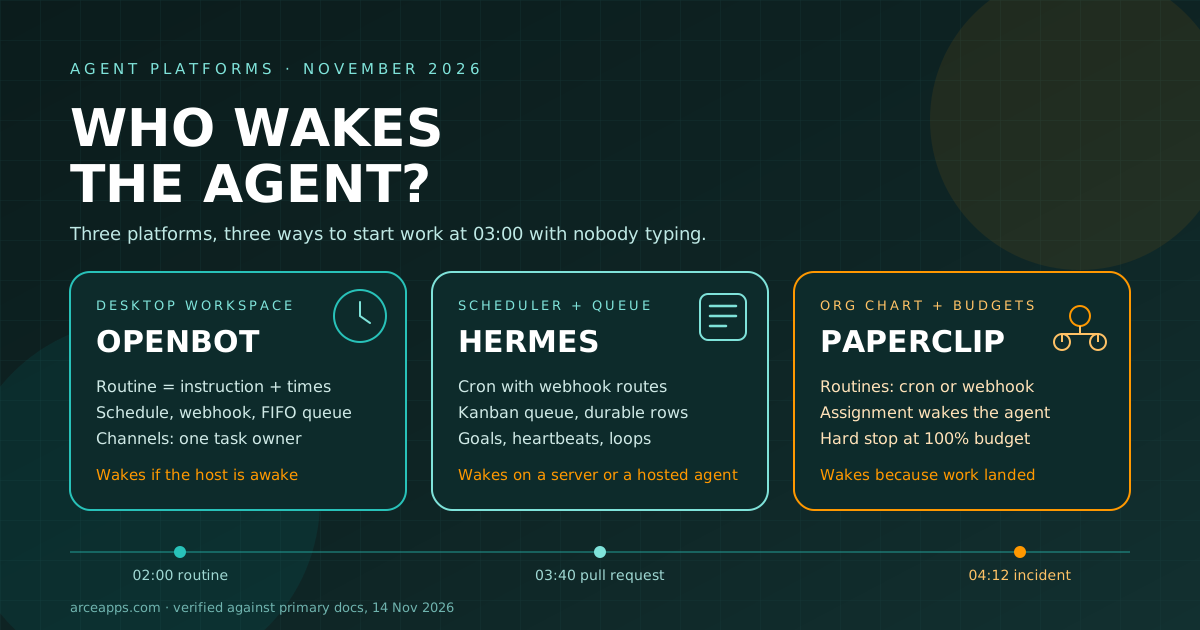
I previously explored OpenBot, Hermes and Paperclip through the mechanisms that wake an agent and cross-provider orchestration around ChatGPT and OpenCode. This comparison asks something else: what does it feel like to run actual work from a persistent assistant workspace, and which parts can you trust? It is paired with a separate hands-on design guide to OpenBot for readers who want to build a first workflow.
The capabilities below were checked against public documentation available on November 19, 2026. The scenarios are proposed, reproducible workflow designs. I am not claiming measured time savings, benchmark scores or personal installation results. A polished screenshot can show what a product intends to do, but it does not prove that it reliably completed a GitHub issue.
First, make sure we mean the same products
This article is about OpenBot at openbot.run, whose source lives in nightly-labs/openbot. CopilotKit has a different project called OpenBot at open.bot. That name collision has already produced misleading comparisons. MausBot means OpenMausBot, formerly called OpenGrokBot. The distinctions below refer to these exact repositories.
The license difference deserves space at the beginning rather than in tiny print. Current OpenBot releases use PolyForm Noncommercial 1.0.0. Source availability does not grant unrestricted commercial use; commercial licensing is a separate matter. The main MausBot edition is Apache 2.0, while its enterprise/ folder has separate licensing terms. You can inspect both codebases, but your rights to reuse and deploy them differ.
For an indie developer, that distinction is not academic. A personal experiment, a hosted service you charge for and an internal tool supporting a paid product may fall under different license conditions. Read the exact license text for your intended use rather than assuming “free desktop download” means “free for any business use.”
What makes an assistant persistent?
A typical chatbot is organized around its active conversation. A persistent assistant is organized around an operational identity: a name, instructions, workspaces or working folders, saved conversations, a set of tools and a way to continue useful work later. Chat is still the front door, but the result of the work no longer needs to remain trapped in chat messages.
Picture a solo developer maintaining a static website, Android apps and a handful of experiments. Writing code is only a portion of the workload. There are dependencies to check, CI failures to investigate, documentation to update, ideas to classify, release notes to read and deployment results to confirm. Coding agents can help with each activity. A persistent assistant workspace tries to preserve the thread connecting all those activities.
Persistence is not perfect memory. Saving a transcript does not guarantee that a model receives every earlier token. Saving a project folder does not mean an agent automatically selects the correct file. I would still keep an explicit brief, sources file, decision log and verifiable deliverable for significant tasks. Those plain artifacts survive model switches and product migrations better than unstated assumptions about long-term memory.
The other change is observable delegation. Rather than telling one capable model to do everything, we can have one agent research a bug, another prepare a small fix and a third review the diff. The valuable distinction is not the number of models involved; it is the quality of the handoff and the ability to identify who currently owns the work.
A “team” of agents should reduce ambiguity. If every agent assumes someone else will run the tests, adding more agents has made the system worse.
OpenBot: a shared desk for several agents
OpenBot presents named agents with their own identity, instructions, workspace and conversation. The project documents support for Codex, Claude Code, Gemini, Grok, OpenCode and other compatible engines, including ACP-based agents and local-model endpoints. The desktop application owns the working state on the computer or server where it runs.
Its local-first model is a substantial design choice, but not an offline guarantee. A Codex session still communicates with its provider; a Claude session does too. Connected services and browser tabs also use the network. The distinction is that the main workspace state, files and conversation records reside with the OpenBot host rather than automatically becoming a vendor-hosted workspace.
The feature I find most conceptually useful is the channel: a shared conversation where several agents can contribute, but one agent owns the task at a time. Ownership can change through an explicit handoff. That is easier to reason about than firing several prompts in parallel and hoping the correct agent notices what the others changed. Individual queues help manage waiting messages and jobs.
OpenBot also exposes routines and workflows. A routine is a recurring instruction, such as checking for new failed checks every morning. A workflow is a multi-step process, such as researching a release, writing a brief, asking for human approval and publishing the reviewed version. An approval step is valuable because the workflow can stop at the precise transition from preparation to action.
Mobile access includes iOS and Android clients, along with a browser application that connects to an active host. The mobile app does not secretly turn the phone into the computer that runs all your CLIs. The operational home is still the machine or hosted server where OpenBot is running.
There is a security trade-off. The official getting-started guide describes broad provider access after first-launch consent. Workspace-only controls for supported providers restrict where an agent may write, but do not independently guarantee that it cannot read files elsewhere or access the network. Operating-system boundaries and the execution environment still matter.
MausBot: bots, connected apps and separate computers
MausBot also runs existing agent CLIs through a local harness and presents them as named bots with persistent transcripts and tasks. Its supported engines include Claude, Codex, Grok, Cursor and additional built-in or custom providers. Using an existing agent account may reduce setup friction, but the provider retains its own billing, quota and authentication behavior.
One prominent MausBot capability is the variety of computers a bot can use. Official documentation covers the local host, an isolated local VM through Docker or Podman, hosted Boat computers and a self-managed VPS. That opens up a useful design pattern: a researcher working in an untrusted browser does not need the same operating-system permissions as a developer working inside a test repository.
Of course, a VM is not a magic shield. Shared folders, mounted secrets, outbound networking, host permissions and remote access all influence the real isolation boundary. Still, having clearly documented options makes it easier to build an architecture where the different agents do not all inherit your main computer’s privileges.
MausBot also emphasizes connected applications. Gmail, Slack, GitHub, Notion, Linear and many other services can be authorized through Composio. That makes the product interesting outside code: drafting email replies, assembling research briefs, reviewing incoming tasks or triaging a backlog. It also means that “local-first” must be read carefully, since a connected-app service may hold OAuth grants or process tool calls.
For collaboration, MausBot supports rooms and explicit bot-to-bot delegation. It also provides scheduled routines, webhooks, background-run histories and result messages in the bot’s conversation. Its automation docs describe an optional short memory of the previous run, useful for identifying changes since the last summary. That is convenient, but it is not a substitute for an external durable event ledger when you need exactly-once semantics.
The documented native phone companion focuses on iOS. The project separately supports controlling a USB-connected Android device through a Phone Harness skill. That Android control capability is not the same thing as a native Android companion application. Checking that distinction matters when you intend to supervise agents from an Android phone.
Side-by-side: practical product capabilities
| Operational question | OpenBot | MausBot |
|---|---|---|
| How is ongoing work organized? | Agents, conversations, task queues, channels and workflows | Bots, tasks, threads, rooms and routines |
| Which models or CLIs run? | Codex, Claude, Gemini, Grok, OpenCode, ACP and more | Claude, Codex, Grok, Cursor, ACP and more |
| Where is the state kept? | On the running OpenBot computer or server | In the configured local harness or server |
| Can tasks wake on a schedule or event? | Routines, webhooks and workflow triggers | Routines, webhooks and connected-app triggers |
| Is there a human checkpoint? | Workflow approval steps and per-agent controls | Engine approval cards and access levels |
| How can bots use a computer? | Embedded browser and host/server environment | Host, local VM, Boat computer or VPS |
| Can I supervise from my phone? | iOS, Android and browser clients | Documented native iOS companion; separate Android USB control |
| What extends the platform? | Marketplace, skills, plugins and ACP engines | Skills, connected apps and custom engines |
| What is the current main license? | PolyForm Noncommercial | Apache 2.0 excluding enterprise/ |
These rows are about documented functionality, not latency, reliability or measured capability. Both projects are evolving quickly. A comparison of feature lists can never replace testing your particular access levels and provider versions.
The next five examples deliberately avoid the most theatrical demo scenarios. They are the workflows I would actually care about maintaining.
Workflow 1: take a CI failure to a reviewed fix
A failure appears in GitHub Actions. The desired deliverable is not a cheerful explanation of what CI is. It is a diagnosis tied to the exact job, a minimal code change, relevant passing checks and a pull request we can inspect.
With OpenBot, I would create an implementer agent and a reviewer. The implementer receives the failing log, its branch and a bounded set of files. The reviewer receives the resulting diff, the acceptance criteria and the checks to reproduce. They can coordinate through a channel, and a workflow can explicitly place human approval between review and any release step.
With MausBot, I would use a read-only triage bot plus an implementation bot with a dedicated working directory. GitHub integration or a webhook could wake the process. Potentially unsafe tasks belong in a test environment rather than the host account that owns production keys. Approvals should identify the actual operation awaiting authorization.
The acceptance criteria must be the same in both products: the exact commit is known, the diff is reasonable, relevant CI is green, and nothing outside the reported issue changed. An agent telling you “I fixed it” is not one of the acceptance criteria.
The distinction between preparing a PR and merging it should also remain explicit. One action is generally reversible. The other can affect everyone who consumes the deployed project.
Workflow 2: research, write and publish a technical article
An agent can summarize a homepage in seconds. That is precisely why the hard work must happen elsewhere: identifying sources, distinguishing confirmed features from roadmap promises, checking dates and preserving a bibliography.
In OpenBot, I would separate Research, Draft and Verify into three roles. Research collects primary links and dates in a file. Draft creates a structured article without inventing first-hand usage. Verify checks every sensitive claim against sources, checks link destinations and ensures the article fits the site’s frontmatter schema. A workflow pauses at an approval step before publication.
MausBot can use bots and rooms for the same division of labor. Authorized connected apps could move a draft to a documentation workspace, but the researcher would not have publishing permissions. A weekly routine could propose three article ideas with source links and stop there until a person selects one.
This matters for multilingual blogs. The English and Spanish versions should be equally useful, but not necessarily literal translations. Both must describe the same actual product behavior, have consistent metadata and link to the correct language variants. An agent can help with each check; it cannot make a source reliable by quoting it confidently.
The best outcome is a reviewed Markdown file that can be built, linked, deployed and corrected through version control. A pretty answer left in an ephemeral chat is not a published article.
Workflow 3: monitoring without burning tokens
A bot that wakes every five minutes to ask “anything new?” can look proactive while doing very little. Most checks are better handled by a conventional event source: a commit, webhook, changed feed, failing job or new issue.
Both products document event and schedule mechanisms. In either, I would first ask has anything relevant changed since the last successful check? If the answer is no, there should be no reason to invoke an expensive model. A deterministic script or event processor can perform that first comparison.
When something has changed, the agent receives a narrow request: review this failing check, summarize this new issue or compare these two release notes. The event identifier helps avoid processing the same item repeatedly. That is more reliable than asking the model to infer whether it has seen a particular message before.
We also need stop conditions. What happens after two failed attempts? What happens when the provider reaches a quota limit? What should be done when a required credential is missing? An agent that tries forever is not more autonomous; it is simply harder to stop.
The same approach works for a static site, an Android app or a small open-source project. Use boring automation for detection and AI for the interpretation that genuinely needs it.
Workflow 4: email and calendar changes with human control
This is where personal assistants become appealing, and where mistakes can leave the screen. Categorizing mail is one kind of work. Sending a reply is another. Reading an appointment differs fundamentally from moving it without telling the participants.
MausBot highlights app connections and examples such as email follow-up and event-triggered routines. OpenBot has a marketplace, browser tooling and approval-capable workflows. Neither product should be judged by the number of logos on a connection page. The useful question is what can this particular agent do with the authorization I granted?
My workflow would be deliberately conservative. A bot finds three messages that need responses, explains why, and prepares drafts. A person approves sending them. If the bot finds a calendar conflict, it suggests a new time, shows the affected attendees and asks before modifying anything.
The approval should be attached to the exact proposed action. “Approve all future email activity” is not a reasonable shortcut simply because an onboarding flow makes it convenient. Every broad authorization expands the damage a misinterpreted prompt or malicious external message can cause.
A sustained workflow that rarely creates surprises is more valuable than a dazzling demo that occasionally sends the wrong email.
Workflow 5: browser work in an isolated environment
Browser automation can do real work: reproducing a responsive bug, checking a release form or investigating a documentation website. It also consumes untrusted material. A webpage may contain text meant to redirect an assistant, and the assistant may accidentally treat it as higher-priority instructions.
MausBot’s separate-computer options make it possible to isolate some tasks in a VM or a remote desktop. OpenBot documents browser tools and self-hosting approaches, but I would not assume both provide identical sandboxing or network boundaries. The choice depends on the process user, mounted directories, credentials and host configuration.
For a UI regression check, I would give the bot a test URL, non-production login if required, a checklist and a place to save evidence. It should return reproducible steps and real screenshots if it took them. It should not receive production credentials merely because the test requires clicking a button.
Apply isolation to the capability, not to the character name. A research assistant might need the open Internet and no source-code write permission. A coding assistant might need write access to one branch and no production deploy key. A publishing assistant might need a release action but not history-rewriting privileges.
That discipline survives product changes because it is an engineering principle, not a feature checkbox.
Money, quotas and licensing are separate questions
Both products can rely on provider subscriptions and agent CLIs you already use. That does not mean unlimited free execution. Model quotas, API billing, hosted computers, cloud-connected apps and a permanently running server can all introduce costs. OpenBot’s commercial-use license is another concern, separate from token prices.
I would divide work into four levels. Level zero is deterministic checking: CI, a file diff, a timestamp or a script. Level one is bounded classification or summarization. Level two is diagnosis and complex code modification. Level three is a consequential action requiring human review regardless of model quality.
A premium coding model should not be needed to compare two hashes. Equally, a cheap summarizer should not be trusted to replace a test suite. A well-designed assistant uses ordinary software where ordinary software is better.
Provider independence is also imperfect. Changing a model may preserve the agent’s files and instructions but not every piece of conversational context. Engines expose different approval semantics, tool capabilities and session behavior. The abstraction layer is useful, not lossless.
That is a reason to keep important decisions outside a proprietary chat format, not a reason to reject persistent agents.
The safety model is the actual architecture
Both products expose powerful operation modes. OpenBot’s early documentation describes broad access after consent. MausBot’s security documentation says bots can start with Full access, while more restrictive approval modes are available. A permissions UI is useful but should not be confused with a complete sandbox.
I would apply a few hard constraints regardless of product: use a low-privilege operating-system user, separate read-only from write credentials, approve external messages and deployment actions, keep versioned recoverable results, and retain enough logs to identify what changed.
It is also essential to map data recipients. Local-first usually describes where primary application state is stored. It does not mean prompts never reach an AI provider or that a connected app provider never handles OAuth data. A local model does not prevent network calls made by plugins or browser tabs.
Untrusted input deserves particular care. A repository issue can contain malicious instructions. A README from the web can recommend a destructive command. A calendar invitation can try to make an assistant forward confidential data. That content is material for analysis, not an instruction source.
For any workflow with irreversible consequences, I want a visible, reviewable checkpoint. If the product makes that too difficult, I would reduce the scope of automation instead of silently widening permissions.
Which one would I choose?
For a solo developer primarily orchestrating coding agents, OpenBot looks more immediately cohesive to me: named assistants, explicit channels, queues, workflows and accessible mobile clients make it feel like one continuing workspace. That is a documentation-based editorial assessment, not a benchmark result. Its current noncommercial license still deserves careful reading.
MausBot is particularly appealing when the goal is a broader personal assistant connected to many services and supplied with different computers for different risks. Its main open-source edition uses Apache 2.0, and its VM and VPS documentation makes isolation choices unusually visible. The optional third-party services need their own cost and data-handling review.
I would not claim that OpenBot has no service integrations or that MausBot cannot delegate complex work. Both are expanding. Their differences are more about product emphasis and how naturally particular workflows fit than absolute exclusivity of features.
My first experiment would therefore start with OpenBot for code and workflow coordination. My second would test MausBot against a narrow research task needing an isolated browser and a connected application. I would not put real production credentials into either until I had inspected the actual approval behavior.
The winner is whichever platform consistently leaves behind an inspectable, correct result with an understandable permission trail for your own tasks.
A one-afternoon pilot instead of a full migration
Create a small test repository with a reproducible failing test and define the expected fix. Give an implementation agent limited working access, assign a different agent to review the diff and require a human decision before merging. Save the brief and the result in Git.
Then run the same sequence through a scheduled trigger. Restart the host and check what state survived. Interrupt a task and see whether you can recover. Deliberately deny one approval and verify that the workflow really stops or takes a documented alternative path.
Ask practical questions: can I identify the exact change? Did the assistant preserve useful context? Was it honest when a source was unavailable? Could I revoke access? Did any step silently fall back to full permissions? Are the logs sufficient to explain the final state?
Only after that would I add email, calendar, production publishing or complex browser tasks. Autonomy should be earned through observed behavior, not enabled by a single hopeful toggle.
And keep your own project records in your own repository. A durable brief, a decision file and versioned output are portable. An assistant platform can change its interface, pricing, provider integrations or memory system next month. The work should still belong to you.
Sources and further reading
- OpenBot official site and nightly-labs/openbot source.
- OpenBot first-agent guide and permissions, workflow guide, local automation reference and changelog.
- MausBot official site and OpenMausBot source.
- MausBot feature overview, agent engines, routines and webhooks, security and self-hosting.
- Related ArceApps reading: OpenBot vs Hermes vs Paperclip, ChatGPT Desktop and OpenCode and OpenBot: a practical guide to agents and workflows.
Beyond the conversation window
The new age of AI assistants does not begin when one model talks to another. It begins when we can assign an observable job, know where it runs, constrain what it may touch, preserve its output and return tomorrow without reconstructing the entire story. OpenBot and MausBot both move us in that direction, with meaningful differences.
The follow-up OpenBot guide takes one path in more detail: how to set roles, design handoffs, turn repeatable work into workflows, and avoid mistaking a convenient interface for a security boundary.
If you have been running either system on your own projects, I would much rather hear about the task you completed and verified than how many agents you managed to launch at once.
You might also be interested in
OpenBot vs Hermes vs Paperclip: Who Wakes the Agent?
OpenBot, Hermes Agent and Paperclip compared by the question that decides everything at 3 a.m.: what wakes the agent, what it remembers and what stops it.

NanoStack
Discover NanoStack, the open-source, zero-dependency framework that transforms any AI coding agent into a complete engineering team. Compatible with Claude Code, Gemini CLI, OpenAI Codex, Cursor, and more.
OpenBot: Agents, Routines and Practical Workflows
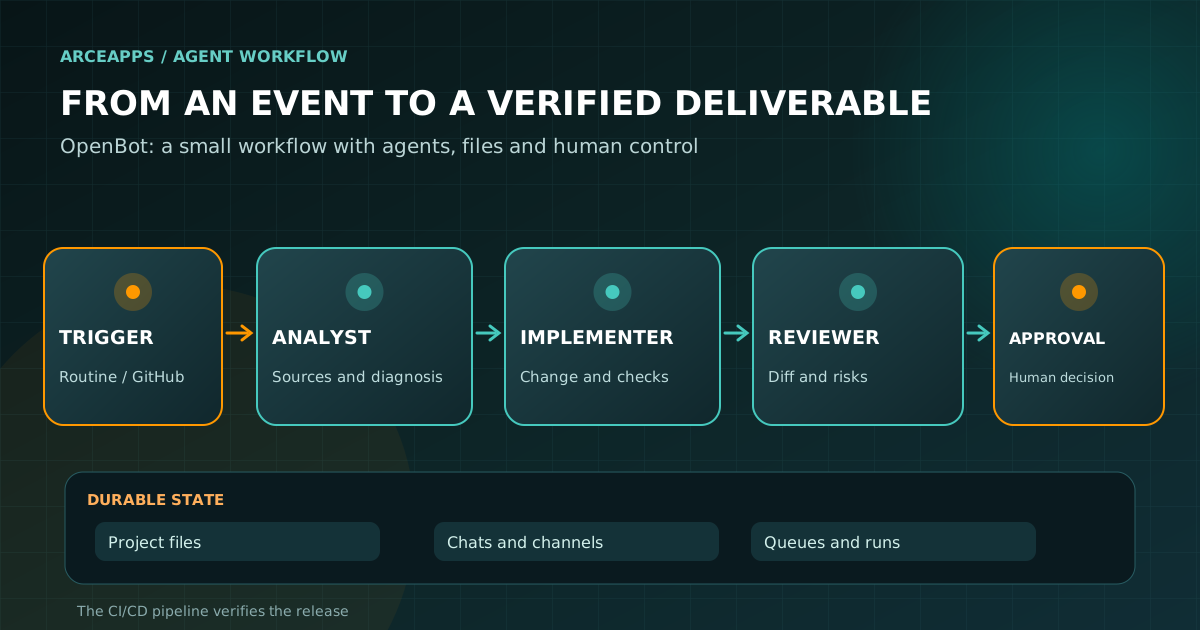
Learn to configure OpenBot with Codex, Claude and OpenCode, design reliable channels and workflows, automate tasks and protect files and credentials.