
Table of Contents
🚀 The Open Source Renaissance in the AI Era
The first wave of artificial intelligence applied to software development was dominated by closed monopolies and walled gardens. Tools like GitHub Copilot and Cursor dazzled us with their magic, but they extracted a quiet toll: storing our telemetry on remote corporate clouds and keeping us entirely dependent on their proprietary gateways, pricing structures, and preselected models.
Now, in 2026, we are witnessing a massive countercurrent. Independent software development and the principles of technological sovereignty demand alternatives. We do not want a third party deciding which model processes our proprietary codebase, nor do we want to pay overpriced flat monthly fees for sluggish routing proxies. We want to bring our own API keys (BYOK), run inference 100% locally on our GPUs using models like Llama or DeepSeek, and extend our dev tools to fit our exact needs.
This is Semifinal B of the Ultimate AI IDE and Code Agent Tournament, dedicated exclusively to free software and community-driven projects. We will evaluate the 10 most influential tools today, not through marketing promises, but through their technical architecture, their level of autonomy on real-world repositories, and their respect for the programmer’s freedom and privacy.
Get your terminal ready. Let’s begin the audit of community-driven code tools.
🧠 The Sovereignty Stack: BYOK, Local RAG, and the MCP Protocol
Before evaluating the individual contenders, it’s essential to understand the technical substrate they operate on. Unlike closed solutions that bundle their infrastructure, open-source tools delegate control to the developer, leveraging three core architectural pillars:
- BYOK (Bring Your Own Key): The developer pays LLM providers (like Anthropic, OpenAI, or OpenRouter) directly for the exact volume of input and output tokens consumed. This slashes development costs to a fraction of flat monthly subscriptions and allows instant model swapping.
- Local RAG (Retrieval-Augmented Generation): Repo indexing and semantic analysis do not happen on remote proxy servers. Using parsers like tree-sitter and embedded vector databases (such as local SQLite vector extensions or native HNSW builds), the codebase context is built and stored entirely on your own machine, safeguarding intellectual property.
- MCP (Model Context Protocol): This open standard introduced by Anthropic allows any IDE or local agent to securely interact with databases, documentation APIs, and local filesystems via standardized schemas. If you want to dive deeper into how MCP achieves this, check out MCP Servers and Cross-Agent Memory.
For larger codebases, managing the context window efficiently is critical. We often suffer from LLM context fatigue. Because of this, context compression and optimization layers like Headroom: Context Window Compression Layer and token minimization techniques detailed in Caveman Skill: Token Compression have become essential companions for local inference.
🛠️ The 10 Contenders of Semifinal B
Here is our in-depth analysis of the ten tools defining the open and community-driven ecosystem.
1. OpenCode Desktop
OpenCode Desktop is the crown jewel of the free visual editor movement. Built as a clean, telemetry-free fork of VS Code, it attacks the context bloat problem using a sophisticated subagent architecture.
Instead of maintaining a single chat session that accumulates thousands of lines of irrelevant historical context, OpenCode allows you to spin up specialized subagents (such as @explore to query the codebase or @refactor to apply structural changes). Each subagent runs with its own isolated and private context window. We analyzed this pattern in detail in OpenCode Subagents: Workflows & Superpowers and provided configuration workflows in OpenCode Subagents Workflows.
Furthermore, OpenCode includes a native client for the MCP protocol. It automatically detects and spawns local servers defined in a project-level mcp.json at startup, making them immediately available to the agent. Supporting robust BYOK configurations and direct integration with Ollama or LM Studio, it offers the most complete and customizable GUI for local development.
- Sample Configuration (
opencode.jsonc):{ "model": "claude-3-5-sonnet", "provider": "openrouter", "apiKey": "your-openrouter-key", "mcpServers": { "sqlite-memory": { "command": "npx", "args": ["-y", "@modelcontextprotocol/server-sqlite", "--db", "./local-db.sqlite"] } } }
2. Hermes Desktop (Nous Research)
Developed by the prestigious Nous Research collective, Hermes Desktop is the official GUI for orchestrating the autonomous Hermes agent. This project embodies a revolutionary paradigm: local, persistent self-improvement.
Unlike common assistants that forget your design decisions between chat sessions, Hermes Desktop maintains a local persistent database (typically SQLite) containing a detailed profile of your preferences, repository history, and auto-generated terminal “skills.” If Hermes attempts to resolve a bug in your Kotlin project and discovers an efficient way to launch the test suite using Docker, it stores the script in its local skill repository. It will reference it in future tasks without needing you to explain it again.
The underlying Hermes model performs exceptionally well in pure reasoning tasks. If you’re interested in how this engine compares to other open-source alternatives, take a look at Hermes vs. OpenClaw: The Battle of Open-Source Reasoners.
- Initialization Command:
# Initialize the local Hermes environment and launch the desktop UI
hermes setup
hermes dashboard
3. Continue
Continue is the leading sidebar extension for both VS Code and JetBrains. Unlike OpenCode, which forces you to migrate to a full editor fork, Continue lets you keep your carefully tuned plugins and keybindings, injecting a powerful AI panel directly into your habitual workspace.
Its main strength is concurrent model orchestration. You can configure Qwen Coder locally via Ollama with zero latency for tab-autocomplete (FIM - Fill in the Middle) while delegating complex interactive chat and major refactorings to Claude 3.5 Sonnet in the cloud.
- Continue Configuration (
~/.continue/config.json):{ "models": [ { "title": "Claude 3.5 Sonnet", "provider": "anthropic", "model": "claude-3-5-sonnet-20241022" } ], "tabAutocompleteModel": { "title": "Qwen 2.5 Coder 1.5B", "provider": "ollama", "model": "qwen2.5-coder:1.5b" } }
4. Cline
Formerly known as Prevvy and Claude Dev, Cline is a proactive, autonomous software agent integrated directly into your editor’s sidebar. Cline represents a definitive leap from “Copilot to Agent.”
When you assign a task to Cline (e.g., “Write unit tests for the auth validator, run them, and fix any errors”), it doesn’t just print Markdown instructions for you to copy-paste. Instead, Cline formulates a plan and starts invoking system tools: executing read_file, write_to_file, and running shell commands in your terminal. The developer retains control via a granular approval mechanism (“Human-in-the-Loop”), reviewing and approving every filesystem edit or terminal script execution.
5. Roo Code
Born as a highly active community fork of Cline, Roo Code refines the developer experience with features tailored by and for the community.
Roo Code stands out by introducing distinct “Behavioral Modes” that alter the agent’s persona and tools: Architect Mode (focused on creating specifications and maintaining a project memory bank), Code Mode (for direct, surgical code edits without verbose explanations), and Ask Mode (for conceptual Q&A without writing to disk). Additionally, Roo Code integrates a real-time token counter and cost tracker directly in the chat header, preventing surprise API bills at the end of the month.
6. Aider
Aider is a command-line (CLI) programming assistant that has achieved legendary status among indie developers. Free of flashy GUIs or nested tabs, Aider operates directly within your terminal.
Its primary edge is its deep Git integration. Aider analyzes your project structure using repo maps generated via ctags, allowing it to understand distant function signatures while conserving token count. When you request a change, it edits the source files and automatically commits the changes to Git with clean, descriptive commit messages. If the code fails, you type /undo and Aider immediately rolls back the commit, returning your workspace to a green state.
- Standard Invocation:
export ANTHROPIC_API_KEY="your-key"
aider --model openrouter/anthropic/claude-3.5-sonnet
7. Void IDE
Void IDE was created as an open-source, community-driven response to the fear of Cursor IDE closing its source code or monopolizing the intermediate RAG retrieval layer. Void is a direct fork of VS Code built around absolute privacy.
Unlike Cursor, which routes your requests through its corporate proxy servers to perform context searches, Void compiles semantic indexes locally and communicates directly with your chosen LLM endpoints (such as Anthropic APIs or a local Ollama server). No middleman, no mandatory telemetry, and no accounts required.
8. PearAI
PearAI positions itself as an intuitive, unified visual suite designed to make AI development accessible to programmers of all skill levels. Built on top of VS Code, it takes the friction out of configuring local tools.
Using an interactive setup wizard, PearAI handles installing local inference servers (Ollama), downloading lightweight models, and configuring the chat extension out-of-the-box. While it offers its own managed proxy subscription for easy billing, it retains full support for custom keys (BYOK), acting as a clean entry ramp to sovereign coding.
9. Zed AI
Zed AI is a disruptive contender in the high-performance editor space. Written in Rust and rendered directly on the GPU, Zed bypasses the heavy Electron architecture underpinning VS Code and its derivatives.
Zed AI integrates agentic workflows natively into its core. The UI is incredibly fast, responding instantly to keyboard shortcuts without extension overhead. Furthermore, Zed stands out for its CRDT-based real-time multiplayer code sharing, allowing multiple developers to collaborate on the same screen alongside Zed’s AI agent.
- Zed Settings (
settings.json):{ "assistant": { "version": "2", "provider": { "name": "anthropic", "default_model": "claude-3-5-sonnet-latest" } } }
10. Augment Code
Augment Code operates on an interesting hybrid model. Although primarily targeted at enterprise environments, its “Cosmos” context engine and its flexible CLI adoption model have placed it on the radar of independent developers.
The Cosmos engine is a marvel of context engineering: it semantically indexes hundreds of thousands of files in real time, building a dependency graph of imports and class structures. Augment’s local agent can answer questions with high precision, mapping relationships deep within massive monorepos.
⚖️ Trade-offs and Lessons from Sovereign Development
Choosing the path of open-source and community tools offers great satisfaction, but it comes with clear trade-offs that every software artisan must weigh:
- Local Inference vs. Cloud: Running models like Qwen 2.5 Coder or Llama 3 locally is free and completely private, but it requires beefy hardware (preferably Apple Silicon with unified memory or NVIDIA RTX cards). On portable laptops, it drains the battery rapidly and response times can be sluggish compared to cloud APIs.
- Setup Complexity: While a corporate tool like Windsurf works with a single installer click, the sovereign stack demands an understanding of network endpoints, API keys, and YAML/JSON configurations. It is the classic trade-off: more control means more maintenance responsibility.
- Isolated Context: The subagent architecture pioneered by OpenCode has proven to be the only viable way to sustain long agent runs without exhausting context windows. Sending your entire repository with every query is a recipe for contextual amnesia and skyrocketing API bills.
🏆 Selection of Finalistas (Semifinal B)
After weeks of intensive testing across multiple projects, measuring token consumption, robustness, and agentic workflows, the two qualifiers advancing to the Grand Final of our AI IDE Tournament are:
- OpenCode Desktop (Semifinal Winner): For its maturity as a complete visual editor, excellent native MCP support, and a subagent architecture that handles complex refactorings with controlled token consumption. OpenCode proves you can have a Cursor-like UX without sacrificing data privacy or portability.
- Hermes Desktop (Qualified): For its vanguard vision of long-term local memory and self-improving loops. Nous Research has built a bridge for local agents, allowing them to accumulate technical experience specific to your project day by day rather than acting as stateless chat panels.
Both qualifiers will face off in the Tournament Grand Final, ready to challenge the proprietary giants of the corporate dev tool space.
📚 Official Bibliography and References
- Official OpenCode Desktop GitHub Repository
- Nous Research Hermes Agent Portal
- Aider CLI Pair Programming Assistant
- Continue.dev Official Documentation & Extensions
- Zed Editor GPU-Accelerated Rust Editor
- Cline Open Source Project
- Void Editor - Telemetry-Free VS Code Fork
Do you have experience configuring your own local environment with any of these IDEs? Or do you prefer the immediate convenience of cloud-based tools? Let me know in the comments section below. Let’s grow the sovereign developer community!
You might also be interested in
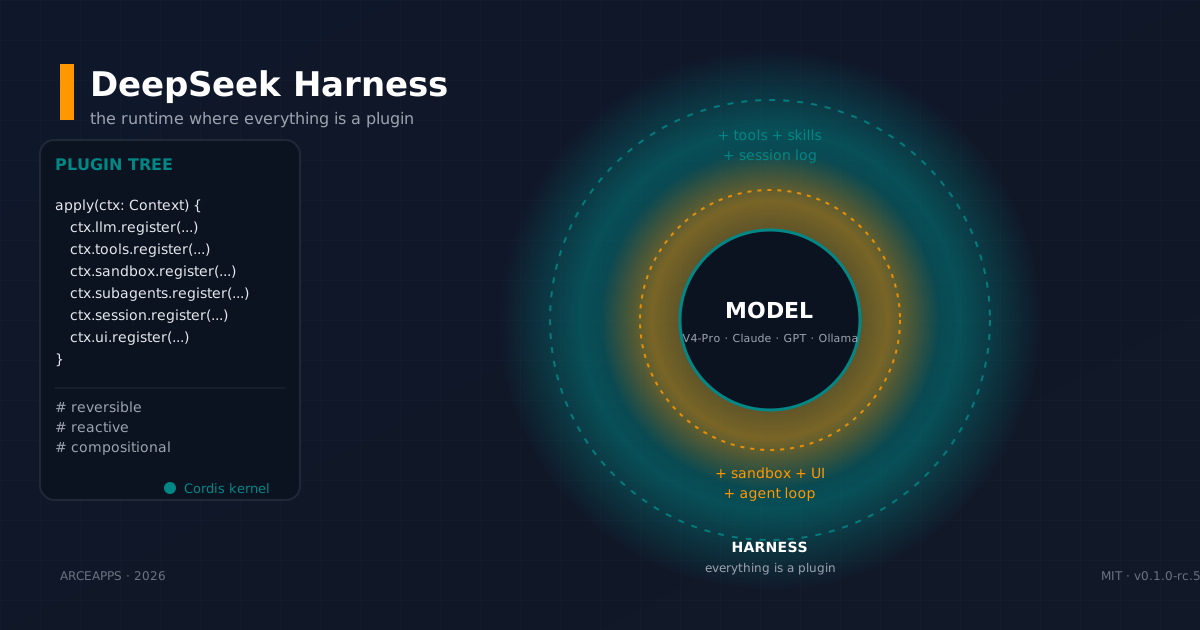
DeepSeek Harness: the runtime where everything is a plugin
DeepSeek Harness (dsh) is an MIT open-source runtime where model, tools, session, sandbox and even the loop are plugins. Deep-dive into Cordis, runtime modes, append-only session log and self-evolution.
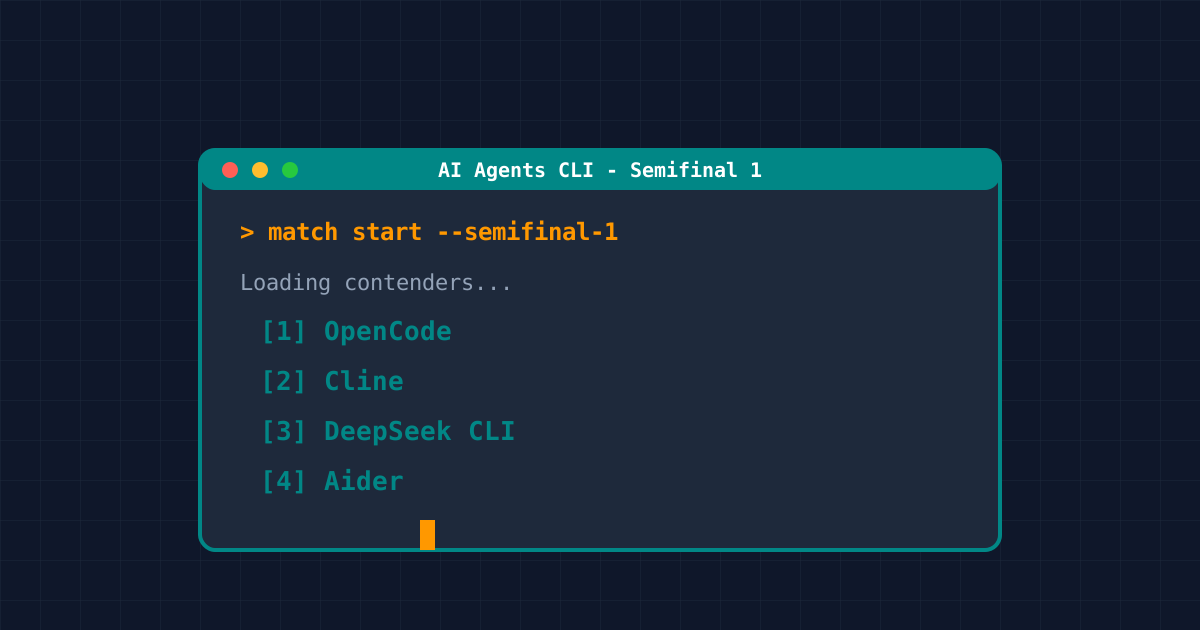
AI CLI Semifinal 1: The Terminal Agent Showdown
We compare 10 AI CLI tools in 2026: Claude Code, Cline, Vibe, Kimi, Pi, and more. Detailed specs, actual API costs, skill compliance, and final verdict.
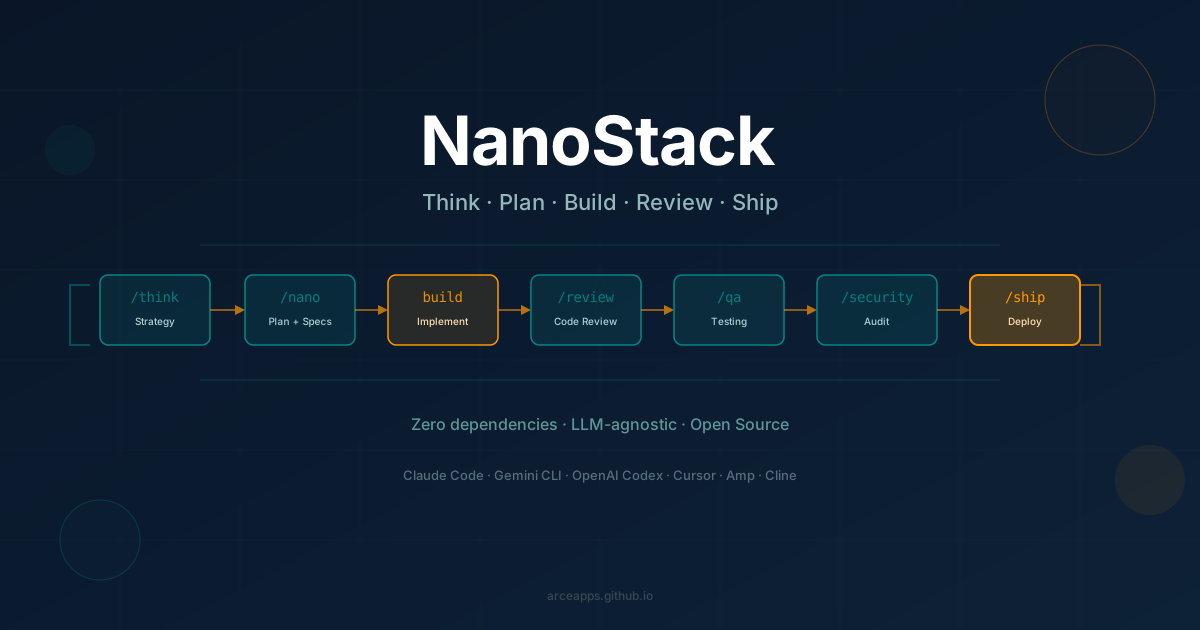
NanoStack
Discover NanoStack, the open-source, zero-dependency framework that transforms any AI coding agent into a complete engineering team. Compatible with Claude Code, Gemini CLI, OpenAI Codex, Cursor, and more.