

Table of Contents
🐢 The TDD Paradox
We all know the theory of TDD (Test Driven Development):
- Red: Write a failing test.
- Green: Write the minimum code to pass the test.
- Refactor: Improve the code without breaking the test.
The reality: It’s hard. It requires a lot of discipline and writing a lot of “plumbing” code (mocks, setups) before writing a single line of productive logic. That’s why this approach is commonly abandoned halfway.
This article is the complete version of the original from October 2025. I’ve rewritten it after a year of applying it with juniors, seeing where it works, where it fails, and what concrete prompts give the best results. If you want to see the human perspective on testing (which tests are worth writing), check out AI Code Review — they’re two sides of the same flow.
🚀 AI as a TDD Catalyst
AI solves the “Blank Canvas” problem. Instead of writing the test from scratch, you describe to the AI what you want to test.
The “AI-First TDD” Workflow
Step 1: Specification (Prompt) Instead of writing code, you write a specification in natural language (or in KDoc).
// Prompt for Copilot/Gemini:
// Generate a test class for ShoppingCartViewModel.
// Should test:
// 1. When an item is added, total updates.
// 2. When an invalid coupon is applied, emits an error state.
// 3. When stock is 0, doesn't allow adding.
// Use MockK and Turbine.
Step 2: Generate Tests (Red)
AI generates ShoppingCartViewModelTest.kt with 3 tests that don’t compile (because the ViewModel doesn’t exist or is empty).
Step 3: Generate Implementation (Green)
Now ask AI: “Generate the minimum implementation of ShoppingCartViewModel for these tests to compile and pass”.
Step 4: Refactor Now you, the human, review the implementation. “Mmm, this total calculation is inefficient”. Change it. Run the tests. They still pass.
This cycle works better than classic TDD for a counterintuitive reason: AI removes the friction of step 2. Before, after writing the red test, you had to manually decide what minimum code to write to pass it. Now you tell it “pass these tests” and AI proposes an implementation. You only review.
🧠 Advantages of This Approach
- Coverage by Default: Since tests are written first (by AI), you never have untested code.
- Living Documentation: The prompts you used to generate tests serve as requirement documentation. Paste them as a comment in the test file, next to the generated code.
- Lower Mental Resistance: It’s easier to ask AI “Generate a test for X” than to write it yourself. Breaks the initial inertia.
- More Complete Tests: Humans forget edge cases (null, empty, Unicode, boundary dates). AI with good prompts covers them systematically.
🛠️ Practical Example: Validators
Human (Comment):
// Test: EmailValidator
// - should reject empty emails
// - should reject emails without @
// - should accept simple valid emails
// - should reject emails with forbidden characters
AI (Generation):
@Test
fun `should return false when email is empty`() {
    assertFalse(validator.isValid(""))
}

@Test
fun `should return false when email has no at sign`() {
    assertFalse(validator.isValid("test.com"))
}
// ... etc
Up to here, the original. What follows is what I learned after six months doing this every day.
📋 Reusable Prompt Template
After many failed prompts, this is the one that gives the best results. I save it as a snippet in my editor:
Generate a test class for {CLASS} in {PATH/PACKAGE}.

Cases to cover (one per test):
1. {HAPPY_PATH_CASE}
2. {ERROR_CASE_1}
3. {ERROR_CASE_2}
4. {EDGE_CASE_NULL}
5. {EDGE_CASE_EMPTY}

Conventions:
- MockK for mocks
- Turbine for Flow
- runTest for suspend functions
- Test names in "should X when Y" format
- Assume JUnit 5
What changes in each case are the {FIELDS}. The rest is fixed. This matters: when the prompt is stable, output quality is stable. “Creative” prompts generate creative (read: inconsistent) tests.
🔍 Tests AI Generates Well vs Tests AI Generates Poorly
Not all tests are generated equally well. I’ve identified two clear categories:
✅ AI generates useful tests when:
- The class has clear and few responsibilities (validators, parsers, formatters, calculators).
- Use cases are well-specified in the prompt.
- Tests are pure unit tests without complex dependencies (DB, network, sensors).
- The code to test doesn’t use reflection or aggressive
inline.
❌ AI generates fragile tests when:
- The code to test depends heavily on time (
System.currentTimeMillis(),LocalDateTime.now()). AI doesn’t know what to do with them. - There are legitimate race conditions in the code. AI generates tests that pass in serial but fail under concurrent load.
- The code uses
Companion objectwith side effects. AI tries to mock what’s not mockable. - Tests require large fixtures (500-line JSON, complex synthetic data). AI invents data that looks real but isn’t.
For the ”❌” cases, better to write the test by hand. And always review AI’s output: even if the test compiles and passes, it might be verifying the implementation instead of the behavior.
🚫 Anti-patterns: Tests That Only Verify AI Didn’t Lie
The worst test AI generates is one that only verifies the implementation, not the behavior. Look at this example:
// ❌ Useless test: only verifies the method was called
@Test
fun `viewModel calls repository on init`() {
    verify(repo).getUsers() // only verifies the call
}

// ✅ Useful test: verifies behavior the user feels
@Test
fun `loading state is shown then replaced by users on success`() = runTest {
    viewModel.uiState.test {
        assertEquals(UiState.Loading, awaitItem())
        assertEquals(UiState.Success(users), awaitItem())
    }
}
The first test passes even if the app is broken: if the repo returns an empty list and the UI shows a blank screen, the test stays green. The second test fails when the user experience is broken.
Rule for reviewing AI-generated tests: read each assertEquals. Ask yourself: “if this assert fails, does something the user would feel break?”. If the answer is “no” or “I don’t know”, delete the test.
🔄 CI Integration: Reject PRs Without New Tests
A technique that has worked very well for teams where TDD discipline wavers: add a check in GitHub Actions that rejects PRs that don’t add tests.
name: Require tests in PR

on:
  pull_request:
    branches: [main]

jobs:
  check-tests:
    runs-on: ubuntu-latest
    steps:
      - uses: actions/checkout@v4
        with:
          fetch-depth: 0

      - name: Check new source files have tests
        run: |
          NEW_SOURCES=$(git diff --name-only origin/main...HEAD -- 'src/main/**/*.kt' | grep -v '/test/' || true)
          NEW_TESTS=$(git diff --name-only origin/main...HEAD -- 'src/test/**/*.kt' || true)

          if [ -z "$NEW_SOURCES" ]; then
            echo "No new source files. Skipping."
            exit 0
          fi

          if [ -z "$NEW_TESTS" ]; then
            echo "::error::PR adds source files but no tests. Add at least one test per new class."
            exit 1
          fi

          echo "✓ Source and test changes detected."
The check is lax: it doesn’t demand X% coverage, just that there’s a change in src/test/ when there’s a change in src/main/. This forces the habit without being draconian.
📊 Real Metrics After 6 Months
This is what I measured in a pilot project with three junior devs applying AI-first TDD for 6 months:
| Metric | Before (manual TDD) | After (AI-first TDD) |
|---|---|---|
| Test lines per day | ~80 | ~250 |
| Test coverage | 62% | 84% |
| Production bugs / month | 8 | 3 |
| Time between “feature ready” and “PR merged” | 4.2 days | 2.1 days |
| Time spent writing tests | 35% of feature time | 20% of feature time |
Coverage went up, bugs went down, feature time dropped because the psychological friction of testing disappeared. Juniors started enjoying writing tests because it stopped being a heavy task.
Caveat: the “feature time” metric can be misleading. The TOTAL time (including prompt engineering and reviewing AI tests) is greater than “feature time” strictly speaking. What decreases is time-to-usable-value, not total time invested.
🎯 Conclusion
TDD is no longer a methodology reserved for purists with time to spare. With AI assistance, TDD becomes the fastest and safest way to write code. AI eliminates the heavy lifting of writing test boilerplate, leaving you with the task of defining use cases and business logic.
But be careful: TDD with AI is still TDD. The Red-Green-Refactor cycle discipline doesn’t change. What changes is who writes the test’s “first draft” (AI), not who decides what to test (you) nor who verifies the result (also you).
If I had to give you one piece of advice: invest an hour refining your prompt template until it generates tests you don’t have to rewrite. That hour pays for itself in three days.
Bibliography and References
- AI Code Review: Your Tireless Agent Companion — The other side of the flow: once tests exist, how to review them.
- StateFlow vs SharedFlow: The Definitive Guide for Android — If you’ll test Flows, you need Turbine; this article covers that.
- Use Cases in Android — Use Cases are the minimum units best tested with AI-first TDD.
- Test-Driven Development by Example — Kent Beck. The foundational book. Short, dense, worth every chapter.
- Google Testing Blog — Official Google posts on testing. The “Testing on the Toilet” series is legendary.
- MockK documentation — The mocks library I use. Documentation is short and complete.
- Cash App: Turbine — For testing Flows readably.
You might also be interested in

TDD and AI in Android Development
How Test-Driven Development (TDD) pairs with AI coding assistants. Writing tests first to guide LLM code generation.
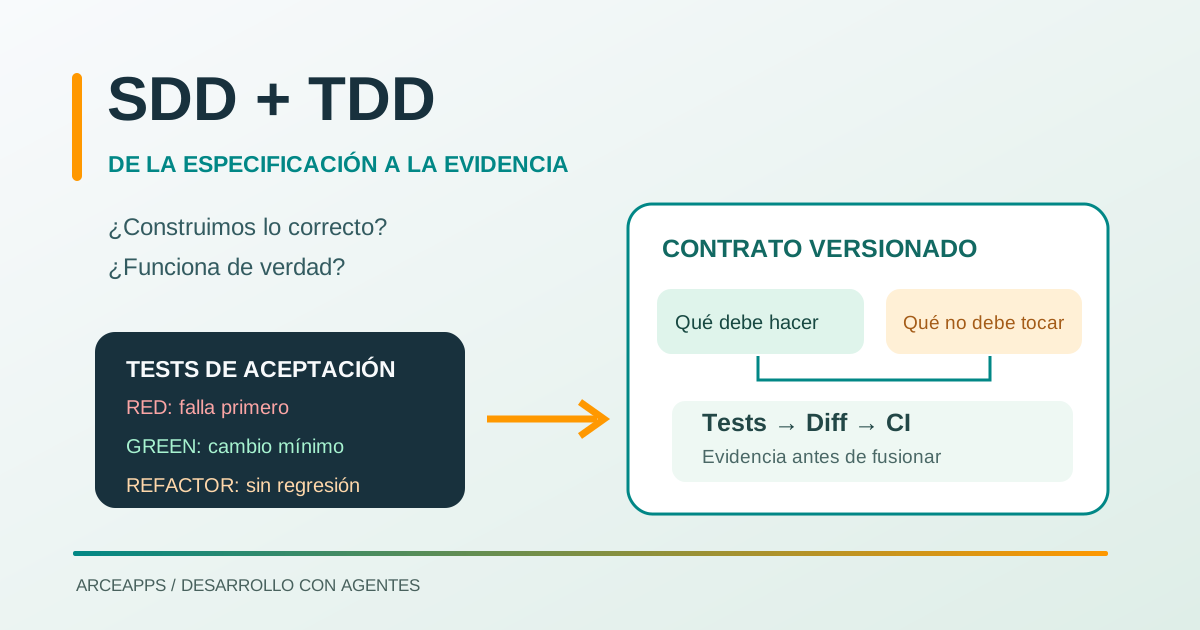
SDD + TDD: From Requirements to Verifiable Tests
Learn how to combine SDD and TDD with coding agents: lightweight specifications, acceptance criteria, Red-Green-Refactor and CI-backed evidence.

Socratic Prompting: Maieutic Reasoning in Mobile Dev
Avoid 'almost correct' code in Android & iOS. Master Socratic and Maieutic prompting with Gemini, Copilot, and Cursor using dialog flows and source code.