
GitHub Pages for Android Devs: Your Free Professional Portfolio

Table of Contents
🌍 Why GitHub Pages?
As Android developers, we often neglect our web presence. “I build apps, not websites”, we say. But having a portfolio or a technical blog is vital for your career.
GitHub Pages is the perfect solution because:
- It’s Free: Unlimited hosting for static projects (within fair use limits).
- It’s Git-based: You deploy with a
git push. - It’s Fast: Served through GitHub’s CDN.
- Supports Custom Domains:
your-name.comwith free HTTPS. - Automatic SSL: Let’s Encrypt managed by GitHub, no config needed.
This article is the expanded version of what I originally published in November 2025. I’m updating it in July 2026 with everything I’ve learned from managing several sites on Pages (including this blog you’re reading), including three gotchas that cost me hours and that I’ll save you.
🚀 Astro: The Web Framework for Non-Web Devs
This blog is built with Astro. Why Astro and not React/Angular?
- Zero JS by Default: Astro renders static HTML. Loads instantly.
- Content-Driven: Designed for blogs and documentation (native Markdown).
- Familiar Syntax: If you know HTML and a bit of JS (or Kotlin/Java), you know Astro.
- Islands Architecture: Only hydrates what needs JS, the rest is plain HTML.
---
// This is like the component's "backend" (runs at build time)
const title = "My Android Portfolio";
const apps = ["Sudoku", "TodoApp", "Weather"];
---

<!-- This is the template (HTML + variables) -->
<html>
  <body>
    <h1>{title}</h1>
    <ul>
      {apps.map((app) => <li>{app}</li>)}
    </ul>
  </body>
</html>
The --- syntax up top is the component’s “frontmatter” (at build-time). Then comes plain HTML with {variable} expressions and {array.map(...)} mappings. If you come from Kotlin or Java, the concept of a “data type living in the frontmatter” will feel familiar from Gradle or Dokka.
🛠️ The Complete Pipeline, Step by Step
Step 1: Create the repo with the correct name
For a user page (your-user.github.io), the repo must be named exactly your-user.github.io. For a project page, any name works and the URL will be your-user.github.io/repo-name. That distinction is the first confusion everyone has.
mkdir my-portfolio && cd my-portfolio
git init
# Create the repo on GitHub with the name your-user.github.io
git remote add origin git@github.com:your-user/your-user.github.io.git
Step 2: astro.config.mjs — the critical field I’ve forgotten a thousand times
The most common error when deploying on Pages is forgetting the site: field. If you don’t set it, the canonical URL breaks and your SEO disappears. If you’re on a project page (not user), you also need base:.
// astro.config.mjs

// For a USER page (recommended):
export default defineConfig({
  site: 'https://your-user.github.io',
  // base: '/'  // optional, default is '/'
});

// For a PROJECT page (recommended if you have multiple apps/blogs):
export default defineConfig({
  site: 'https://your-user.github.io',
  base: '/my-project',  // no trailing slash
});
If you deploy with a custom domain, replace site: with https://your-domain.com. With CNAME configured (see step 6), GitHub Pages knows your repo lives under another domain and the links work automatically.
Step 3: GitHub Actions — the official workflow
To deploy an Astro website on GitHub Pages automatically:
- Enable Pages on your repo:
Settings -> Pages -> Source: GitHub Actions. - Create the workflow
.github/workflows/deploy.yml:
name: Deploy to GitHub Pages

on:
  push:
    branches: [ main ]
  workflow_dispatch:

permissions:
  contents: read
  pages: write
  id-token: write

concurrency:
  group: "pages"
  cancel-in-progress: false

jobs:
  build:
    runs-on: ubuntu-latest
    steps:
      - uses: actions/checkout@v4
      - uses: withastro/action@v3
        with:
          package-manager: npm

  deploy:
    needs: build
    runs-on: ubuntu-latest
    environment:
      name: github-pages
      url: ${{ steps.deployment.outputs.page_url }}
    steps:
      - name: Deploy to GitHub Pages
        id: deployment
        uses: actions/deploy-pages@v4
Three details that look minor and will hurt you:
- The
permissions:block is mandatory since 2023. Withoutid-token: write, the deploy fails with a cryptic OIDC message. - The
concurrency.groupprevents two simultaneous deploys from clashing. Important if yougit pushwhile another workflow is running. withastro/action@v3(not v2). The v3 cachesnode_modulesautomatically; v2 took 3× longer.
Step 4: Your first commit and your first page
git add .
git commit -m "feat: initial Astro site for GitHub Pages"
git push origin main
Go to Settings -> Pages. Wait 1–2 minutes. Your site should be at https://your-user.github.io (or https://your-user.github.io/my-project).
Step 5: Custom domain + HTTPS
Create a public/CNAME file with your domain:
mydomain.comConfigure your domain’s DNS:
| Type | Name | Value |
|---|---|---|
| CNAME | www | your-user.github.io. |
| A | @ | 185.199.108.153 |
| A | @ | 185.199.109.153 |
| A | @ | 185.199.110.153 |
| A | @ | 185.199.111.153 |
(The IPs are GitHub Pages’; they may change, check the official docs.)
In Settings -> Pages -> Custom domain, type mydomain.com and check Enforce HTTPS. DNS propagation can take up to 24h, although it’s usually minutes.
Step 6: Post-deploy verification
# Is it alive?
curl -sLo /dev/null -w "%{http_code}\n" https://mydomain.com/
# Expected: 200

# Is the sitemap there?
curl -s https://mydomain.com/sitemap-index.xml | head
# Expected: XML with listed URLs

# Is your new content rendering?
find dist -path "*blog*" -name "index.html" | head -5
# Expected: generated routes
If find dist returns empty after a green build, you have the pubDate-future trap I cover below. Since August 2026 the site compares dates at day granularity (an isPublished() helper), so this trap is gone; before that, the quick fix was backdating pubDate one day.
🎨 Library Documentation (Dokka + Pages)
If you have an Android Open Source library, you must have web documentation.
- Generate the documentation with Dokka (see documentation article).
- Configure Dokka’s output to go to a
docs/folder. - In GitHub Pages settings, choose
Source: Deploy from a branchand select the/docsfolder.
Done! Now you have your-user.github.io/your-library with professional navigable documentation.
2026 alternative: use Kotlin/JS + Dokka directly, without Astro. More complex but generates interactive docs with client-side search.
📊 GitHub Pages vs Alternatives: The Honest Table
Before committing, look at the real trade-offs:
| Feature | GitHub Pages | Netlify | Vercel | Cloudflare Pages |
|---|---|---|---|---|
| Price | Free | Free (tier) | Free (tier) | Free |
| Builds/month | 10 (Actions) | 300 | 6000 | 500 |
| Bandwidth | ”Soft limit” 100GB | 100GB | 100GB | Unlimited |
| Global CDN | Yes | Yes | Yes | Yes |
| Custom domain | Yes | Yes | Yes | Yes |
| Auto HTTPS | Yes (Let’s Encrypt) | Yes | Yes | Yes |
| Forms | No | Yes | Yes | Yes (Workers) |
| Functions | No | Yes (Edge) | Yes (Edge) | Yes (Workers) |
| Repo privacy | Public only | Private OK | Private OK | Private OK |
The GitHub Pages trap that almost nobody mentions: your repo must be public for free Pages. If you want to deploy a blog from a private repo, Pages isn’t an option (unless you pay for GitHub Pro on the org). Netlify and Vercel are better in that case.
For an Android portfolio, Pages is the right choice: free, fast, and you already have a GitHub account.
⚠️ Troubleshooting: Three Gotchas That Cost Hours
1. Future pubDate → page doesn’t render. The old filter data.pubDate <= new Date() excluded posts published “today” when the build ran in another timezone: z.coerce.date() turns 2026-08-26 into midnight UTC, so a build at 00:17 CEST (still Aug 25 in UTC) silently filtered it out. Diagnosis: find dist -path "*<slug>*" returns empty after a green build. Permanent fix (August 2026): dates are now compared at day granularity via an isPublished() helper that interprets them in the site’s timezone; the old workaround was backdating pubDate one day.
2. Images in src/ aren’t included in build. Astro only copies public/ automatically. If you put images in src/assets/, you need to import them (import img from '../assets/x.png'). If you put them in src/images/, make sure the component references them.
3. Custom domain breaks after git push. GitHub Pages overwrites the “Custom domain” field if you don’t have versioned CNAME. Solution: add public/CNAME to the repo and commit. Pages reads it on every deploy.
🎯 Conclusion
You don’t need to be a React expert or spend money on AWS to have a professional web presence. With GitHub Pages and Astro, you can build and maintain your personal brand using the same tools (Git, CI/CD) you already use every day.
If I had to recommend one next step: create a your-user.github.io repo today, put an index.html with your name and a link to your Play Store. Tomorrow convert it to Astro. In a month you have a blog. The friction of starting is the only thing separating you from having a professional web presence.
Bibliography and References
- Official Astro documentation — The canonical guide, updated with each release.
- GitHub Pages: official docs — For CNAME, HTTPS enforced, and the new usage limits.
- withastro/action on GitHub Marketplace — The action I use on every deploy.
- State of JS 2025: Astro rose to top 3 — Not hard evidence but a market signal.
- Blog article on Dokka and Android — If you want to use Pages to document an Android library, not for a blog.
You might also be interested in
GitHub Pages for Android Devs
Learn how to deploy this very blog, library documentation, or app landing pages using GitHub Pages and Astro, completely free.
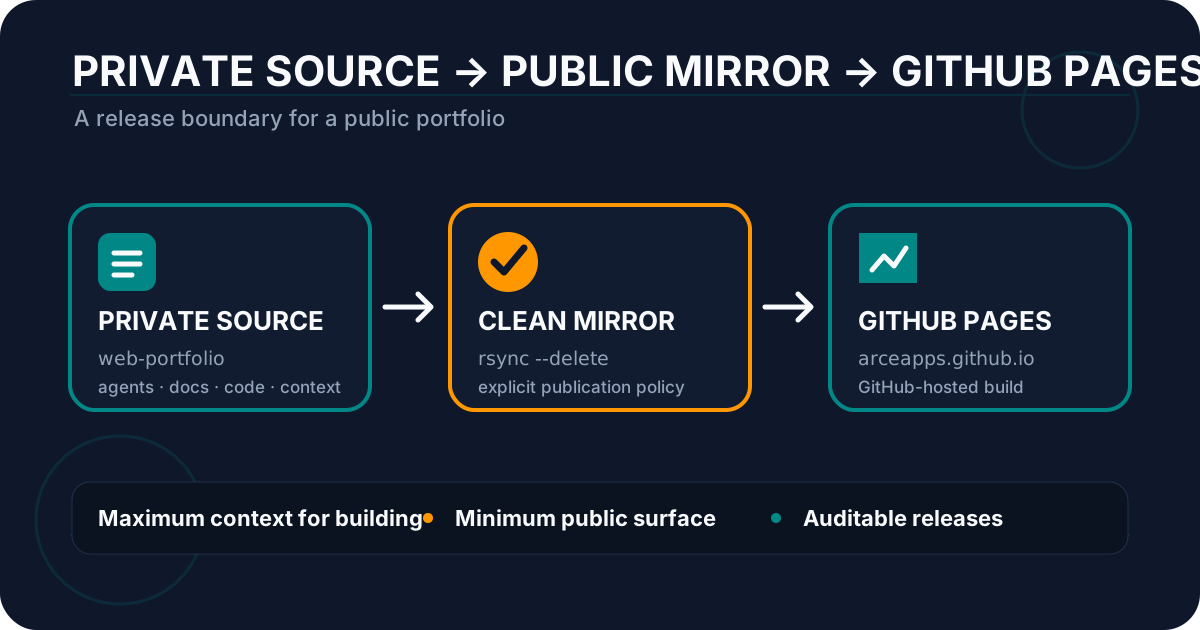
GitHub Pages: Private Portfolio, Public Mirror
Configure GitHub Pages with a private repository, a public mirror, and GitHub Actions to publish a portfolio without exposing internal files.

DeepSeek Harness Desktop: A Practical Technical Review
Explore DeepSeek Harness Desktop, its plugin architecture, automation, installation, privacy controls and practical trade-offs for indie developers.