
Mattpocock/skills: The Composable Alternative to Full-Stack SDD Frameworks
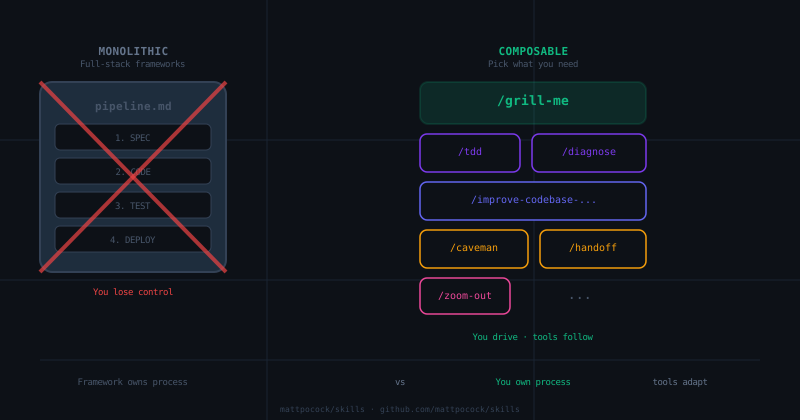
Table of Contents
The Problem With Monolithic AI Methodologies
Matt Pocock has a quiet observation that hits hard: approaches like GSD (Just Ship It), BMAD, and Spec Kit “try to help by owning the process. But while doing so, they take away your control and make bugs in the process hard to resolve.”
That sentence is doing a lot of work. He’s saying: when you hand your project to a framework that owns the pipeline, you’re also handing it the debugging responsibility. And debugging something you don’t understand is a special kind of misery.
This is the core thesis of mattpocock/skills — a collection of agent skills for coding agents (Claude Code, Codex, and others) that are small, composable, and explicitly not a full-stack methodology. Each skill does one thing. You pick the ones you need. You leave the rest.
If you’ve been reading this blog’s SDD framework comparison, you know we spent a lot of words on what Spec Kit does, what OpenSpec does, and what BMAD does. Skills is a different answer to the same question: “how do I make AI agents actually useful instead of just compliant?”
Let’s dig into what makes it genuinely different.
What Skills Actually Is
Skills is a GitHub repo containing around 15 slash commands and behaviors you can install into coding agents. The installation is a single command:
npx skills@latest add mattpocock/skillsAfter installing, your agent gains access to commands like /grill-me, /tdd, /diagnose, /zoom-out, and /improve-codebase-architecture. You compose them as needed. There’s no enforced pipeline, no mandatory sequence, no “you must start with X before Y.”
The README lays out four failure modes the skills are designed to fix:
- The Agent Didn’t Do What I Want — solved by
/grill-meand/grill-with-docs - The Agent Is Way Too Verbose — solved by building a shared domain language (CONTEXT.md)
- The Code Doesn’t Work — solved by
/tddand/diagnose - We Built A Ball Of Mud — solved by
/improve-codebase-architectureand/zoom-out
Each skill is a markdown file. You can read every one of them. You can modify them. You can delete the ones you don’t like. That’s the point — they’re your tools, not your methodology.
The Four Failure Modes, Examined
Failure Mode #1: The Agent Didn’t Do What I Want
This is the misalignment problem. You’ve seen it: you describe what you want to build, the agent nods eagerly, and two hours later you get something that has nothing to do with your request. The agent wasn’t lying — it genuinely thought it understood. But the gaps in your description became gaps in the implementation.
Pocock’s fix for this is a “grilling session” — getting the agent to interview you relentlessly about every branch of the design tree before writing a single line. The /grill-me skill is ten lines of markdown:
Interview me relentlessly about every aspect of this plan
until we reach a shared understanding. Walk down each branch
of the design tree, resolving dependencies between decisions
one-by-one. For each question, provide your recommended answer.

Ask the questions one at a time.
That’s it. No templates. No forms. Just: ask questions, get answers, keep going until the tree is resolved.
/grill-with-docs extends this by also updating CONTEXT.md and ADRs as decisions crystallize. During the session, it:
- Challenges your vocabulary against the existing domain glossary
- Sharpens fuzzy terms (“you’re saying ‘account’ — do you mean Customer or User?”)
- Cross-references your stated behavior against what the code actually does
- Updates documentation inline, not in a batch at the end
The key discipline here is the shared language. If your codebase has a CONTEXT.md that defines “materialization cascade” as a specific thing, the agent stops using “when a lesson inside a section is made real” every time it needs to refer to it. This concision compounds — shorter descriptions, fewer tokens, fewer opportunities for misalignment.
Failure Mode #2: The Agent Is Way Too Verbose
This one is subtle. It’s not that agents output too many words — it’s that they use the wrong words. When a codebase has established terminology, agents tend to re-describe things in their own words, which are longer and less precise.
The fix is a CONTEXT.md at the project root — a glossary of domain terms with their canonical definitions. When this exists, the agent has a reference it can consult instead of inventing its own phrasing.
From the README, an example of the before/after:
- BEFORE: “There’s a problem when a lesson inside a section of a course is made ‘real’ (i.e. given a spot in the file system)”
- AFTER: “There’s a problem with the materialization cascade”
One phrase instead of a parenthetical paragraph. The agent can now say “the materialization cascade failed” and the reader knows exactly what happened. This is DDD’s “ubiquitous language” applied to AI-assisted development.
The /grill-with-docs skill builds and maintains this glossary as a side effect of the grilling session. Terms get defined as they’re resolved, not in a pre-meeting workshop. The documentation emerges from the work, not the other way around.
Failure Mode #3: The Code Doesn’t Work
The third failure mode is when alignment is fine but the agent still produces code that doesn’t work. The root cause: no feedback loops. The agent writes code without knowing how it actually runs.
Pocock’s answer here is /tdd and /diagnose.
The /tdd skill implements a red-green-refactor loop but with a specific anti-pattern it calls “horizontal slicing”:
WRONG (horizontal):
  RED:   test1, test2, test3, test4, test5
  GREEN: impl1, impl2, impl3, impl4, impl5

RIGHT (vertical):
  RED→GREEN: test1→impl1
  RED→GREEN: test2→impl2
  RED→GREEN: test3→impl3
Writing all tests first, then all implementation, leads to tests for imagined behavior rather than actual behavior. You end up testing the shape of data structures, not the user-facing capabilities. The tests become insensitive — they pass when behavior breaks and fail when behavior is fine.
The correct approach is tracer bullets: one test, one implementation, repeat. Each test responds to what you learned from the previous cycle. Because you just wrote the code, you know exactly what behavior matters.
The /diagnose skill is a six-phase disciplined loop for hard bugs:
- Build a feedback loop (a failing test, a curl script, a CLI invocation — anything with a pass/fail signal)
- Reproduce the bug
- Hypothesize (generate 3-5 ranked hypotheses before testing any)
- Instrument (change one variable at a time)
- Fix + write regression test before fixing
- Cleanup + post-mortem
The first phase is the real skill. Pocock notes: “If you have a fast, deterministic, agent-runnable pass/fail signal for the bug, you will find the cause. If you don’t have one, no amount of staring at code will save you.” This is engineering thinking applied to debugging — spend disproportionate effort on the feedback loop, then let the loop do the work.
Failure Mode #4: We Built A Ball Of Mud
The fourth failure mode is software entropy. Because agents can radically speed up coding, they also accelerate the rate at which codebases become complex and hard to change. Without architectural discipline, you can go from clean codebase to bowl of spaghetti in a weekend.
The fix here is /improve-codebase-architecture — a skill that surfaces “deepening opportunities”: refactors that turn shallow modules into deep ones. The skill explores the codebase looking for:
- Modules where the interface is nearly as complex as the implementation (shallow)
- Places where understanding one concept requires bouncing between many small modules
- Tightly-coupled modules that leak across their seams
- Areas untested or hard to test through their current interface
For each candidate, it produces an HTML report with before/after diagrams. It uses the project’s CONTEXT.md vocabulary for domain concepts and its own LANGUAGE.md vocabulary for architectural terms (module, interface, depth, seam, adapter, leverage, locality).
The key architectural concept is depth: a deep module has a small interface and a complex implementation. You get a lot of behavior through a simple door. A shallow module has an interface nearly as complex as what it does — it’s mostly a passthrough, and deleting it would concentrate complexity rather than remove it.
This is John Ousterhout’s “A Philosophy of Software Design” applied to AI-assisted development. And it matters more with AI agents, because agents create modules faster than humans can think about their interfaces.
The Triage Skill and the State Machine Metaphor
One skill we haven’t mentioned yet: /triage. It implements a state machine for issue triage. Each issue in your tracker goes through a sequence of triage roles (needs-triage, ready-for-afk, etc.), and the skill manages transitions between them.
The interesting part isn’t the state machine itself — it’s the philosophy. Pocock’s assumption is that when you’re working with an AI agent on a real project, you’re probably doing it asynchronously. You assign the agent work, it runs, you come back later. The triage system is a way to communicate state about what’s happening without being in front of the agent.
This is a meta-level insight: building AI-assisted workflows isn’t just about making agents smarter. It’s about building the infrastructure around them — issue trackers, documentation conventions, language glossaries — that make the agents effective over time.
The /setup-matt-pocock-skills skill scaffolds this infrastructure for you. When you run it in a new repo, it asks:
- Which issue tracker you want (GitHub, Linear, or local files)
- What labels you apply to tickets when you triage them
- Where you want to save documentation
And then it configures all the other skills to use that infrastructure. This is the difference between “a collection of tips” and “an actual system” — the skills are designed to consume and produce artifacts that live in your repo.
The Caveman Skill: Communication Compression
The /caveman skill is a communication mode that cuts token usage by about 75% by dropping filler, articles, and pleasantries while keeping full technical accuracy.
# Example

Not: "Sure! I'd be happy to help you with that. The issue you're
      experiencing is likely caused by..."

Yes: "Bug in auth middleware. Token expiry check use `<` not `<=`. Fix:"
The pattern is: [thing] [action] [reason]. [next step].
This might seem gimmicky, but there’s a real insight here. When you’re working with an agent session that has context limits, every unnecessary word is a tax on the conversation. If you can communicate the same technical substance in a quarter of the tokens, you can have deeper conversations before hitting limits.
Caveman mode is especially useful when you’re debugging — you want precise signal, not prose. The skill activates on demand (“talk like caveman”) and stays active until you turn it off.
The Handoff Skill: Continuity Between Sessions
The /handoff skill compacts the current conversation into a document so a fresh agent can continue the work in a new session. It saves to the OS temp directory (not the workspace), includes suggested skills for the next session, and redacts sensitive information automatically.
This is solving a real problem for async workflows: you work with an agent, make progress, end the session, and come back the next day to find the agent has forgotten where you left off. The handoff document captures the current state, the decisions made, the remaining work, and the relevant context from the project.
The key discipline: it doesn’t duplicate what’s already in other artifacts (PRDs, plans, ADRs, issues, commits). It references them. This means the handoff stays small and focused — it’s a bridge, not a replacement for the documentation system.
The Prototype Skill: Cheap Design Validation
The /prototype skill is for building throwaway prototypes when you need to validate a design before committing to it. It distinguishes between two cases:
- A runnable terminal app for state/business-logic questions — when you’re not sure about the data model or the domain logic
- Several radically different UI variations toggleable from one route — when you’re not sure which UX direction to take
The insight: prototypes should be cheap and throwaway. If you find yourself wanting to keep the prototype, that means you should have built it properly in the first place. The skill explicitly says: build it, validate the design, delete it.
This is a healthy relationship with prototyping that a lot of teams struggle with. The prototype is a question, not an asset. Once you have the answer, the prototype’s job is done.
What This Doesn’t Do (The Honest Part)
Skills is not a full-stack framework. It gives you tools but not a pipeline. If you want an agent that owns the whole process — defining specs, generating code, running tests, deploying — you need something else. Skills is for when you want to stay in the driver’s seat and use AI as a power tool, not a autopilot.
It also doesn’t solve the “what should I build?” problem. The grilling sessions help you clarify what you mean, but they assume you already have a vision of what you’re trying to create. If you’re looking for an agent to generate product ideas from scratch, this isn’t it.
There’s also a genuine onboarding cost. Reading and understanding 15 skills, deciding which ones apply to your workflow, and then training yourself to invoke them at the right moments takes real time. The skills.sh installer makes setup easy, but adoption is not.
Specific Skills Worth Knowing About
Not all skills in the repo are equal. Some are occasional-use tools (like /scaffold-exercises or /setup-pre-commit). Others are daily drivers that change how you work. Here’s a quick map of the landscape:
Daily drivers (use constantly):
/grill-me— alignment before any significant work/grill-with-docs— same as above, but maintains documentation/tdd— red-green-refactor loop for any new code/diagnose— when something is broken and you need discipline
Weekly or occasion (use when needed):
/improve-codebase-architecture— run it every few days to catch entropy early/zoom-out— when you’re lost in unfamiliar code and need context/to-prd— when you’ve discussed something enough to turn it into a ticket/to-issues— when you have a plan and need to break it into vertical slices
Setup and infrastructure (run once per repo):
/setup-matt-pocock-skills— configures the issue tracker and documentation layout/migrate-to-shoehorn— one-time migration for TypeScript test type assertions/git-guardrails-claude-code— sets up safety hooks in git for dangerous operations
Gimmicky but useful (niche cases):
/caveman— compressing communication for context-limited sessions/handoff— continuity between sessions for async workflows/prototype— validating designs before committing to them/scaffold-exercises— creating structured practice environments
The skill that gets the most praise in the community is /grill-with-docs. The reason: it solves the most expensive problem in AI-assisted development, which is misalignment between what you meant and what the agent built. Everything else — TDD, diagnose, architecture review — is refinement. Grilling is prevention.
How It Compares to the Frameworks We Reviewed
In our SDD framework comparison, we found three distinct philosophies:
- Spec Kit: Constitutional approach — your project has a
SPEC.mdthat’s treated as the source of truth. Agents read it before generating code. - OpenSpec: Change-proposal approach — every modification goes through a review process that produces a titled document before any code is written.
- BMAD: Organizational approach — a multi-agent team where different agents own different phases of the lifecycle.
Skills is a fourth philosophy: toolbox over pipeline. You own the process; the tools support you. There is no enforced sequence, no mandatory artifact, no “you must start here before doing that.” You invoke /grill-me when you need alignment. You invoke /tdd when you need to build something test-first. You invoke /improve-codebase-architecture when things are getting messy.
The trade-off is real: with frameworks, you get consistency at the cost of flexibility. With Skills, you get flexibility at the cost of consistency. Teams that know what they’re doing and want to stay in control will probably prefer Skills. Teams that want guardrails and don’t mind the constraints might prefer Spec Kit or BMAD.
The Shared Language Point Is Underrated
One thing we haven’t emphasized enough in our previous SDD articles: the value of building a shared language with your AI agent goes way beyond reducing verbosity.
When your agent understands the domain terms in your project, it makes fewer mistakes about what you’re referring to. Variables, functions, and files get named consistently. The codebase becomes easier to navigate — for the agent and for you. And the agent spends fewer tokens on thinking because it has access to a more concise language.
Pocock calls this the “single coolest technique in this repo.” I think he’s right. The glossary is the gift that keeps giving: every session, the agent gets smarter about your domain without you having to re-explain the basics.
If you’re working on a project with complex domain logic — and most Android apps with real business requirements do — the time invested in building a CONTEXT.md pays back immediately. The /grill-with-docs skill builds it as a side effect of the alignment session, which means you don’t even have to plan the documentation. It emerges from the work.
The Verdict
Skills is the anti-framework for developers who don’t want a framework. If you’re the kind of developer who reads the Pragmatic Programmer and thinks “yes, that’s exactly right” — take small deliberate steps, care about design every day, use the right tool for the job — then Skills will feel familiar. It’s engineering principles encoded as agent skills, not a methodology built around a specific tool.
The four failure modes it addresses are real. The solutions are concrete and auditable. And because each skill is just a markdown file, you can inspect exactly what it’s doing, modify it for your context, or throw it away if it doesn’t fit.
The main risk is that it requires you to think. The grilling sessions, the shared language, the architectural reviews — none of this happens automatically. The agent does the work, but you have to drive the process. If you’re looking for something that works without your involvement, look at BMAD. If you want to stay in control and you’re willing to think, give Skills a shot.
The repo has around 60,000 newsletter subscribers and active maintenance. The skills work with any model — Claude Code, Codex, or others. They’re based on decades of engineering experience from someone who has clearly shipped real code and debugged real bugs.
That’s worth something. The best practices in /diagnose and /tdd are not theoretical — they’re the kind of discipline that comes from watching talented engineers work and encoding what makes them effective.
References
- mattpocock/skills GitHub Repository
- skills.sh Installer
- Matt Pocock’s Newsletter (~60,000 subscribers)
- The Pragmatic Programmer, Thomas & Hunt
- Domain-Driven Design, Eric Evans
- A Philosophy of Software Design, John Ousterhout
- Previous SDD articles on this blog: SDD Frameworks Comparison, Socratic Agents and Sycophancy, Specs-Driven Development
You might also be interested in
Socratic Grilling Meets Spec-Driven Development: Can They Actually Coexist?
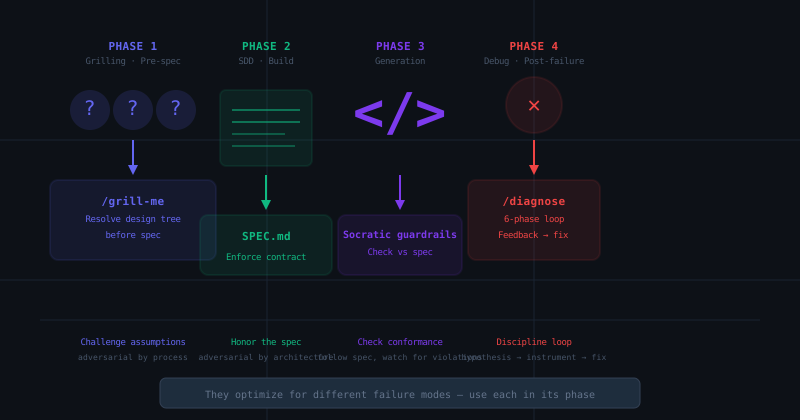
Matt Pocock's /grill-me skill forces adversarial alignment before coding. SDD frameworks enforce architectural contracts. We test whether these two philosophies can actually work together in a single workflow — and where they genuinely conflict.
Semantic Code Search Tools for AI Coding Agents: CocoIndex Code and CodeGraph
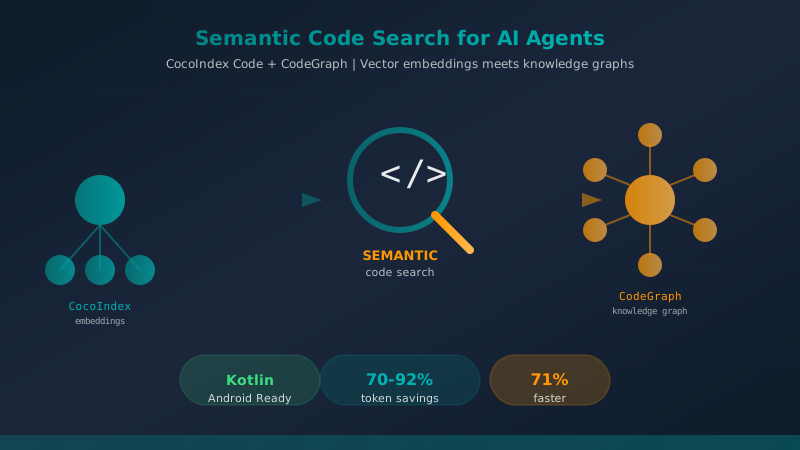
A comprehensive comparison of CocoIndex Code and CodeGraph — two AST-based semantic code search tools that dramatically reduce token consumption and accelerate code exploration for AI coding agents like Claude Code.
OpenSpec for Mobile Development: Spec-Driven Development in Android and Kotlin
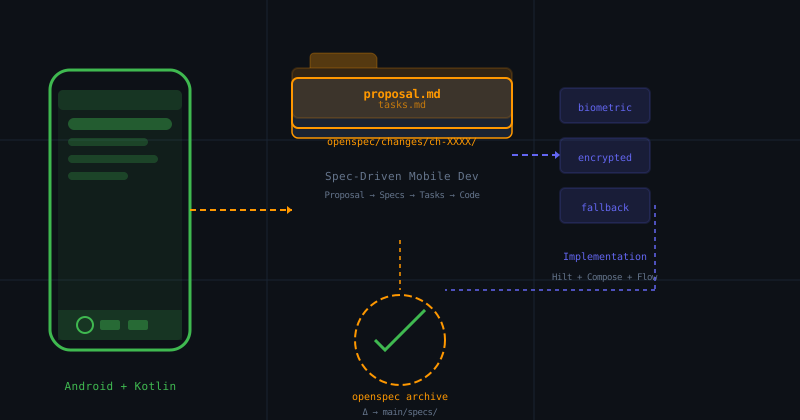
How to apply OpenSpec in Android and Kotlin projects to keep AI agents aligned with architecture, with practical examples of change proposals, task validation, and living files.