
Table of Contents
Until now, choosing AI inside Android Studio often meant choosing the integration that the IDE put in front of you. You could use Gemini, install plugins, keep a terminal agent open beside the IDE, or split work between several tools, but the boundary remained obvious: the IDE was one product and the coding agent was another.
Android Studio Rabbit 2 starts to blur that boundary with Bring Your Own Agent (BYOA).
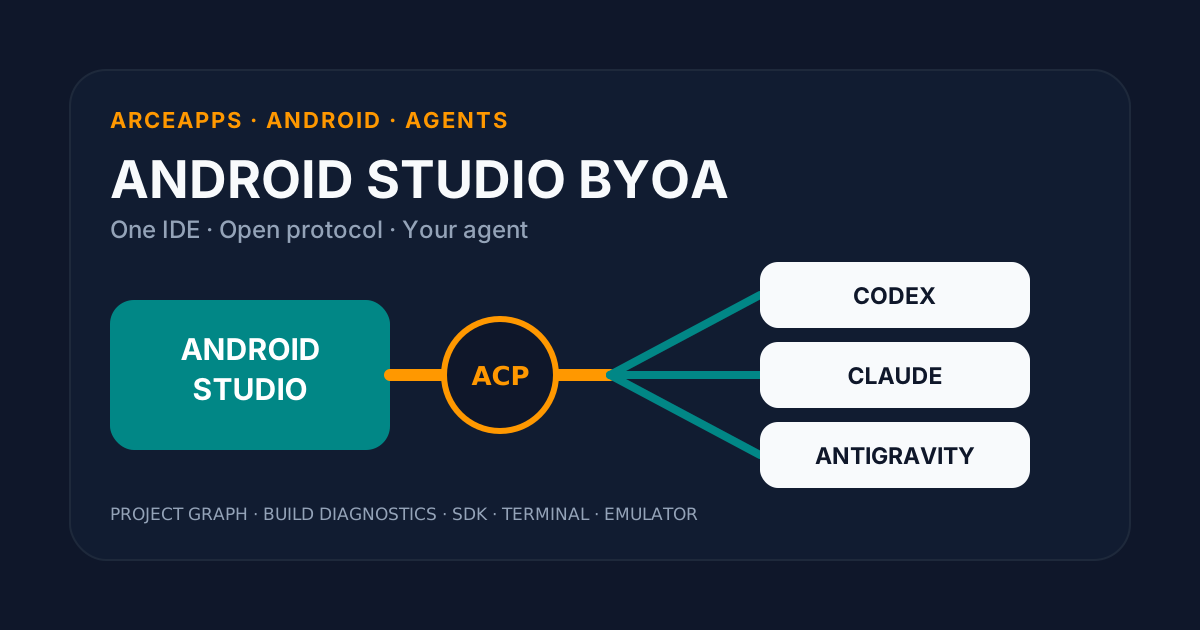
Google announced BYOA on September 24, 2026 as a preview rolling out in the Canary channel. The headline is easy to summarize: Android Studio can host coding agents such as Codex, Claude Agent, and Antigravity. The more important change is underneath the selector. Android Studio is becoming a client for external coding agents, connected through the open Agent Client Protocol, or ACP.
That makes BYOA more interesting than “Android Studio now supports three AI providers.”
I have already written about Gemini in Android Studio, the Android CLI for coding agents, and Android Skills. Those cover three different layers: the built-in assistant, a programmable Android surface for agents, and task-specific context that keeps agents grounded in modern Android practices. BYOA adds a fourth layer: a standard channel between the agent you choose and the IDE-native Android tooling you already use.
That separation is the part I expect to matter long after the first preview.
This is not Bring Your Own Model
A useful starting point is the difference between a model and an agent.
A model takes context and produces an output.
An agent maintains a session, decides what to do next, uses tools, edits files, runs commands, inspects results, asks for permissions, and loops until it reaches a stopping condition.
Android Studio had already started opening up model choice. BYOA moves the boundary one level higher.
The old question was roughly:
Which LLM do I want answering inside my IDE?
The new question becomes:
Which coding agent do I want operating inside my IDE?
That is not a cosmetic distinction. Two agents using similarly capable models can behave very differently. One may have a stronger edit-review loop. Another may manage permissions better. Another may preserve context more efficiently. Another may expose useful slash commands, MCP integrations, or task state.
The model still matters, obviously. But for a task like “fix this Compose layout, build it, run it on an emulator, inspect the failure, and repair the regression,” the harness around the model matters at least as much as raw benchmark intelligence.
BYOA is Android Studio acknowledging that reality directly.
What Google actually shipped
The Android Studio Rabbit 2 preview notes describe BYOA as an integration layer based on the open Agent Client Protocol.
The initial set includes:
- Claude Agent;
- OpenAI Codex;
- Google Antigravity.
Android Studio’s own built-in agent remains available as well.
The user-facing setup is deliberately simple. In the Agent tool window, you select an agent, sign in or provide the relevant credential, and additional agents can be discovered from:
Settings > Tools > AI > Agents
The significant part appears in the capabilities that Android Studio can pass to the agent. According to the official preview documentation, BYOA can expose:
- the full project graph;
- build diagnostics;
- Android SDK tools;
- terminal and shell execution;
- emulator management.
Google explicitly positions this as a way to speed execution and reduce token consumption because the agent can use structured IDE-native information instead of reconstructing the project from raw files and logs.
That is, to me, the actual product.
The provider picker is the visible interface. The combination of structured project context plus Android-specific tools is what can make an external agent materially more useful.
The IDE already knows what terminal agents keep rediscovering
When I use a terminal-first coding agent, some of the context budget is inevitably spent rediscovering the project.
The agent runs things like:
find .
cat settings.gradle.kts
cat app/build.gradle.kts
./gradlew assembleDebug
adb devices
It then parses Gradle output, works out which modules matter, figures out the active variant, locates generated artifacts, checks emulator state, and rereads files later if earlier context has been compressed away.
That workflow is not bad. In fact, deterministic command-line interfaces are excellent for agents, which is why I am so interested in the Android CLI.
But Android Studio already owns information a terminal agent normally has to reconstruct:
Android Studio
├── structured project model
├── code indexes
├── Gradle configuration
├── build diagnostics
├── Android SDK
├── devices and emulators
├── terminal
└── IDE state
If an agent can query those capabilities through a defined integration layer, a lot of discovery work disappears.
That does not mean the entire IDE state is blindly poured into every prompt. It means the integration can expose higher-level context and tools so the agent can request what it actually needs.
The difference is similar to giving a program a structured API instead of telling it to scrape logs and infer the system state itself.
ACP is the architectural center of BYOA
This is where Agent Client Protocol becomes important.
ACP is an open protocol for connecting code editors and coding agents. The editor acts as a client, the coding agent as the agent endpoint, and both communicate through a shared contract instead of requiring a bespoke integration for every editor-agent combination.
Conceptually, Android Studio BYOA looks like this:
┌────────────────────────────┐
│       Android Studio       │
│         ACP client         │
│                            │
│ project graph / build /    │
│ emulator / terminal / SDK  │
└──────────────┬─────────────┘
               │ ACP
               │
┌──────────────▼─────────────┐
│         Coding agent       │
│ Codex / Claude /           │
│ Antigravity / other ACP    │
└──────────────┬─────────────┘
               │
               ▼
          model + tools
ACP uses a JSON-RPC-based communication model. The protocol covers initialization, authentication where needed, creating or resuming sessions, submitting prompts, progress updates, permission requests, and cancellation.
At a high level, a session resembles:
IDE -> agent: initialize
IDE -> agent: authenticate if needed
IDE -> agent: session/new
IDE -> agent: session/prompt

agent -> IDE: progress updates
agent -> IDE: permission request
agent -> IDE: tool/edit/state updates

IDE -> agent: approve or reject
agent -> IDE: result
Android Studio does not need to understand the internal architecture of Codex. Codex does not need to be hardcoded against every internal detail of Android Studio.
They need a shared protocol.
That decoupling is what makes BYOA strategically interesting.
ACP and MCP solve different boundaries
The acronyms are easy to mix because both now appear in coding-agent stacks.
MCP generally answers how an agent reaches tools, services, or external context.
ACP answers how an editor communicates with an agent.
A simplified stack looks like:
IDE <---- ACP ----> agent <---- MCP ----> external toolsThey are not direct substitutes. They can coexist.
An agent connected to Android Studio over ACP may still use MCP servers for GitHub, databases, documentation, memory, issue trackers, or any other service its harness supports.
That separation is healthy.
The IDE does not need to become a universal orchestrator for every service the agent may ever want. It can focus on the things it understands unusually well: the project, code navigation, builds, Android SDK tooling, devices, emulators, and interactive development state.
The agent keeps its own ecosystem.
Better instrumentation matters more than a prettier chat panel
Consider a normal Android task:
The settings screen clips on a tablet. Fix it without breaking the compact phone layout.
A standalone agent may need to:
- locate the relevant files;
- understand the Compose hierarchy;
- identify library and plugin versions;
- modify the layout;
- run Gradle;
- parse build failures;
- start or locate an emulator;
- install the right variant;
- navigate to the screen;
- collect evidence;
- iterate.
With BYOA, some of that work can happen through capabilities Android Studio already understands.
The key difference is not that Codex somehow becomes “more Android-aware” simply because it appears in the IDE.
The difference is instrumentation.
This is one of the most underrated parts of agent evaluation. A slightly weaker model with excellent tools can outperform a stronger model that spends half its effort rediscovering state from raw text.
Android Studio can become that instrumentation layer for Android work.
The project graph may be more valuable than another giant prompt
One of the official BYOA capabilities I find most compelling is access to the full project graph.
A real Android project is not a flat directory. It has modules, source sets, Gradle plugins, generated sources, variants, dependency edges, navigation relationships, and architecture boundaries that are not always obvious from opening five files.
Human Android developers have relied on the IDE’s project model and indexes for years.
Giving an agent structured access can reduce two common problems.
Unnecessary exploration
The agent does not need to open a long chain of Gradle files merely to learn that a screen belongs to feature:settings.
Over-broad edits
A better map of dependencies can help the agent reason about what will be affected before touching code.
This does not make a refactor safe by definition. It improves the starting conditions for the reasoning loop.
If I ask an agent to perform a multi-module migration, I would rather it begin with an actual project map than a pile of grep output.
Build diagnostics should be data, not a wall of stdout
The second capability with obvious leverage is structured build diagnostics.
The terminal workflow is familiar:
./gradlew testThen the agent receives a potentially enormous block of output and has to identify which lines matter.
An IDE already knows which diagnostics are errors, which file they belong to, where they point, and what build context produced them.
The difference between:
send the entire Gradle log back into the modeland:
query the diagnostics relevant to the files and task being changedcan be substantial.
This is where Google’s claim about lower token consumption makes architectural sense. ACP itself does not magically compress language. The saving comes from avoiding the need to serialize every part of the development environment into raw prose.
I would still treat “lower token consumption” as a direction rather than a universal benchmark. Real cost will depend on the agent, model, context-selection strategy, and task.
What BYOA changes is that there is now a much better surface on which to optimize.
Emulator access closes the Android feedback loop
Editing code is only half of Android development.
A screen can compile and still be wrong.
Emulator management gives an agent access to a more complete loop:
edit
  ↓
build
  ↓
run
  ↓
observe
  ↓
correct
  └───────────────↺
We were already moving in this direction with Android CLI tools designed for machine interaction. BYOA brings that loop into the IDE context.
My goal would not be to let an agent glance at one screenshot and certify the UX as perfect. Automated visual judgment still has limits.
The value is removing mechanical handoffs:
- start the correct device;
- deploy the right build;
- observe runtime failures;
- work against a reproducible screen;
- repeat without requiring me to be the operator between every step.
For an indie developer, those small interruptions add up quickly.
Codex, Claude, and Antigravity do not need a premature benchmark war
It would be easy to turn BYOA into a “Codex vs Claude vs Antigravity” ranking.
I do not think that is the most useful first article.
The feature is still a preview.
A fair comparison would also need to control a surprising number of variables:
- identical project state;
- identical task;
- identical tool access;
- the same constraints;
- independent success criteria;
- total cost;
- turn count;
- regressions introduced.
And BYOA actually makes switching cheaper, which changes the question.
Instead of asking:
Which agent wins forever?
I would ask:
Can I select the most suitable agent for a particular Android task without losing the IDE-native tooling?
Maybe one agent is better for a large refactor, another for code review, and another for a quick localized fix. If all can speak ACP, the Android Studio infrastructure no longer has to be coupled to that choice.
That is a more durable benefit than any one-week leaderboard.
How I would benchmark BYOA seriously
If I wanted to compare agents inside Android Studio, I would build a small task suite from real development work.
Not synthetic “write a ViewModel” prompts. Actual end-to-end tasks.
Task A: build failure
Introduce a small dependency incompatibility and evaluate whether the agent:
- identifies the root cause;
- changes only what is necessary;
- leaves the build green.
Task B: Compose adaptation
Request a responsive UI change and verify:
- compact phone;
- tablet;
- rotation;
- previews or screenshot checks.
Task C: multi-file refactor
Move responsibility from UI into a ViewModel or domain layer and measure:
- correctness;
- diff scope;
- tests;
- new technical debt.
Task D: runtime bug
Provide a known reproduction and evaluate how the agent uses emulator state, logs, and diagnostics.
Then record something like:
functional success
time to verified result
turns
tokens / cost
files changed
regressions
human interventions
That would tell me something meaningful.
Having three agents generate a pretty data class and voting on style would not.
Canary means experimental by design
BYOA currently lands in Android Studio Rabbit 2 Canary.
That matters.
I would not make a Canary-only agent feature a hard dependency for critical daily work.
The preview channel exists precisely to expose features before they have the stability guarantees of a stable Android Studio release.
The sensible setup is side-by-side installation:
stable Android Studio
└── critical daily project work

Android Studio Rabbit 2 Canary
└── BYOA evaluation and preview features
That lets me test the architecture without turning an experimental integration into a blocker.
It also keeps the evaluation honest: if something is rough, that is useful preview feedback rather than evidence that the whole idea is flawed.
Authentication is part of the system design
BYOA supports different sign-in methods depending on the agent provider, including consumer or enterprise subscriptions and API keys.
That looks like configuration UI, but it has architectural consequences.
When I connect an external agent, I think in three layers:
- Android Studio, which provides the host and Android tooling;
- the coding agent, which runs the work loop;
- the model/provider, which processes some or all of the context.
Sharing the same IDE does not make all agents equivalent from a data-policy perspective.
For a private repository I would still review:
- what data leaves the machine;
- retention policy;
- training policy;
- enterprise controls where relevant;
- how credentials are stored;
- which tools the agent may invoke.
Interoperability is not the same thing as a single trust model.
A shell-capable agent is still a shell-capable agent
The preview notes explicitly include terminal and shell execution.
That is powerful, and power is exactly why permissions matter.
An agent that can run:
./gradlew test
adb install ...
git diff
is operating in the same environment where destructive commands and sensitive data may also exist.
BYOA does not remove the need for a disciplined harness:
- start from a clean Git state;
- review the diff;
- scope permissions;
- never keep secrets in the repository;
- require approval for sensitive actions;
- maintain tests and independent checks;
- treat agent output as work to verify, not truth to accept.
Deeper integration increases capability. It does not increase infallibility.
Android Skills become even more useful here
There is a particularly interesting connection with Android Skills.
Skills provide task-specific guidance: how to perform a migration, how to use current APIs, how to build adaptive layouts, or how to follow modern Android patterns.
BYOA provides the channel between agent and IDE.
Android Studio provides native project state and tools.
The layers look like this:
                 ┌─────────────────┐
                 │ Android Skills  │
                 │ rules / context │
                 └────────┬────────┘
                          │
                          ▼
┌──────────────┐   ACP   ┌────────────────┐
│Android Studio│◄───────►│ chosen agent   │
└──────┬───────┘         └───────┬────────┘
       │                         │
       │ build / SDK / emulator  │ model / other tools
       ▼                         ▼
    project                   execution
That is much more compelling than “AI chat in an IDE.”
The skill tells the agent how to approach a task. The IDE gives it the ability to do and inspect the work in a real Android environment.
Does this make the Android CLI less important?
No.
If anything, BYOA and Android CLI reinforce the same design principle from two different surfaces.
The CLI is excellent for:
- CI;
- remote machines;
- headless automation;
- terminal-first agents;
- reproducible scripting.
BYOA is attractive when Android Studio is the center of the session and I want to use its internal model and interactive Android tooling.
I see them as complementary:
CI / remote / automation
        -> Android CLI

interactive development session
        -> Android Studio + BYOA
A healthy toolchain should not force one interface to solve every kind of work.
Android Studio as a neutral agent host
This is the idea I find most important.
For years, AI integration in IDEs was framed as a feature bundled with the IDE:
IDE + proprietary assistantACP opens another architecture:
IDE = tool platform
agent = replaceable component
model = replaceable component
If that separation becomes normal, choosing an editor and choosing an agent stop being the same decision.
I can prefer Android Studio because of Layout Inspector, the Profiler, emulator integration, debugging, code navigation, and Android-specific project intelligence without accepting that this choice should determine which coding agent I use.
And an agent vendor can support multiple editors through one protocol instead of maintaining a bespoke plugin for every environment.
That is a healthier ecosystem boundary.
It also changes how developer tools should be designed
There is a less obvious consequence.
If IDEs become agent clients, internal capabilities effectively gain two consumers:
- the human developer;
- the agent.
A useful diagnostic should not only render nicely in a Problems window. It should be available as structured information.
An emulator should not only expose clickable buttons. It should expose operations a tool can invoke.
Code navigation should not only respond to human clicks. It should make symbols, references, and dependency relationships accessible programmatically.
This pushes developer tooling toward composable, machine-usable surfaces.
In that sense, BYOA belongs to the same broader shift as Android CLI: capabilities that used to be trapped behind GUI interactions are becoming explicit interfaces for automation.
What we still do not know
The preview leaves important questions that only real usage will answer.
How consistent will agent behavior be?
Speaking ACP does not guarantee that two agents take equal advantage of the same client capabilities.
How much IDE context is actually useful?
More context is not automatically better. Selection and compression still matter.
How will permission UX evolve?
A deeply integrated agent needs approval controls that are safe without interrupting every harmless operation.
What is portable and what remains Android Studio-specific?
ACP standardizes the editor-agent relationship, but each client can expose specialized capabilities.
How good will local and self-hosted agents feel?
ACP is designed for an ecosystem broader than three cloud providers. It will be interesting to see how Android Studio handles local, custom, or privately hosted agents as the registry grows.
Those are reasons to test the preview, not reasons to dismiss the architecture.
The workflow I want
If BYOA matures in the direction the current preview suggests, my ideal Android loop looks something like:
1. Open the project in Android Studio.
2. Choose an agent for the task.
3. The agent loads repository rules + Android Skills.
4. It queries IDE project structure and diagnostics.
5. It edits code.
6. It runs builds and tests.
7. It uses an emulator when the task needs runtime evidence.
8. It returns a diff plus evidence.
9. I review the change.
10. CI independently decides whether the change is acceptable.
Two things intentionally remain:
- human review;
- independent verification.
I do not want an agent that grades its own homework and declares success. I want an agent with better tools for producing a change that can be verified.
That distinction will remain important even as models improve.
What BYOA changes for me
BYOA matters less because Android Studio has added three new logos to a menu and more because it formalizes a clean separation:
editor ≠ agent ≠ modelAndroid Studio can focus on being an excellent environment for understanding, building, running, and debugging Android projects.
Agents can compete on reasoning, autonomy, UX, tool loops, and reliability.
Models can keep evolving underneath them.
ACP connects those layers without requiring them to collapse into one product.
For an independent developer, the practical result is straightforward: I can keep the Android-native tooling I rely on without giving up the freedom to choose the coding agent that best fits my workflow.
It is still a preview. There will be rough edges, provider differences, and probably protocol and UX changes before stable release.
But the direction feels right.
After several years of putting AI inside IDEs, the next phase may be the IDE becoming the best possible place from which any capable agent can work.
References
- Android Developers Blog — Build your way: Use any AI agent of your choice in Android Studio
- Android Studio Preview — Rabbit 2, Bring Your Own Agent
- Agent Client Protocol — official repository
- Agent Client Protocol — documentation
- Android CLI: accelerating development with AI agents
- Android Skills: AI-guided Android development
- Gemini in Android Studio
You might also be interested in
The Persistent Memory Stack I Actually Use...
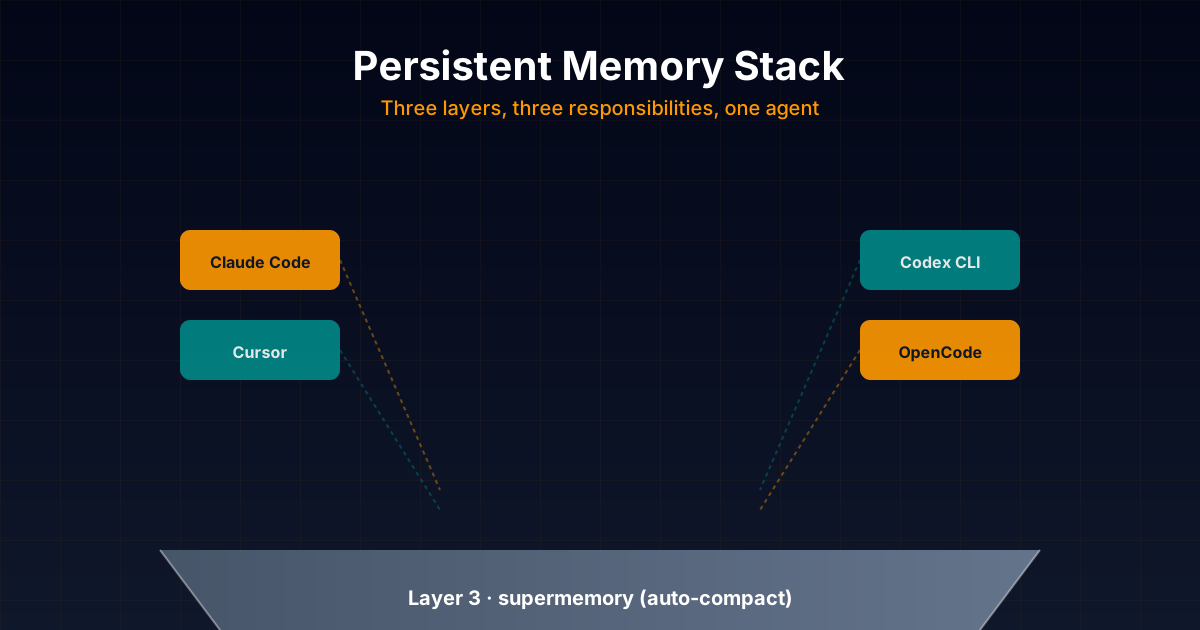
Honest technical deep dive into the persistent memory stack I combine daily in my projects: opencode-supermemory for auto-compact, basic-memory as main memory with Markdown + graph, and forgetful as procedural skills layer. With real configuration examples for Claude Code, Codex,
Cross-Agent MCP Servers for Persistent
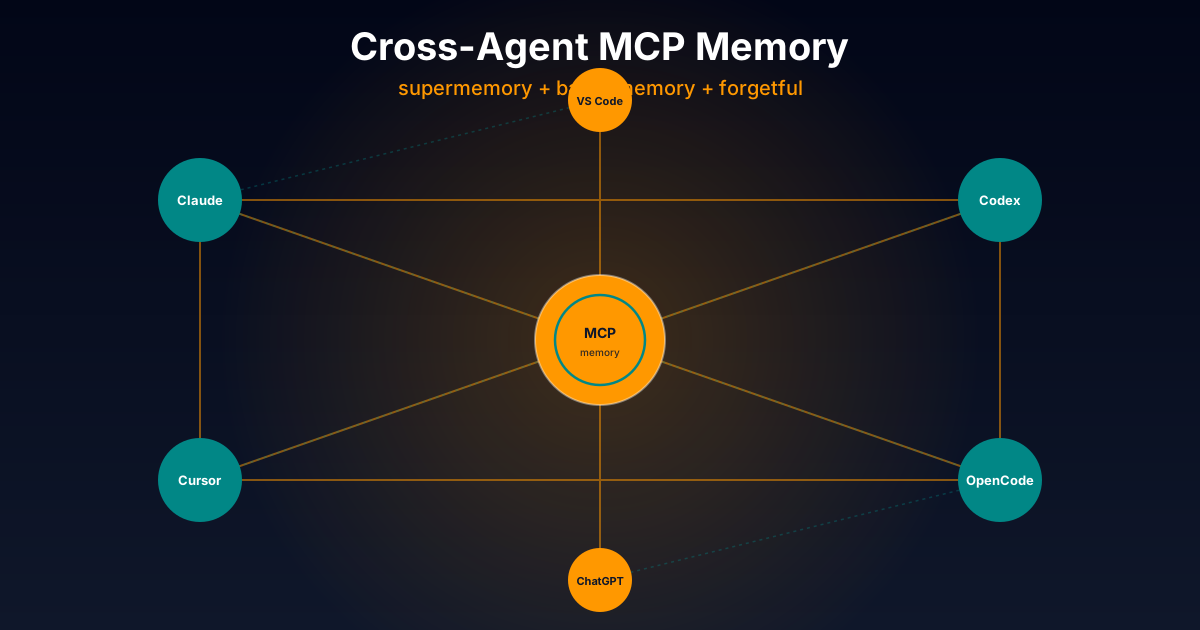
Exhaustive technical comparison of three cross-platform MCP servers to give AI agents persistent memory: opencode-supermemory (cloud), basic-memory (Markdown + graph), and forgetful (atomic Zettelkasten). Works with Claude Code, Codex, Cursor and more.
AI Agent Goals: Loops That Iterate Until Done
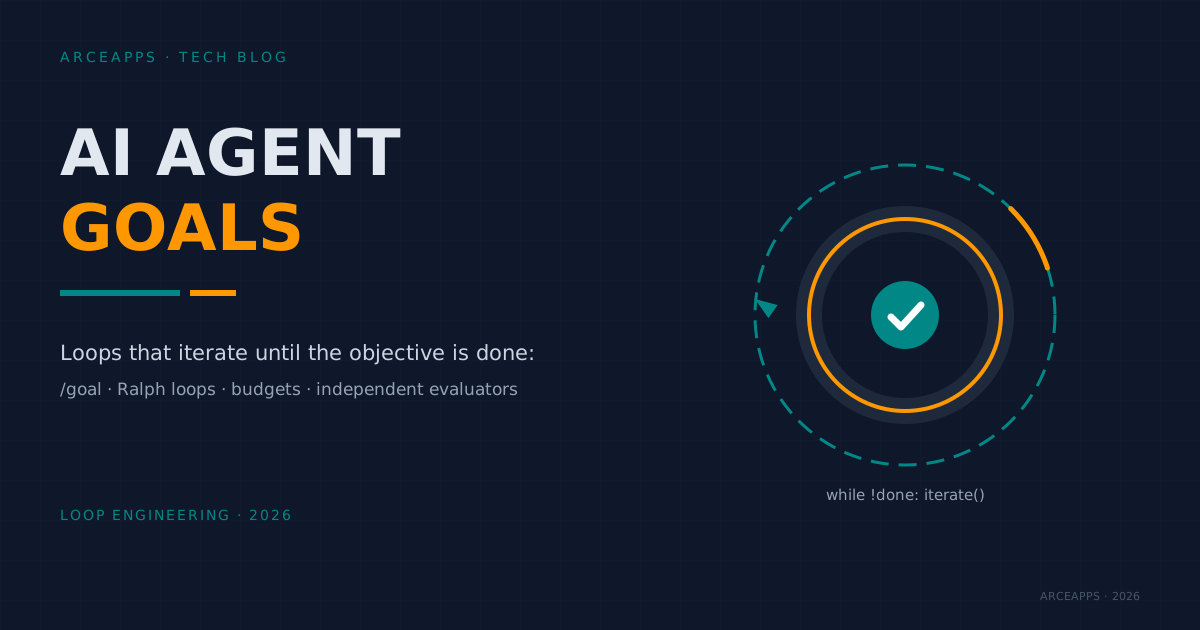
How to hand an AI agent a verifiable goal and let it iterate alone: /goal, Ralph loops, turn budgets, independent verifiers and real failure modes.