
Table of Contents
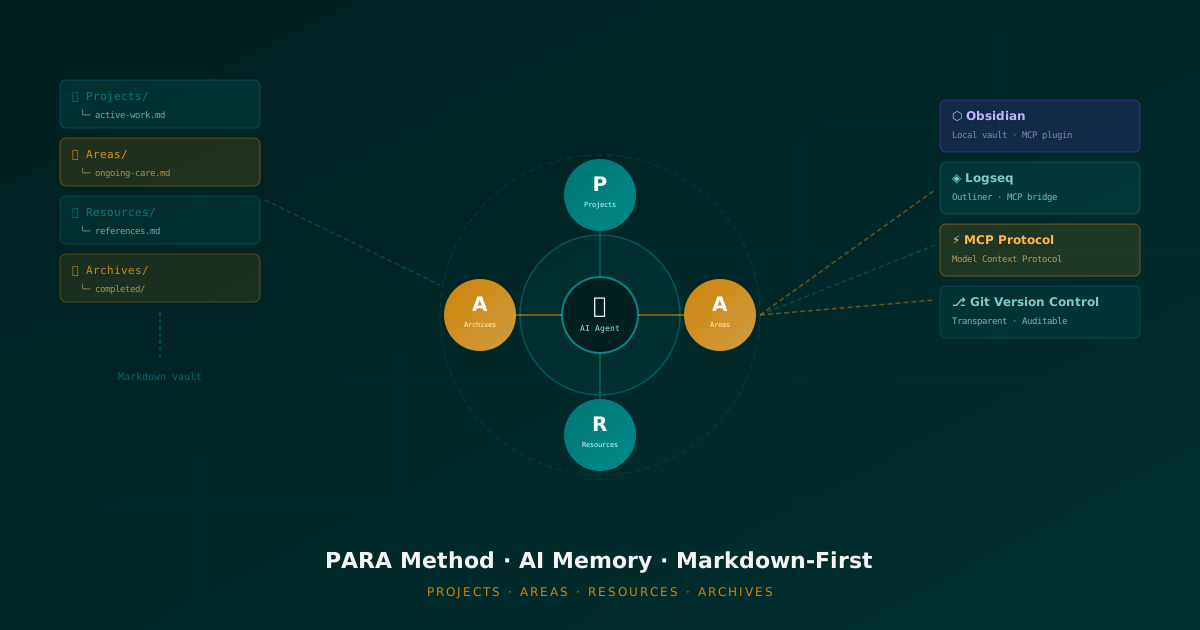
This article is the focused companion to The Architecture of Persistent AI Agent Memory, which covers the broader landscape of frameworks like OpenClaw, Mem0, and Cognee. Here we go deeper on a specific and extremely practical slice: using the PARA method and plain Markdown files as a transparent, human-editable memory substrate for AI agents. If you use Obsidian or Logseq, you will find this directly applicable to your workflow today.
The Fundamental Problem: Opacity in AI Memory
Most AI memory systems have a serious flaw that rarely gets discussed openly: you cannot see inside them.
Cloud-based vector stores, proprietary embedding databases, and black-box memory services are all variations of the same anti-pattern: an AI that remembers things you cannot inspect, in a format you cannot edit, stored in a place you do not control. When the agent gets something wrong — and it will — your only recourse is to phrase the correction as a new message and hope the semantic search picks it up next time.
This is architecturally backwards. Memory is fundamentally a trust relationship. You need to be able to look at what the agent knows, edit it, delete it, and add to it. You need to be able to do this with a text editor, not through a specialized API that may disappear next year.
The solution, as I have argued extensively in my broader article on AI agent memory persistence, is local-first, file-based memory. And the best organizational framework for that memory — for our purposes — is the PARA method by Tiago Forte.
What PARA Actually Is (And Why Most Explanations Miss the Point)
The PARA method is deceptively simple. Four folders. Four categories. Every piece of information in your life fits into exactly one of them:
- Projects: Work with a defined goal and a deadline. Example: Migrate Android app to Compose, Write PARA blog post, Ship v2.3 hotfix.
- Areas: Ongoing responsibilities with no end date. Example: Health and fitness, Android Development skills, Finance.
- Resources: Topics of ongoing interest or reference material. Example: Kotlin Flow patterns, UI design principles, productivity frameworks.
- Archives: Inactive items from the other three categories. Completed projects, dropped areas, outdated resources.
That is the entire system. But the depth of PARA is not in its simplicity — it is in the single criterion that governs everything: whether something is actionable right now or not.
Projects and Areas are active. Resources and Archives are inactive. This single dichotomy has profound implications for how an AI agent should behave when retrieving memory. A note about a completed project is archived; the agent should not treat it as current context. A reference on Kotlin patterns is a resource; it should be available when relevant but not flood active working memory.
The Distinction Between Projects and Areas
This is the most important and most misunderstood part of PARA. A project has a defined end point. An area has a standard to maintain indefinitely. The confusion between the two is the number one cause of organizational breakdown in both human PKM systems and AI agent memory architectures.
For an AI agent, confusing projects and areas means:
- Keeping stale task-specific context active when a project is done.
- Failing to recognize when a new similar project should draw on archived learnings.
- Treating ongoing responsibilities as one-time tasks to be completed rather than standards to be maintained.
When you implement PARA properly in your agent memory, it learns to ask the right contextual questions: Is this a one-time deliverable, or an ongoing responsibility? Should I archive this after completion, or maintain it as a living area?
Markdown as the Memory Medium
Before we dive into the specific integrations, it is worth examining why plain Markdown files are the right choice as a memory substrate for AI agents.
Everything Is a Text File
Markdown is pure text. It can be read, written, diffed, searched, and processed by any tool that has ever been written. The implications for AI agent memory are:
- Git-versioned memory: You can track how the agent’s knowledge evolves over time. Rolling back a bad memory write is a single
git revert. This is not possible with vector databases. - Grep-able by default:
grep -r "kotlin flow" ./memory/returns results instantly, without an embedding model, without network latency, without API costs. For large memory systems, semantic search and keyword search should be complementary, not mutually exclusive. - Human-readable auditing: Open any file in your vault, read it, correct it, delete it. No specialized tooling required. This dramatically lowers the barrier to maintaining memory quality over time.
- Portable across tools: The same Markdown files work in VS Code, Obsidian, Logseq, Neovim, and any future editor. You are not married to any single application or service.
The Frontmatter Layer
One underutilized feature of Markdown for AI memory is YAML frontmatter. A well-structured memory file is not just prose — it has structured metadata that helps the agent retrieve it precisely:
---
type: project-context
project: ArceApps-v2
status: active
last-updated: 2026-03-26
tags: [android, kotlin, compose, release]
ai-generated: false
---

# ArceApps v2 — Current Context

## Current Sprint Goal
Migrate the main navigation from Fragment-based to Compose-based.

## Key Decisions Made
- Using Navigation Compose over custom back stack
- Target minSdk stays at 24 for now

## Open Questions
- [ ] Evaluate Material3 theming migration timeline
The agent reads the frontmatter to determine relevance before loading the full content. This is much more token-efficient than loading everything into the context window on every session.
Implementing PARA as a Markdown Memory Architecture for AI Agents
Here is a concrete, implementable structure for an AI agent’s memory vault:
memory/
├── MEMORY.md              # Master context file (agent constitution)
├── Projects/
│   ├── arceapps-v2.md     # Active project context
│   ├── blog-series-ai.md  # Article series
│   └── _template.md       # Standard project file format
├── Areas/
│   ├── android-dev.md     # Ongoing Android standards
│   ├── productivity.md    # Personal workflow standards
│   └── health.md          # Non-work ongoing areas
├── Resources/
│   ├── kotlin-patterns.md # Reference material
│   ├── compose-best-practices.md
│   └── architecture-refs.md
├── Archives/
│   ├── 2025/
│   │   ├── arceapps-v1.md  # Completed project
│   │   └── old-blog-setup.md
│   └── 2026/
└── sessions/
    ├── 2026-03-25.md      # Daily rolling log
    └── 2026-03-26.md
The Master MEMORY.md File
This is the agent’s “constitution”. It contains:
- Inviolable rules: What the agent should never do, regardless of instructions.
- Identity and role: How the agent understands its own function.
- Communication preferences: Tone, verbosity, format preferences.
- Critical ongoing context: The top 5-10 most important things the agent must remember.
The master file should be human-maintained only. The agent can read it, but should never auto-write it. If it gets modified, you control the change. This is non-negotiable. Agents that can freely rewrite their own constitution have a well-documented tendency to drift toward configurations that optimize for sounding helpful rather than being correct.
Session Logs: The Temporal Layer
The sessions/ directory provides the temporal memory layer. After each working session, the agent appends a structured summary:
---
date: 2026-03-26
session: 3
project: arceapps-v2
duration-estimate: 45min
---

## Session Summary

Completed the Navigation Compose migration for the main bottom nav.
Three routes ported: Home, Apps, Blog.

## Decisions Made
- Decided to keep the existing URL routing pattern instead of refactoring
- Used `rememberNavController()` rather than hilt-injected nav

## Open Items Carried Forward
- [ ] Port the Settings route (complex deep links)
- [ ] Update UI tests for the new nav structure

## Context for Next Session
The SettingsFragment has 4 deep link routes that need careful mapping.
The current test suite uses `ActivityScenarioRule` and will need updating.
The agent loads the current day’s log plus the two most recent previous days. This provides about 3-5 sessions of working context without flooding the token window.
Obsidian as an AI Memory Frontend
Obsidian is not just a note-taking app. For our purposes, it is the visual interface to the AI agent’s memory vault.
Why Obsidian Works for This
Obsidian operates on a local folder of Markdown files. There is no cloud sync required. There is no database engine. The vault is just a directory on your disk. This means:
- The AI agent’s memory vault and your Obsidian vault can be the same directory.
- Every file the agent writes, you can see in Obsidian’s graph view.
- Every connection between notes is visible as a network graph.
- You can search, edit, tag, and reorganize the agent’s memory with full UI support.
Obsidian MCP Integration
The Model Context Protocol (MCP) is an open standard developed by Anthropic for connecting AI models to external tools and data sources. Several Obsidian community plugins implement MCP servers, allowing AI agents to read and write vault content programmatically.
A typical Obsidian MCP setup gives the agent the following capabilities:
Available MCP Tools:
- obsidian_read_file(path)       → Read any note by path
- obsidian_write_file(path, content) → Write or update a note
- obsidian_search(query)         → Full-text search across vault
- obsidian_get_backlinks(path)   → Get all notes linking to this one
- obsidian_list_directory(path)  → Browse the vault structure
- obsidian_append_to_file(path, content) → Append without overwriting
With these tools, an agent running in Claude Code, Cursor, or any MCP-compatible client can:
- Read its
MEMORY.mdat session start. - Load the relevant project context file based on what you are working on.
- Write session summaries to the
sessions/directory when done. - Add new reference material to
Resources/when it learns something useful. - Move completed project files to
Archives/when appropriate.
The Graph View as a Memory Audit Tool
One underrated feature of Obsidian for AI memory management is the graph view. When the agent creates proper internal links between notes (using Obsidian’s [[wikilink]] syntax), the graph becomes a visual representation of the agent’s knowledge topology.
You can immediately see:
- Isolated nodes (memory fragments that are not connected to anything — likely outdated or irrelevant).
- Highly connected hubs (core concepts that organize much of the knowledge).
- Clusters by project or area (visual PARA structure).
This is a fundamentally different relationship with AI memory than any cloud-based system can offer. You are looking at the structure of the agent’s knowledge with your own eyes.
Logseq: The Outliner Alternative
Logseq is worth discussing separately because it takes a different philosophical approach to the same Markdown substrate. Where Obsidian organizes knowledge in documents, Logseq organizes it in blocks.
Every paragraph, every sentence can be independently linked, referenced, and queried. For AI agent memory, this has specific advantages:
Block-Level Memory Granularity
In a Logseq-based memory system, the agent can reference and retrieve individual facts rather than entire files. A query like “recall everything I know about Kotlin Flow’s flatMapLatest” can return the specific blocks tagged #kotlin-flow #operators, not just which file to look at.
- The `flatMapLatest` operator cancels the previous flow on new emission #kotlin-flow #operators
  - Critical for search UIs with debounce patterns
  - Combined with `debounce(300)`, prevents excessive API calls #android-patterns
- First used in ArceApps-v1 search implementation [[arceapps-v1]] #archived
Logseq MCP Integration
Logseq has a robust plugin API and several community-developed MCP bridges. The interaction model is similar to Obsidian but with additional block-level operations:
Available Tools:
- logseq_get_page(name)
- logseq_search_blocks(query)    → Block-level search
- logseq_add_block(page, content, parent-block-id)
- logseq_get_backlinks(page)
- logseq_query(query-string)     → Datalog queries
The datalog query capability is particularly powerful. It allows the agent to ask structured questions about its own memory:
[:find ?b
 :where
   [?b :block/content ?content]
   [(clojure.string/includes? ?content "kotlin")]
   [?b :block/refs ?tag]
   [?tag :block/name "operators"]]
This returns every block that mentions “kotlin” and is tagged with #operators — a kind of semantic retrieval that does not require a vector database.
Human Editability: The Killer Feature Nobody Talks About
Here is the aspect that distinguishes file-based AI memory from every other approach: you can fix it with a text editor.
When an AI agent develops a wrong belief — and it will, especially early in a relationship — the remediation path in vector store systems is painful:
- Figure out which embedding contains the bad information (non-trivial).
- Delete the specific vector (requires API access and knowing the vector ID).
- Add a corrective vector (hoping the semantic distance is close enough).
- Test that the correction worked (often requires re-running the problematic session).
With Markdown files and PARA:
- Open the file. Find the wrong statement.
- Delete or correct it.
- Save. Done.
The agent’s corrected knowledge takes effect immediately on the next session. There is no re-indexing, no cache invalidation, no API call. This trivial-seeming advantage compounds enormously over months of use.
The Correction Workflow in Practice
An effective pattern is to maintain a corrections.md file in your vault’s root:
# Memory Corrections Log

## 2026-03-26
- REMOVED: "ArceApps targets minSdk 21" → Corrected to minSdk 24
- UPDATED: Navigation architecture is Compose, not Fragment-based (as of v2)

## 2026-03-15
- REMOVED: Incorrect assumption about Gradle plugin version compatibility
This log serves two purposes: it helps you track what you have had to correct (a signal about the agent’s weak points), and it provides context to the agent about what has changed over time.
Practical Implementation: Getting Started Today
If you want to implement this architecture, here is a minimal viable setup:
Step 1: Create the Vault Structure
mkdir -p memory/{Projects,Areas,Resources,Archives,sessions}
touch memory/MEMORY.md
Step 2: Write Your MEMORY.md
Start minimal. Write only the things that, if the agent forgot, would cause real problems:
# AI Memory — System Context

## Identity
I am an AI assistant working with [your name] on software projects,
primarily Android development with Kotlin. I also help with writing
and content strategy.

## Non-Negotiable Rules
1. Never suggest code that breaks backward compatibility below minSdk 24.
2. Always use Kotlin, never Java, for new code.
3. The blog is written in a direct, technical, indie-dev tone. No corporate speak.

## Current Focus
Active project: ArceApps v2 (Compose migration).
Publishing goal: 2 blog articles per month.

## Key Facts
- minSdk: 24, targetSdk: 36
- Architecture: MVI with Kotlin Flow
- Design system: Material3 with custom Teal/Orange brand colors
Step 3: Configure Your MCP Client
For Claude Code with Obsidian MCP, add the plugin configuration to your Claude settings:
{
  "mcpServers": {
    "obsidian": {
      "command": "npx",
      "args": ["-y", "mcp-obsidian", "/path/to/your/vault"]
    }
  }
}
Step 4: Define Session Protocols
Tell the agent what to do at session start and end. Add this to your MEMORY.md:
## Session Protocol

### At Session Start
1. Read MEMORY.md (this file).
2. Read today's session log if it exists.
3. Read the project file for whatever we are working on.

### At Session End (if I ask you to close out)
1. Write or append to today's session log with a summary.
2. Update the relevant project file with any new decisions.
3. Flag any items that should move from Projects to Archives.
The Transparency Dividend
There is a final, qualitative benefit to file-based, PARA-organized AI memory that is difficult to quantify but important to acknowledge: it changes your relationship with the AI.
When you can open a folder and read exactly what the agent knows, you stop treating AI memory as magic. You start treating it as a system you maintain. This shift in perspective has practical consequences:
- You are more likely to notice and correct errors early, before they compound.
- You naturally develop better memory hygiene practices (archiving completed projects, keeping MEMORY.md concise).
- You build genuine trust based on verifiable transparency rather than hope.
- You learn to use the agent more effectively because you understand what context it is operating from.
The opacity of most AI systems is not an inevitable technical constraint. It is a design choice. And for solo developers who work with AI agents daily, the transparent alternative is simply better.
Conclusion
The PARA method is not a productivity gimmick. It is a principled answer to a fundamental organizational problem: how do you keep information actionable without drowning in it? When applied to AI agent memory, the same principles hold. Active context (Projects and Areas) stays accessible; reference material (Resources) stays organized; completed work (Archives) stays retrievable but out of the way.
Markdown files, Obsidian, and Logseq with MCP integration provide the infrastructure for making this memory system tangible and transparent. Git versioning adds an audit trail. Human editability adds correctability.
Together, these create an AI memory architecture that is qualitatively different from cloud-based alternatives: it is yours, it is readable, and it gets better when you maintain it. For indie developers building sustainable, long-term workflows with AI, that is not just a nice-to-have — it is the only approach that makes sense.
References and Further Reading
- Forte, T. (2017). The PARA Method: The Simple System for Organizing Your Digital Life in Seconds. Forte Labs. fortelabs.com/blog/para
- How to Implement PARA with AI. The Second Brain. thesecondbrain.io/how-to-implement-para-with-ai
- Model Context Protocol (MCP) Documentation. Anthropic. modelcontextprotocol.io
- Related: The Architecture of Persistent AI Agent Memory: Frameworks, Methodologies and the Evolution of PKM — the broader landscape of AI memory systems.
- Related: Obsidian for Developers: Ultimate Guide 2025 — configuring Obsidian as a developer IDE.
- Obsidian MCP Plugin. Community-developed. github.com/calclavia/mcp-obsidian
- Logseq Documentation: Graph and Query System. docs.logseq.com
You might also be interested in
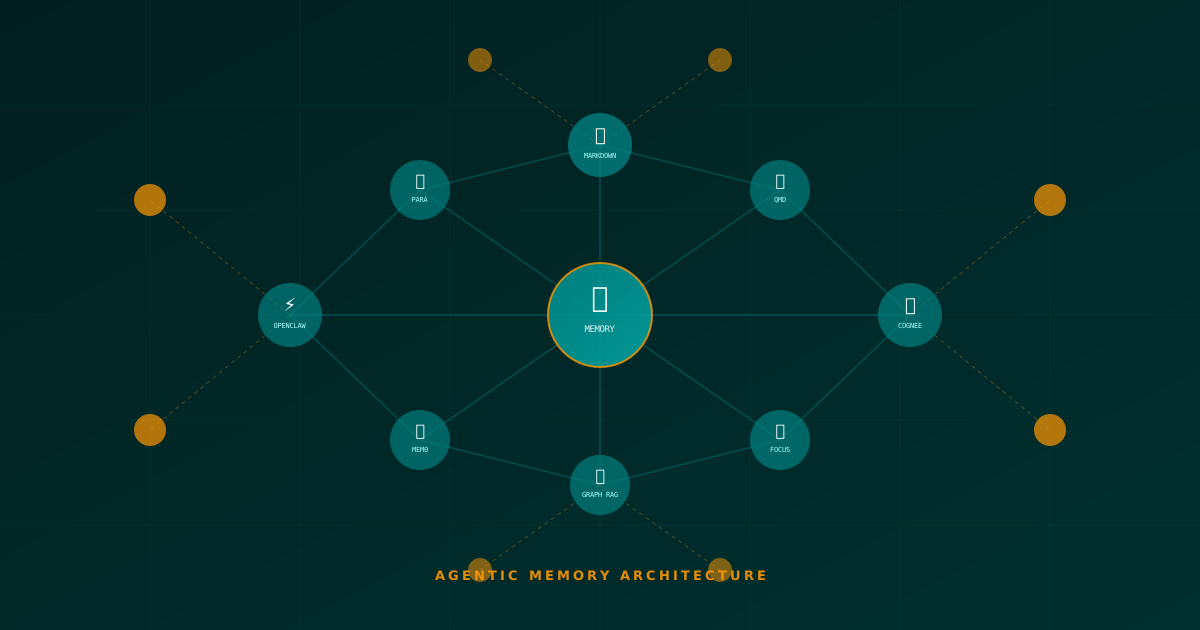
The Architecture of Persistent AI Agent Memory: Frameworks, Methodologies and the Evolution of Personal Knowledge Management
A deep technical analysis of how AI agents persist, consolidate and retrieve information autonomously. From OpenClaw and QMD to Mem0, Cognee and neurobiological memory models.
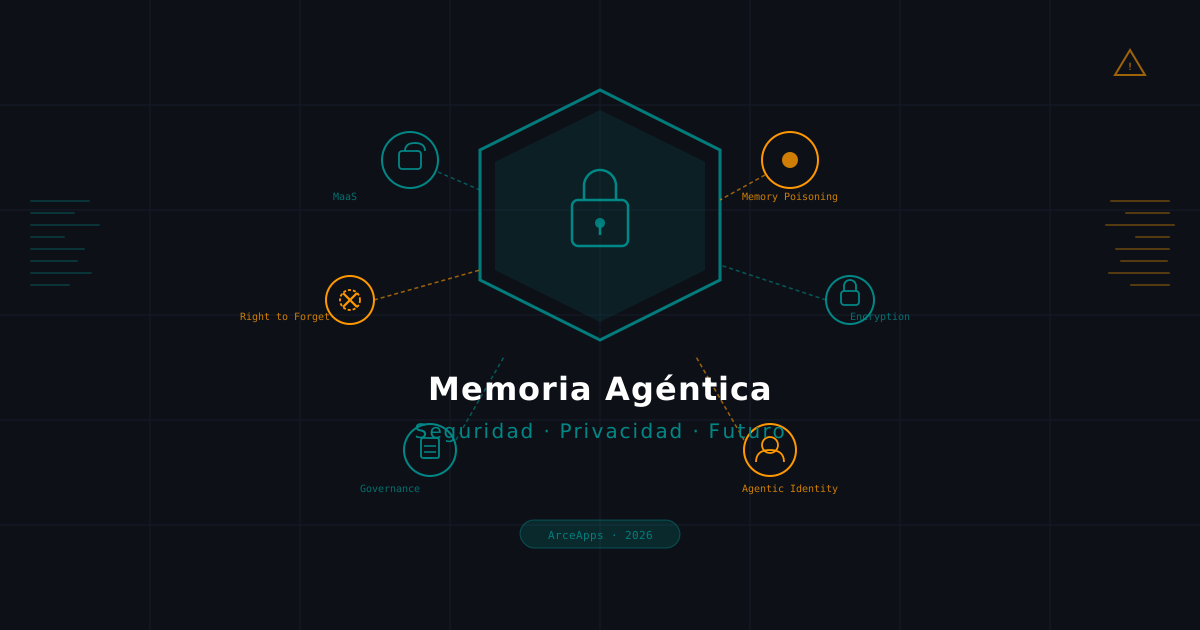
Agentic Memory: Security, Privacy, and the Future of the AI Second Brain
A deep analysis of the critical risks surrounding persistent memory in AI agents: memory poisoning, the right to be forgotten, homomorphic encryption, and the trends that will define 2026.
AI Agent Skills: Dynamic Context Injection
How to inject dynamic context into AI agent prompts. Techniques for providing memory, skills, and tools on-the-fly.