
StateFlow vs SharedFlow: The Definitive Guide for Android

Table of Contents
🌊 Theory: Hot Flows
Both StateFlow and SharedFlow are Hot Flows.
- Cold Flow (regular Flow): The code inside
flow { ... }doesn’t execute until someone callscollect(). Each collector restarts the flow. - Hot Flow: The flow is active regardless of whether there are collectors. Data is emitted and if nobody listens, it’s lost (or buffered).
This distinction is the most important piece to understand both types. Once you internalize it, architecture decisions flow naturally. What follows is the complete version of the quick guide I originally published: I’ve rewritten it after a year using them in production and teaching them to juniors.
📦 StateFlow: The Successor to LiveData
StateFlow is a specialization of SharedFlow designed to maintain state.
Key Characteristics
- Always has a value: Requires an initial value.
state.valueis always safe. - Conflated: Only emits the latest value. If you emit “A”, “B”, “C” very fast and the collector is slow, they’ll only receive “C”. “A” and “B” are lost (conflation).
- DistinctUntilChanged: If you emit “A” and then “A” again, it doesn’t notify collectors.
- Replaces value: Unlike RxJava’s
BehaviorSubject, it doesn’t accumulate history, it only keeps the latest.
Perfect Use: UI state (UiState).
private val _uiState = MutableStateFlow(UiState.Loading)
val uiState = _uiState.asStateFlow()

fun onUserLoaded(user: User) {
    _uiState.value = UiState.Success(user)
}
The private mutable _state + public immutable state pattern is the canonical convention. Break it only if you have a justified reason (and code review will demand it).
📢 SharedFlow: The Event Bus
SharedFlow is more configurable and general. It doesn’t need an initial value and can re-emit old values (replay) or not.
Configuration
val sharedFlow = MutableSharedFlow<Event>(
    replay = 0,      // How many old values to send to new subscribers
    extraBufferCapacity = 0,
    onBufferOverflow = BufferOverflow.SUSPEND
)
Perfect Use: One-shot events (“One-off events”) like Toasts, Navigation, Snackbars.
For events, use replay = 0.
The replay parameter changes everything
The most common mistake with SharedFlow is setting replay = 1 “just in case”. That turns an event bus into a StateFlow with worse ergonomics. Each parameter has a purpose:
replay | Real use case |
|---|---|
0 | One-shot events (toast, navigation, snackbar) |
1 | ”Last known value” — but then use StateFlow, it’s the same with better typing |
2+ | Almost never. If you need history, use an external buffer (Room) |
Mnemonic rule: if it makes sense for a new subscriber to receive the last value on connect, use StateFlow. If not, use SharedFlow with replay = 0. Where the two collide is where re-emission bugs and screens behaving weirdly after rotation are born.
⚠️ The Lifecycle Trap
LiveData automatically paused observation when the Activity was STOPPED. Flows DON’T.
If you collect a Flow in lifecycleScope.launch directly, it’ll keep collecting in background, wasting resources and possibly crashing if it tries to update the UI.
The Correct Solution
// In Activity/Fragment
lifecycleScope.launch {
    repeatOnLifecycle(Lifecycle.State.STARTED) {
        viewModel.uiState.collect { ... }
    }
}
Or using the lifecycle-runtime-compose extension in Jetpack Compose:
val state by viewModel.uiState.collectAsStateWithLifecycle()collectAsStateWithLifecycle() is the correct version. collectAsState() (without lifecycle) has the same problem as launch { collect }: it keeps collecting in background.
Why viewModelScope doesn’t save you
viewModelScope cancels when the ViewModel is destroyed, yes. But a ViewModel survives rotation. That means between rotations, the Flow stays active and emitting. If the emission touches a Context or View that no longer exists, NPE.
repeatOnLifecycle(STARTED) guarantees you only collect when the UI is visible. Zero ambiguity.
🔀 Advanced Operators You Need to Know
stateIn: convert cold to hot with initial value
If you have a Flow in the repository and want to expose it as StateFlow from the ViewModel:
val uiState: StateFlow<UiState> = repository.observeData()
    .map { UiState.Success(it) }
    .stateIn(
        scope = viewModelScope,
        started = SharingStarted.WhileSubscribed(5000),
        initialValue = UiState.Loading
    )
SharingStarted.WhileSubscribed(5000) is the configuration I use in 90% of cases. It keeps the flow active 5 seconds after the last subscriber to survive rotations without reloading.
combine: join multiple sources
val userWithPosts: Flow<UserWithPosts> = combine(
    userFlow,
    postsFlow
) { user, posts -> UserWithPosts(user, posts) }
    .stateIn(viewModelScope, SharingStarted.WhileSubscribed(5000), null)
combine waits for both sources to have emitted at least once, then emits every time any of them changes. Perfect for ViewModels that need data from two repositories.
debounce for searches
class SearchViewModel @Inject constructor(
    private val repo: SearchRepository
) : ViewModel() {

    private val queryFlow = MutableStateFlow("")

    val results: StateFlow<List<Result>> = queryFlow
        .debounce(300) // wait 300ms of inactivity
        .filter { it.length >= 2 }
        .flatMapLatest { repo.search(it) }
        .stateIn(viewModelScope, SharingStarted.WhileSubscribed(5000), emptyList())

    fun onQueryChange(query: String) {
        queryFlow.value = query
    }
}
flatMapLatest cancels the previous search when a new one arrives. Without it, old requests could overwrite new ones (classic race condition in live search).
🎯 Comparative Table
| Feature | StateFlow | SharedFlow | LiveData |
|---|---|---|---|
| Initial Value | Required | Optional | Optional |
| Replay | 1 (Fixed) | Configurable | 1 (Last value) |
| Conflation | Yes | Configurable | Yes |
| Distinct | Yes | No | No |
| Lifecycle Aware | No (requires wrapper) | No | Yes |
| Threading | FlowOn / Context | FlowOn / Context | Main Thread Forced |
| Backpressure | N/A (always conflates) | Configurable (SUSPEND/DROP/LATEST) | DROP_OLDEST |
| Multi-collector | Yes | Yes | Yes |
| Compose | collectAsStateWithLifecycle | collectAsState + filtering | observeAsState |
🛰️ shareIn for Stateless Shared Flows
Twin sibling of stateIn, but for SharedFlow. Useful when you want to share a Flow from a repository between several ViewModels without each opening its own upstream subscription:
val cachedUserFlow: SharedFlow<User> = repository.userStream
    .shareIn(
        scope = applicationScope,
        started = SharingStarted.WhileSubscribed(5000),
        replay = 0
    )
Key difference: shareIn has no initial value. If you need one, use stateIn. If not, shareIn is lighter because it doesn’t have to maintain a “last value”.
🚫 Common Mistakes I’ve Paid For
1. Forgetting WhileSubscribed(5000) and using Eagerly. The upstream flow stays active even if there are no subscribers. In repos with sensitive data or in tests, that leaks memory.
2. Using flowOf() instead of MutableStateFlow. If your “state” is a Flow<User> created with flowOf(user), when you do _userFlow.value = newUser it won’t compile because flowOf isn’t mutable. Use MutableStateFlow from the start.
3. Combining SharedFlow with tryEmit without checking the result. tryEmit returns false if the buffer is full. Ignoring the result leads to lost events without knowing where. In production, log the failure.
4. Collecting Flows in GlobalScope. The flow never cancels. Combined with an infinite Flow (e.g. a sensor), guaranteed memory leaks. Always use viewModelScope, lifecycleScope, or a custom cancellable scope.
🌊 Backpressure: When Producers Outpace Consumers
A subtle but critical concept: in reactive systems, producers can emit faster than consumers process. Hot flows have three strategies for handling this overflow:
val fastProducer = MutableSharedFlow<Int>(
    replay = 0,
    extraBufferCapacity = 64,                  // 64 events buffered
    onBufferOverflow = BufferOverflow.SUSPEND  // suspend producer when full
)
The three BufferOverflow strategies:
| Strategy | What happens when buffer is full | Best for |
|---|---|---|
SUSPEND | Producer suspends until buffer drains | Backpressure-sensitive (network) |
DROP_OLDEST | Oldest event dropped, new event added | Telemetry, analytics |
DROP_LATEST | New event dropped, oldest preserved | State where latest doesn’t matter |
SUSPEND is the safe default. DROP_OLDEST is the right choice for events where the latest matters more than the oldest (e.g. mouse position). I’ve rarely seen a legitimate use case for DROP_LATEST outside specific sensor data.
🎨 Compose Patterns with Flows
Beyond collectAsStateWithLifecycle, there are three patterns I use constantly in production:
LaunchedEffect with Flow collection
@Composable
fun UserListScreen(viewModel: UserListViewModel) {
    val state by viewModel.uiState.collectAsStateWithLifecycle()

    LaunchedEffect(Unit) {
        viewModel.refresh()  // one-shot side effect
    }

    when (val s = state) {
        is UiState.Loading -> LoadingSpinner()
        is UiState.Success -> UserList(s.users)
        is UiState.Error -> ErrorMessage(s.message)
    }
}
produceState for one-shot async loads
@Composable
fun ProfileScreen(userId: String, repository: UserRepository) {
    val user by produceState<User?>(initialValue = null, key1 = userId) {
        value = repository.getUser(userId)
    }

    user?.let { ProfileContent(it) } ?: LoadingSpinner()
}
produceState is the right primitive when you don’t have a ViewModel and need to do async work directly in a composable.
derivedStateOf for computed values
@Composable
fun CartScreen(viewModel: CartViewModel) {
    val state by viewModel.uiState.collectAsStateWithLifecycle()

    val total by remember(state) {
        derivedStateOf { state.items.sumOf { it.price * it.quantity } }
    }

    Text("Total: $${total}")
}
derivedStateOf only recomputes when the keys change, not on every recomposition. For lists with hundreds of items, this is the difference between 60 FPS and dropped frames.
🧪 Testing: Turbine Is Your Friend
For Flow tests, the app.cash.turbine:turbine library is practically mandatory. It gives you a readable DSL to verify emissions in order:
@Test
fun `uiState emits Loading then Success`() = runTest {
    viewModel.uiState.test {
        // Initial state
        assertEquals(UiState.Loading, awaitItem())

        // Trigger
        viewModel.onUserLoaded(testUser)

        // Verification
        assertEquals(UiState.Success(testUser), awaitItem())

        // Finalization
        awaitComplete()
    }
}
Without Turbine, you’d have to write take(2).toList() == listOf(...), which is functional but unreadable. Turbine gives you awaitItem() which is explicit about WHAT you expect.
🎯 Conclusion
The migration is clear:
LiveData→StateFlow(For State)SingleLiveEvent→SharedFlowwithreplay = 0(For Events)
Mastering these two Flow types gives you total control over your app’s reactivity, enabling powerful and safe patterns.
A final note: in 2026, Flows are already the de facto standard on Android. Any new team still using LiveData is accumulating debt. The migration is tedious but mechanical; a motivated junior does it in a week. What’s hard is the mindset: switching from “reactive push” to “reactive pull” requires relearning the mental model. Once done, you don’t go back.
Bibliography and References
- Official Kotlin Flow documentation — The canonical reference, in English, written by the language authors.
- Coroutines on Android: Official Google Guide — How Google recommends integrating Flows with the lifecycle.
- App Cash: Turbine — The testing library I mention. Small (~500 lines), no heavy dependencies.
- Migrating from LiveData to StateFlow (YouTube, Android Dev Summit 2024) — 30-minute video covering the edge cases of the migration.
- Use Cases in Android: Clean and Reusable Business Logic — How Flows fit within the domain layer.
You might also be interested in

Advanced Kotlin Flow: Operators and Patterns
Level up with Kotlin Flow. Master operators like combine, zip, flatMapLatest, and learn to handle complex reactive streams in Android.

StateFlow vs. SharedFlow: A Practical Guide
When to use which? Hot streams in Kotlin Coroutines. How to prevent event loss and ensure UI consistency.
The Socratic Agent Series (Part 3): Buildi...
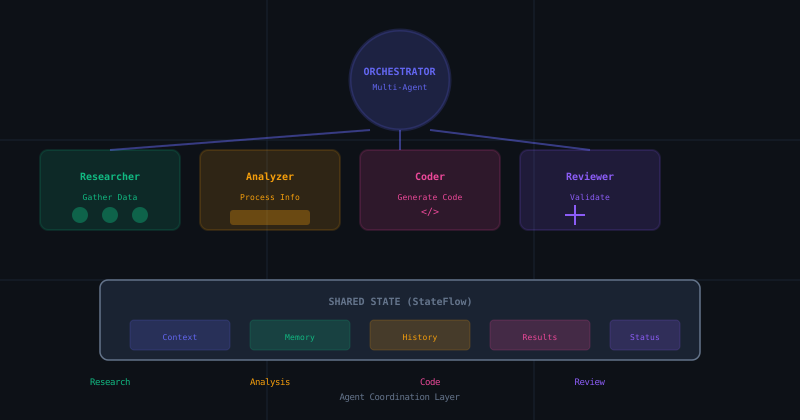
A pragmatic guide to building advanced multi-agent interactions using Kotlin Coroutines and StateFlow. From MARS to MotivGraph-SoIQ, bringing academic theory to production code.