
Table of Contents
The End of the Manual Prompting Era
For years, interaction with artificial intelligence in software development has been based on an intermittent conversational model. You would write a prompt, wait for an answer, copy the code, run it, analyze the errors, and go back to writing another prompt. This cycle, although revolutionary in its beginnings, has proven to be a bottleneck. As developers, we became “babysitters” of AI, managing every little step of a process that should be fluid.
The development community is witnessing a monumental paradigm shift. It is no longer about how you ask an agent for something; it’s about how you design the environment in which the agent operates autonomously. Peter Steinberger, creator of OpenClaw, summarized it perfectly in a post that surpassed five million views in twenty-four hours: “You shouldn’t be prompting coding agents anymore. You should be designing loops that prompt your agents.”
This statement is not an isolated case. Boris Cherny, head of Claude Code at Anthropic, backed this vision by stating that his job is no longer to prompt Claude, but to write loops that do it for him. This is the birth of Loop Engineering.
What Exactly is Loop Engineering?
At its core, an “agentic loop” is deceptively simple. It only requires two fundamental components:
- A Trigger: The event that starts the process. It can be the opening of a Pull Request (PR), a scheduled task, a system alert, or simply a user command like “go”.
- A Verifiable Goal: A clearly defined end state toward which the agent must work. It’s not a step-by-step instruction, but an objective success condition.
The magic happens in between. The agent doesn’t wait for your next message. It starts, executes actions, checks if the goal has been met and, if not, iterates again (loops) until it achieves it or until a predefined stopping condition (guardrails) is reached. You give the agent a goal, not a prompt. It deduces the steps, executes them, reviews its own work, and continues.
Addy Osmani, another influential voice in this space, describes Loop Engineering as the process of “replacing yourself as the person who prompts the agent”. You are designing the system that does it in your place. It is a recursive goal where you define a purpose and the AI iterates until complete.
From Turn-Based Interaction to Autonomy
To understand the magnitude of this change, we must contrast it with the traditional workflow:
The Traditional Workflow (Ping-Pong):
- You write a prompt (“Create a Kotlin class to handle the database”).
- You provide additional context (schemas, interfaces).
- The agent generates the code.
- You review, copy, and paste it into your IDE.
- You run tests. It fails due to a circular dependency.
- You copy the error, write another prompt (“It fails with this error, fix it”).
- You repeat the cycle.
Your attention and your time are the engine that drives the process. If you step away from the keyboard, progress stops.
The Workflow with Loop Engineering:
- You define a goal: “Migrate the current SQLite database to Room Database, ensuring all unit tests pass and there is no data loss”.
- You start the loop.
- The system takes control:
- Analyzes the current code.
- Creates a migration plan.
- Modifies dependencies in
build.gradle.kts. - Creates entities and DAOs in Kotlin.
- Runs
./gradlew test. - Reads errors, adjusts the code, and re-runs the tests.
- Finishes when the tests pass and the code meets the standards defined in the guardrails.
The engine is no longer your attention; it is the loop you have designed. The model is not a collaborator on the other side of a chat, but a function that your program calls in a while loop.
Tools and Loop Engineering Ecosystem
The ecosystem in 2026 has matured significantly to support this type of architecture. The pieces that previously required complex bash scripts are now integrated into robust products or specialized frameworks.
Loop Surfaces vs. Runtimes
It is important to distinguish between where the loop is defined and where it is executed.
Loop Surfaces: These are integrated tools that allow you to define simple loops quickly, ideal for individual developers or small teams.
- Claude Code and Grok Build: These tools provide commands like
/loop, skills, subagents, and MCP (Model Context Protocol) connectors in one place. They are excellent for tasks limited to the local environment.
Loop Runtimes: When the loop exceeds the capacity of a terminal session, it enters runtime territory.
- LangChain / LangGraph: LangChain has adopted the mantra of “Give your agent its own computer”. Frameworks like LangGraph allow building complex multi-agent systems with persistent state, handling tasks that can last hours or days, survive process restarts, and require asynchronous human approval.
- millrace-ai: A recent framework for Python that allows creating “governed loops”. It handles artifact transfer between agents, error recovery, and configuration through data graphs, limiting each step to a narrow portion of the workflow where the agent has a high probability of success.
The MCP Standard (Model Context Protocol)
The Model Context Protocol (MCP) introduced by Anthropic has become the connective tissue of Loop Engineering. MCP allows LLMs to securely connect to external data sources and local tools. You no longer need to write custom integrations for your agent to query the database or read an error log in Android Studio; MCP standardizes these interactions, allowing loops to operate with rich, up-to-date real-world context.
Use Cases and Examples in Mobile Development (Android/Kotlin)
Mobile development is a complex environment with multiple dependencies, slow builds, and specific ecosystem quirks. This is where Loop Engineering shines brightly, automating feedback loops that would otherwise consume hours of developer time.
Below, we will analyze concrete use cases where loop design transforms the way we build Android applications.
Case 1: Large-Scale Jetpack Compose Refactoring
The Problem: You have an Android application with dozens of legacy fragments and activities based on XML and ViewBinding. Manual refactoring to Jetpack Compose is tedious, error-prone, and requires deep knowledge of both systems to ensure visual and functional parity.
The Agentic Loop:
- Trigger: A Jira ticket labeled
ComposeMigrationand the name of the target Fragment/Activity. - Verifiable Goal: The screen converted to Compose compiles without errors, passes all UI tests (Espresso/Compose), and is visually identical to the original (verified through screenshot testing).
The Loop Design:
- Analysis Agent: Reads the XML file and the associated Kotlin class (e.g.,
ProfileFragment.kt). Extracts the view hierarchy, state (ViewModel), and interactions. - Generation Agent (Compose): Takes the analysis and writes the initial version in Jetpack Compose, using modern practices (state hoisting, appropriate modifiers).
- Integration Agent: Replaces the use of the old Fragment in navigation (e.g., Navigation Component or Compose Navigation) with the new screen.
- Verification Loop (The Engine):
- Runs
./gradlew assembleDebug. If it fails, passes the error to the Generation Agent to fix. - Runs UI component tests. If they fail (e.g., a button is not clickable or the UI test cannot find it), passes the error report and semantic hierarchy to the Generation Agent.
- Runs Paparazzi or Roborazzi for screenshot tests comparing the old version with the new one. If the visual diff exceeds a tolerance threshold, the Visual Agent receives the difference image and the Compose code to adjust paddings, colors, or sizes.
- Runs
- Guardrail: Limit of 10 iterations. If parity is not achieved, it makes a partial commit on a separate branch and alerts a human developer with a summary of the conflicts.
In this scenario, the developer becomes the final reviewer of the Pull Request, while the loop handles all the heavy lifting of syntax adaptation and fine visual adjustments.
Case 2: Autonomous Memory Leak Hunting
Memory leaks in Android can be infamous for their difficulty to track, especially in complex architectures with multiple coroutines and UI lifecycles.
The Problem: The application occasionally crashes with an OutOfMemoryError in production. LeakCanary is integrated into debug builds, but developers don’t have time to reproduce and fix all the small leaks reported in the daily development process.
The Agentic Loop:
- Trigger: Continuous Integration (CI) or an instrumented test run generates a heap dump file (
.hprof) and a LeakCanary log. - Verifiable Goal: The proposed code must compile without warnings, and the re-execution of the specific test scenario must not generate new LeakCanary heap dumps.
The Loop Design:
- Leak Analysis Agent: Reads the LeakCanary log and, using MCP tools to analyze the source code, identifies the “leak trace”. It finds the exact strong reference (e.g., an Activity context accidentally retained in a
GlobalScopeCoroutine or an unregistered listener). - Refactoring Agent: Modifies the Kotlin code to break the strong reference. This could involve:
- Changing
GlobalScopetoviewModelScopeorlifecycleScope. - Using
WeakReferenceif strictly necessary. - Ensuring listeners are cleaned up in
onDestroy()oronCleared().
- Changing
- Verification Loop:
- Compiles the project.
- Runs the specific UI test that triggered the original dump using an emulator or remote device (Firebase Test Lab).
- Monitors Logcat to verify if LeakCanary reports the same leak or a new one derived from the change.
- If it persists, retries with a different refactoring strategy.
- Guardrail: Do not allow changes to public interface signatures or the addition of new third-party libraries without explicit approval.
This type of loop acts as a constant maintainer of code health, attacking technical debt in the background.
Case 3: Autonomous Update of Complex Dependencies
Updating libraries like Dagger/Hilt, Kotlin versions, or Compose libraries often requires cascading changes throughout the codebase due to deprecations and API changes.
The Problem: Keeping the project up to date consumes valuable sprint cycles and is repetitive work.
The Agentic Loop:
- Trigger: A bot like Dependabot or Renovate opens a Pull Request for a major update (e.g., Kotlin 2.0 to 2.1).
- Verifiable Goal: The project compiles, all unit and integration tests pass, and there are no deprecation warnings related to the updated library.
The Loop Design:
- Documentation Agent (RAG): Obtains the official changelogs and migration guides for the library in question.
- Compilation and Correction Loop:
- Attempts to compile.
- If there are errors (e.g., a removed API), the agent looks for the replacement in the context obtained in step 1.
- Applies the solution and recompiles.
- Testing Loop:
- Runs the test suite. If tests fail due to behavior changes in the library, the agent adjusts the test logic or implementation to restore the expected behavior, documenting the change.
- Guardrail: Strict token spending limit. Large dependency updates can cause “goal drift” if the agent starts refactoring unrelated areas trying to fix a flaky test.
When the Loop Fails: Risks and Anti-Patterns
Designing agentic loops is not simply chaining LLMs together. It requires systems engineering discipline. A poorly designed loop is dangerous, expensive, and frustrating. These are the main risks (and why guardrails are the most important part of Loop Engineering):
1. The Infinite Loop
The most obvious and common risk. It occurs when the agent gets trapped oscillating between two erroneous states, or repeatedly trying the same failed solution because it has no memory of its previous attempts.
Example in Android: An agent tries to resolve a dependency error in build.gradle.kts. It adds an exclusion to a library. Compilation fails with a new “class not found” error. It removes the exclusion. It fails again with the original error. And so on.
Solution (Guardrail): Implement a strict iteration limit (e.g., max 5 attempts per sub-goal). Additionally, the loop state must include a persistent record (working memory) of failed attempts that is passed as context to the agent in each iteration to avoid repetitions.
2. Goal Drift
This happens when the agent, in its eagerness to solve a problem, begins to change the scope of the work or refactor unrelated areas of the code, often creating new problems.
Example in Android: The agent is tasked with fixing a bug in the pagination logic of a RecyclerView. Upon reviewing the adapter, it notices it doesn’t use DiffUtil and decides to implement it. Doing so breaks custom animations. It then tries to fix the animations by modifying base UI components, moving entirely away from the original pagination bug.
Solution (Guardrail): The “Verifiable Goal” must be as strict as possible. Pre-modification automated tests act as anchors. If a proposed change breaks a test in an unrelated layer (e.g., modifies a Repository when the task was UI), the loop must immediately reject the change and force the agent to look for a more localized solution.
3. Token Cost Explosions
Every iteration in the loop sends context to the LLM. If the agent makes mistakes, the conversation history (errors, attempts, logs) grows. In large Android projects, sending the build.gradle.kts, multiple Kotlin files, and extensive compilation logs on each iteration can consume hundreds of thousands of tokens very quickly.
If a loop enters an almost infinite cycle and you have no controls, you could be faced with a substantial API bill (if you are using commercial models like Claude or GPT).
Solution (Guardrail):
- Per-loop Budgets: Define a maximum dollar/token limit per execution.
- Small models for decisions, large models for code: Use fast, cheap, local models (like a small-parameter LLaMA or similar optimized for code) to evaluate progress and decide the next action (the loop “engine”). Use large models only for heavy reasoning tasks or complex code generation.
- Context summaries: Instead of passing the entire Gradle error log, pass an intermediate agent tasked with summarizing the error (“The main error is a version mismatch in dependency X”) to keep the main agent’s context small and focused.
4. Comprehension Debt
This is a crucial concept. When an agent writes and approves its own code in a loop while you sleep, the codebase advances without your deep understanding. Long term, you find yourself maintaining complex systems you do not understand.
Solution (Guardrail):
- Handoff Artifacts: The loop must be required to generate clear documentation (like an architectural summary Markdown) for every PR it submits, explaining why it made certain decisions.
- Human-in-the-loop: For structural or mission-critical changes, the loop should pause and ask for explicit review of the implementation plan before writing code.
Deep Dive into Loop Optimization Techniques for Android
To ensure that agentic loops function optimally in large mobile projects, it is essential to apply various advanced optimization techniques. These techniques not only improve the agent’s performance but also minimize the consumption of computational resources and token spending.
One of the most effective strategies is ‘Dynamic Contextual Management’. In traditional Android development, a human developer navigates through hundreds of files simultaneously, maintaining a mental map of the project’s architecture. AI agents, on the other hand, are limited by their context windows. Providing the entire project to an agent in every iteration is inefficient and prone to generating hallucinations due to information overload.
To counter this, advanced loops use a semantic indexing system. Before starting the main task, an explorer agent indexes the codebase using vector embeddings. When the main agent needs to solve a problem (for example, updating dependency injection with Hilt in a specific domain layer), it queries this index to retrieve only the strictly relevant code snippets: repository interfaces, affected Hilt modules, and dependent use cases. This drastically reduces the size of the context sent in each API call, optimizing both costs and response accuracy.
Another critical optimization area is the handling of concurrency and asynchronous state. Modern Android applications rely heavily on Kotlin Coroutines and Flow to handle background operations fluidly and reactively. Agents tasked with refactoring or implementing this logic often stumble over the nuances of lifecycle management and structured concurrency.
In a well-designed agentic loop for Coroutines, specific guardrails are implemented that statically validate the correct use of ‘dispatchers’. For instance, an automated rule within the verification cycle can analyze the generated code to ensure that all input/output (I/O) operations, such as network calls or database queries (Room), are explicitly executed on the Dispatchers.IO. If the agent attempts to perform these operations on the Dispatchers.Main, the loop fails the verification immediately, providing precise feedback to the agent to correct the error in the next iteration.
Furthermore, testing user interfaces built with Jetpack Compose presents unique challenges for autonomous verification. Unlike traditional views (XML) which have predictable static identifiers, the Compose hierarchy is dynamic and often depends on runtime state. Effective loops in this realm employ specialized ‘Semantic Accessibility’ agents. These agents do not verify visual components based on abstract identifiers, but rather analyze the semantic tree exposed to accessibility tools (like TalkBack).
The verifiable goal for a UI refactor does not only imply that the screen looks correct (validated by screenshot testing), but that its semantic structure is robust. The agent must ensure that interactive elements, such as buttons and input fields, expose clear and precise semantic descriptions, facilitating both accessibility for users with disabilities and the stability of automated tests (Espresso/UI Automator) that rely on these same semantic trees to interact with the application.
Managing persistent state through advanced loop configurations is vital for long-term tasks. Imagine a massive architectural refactoring, migrating from an obsolete Model-View-Presenter (MVP) pattern to a Clean Architecture with reactive Model-View-ViewModel (MVVM) using StateFlow. This transition is too large to be resolved in a single execution cycle.
In these scenarios, the loop is designed as a long-running state machine. Progress is meticulously saved after each micro-goal achieved (e.g., “Migrate Presenter X to ViewModel Y”). If the process is interrupted (due to a connection failure, API limit, or system restart), the loop can resume exactly from the last known valid state, without needing to restart the entire refactoring from scratch. This persistence is commonly achieved using lightweight databases (like SQLite) integrated directly into the loop’s runtime environment.
The synergy between Loop Engineering and Continuous Integration/Continuous Delivery (CI/CD) represents the pinnacle of development automation. In cutting-edge workflows, loops do not merely execute locally on the developer’s machine but are integrated as fundamental stages in GitHub Actions or GitLab CI pipelines.
When a developer pushes code to a feature branch, the pipeline triggers an ‘Agentic Review Loop’. This loop is not limited to simple static analysis like a conventional linter would do; it is capable of reasoning about the architecture. It evaluates the PR against complex style guides, checks for potential performance regressions, and if it detects areas for improvement, it doesn’t just leave a comment; it automatically generates a commit on the same branch with the suggested corrections, notifying the human developer for final approval.
This level of integration requires extreme robustness in the guardrails and containment mechanisms. Loops operating in CI environments must have strictly limited privileges (Principle of Least Privilege). They must not be able to modify code in the main branches (‘main’ or ‘master’) directly, nor access production secrets unless absolutely necessary for a specific deployment task, which must always require human authorization.
Finally, the economic factor of Loop Engineering cannot be ignored. As we scale the use of autonomous agents, cost monitoring becomes as important as application performance monitoring. Emerging tools in 2026 allow teams to visualize in real time the token spend attributed to individual loops and entire projects.
Mature teams establish operational budgets for their agents. If a loop to resolve a secondary ‘Issue’ exceeds the allocated budget without reaching its goal, it is automatically paused, labeled as “Requires Human Intervention”, and the iteration log is archived for further analysis. This proactive resource management ensures that automated development remains a strategic advantage and does not become an uncontrolled financial burden.
The adoption of Loop Engineering in mobile development teams requires a profound cultural shift. We move from measuring productivity by lines of code written to measuring it by the sophistication and efficiency of the designed loops. Continuous education, post-mortem analysis of failed loops, and sharing successful patterns among developers become the fundamental practices of the software engineering of the future.
Conclusion: The New Role of the Software Engineer
Loop Engineering does not eliminate the need for software engineers; it rewrites their job description. In 2026, the fundamental skill is no longer writing for loops in Kotlin (AI does it better and faster). The fundamental skill is systems thinking.
You are an automation architect. Your job is to clearly define success states, build bulletproof testing environments (which act as the ground truth for the agent), and design the guardrails that prevent the system from derailing.
In the context of Android, this means investing heavily in fast automated tests, deep modularization of the codebase (so agents can work in isolated areas without causing massive collateral damage), and a solid understanding of continuous integration tools.
The transition from prompting to Loop Engineering is a shift from micromanagement to structured delegation. Those who master the design of these systems will be able to manage the output equivalent to an entire team of developers, achieving in hours what previously took weeks of tedious ping-pong.
You might also be interested in
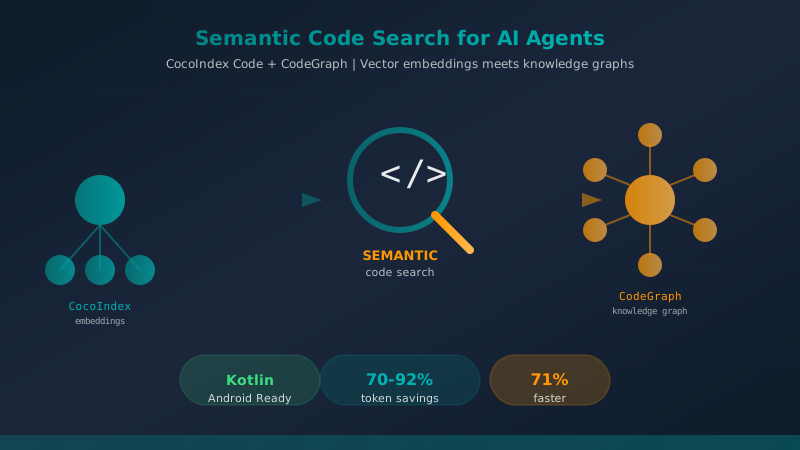
Semantic Code Search Tools for AI Coding A...
A comprehensive comparison of CocoIndex Code and CodeGraph — two AST-based semantic code search tools that dramatically reduce token consumption and accelerate code exploration for AI coding agents like Claude Code.

Power Up Your AI Agents with Skills: From Gemini to Copilot
Discover how to transform your generalist AI assistant into a team of specialists using Agent Skills. Includes practical examples for Android, Kotlin, and Conventional Commits.
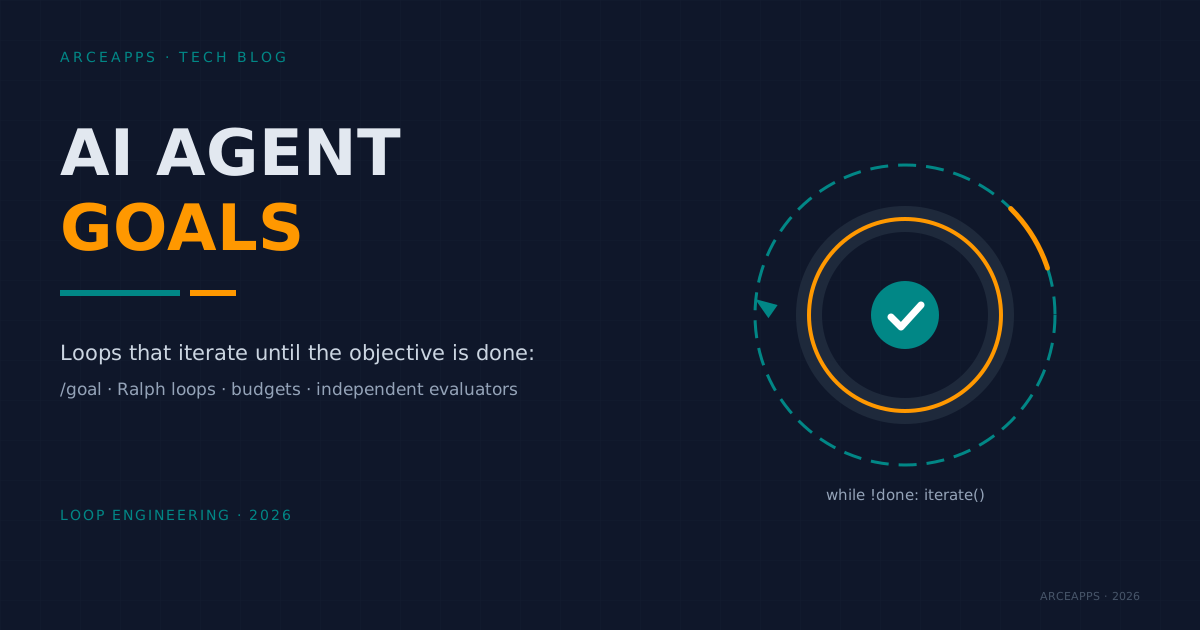
AI Agent Goals: Loops That Iterate Until Done
How to hand an AI agent a verifiable goal and let it iterate alone: /goal, Ralph loops, turn budgets, independent verifiers and real failure modes.