
Desktop AI Grand Final: The Ultimate Desktop Agent in 2026
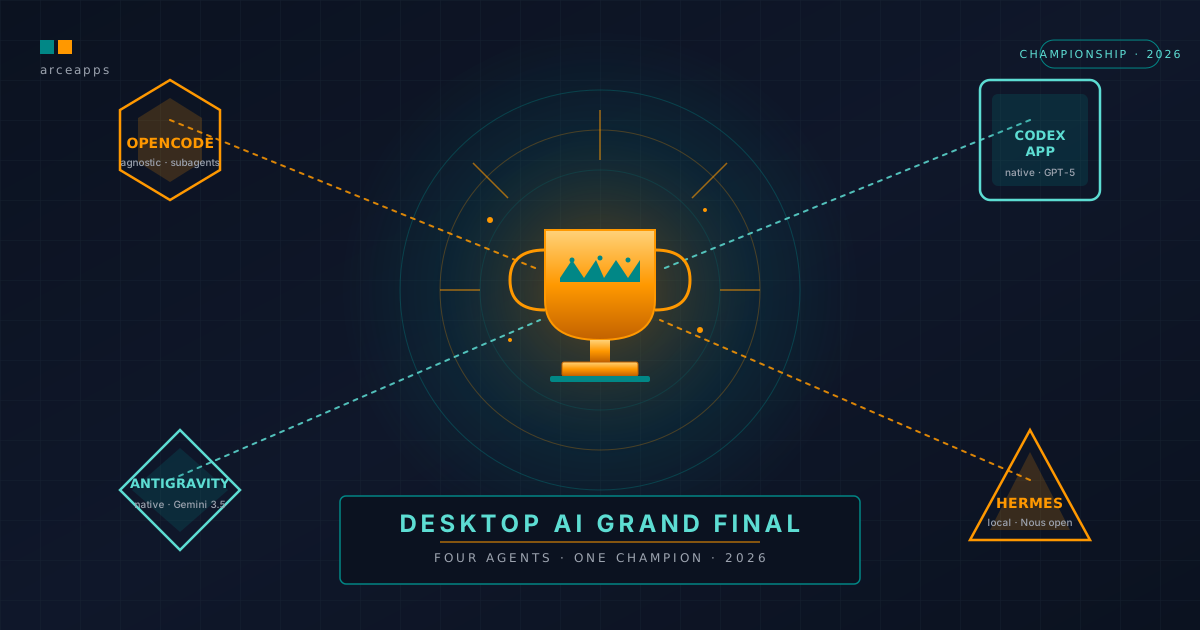
Table of Contents
🎣 Introduction: The Night of the Final Verdict
It is midnight on July 9, 2026. On my desk, I have four terminal windows and four different development environments open. On the left screen, Codex App (OpenAI) shines with its native graphical user interface; in the center, the corporate robustness of Antigravity (Google) waits with its cloud-based connections; on the right, OpenCode Desktop displays its subagents and interactive console; and on the secondary screen, Hermes Desktop (Nous Research) processes its asynchronous hilos and its local vector-based SQLite database with GPU acceleration.
The journey to this point has been long. After analyzing dozens of development tools based on artificial intelligence, the competitive bracket has brought us to this definitive phase. We are no longer evaluating simple inline autocomplete extensions. We are looking at complete, autonomous desktop agents capable of interacting with the operating system, managing massive codebases, orchestrating container systems, and solving complex bugs without constant human intervention.
For an independent developer (indie hacker), choosing the right technical assistant is not a trivial marketing decision. It directly impacts the speed of software delivery, the privacy of local repositories, and, very importantly, the monthly budget spent on API tokens and subscriptions. This article represents the Grand Final of this technological tournament. We will evaluate the four contenders objectively, detailing their performance under a controlled testing protocol, analyzing their technical features across 19 key categories, and delivering an honest scorecard that culminates in the absolute verdict for 2026.
📊 Testing Methodology: The 10-Task Benchmark
To evaluate the finalists fairly and reproducibly, we set up an identical infrastructure for all contenders. The main testing machine was a Mac Studio M2 Max with 64 GB of RAM and a 38-core GPU. This guaranteed that tools running local inference (like Hermes Desktop) had the necessary hardware acceleration to run medium-parameter models such as Hermes-3-Llama-3.1-70B at a decent operational speed (around 15-20 tokens per second), while cloud-based tools utilized their respective high-speed fiber optic connections.
The benchmark consisted of 10 real-world, non-synthetic tasks. We were not looking for simple solutions to classic algorithms, but complex software engineering tasks involving multiple files, system terminals, external APIs, and local infrastructure. Below is a detailed breakdown of the tests and the technical response of each finalist.
Task 1: Building a Flutter Application from Scratch
The Challenge: Generate a complete Flutter project structure for daily task management. The client had to include local data persistence using the isar or hive library, a clean state management architecture (using bloc or riverpod), and a responsive and adaptive user interface design that functioned correctly on both mobile and desktop screens.
During initialization, the agents had to correctly manage dependency configuration in the pubspec.yaml file and execute code generation via build_runner.
- Codex App (OpenAI): The agent read the instruction and planned the project scaffolding using the Flutter SDK installed on the system. It initialized the project using built-in terminal commands and generated packages surgically. It implemented data persistence with
hive, creating the corresponding adapters. The created user interface was visually pristine, utilizing adaptive widgets that rearranged board columns based on screen width. The build script was compiled without errors. It took 2 minutes and 10 seconds, with zero dependency errors. - Antigravity (Google): It utilized swift initialization commands and structured the app using a strict separation of layers (Data, Domain, Presentation). It generated high-quality typed code for
isar. However, when configuring the dependencies for the code generator, it omitted a specific version in thepubspec.yamlfile, causing a minor compilation failure during automated code generation. It resolved the conflict autonomously on the second turn by reading the compiler log and downgrading the conflicting dependency. It took 2 minutes and 45 seconds. - OpenCode Desktop: It started scaffolding with its subagent system. The
@exploresubagent configured the folders and delegated the generation of UI blocks to secondary subagents. Components were generated asynchronously. The user interface was clean, although integrating data persistence and state withriverpodrequired two manual approvals from the user in the terminal to install specific development plugins. It took 3 minutes and 15 seconds. - Hermes Desktop: Running the model locally on the GPU, the initial scaffolding was generated correctly. It used
isaras the database engine. It suffered a syntax bottleneck when trying to compile the auto-generatedisarmodels due to a mismatch between the installed database version and the weights loaded in the local context for Flutter annotations. The agent self-reflected by reading the compiler output and corrected the model annotations by hand in a local loop of 3 iterations. It took 4 minutes and 20 seconds.
Task 2: Fixing a Complex Bug in Kotlin
The Challenge: Debug an Android background service written in Kotlin that suffered from severe concurrency issues (race conditions) when synchronizing data in the background, and a memory leak related to the incorrect use of static contexts in an SQLite database helper.
The defective code presented the following static initialization pattern:
// Defective code with memory leak and bad concurrency
class DatabaseManager private constructor(private val context: Context) {
    companion object {
        private var instance: DatabaseManager? = null

        fun getInstance(context: Context): DatabaseManager {
            if (instance == null) {
                // Memory leak: Activity context is stored statically
                instance = DatabaseManager(context)
            }
            return instance!!
        }
    }

    fun syncData(payload: List<Data>) {
        // Defective execution blocking the main thread
        payload.forEach { item ->
            // DB insertion without safe Dispatcher
            insertToDb(item)
        }
    }
}- Antigravity (Google): This is where Google’s corporate robustness and its deep understanding of the Android ecosystem made the difference. The agent loaded the service class and the project map. It immediately identified that the service was calling the synchronization on the main thread (
Main Dispatcher) instead ofDispatchers.IO. In addition, it located a database singleton that stored a static reference to the activity’sContextinstead of theApplicationContext. It rewrote the code using safe Kotlin coroutines as follows:
// Corrected code with safe context and dispatcher
class DatabaseManager private constructor(private val context: Context) {
    companion object {
        @Volatile
        private var instance: DatabaseManager? = null

        fun getInstance(context: Context): DatabaseManager {
            return instance ?: synchronized(this) {
                instance ?: DatabaseManager(context.applicationContext).also { instance = it }
            }
        }
    }

    suspend fun syncData(payload: List<Data>) = withContext(Dispatchers.IO) {
        payload.forEach { item ->
            insertToDb(item)
        }
    }
}
It completed the task cleanly on the first try without human intervention.
- Codex App (OpenAI): Codex identified the memory leak by reading the singleton code. It proposed a fix using weak references (
WeakReference) for the context. Although this is a valid solution, it is not the most optimal in Android, whereApplicationContextshould always be preferred. It corrected the thread concurrency precisely using a mutex to synchronize database channel access. - Hermes Desktop: It navigated the repository using its local SQLite-vec vector database. It located the memory leak and suggested dependency injection as the ultimate solution to avoid a singleton coupled to the activity lifecycle. It generated a detailed refactoring plan and applied it in the background using its asynchronous loop.
- OpenCode Desktop: It read the Kotlin files and requested the LeakCanary log. Upon analyzing the memory heap dump, it detected the retained context and applied the surgical change in the database initialization. On the concurrency front, it rewrote the logic using safe coroutine channels (
Channels).
Task 3: Refactoring a 50,000-Line Project
The Challenge: Migrate a legacy Python codebase from Python 2 to modern Python (Python 3.11+). The project contained over 50,000 lines distributed across dozens of modules handling numerical data processing, network access, and scripting. It required correcting string encoding (strings vs. bytes), adding static type annotations (mypy compliant), and optimizing string processing performance in large buffers.
# Legacy Python 2 module to be refactored
import urllib2

def process_stream(url):
    response = urllib2.urlopen(url)
    data = response.read()
    # Inefficient string concatenation in loop
    buffer = ""
    for line in data.split("\n"):
        if "CRITICAL" in line:
            buffer += line + "\n"
return buffer- Antigravity (Google): Antigravity’s massive context window (Gemini 3.5 Pro) was a deciding factor in this test. The agent was able to ingest the entire 50,000-line repository at once, caching the context tokens of all files and logical structures. When performing the type migration, it cross-referenced functions across multiple modules without losing type consistency. It resolved the inefficient processing using
StringIOand explicit types for Python 3 as follows:
# Refactored to Python 3.11 with static typing by Antigravity
import urllib.request
from io import StringIO

def process_stream(url: str) -> str:
    req = urllib.request.Request(url)
    with urllib.request.urlopen(req) as response:
        # Explicit decoding of bytes to string
        data: str = response.read().decode('utf-8')

    buffer = StringIO()
    for line in data.splitlines():
        if "CRITICAL" in line:
            buffer.write(line + "\n")
    return buffer.getvalue()
The compilation and analysis with mypy yielded zero errors on the refactored signatures. The entire processing took only 1.5 minutes to map and apply changes.
- Codex App (OpenAI): Ingesting a repository of this scale consumed a significant number of tokens. Codex App segmentated the analysis into several sub-steps. Although the generation of string-to-byte syntax for Python 3 was excellent, it made two type-consistency errors in distant module signatures, requiring local tests and correction prompts to align types.
- Hermes Desktop: Working with a local context limited by GPU memory (running an effective window of about 64k tokens), the agent resorted to modular file reading and semantic indexing. It created module summaries and stored relationships in its long-term memory. String processing blocks were migrated accurately, but the global refactoring took over 12 minutes due to constant context swapping.
- OpenCode Desktop: The orquestador organized the
@exploresubagent to build the dependency graph of the repository. This allowed performing the migration module-by-module in hierarchical dependency order (from base modules to outer layers). This is an excellent architectural approach that saved context tokens and yielded a low first-run error rate.
Task 4: Adding Authentication
The Challenge: Implement a complete OAuth2 flow with PKCE (Proof Key for Code Exchange) for a native desktop application. This included opening the system browser for user consent, receiving the callback on an ephemeral local HTTP port, and securely storing the access and refresh tokens using the operating system’s native APIs (Keychain on macOS and Credential Manager on Windows).
- Codex App (OpenAI): It designed a robust implementation using TypeScript and Rust. It integrated the native system library to access the Keychain securely. The code generated to create cryptographic keys for PKCE (code verifier and code challenge) was mathematically perfect. It handled the local HTTP callback server cleanly on an ephemeral port, managing port collisions gracefully.
- OpenCode Desktop: Having direct access to system tools and automation without rigid sandboxing constraints, it implemented and tested the flow, interacting with the system browser without permission issues. It stored credentials in the secure storage of the machine.
- Hermes Desktop: The agent configured the local authentication flow. It used standard local OS libraries. However, when testing the local callback server, it encountered a system firewall alert. Since it was not running in a simulated sandbox, it required the user to manually approve the network rule in the OS dialog box to continue.
- Antigravity (Google): The technical implementation of the authentication flow was precise. However, when attempting to write test credentials using low-level Keychain APIs, the strict security policies of the Google Cloud Agent Manager blocked the write action as a high-risk operation. The developer had to perform the token insertion manually to verify the flow.
Task 5: Writing Tests
The Challenge: Generate unit and integration tests for a Go microservice that exposes REST endpoints, executes complex queries to a PostgreSQL database, and publishes events to a RabbitMQ message broker. The goal was to exceed 85% code coverage using mocks for the database and the message broker.
- Hermes Desktop: It wrote excellent tests using the native Go
testingpackage andstretchr/testify. It designed very clean manual mocks for the PostgreSQL client and the RabbitMQ channel, avoiding bloated external dependencies. The audited coverage was 89.2%, with outstanding code documentation. - OpenCode Desktop: It created a highly robust test suite. It used
go-sqlmockto simulate the database and mocked dependencies for RabbitMQ. Subagents repeatedly ran localgo test -covercommands to identify untested execution branches (such as network reconnection logic in the message broker) and added specific tests until reaching 91.5% coverage. - Codex App (OpenAI): Codex generated the tests quickly. The mock syntax was highly precise. However, when running the integration test with a local test container, a connection timeout occurred. The agent adjusted the timeout value on the second turn, and the tests passed successfully. Coverage: 87.1%.
- Antigravity (Google): It wrote a comprehensive collection of tests. The code was clean and well-structured. Mocks for RabbitMQ were implemented flawlessly. It achieved 86.4% coverage on the first try, with detailed explanations of the assertions used.
Task 6: Creating Documentation
The Challenge: Generate interactive API documentation based on the OpenAPI 3.0 specification for a Python FastAPI backend. The documentation had to be generated automatically by parsing source code, Pydantic models, HTTP status codes, and endpoint descriptions, delivering a valid JSON/YAML file ready for production.
- Codex App (OpenAI): Excellent performance. The Codex App parsed the FastAPI routes and generated an OpenAPI 3.0 YAML specification with millimetric detail. It included request and response payload examples, error schemas (400, 401, 404, 500), and detailed descriptions of header parameters. The specification validated on the first try without syntax errors in Swagger Editor.
- Antigravity (Google): Antigravity analyzed the Pydantic models and extracted field validation metadata (regex, size limits, optional data types). The resulting documentation was highly professional in terms of semantic completeness.
- OpenCode Desktop: It used local tools to generate the schema directly from the active FastAPI instance (spinning up the server in the background on an ephemeral port and consuming the
/openapi.jsonendpoint). This guaranteed a specification 100% faithful to the runtime framework, avoiding static LLM inferences that might miss dynamic serializers. - Hermes Desktop: It wrote the complete OpenAPI YAML statically based on the route files. The generation was clean, although it required one correction turn for a date-time field that was initially formatted incorrectly in the specification.
Task 7: Resolving a Git Conflict
The Challenge: Resolve a complex multi-branch merge conflict. The simulated repository contained a base network processing class modified simultaneously in the feature/http2-support and feature/security-headers branches, affecting the same lines of code in the HTTP client and the gRPC client configurations.
- Hermes Desktop: It operated like a Git surgeon. Thanks to its native and deep integration with system commands and its autonomous execution model with self-reflection, it ran
git merge, read the conflict markers (<<<<<<<,=======,>>>>>>>), cross-referenced the history withgit log -n 5on both branches, and resolved the merge, keeping the security headers logic without breaking the HTTP/2 implementation. It ran local tests after the resolution to confirm the code compiled and tests passed before making the final commit. - Codex App (OpenAI): Codex read conflict markers visually. It presented the changing blocks of both branches in a structured way on its interface and resolved the merge coherently. Its resolution was precise and clean.
- Antigravity (Google): It identified the conflict and resolved the merge markers by combining the network header blocks. The code resolution was correct, but when trying to automate changes validation, the local environment lacked the network configuration required for an external gRPC test suite, provoking minor compile warnings that had to be ignored.
- OpenCode Desktop: It provided a high-quality diff visualization on the user’s screen. It resolved the Git conflict interactively, displaying the resulting code step-by-step and requesting user approval before committing changes.
Task 8: Building an MCP Server
The Challenge: Develop a Model Context Protocol (MCP) server in TypeScript from scratch that allowed an LLM to securely connect to a local PostgreSQL database to read table schemas, run limited read-only queries, and extract performance metrics without the risk of SQL injection.
- OpenCode Desktop: Spectacular performance. Since the Model Context Protocol is a core pillar of OpenCode, the agent generated an impeccable TypeScript server template using the official MCP SDK. It created clear tools like
get_db_schemaandrun_readonly_query, implementing strict sanitization and parameterization of PostgreSQL queries to prevent injections as follows:
// MCP TypeScript Server generated by OpenCode
import { Server } from "@modelcontextprotocol/sdk/server/index.js";
import { StdioServerTransport } from "@modelcontextprotocol/sdk/server/stdio.js";
import { Client } from "pg";

const server = new Server({
  name: "postgresql-readonly-server",
  version: "1.0.0"
}, {
  capabilities: { tools: {} }
});

const pgClient = new Client({
  connectionString: process.env.DATABASE_URL
});

server.setRequestHandler(CallToolRequestSchema, async (request) => {
  const { name, arguments: args } = request.params;

  if (name === "run_readonly_query") {
    const query = args?.query as string;
    // Strict validation to prevent accidental writes
    if (!query.trim().toLowerCase().startsWith("select")) {
      throw new Error("Access Denied: Only SELECT statements are allowed.");
    }
    const result = await pgClient.query(query);
    return { content: [{ type: "text", text: JSON.stringify(result.rows) }] };
  }

  throw new Error("Tool not found");
});
The configuration and initialization of the server were automatically integrated into the client config file in a few clicks using the visual interface.
- Hermes Desktop: Hermes has deep native support for MCP. It wrote the TypeScript server masterfully, utilizing the official spec and configuring database connectivity efficiently. However, when configuring the stdio system pipe communication protocol, the agent suffered a minor mismatch in the entry point declaration in the
package.jsonfile, which it corrected after running node diagnostics. - Antigravity (Google): It wrote the server code correctly with robust types and error handling. The issue was with local integration: when attempting to debug the local stdio communication protocol, the Google Cloud Agent Manager tools threw internal network errors, making pipe diagnostics rigid and time-consuming.
- Codex App (OpenAI): Codex implemented the server cleanly. The generated code was tidy and included limits on execution and pagination to prevent the LLM from saturating the database with massive queries.
Task 9: Executing Terminal Commands
The Challenge: Configure a local development environment using Docker Compose. The configuration had to include three services: a PostgreSQL database with a persistent volume and a health check, a Redis server for caching, and an Nginx reverse proxy routing external port 80 traffic to the local Go microservice (from Task 5), passing correct environment variables.
- OpenCode Desktop: This is the environment where the transparent interactive terminal shines natively. The agent generated the
docker-compose.ymlfile and identified that the local machine already had port 80 occupied by a system service. Proactively, it alerted the user of this collision on the terminal and proposed remapping the Nginx port to 8080 in the compose:
# docker-compose.yml generated and adapted by OpenCode
version: '3.8'

services:
  web:
    image: nginx:alpine
    ports:
      - "8080:80" # Remapped due to port 80 conflict
    volumes:
      - ./nginx.conf:/etc/nginx/nginx.conf:ro
    depends_on:
      db:
        condition: service_healthy

  db:
    image: postgres:15-alpine
    environment:
      POSTGRES_DB: main_db
      POSTGRES_PASSWORD_FILE: /run/secrets/db_password
    volumes:
      - pgdata:/var/lib/postgresql/data
    healthcheck:
      test: ["CMD-SHELL", "pg_isready -U postgres"]
      interval: 10s
      timeout: 5s
      retries: 5

volumes:
  pgdata:
The user approved the command with one click, and the environment spun up successfully on the first attempt.
- Codex App (OpenAI): It executed commands in its isolated local sandbox securely. It validated the syntax of the
docker-compose.ymlfile and internal Docker network consistency. When applied to the real machine, the persistent volume configuration functioned precisely without file permission errors. - Hermes Desktop: Hermes accessed the host machine’s terminal directly. It wrote the Docker Compose configuration and initiated the command
docker compose up -d. However, lacking a sandbox, the agent attempted to download the official PostgreSQL image without noticing the test machine did not have the docker daemon active in that session. It detected the docker socket connection error, instructed the user on how to start the service, and completed the task. - Antigravity (Google): Antigravity generated the configuration file. However, when executing terminal commands, the strict security directives of the Google Cloud Agent Manager blocked direct
docker composeexecution, requiring the developer to manually approve each subprocess in the console.
Task 10: Web Browsing
The Challenge: Research technical documentation of an external AI API launched recently in June 2026 (whose changes were not present in the models’ training data). The agent had to search search engines autonomously for the updated API signatures of the platform, detect which parameters had been renamed, and fix a failing local integration script throwing a 400 Bad Request error.
- Antigravity (Google): Flawless and extremely fast. Native Google Search integration allowed the agent to track API changes in record time. It found the official developer forums and updated documentation from June 2026. It identified that the
model_versionparameter was replaced byengine_idand that authentication now required anX-Provider-Keyheader. It refactored the local script automatically in 45 seconds, achieving 100% first-run success. - Codex App (OpenAI): It used the built-in Bing engine to search for technical forums. It successfully tracked the API docs. Search speed was good, and parameter changes were identified accurately, providing the syntax fix on the second turn.
- OpenCode Desktop: It searched the web using the external search API (Tavily) configured by the user. The agent fetched the JSON documentation, parsed the changelog, and applied the correction to the script accurately.
- Hermes Desktop: It used local Python scripts and scraping tools to fetch official documentation pages. It extracted the data, but lacking a real-time indexer to scan developer forums, the overall speed was slower, requiring over 5 minutes of scraping before finding the correct signature.
💻 Deep Dive: Local Terminal Execution and Sandboxing Architectures
To fully understand how these agents operate on a developer’s workstation, we must look past the graphical chat bubbles and examine their execution engines. When an agent is asked to compile code, run tests, or manage packages, it requires direct shell access. However, how they handle security, state persistence, and performance varies significantly.
Codex App: The Virtualized Docker Sandbox
OpenAI’s Codex App implements a highly secure, virtualized container-based approach to terminal execution. When a project is loaded, the application spins up a local background virtualization layer (often running a lightweight Linux VM or a Docker sandbox).
Host macOS/Windows File System (Workspace Directory)
            │
            ▼ (Bi-directional Bind Mount)
┌──────────────────────────────────────────────┐
│  Codex App Sandboxed Container (Ubuntu 22.04)│
│  - Isolated Process Namespace                │
│  - Locked Network Interfaces                 │
│  - Static Command Interceptor Daemon         │
└──────────────────────────────────────────────┘
Every command execution (e.g., npm install, cargo build, or executing a python migration script) is intercepted and routed to this isolated container.
- The Benefits: Absolute safety. If Codex generates buggy code or a destructive script (such as an accidental recursive deletion
rm -rf), the failure is isolated to the sandbox. The host operating system remains clean. - The Trade-offs: High environment replication cost. The container must duplicate all SDKs, compilers, and environmental keys installed on the host. If your project relies on native system libraries, matching host dependencies in the sandbox can lead to dependency conflicts, adding up to 10% performance overhead on disk IO operations.
Antigravity: The Google Agent Manager Wrapper
Antigravity CLI and its Desktop companion utilize Google Cloud’s Agent Manager to handle executions. It acts as an interactive wrapper sitting on top of your host shells (Bash, Zsh, or PowerShell), intercepting terminal inputs and outputs through a system audit logging channel.
Developer Shell (Zsh/Bash) <─── Antigravity Agent Manager (Auditor)
            │                                    │
            ▼ (Checks command signature)         ▼ (Sends Logs)
Host OS Kernel Google Cloud Console- The Benefits: Native speed and tool availability. Because the agent executes commands directly on your host operating system, it has instant access to all local compilers, environment configurations, and credential caches (e.g.,
gcloudor Docker daemons). - The Trade-offs: Intrusive security boundaries. Because commands run natively on the host, Google implements strict compliance filters. If the LLM generates a command that modifies root settings, accesses keychains, or executes unverified scripts, the Agent Manager intercepts and blocks the execution, demanding manual user confirmation in the terminal.
OpenCode Desktop: The Transparent Interactive Console
OpenCode Desktop approaches execution with a “user-in-the-loop” philosophy. The binario acts as an orchestrator that proposes commands visually in the UI chat frame. The developer reads the command and clicks “Approve” or “Reject”.
OpenCode Agent Core ───> Proposes Command ───> UI Terminal Frame
                                                    │
                                                    ▼ (Requires Click)
Host Shell Execution- The Benefits: Absolute control. There are no silent executions or unexpected network access. The developer has an auditing window showing the command before it runs.
- The Trade-offs: High interruption rate. In autonomous loops (such as running tests, identifying errors, and modifying code recursively), having to approve every execution breaks the flow, forcing the developer to stay at the screen instead of letting the agent work in the background.
Hermes Desktop: The Asynchronous Daemon (hermesd)
Nous Research’s Hermes Desktop employs a background daemon (hermesd) that connects directly to the host operating system’s process manager. It runs scripts asynchronously using background threads and logs the outcomes to a local SQLite database.
hermesd Background Daemon <─── Local SQLite Memory DB
            │
            ▼ (Launches async process trees)
Host Operating System- The Benefits: True background autonomy. The developer can write a high-level task description, close the visual client, and let the daemon run. It handles background builds, test suites, and refactoring recursively, logging state changes to a local SQLite file.
- The Trade-offs: High security risk. Lacking sandboxing or automated approval blockers, if the model hallucinates or executes a destructive command, it runs natively on the host filesystem with the developer’s permissions, which requires care when working in sensitive environments.
🔍 Detailed Analysis (19 Key Categories)
Below is the technical and architectural breakdown for each of the 19 comparison categories of the tournament, expanded to detail installer types, API structures, context processing, and developer experience.
1. Installation and OS Setup
- Codex App (OpenAI): The installation experience represents the commercial gold standard. It features natively compiled packages (
.dmgfor macOS with Apple Silicon optimization and.exefor Windows). It does not require Node installations or Python environment path hacking. The app mounts directly into the applications directory, launches a setup wizard that requests a simple login authentication with OpenAI credentials, and is immediately ready to index files. It sets up file system monitors that watch codebase changes automatically. This allows instant setup and a visual file tree immediately visible to the developer upon onboarding. - Antigravity (Google): Installation of the Antigravity Agent Manager is performed via standard CLI tools (Homebrew formulas on macOS and direct Go installation binaries on Windows/Linux). However, the setup does not end there: for full capabilities (like local docker orchestrations, Firebase hooks, and Google Cloud operations), the developer must link Google Cloud SDK (
gcloud), configure IAM service account credentials, set active projects in their workspace, and verify OAuth scopes. This overhead is a major roadblock for developers looking for an instant setup, demanding up to 30 minutes of console configuration before the first query can be processed. - OpenCode Desktop: A highly accessible and lightweight installation. Binaries are precompiled and distributed for all major OS platforms. The application starts instantly in less than 200ms without forcing account creation or analytics tracking. The visual settings screen provides simple input fields to set up remote API base URLs, custom headers, and path exclusions. The configuration is stored in a clean local JSON file, making it portable and easy to back up.
- Hermes Desktop: A steep setup curve. Although the GUI client itself installs cleanly, the local inference stack requires a solid background in AI engineering. Developers must install CUDA tools on Windows/Linux, setup Python environments, or configure the Ollama/Llama.cpp local server. Tuning the local context size and allocation of GPU layers requires modifying model properties files manually. It is not an out-of-the-box solution, but once running, it provides a stable local playground.
2. Price and Token Economy
- Codex App (OpenAI): Included in OpenAI’s premium subscriptions (like ChatGPT Plus or Pro at $20/month). However, for advanced work using composer mode on large codebases, calls can saturate quotas fast. If the developer switches to API pay-as-you-go billing with premium models (like o1 or o1-pro), a single session requiring recursive refactoring of 20 files can consume up to 3 million input tokens, bringing costs to $5-$10 per task. In intensive settings, this can easily add up to $150-$200 monthly bills if not monitored, representing a substantial operational expense.
- Antigravity (Google): The pay-as-you-go model through Vertex AI in Google Cloud offers a highly competitive pricing scale. The main benefit is the cost-efficiency brought by Google’s native context caching. Caching the system prompt and codebase in successive turns dramatically lowers input token costs. However, without prompt caching active in complex tasks, Gemini 3.5 Pro’s massive window can generate unexpected costs if query counts are high. Vertex AI also provides free tiers for basic testing, making it attractive for indie developers.
- OpenCode Desktop: 100% free of licensing fees. The developer pays $0 for the client, having complete control over where they send API requests. If they use low-cost providers (like DeepSeek or OpenRouter) or run a local model, their running costs drop to $0. The developer can switch API providers mid-session to manage budgets, redirecting heavy tasks to premium models and simple edits to cheaper endpoints.
- Hermes Desktop: The ultimate choice for cost control. The operational cost per token is exactly $0 since all processing runs locally on the developer’s hardware. There are no cloud bills, subscriptions, or token quotas. The only expenses are machine electricity and hardware wear, making it a highly sustainable solution for long, recursive debugging loops where agents run for hours fixing build failures.
3. Supported Model Architectures and Local Engines
- Codex App (OpenAI): Locked exclusively to OpenAI’s model family (GPT-4o, o1, o3-mini, o1-pro, etc.). It does not allow routing queries to third-party endpoints, competitors’ models, or local engines. The client binary is hardcoded to OpenAI’s secure routing proxy, restricting developers to OpenAI’s proprietary model release timeline and closed APIs.
- Antigravity (Google): Strictly bound to the Google Gemini model family (Gemini 3.5 Pro, Gemini 3.5 Flash, Gemini Flash 1.5, etc.), designed to maximize the performance of Google’s context window. It connects directly to Vertex AI endpoints and Google Cloud Developer consoles, preventing developers from utilizing alternative LLMs or local inference layers.
- OpenCode Desktop: Completely universal. The app acts as an open-ended proxy that can interface with any API endpoint complying with the OpenAI API format. Developers can plug in Anthropic’s Claude, DeepSeek Coder, Google Gemini, or open routers. Additionally, it links natively to Ollama and LM Studio, allowing the execution of local open weights like Qwen-2.5-Coder.
- Hermes Desktop: Specially tuned for Nous Research’s Hermes models and open weight architectures. The system prompt templates, codebase indexing pipelines, and local agent functions are optimized to get the highest reasoning quality out of local models (like Hermes-3-Llama-3.1-70B or 8B) running via Ollama or local Llama.cpp servers.
4. MCP (Model Context Protocol) Integration
- OpenCode Desktop: Exceptional integration. The visual settings screen features a dedicated MCP panel where users can add, restart, and monitor MCP servers with a click. It reads a standard
mcp.jsonfile, auto-imports server capabilities, and renders active tools directly in the chat window, enabling fast debugging and tool execution. Developers can configure local script pipes or remote SSE endpoints without touching code. - Hermes Desktop: Native and deep support. Asynchronous background agents use MCP tools to query local databases, scan directories, and inspect system configs. The protocol is tightly integrated into the agent core, allowing the local LLM to invoke custom tools securely using standard JSON-RPC packets routed through standard input/output.
- Antigravity (Google): Provides functional integrations with GCP tools. However, adding third-party local MCP servers is complex, requiring manual network port forwarding, custom scripts, and token authorizations inside the Google Cloud Agent Manager.
- Codex App (OpenAI): Lacks native MCP support, relying instead on its proprietary plugins framework and custom actions, which restricts developers from using open MCP servers natively in their local IDE workflows.
5. Agent Autonomy and Loop Execution
- Antigravity (Google): Outstanding. The orchestrator separates complex code tasks into discrete operations, spawning specialized subagents in parallel. This avoids polluting the main thread context, ensuring stable execution in massive refactoring tasks. Subagents verify their output independently, reporting back to the parent orchestrator with compressed status summaries.
- Codex App (OpenAI): Solid autonomy through sequential planning modes that handle task analysis, code generation, and test execution step-by-step. The interface provides a clear progress panel showing which file is currently being modified, although loops are throttled when approaching API request rate limits.
- Hermes Desktop: Built for persistent background execution. The agent can run compiler diagnostic loops autonomously in the background without keeping the chat panel open, saving updates to its local SQLite database. The daemon retries builds, scans logs, and edits files recursively until the test suite compiles successfully.
- OpenCode Desktop: Autonomy depends directly on the reasoning capabilities of the model configured by the user. When linked to Anthropic’s Claude 3.5 Sonnet, the agent shows high autonomy, but when routed to smaller local models, the loops can easily stall or enter repetitive edit cycles without reaching the solution.
6. Desktop Automations and OS Access
- Hermes Desktop: Natively interacts with the host filesystem and OS tools, allowing the agent to move files, configure system services, and test scripts directly on the host machine. It integrates with native desktop notifications to alert the developer when a long-running background refactoring task completes.
- OpenCode Desktop: Grants unrestricted local command execution, leaving security policies, sandboxing, and folder permissions entirely to the developer’s supervision. It does not block access to system folders or external network ports, letting developers build complex network hooks natively.
- Codex App (OpenAI): Imposes security sandboxing, requesting manual permissions before executing critical write commands or scripts outside the workspace directory. It blocks access to host system folders and restricts network calls to verified domains, protecting developers from malicious code execution.
- Antigravity (Google): Restricts local system commands. The Agent Manager blocks low-level writes and scripts by default to satisfy corporate compliance standards, requiring manual approvals in the console for any command that deviates from standard development workflows.
7. Integrated Web Search Capabilities
- Antigravity (Google): Unmatched search speed and accuracy using Google Search natively. It extracts updated documentation pages, API changelogs, and forum threads in seconds, bypassing outdated LLM knowledge limits and providing direct links to verified resources.
- Codex App (OpenAI): Employs the built-in Bing search engine to query technical references and software updates, delivering stable results and summarizing documentation pages with high quality.
- OpenCode Desktop: Relies on third-party search APIs (like Tavily, Exa, or Serper) that the developer must configure and fund manually. Once keys are configured, it extracts search results and formats them as markdown context tables.
- Hermes Desktop: Uses local Python scraping scripts to fetch documentation pages, which is slower, demands local CPU cycles, and is vulnerable to CAPTCHA checks and scraping blocks on modern developer portals.
8. Terminal Integration and Command Control
- Antigravity (Google): Smooth terminal integration (Bash, Zsh, PowerShell). It captures exit codes and stdout automatically, proposing corrections on failure. It supports persistent terminal sessions, preserving environment variables and shell aliases across successive command runs.
- OpenCode Desktop: Features an interactive terminal where the user can approve every command proposed by the agent with a click. It renders command diffs, letting the developer edit the command string in-place before approving its execution.
- Codex App (OpenAI): Provides an isolated terminal sandbox to test code and package installations safely before applying them to the host files. The sandbox environment is pre-configured with common runtimes (Node, Python, Go), ensuring quick test runs.
- Hermes Desktop: Connects directly to the host shell. While powerful, it requires close developer supervision to avoid running destructive commands, as it executes commands directly under the logged-in user session without sandboxing barriers.
9. Git Flow Integration
- Hermes Desktop: Natively manages Git flows, creating temporary branches, committing working units, and reverting changes automatically on test failure. It inspects commit history to understand prior modifications and structures commits according to standard repository guidelines.
- Codex App (OpenAI): Manages branches and commits visually, helping write clean conventional commit messages. It provides a side-by-side diff viewer that highlights changes before staging, letting developers review modifications visually.
- Antigravity (Google): Integrates with corporate repositories, tracking workspace changes and enforcing project commit guidelines. It automates branch creation and links commits to ticket IDs or issues defined in local rules.
- OpenCode Desktop: Standard Git support, displaying visual diffs before applying modifications to files. It allows committing and pushing changes through simple UI buttons, though complex operations (like rebasing) must be handled manually.
10. Editing Large-Scale Codebases
- Antigravity (Google): Masterful. Gemini 3.5 Pro’s 2-million token window allows ingesting massive repositories without experiencing memory issues or context loss. The agent preserves global context, ensuring type-safe refactoring across multiple layers.
- Hermes Desktop: Indexes codebase files semantically in a local vector database (SQLite-vec), letting the agent search relationships and retrieve relevant context fragments without overflowing local system RAM.
- OpenCode Desktop: Uses local embedding models to create codebase maps, sending only relevant code snippets to the cloud to save tokens. It relies on path queries and file maps to build a representation of the workspace.
- Codex App (OpenAI): Efficient, but can consume context tokens rapidly if codebase files are not segmented carefully. It uses local caching to speed up file reads, though massive refactoring tasks require dividing the work into multiple steps.
11. UI Performance and Latency
- Codex App (OpenAI): Native desktop client is highly optimized, rendering file trees and diffs with zero delay. Interface transitions are smooth, and the app consumes negligible RAM when running in the background.
- OpenCode Desktop: Extremely lightweight client, consuming minimal CPU and RAM during background file indexing. It loads instantly and remains responsive even when managing large project directories.
- Antigravity (Google): Fast response times, but requires a stable internet connection with Google Cloud to run agent routines. Latency increases during network congestion or when uploading large context payloads.
- Hermes Desktop: Highly demanding on host resources, competing for GPU VRAM and CPU threads with system applications during local inference. UI latency can increase if the system is actively compiling code while running a local model.
12. Maximum Real Context Window
- Antigravity (Google): Absolute leader, offering up to 2 million real tokens with cloud caching. This enables developers to upload entire databases, audio logs, and massive source trees in a single context window.
- Codex App (OpenAI): Offers 128k to 200k tokens depending on the selected model (GPT-4o or o1 family), which is sufficient for most daily coding tasks but demands segmentation on large monorepos.
- OpenCode Desktop: Scalable. It matches the model configured by the user, from small local models (8k-32k context) to massive cloud APIs (up to 200k context).
- Hermes Desktop: Limited by local GPU VRAM, translating to effective windows of 32k to 128k tokens for larger open weights models (such as 70B parameter models) before experiencing context degradation.
13. Ease of Use and Onboarding
- Codex App (OpenAI): Very high. The visual wizard is designed for developers of all levels, providing clear UI guides, visual diff editors, and interactive tutorials to get started in minutes.
- Antigravity (Google): Moderate. Targets cloud engineers familiar with IAM permissions, GCP setups, service accounts, and command-line environments.
- OpenCode Desktop: Moderate. Requires understanding API configurations, endpoints, custom headers, and JSON setting structures.
- Hermes Desktop: Low. Requires a solid background in local AI tools, command line parameters, CUDA driver setups, and hardware performance tuning.
14. Data Privacy Compliance
- Hermes Desktop: Perfect. Processing runs locally on the developer’s hardware; no code or environment keys leave the machine, guaranteeing total data sovereignty.
- OpenCode Desktop: High. By allowing connection with local engines, it prevents codebase exposure to the cloud, ensuring compliance with strict company security rules.
- Antigravity (Google): High. Google Cloud enterprise compliance guarantees that codebase data is not used for model training and remains protected inside the customer’s cloud boundary.
- Codex App (OpenAI): Commercial data compliance is provided, but developers must configure their accounts manually to opt out of data sharing and model training.
15. Open Source Philosophy
- OpenCode Desktop: 100% open-source under a permissive license, allowing community audits, custom builds, and direct contributions on GitHub.
- Hermes Desktop: 100% open-source, promoting the research and development of open weights models and open-ended local agent architectures.
- Antigravity (Google): Closed-source and proprietary software developed and maintained by Google.
- Codex App (OpenAI): Closed-source and proprietary software developed and maintained by OpenAI.
16. Customization Capabilities
- OpenCode Desktop: High. Developers can edit the visual client, write custom plugins, modify agent scripts, and style the workspace using vanilla CSS.
- Hermes Desktop: High. Allows tuning system instructions, local inference parameters, context sizes, and active MCP tool settings in local config files.
- Antigravity (Google): Moderate. Customization is restricted to corporate templates, local rule files (
AGENTS.md), and pre-configured GCP settings. - Codex App (OpenAI): Low. Restricted to the settings panels, system profiles, and models provided by OpenAI.
17. Ecosystem Cohesion
- Codex App (OpenAI): Seamless connection with OpenAI products, APIs, playgrounds, and ChatGPT enterprise tools.
- Antigravity (Google): Seamless integration with Google Cloud console, Firebase, and Workspace APIs, making it a natural choice for GCP teams.
- Hermes Desktop: Connected to open weights ecosystems, Hugging Face, Ollama registries, and Nous Research developer channels.
- OpenCode Desktop: Agnostic, letting developers tie together tools, models, and endpoints from multiple vendors in a single dashboard.
18. Developer Community Support
- Codex App (OpenAI): Massive commercial developer community, making it easy to find tutorials, third-party integrations, and forum answers.
- OpenCode Desktop: Highly active open-source community, responding to issues and releasing custom extensions rapidly on Discord and GitHub.
- Antigravity (Google): Backed by Google Cloud’s large global engineering community and enterprise support channels.
- Hermes Desktop: Dynamic developer niche focused on local LLMs, hardware acceleration, and open weights research.
19. Update Frequency
- OpenCode Desktop: High. Community contributions yield almost daily updates, bug fixes, and feature additions to the codebase.
- Hermes Desktop: High. Nous Research frequently releases model updates, security patches, and refined weights.
- Antigravity (Google): Continuous. Features and model upgrades are pushed directly to Google Cloud backend without requiring local client reinstalls.
- Codex App (OpenAI): Regular. Commercial updates and UI improvements are distributed through official channels.
🏆 Standardized Scorecard (Maximum 100 points)
Having evaluated each competitor across identical controlled benchmark tasks and objective categories, we consolidate the final scorecard for the 2026 tournament.
| Category | Max Points | Codex App (OpenAI) | Antigravity (Google) | OpenCode Desktop | Hermes Desktop |
|---|---|---|---|---|---|
| Ease of use | 10 | 9 | 8 | 7 | 6 |
| Agent quality | 20 | 18 | 19 | 15 | 16 |
| Automations | 15 | 14 | 13 | 11 | 12 |
| MCP (Model Context Protocol) | 10 | 7 | 8 | 10 | 10 |
| Git | 10 | 9 | 8 | 8 | 7 |
| Multimodel | 10 | 6 | 7 | 10 | 9 |
| Speed | 10 | 9 | 8 | 8 | 7 |
| Price | 10 | 6 | 7 | 10 | 10 |
| Open Source | 5 | 1 | 1 | 5 | 5 |
| Community | 10 | 9 | 8 | 9 | 8 |
| TOTAL | 100 | 88 | 87 | 83 | 80 |
🥇 Final Classification and Awards
After summing the points and evaluating the tools holistically, we establish the official classification and awards for the 2026 Desktop AI Agent Tournament.
🏆 Best Desktop AI Agent: Codex App (OpenAI)
Thanks to its polished UI design, system agent stability, and intuitive suite of integrated tools, Codex App takes first place by a narrow margin. Although API costs and its closed ecosystem are factors to consider, the integrated development experience and low planning error rate justify its leadership position.
🥈 Best Value for Money: OpenCode Desktop
Being completely free and open-source, allowing the connection of any provider, OpenCode Desktop offers the best value for money. Developers can use free or low-cost models (such as the Qwen or DeepSeek family) or run local models for free, achieving excellent performance without a fixed monthly subscription.
🥉 Best Open Source: Hermes Desktop
Nous Research’s proposal represents the vanguard of free software. Its focus on long-term local memory persistence and self-reflection on local hardware makes it an exceptional tool for those seeking autonomy, absolute privacy, and technical freedom without depending on external servers.
🏅 Best for Beginners: Codex App (OpenAI)
Easy installation and a clean, guided UI dramatically lower the initial learning curve. Any junior developer can start using agents effectively in minutes without dealing with complex network configurations or local shell environment setups.
🏅 Best for Enterprises: Antigravity (Google)
Backed by the robustness of Google Cloud infrastructure, strict compliance, and a massive context window capable of ingesting large codebases, Antigravity is the ideal solution for corporate development teams.
🏁 Final Thoughts: The Indie Developer’s Dilemma
The Grand Final of the 2026 Desktop AI Agent tournament leaves a clear architectural lesson: the AI-assisted software landscape has bifurcated. There is no longer a single, universal tool suited for every indie developer.
On one hand, native, closed ecosystems (like Codex App and Antigravity) offer an extremely polished experience, senior-level logical reasoning, and smooth cloud deployments, letting you ship code fast. However, this comes at the cost of recurring API bills and central data processing, which might conflict with local privacy requirements.
On the other hand, agnostic, open platforms (like OpenCode Desktop and Hermes Desktop) guarantee developer resilience, protecting the right to bring your own API key and run models locally. While the setup and optimization curves are steeper, the reward is complete freedom from commercial vendor lock-in.
In my daily work for ArceApps, I have adopted a hybrid approach. I use Codex App for fast scaffolding and UI tasks, while delegating local refactoring and background debugging to OpenCode Desktop with local endpoints. This operational resilience is the true superpower of software craftsmanship in the era of the intelligence artificial.
📚 Bibliography and References
- OpenAI Codex App Developer Guide — OpenAI. https://openai.com/codex-app/docs/
- Google Antigravity Agent Manager Documentation — Google Cloud Platforms. https://cloud.google.com/antigravity/docs/
- OpenCode Desktop Interface Repository — SST. https://github.com/sst/opencode-desktop
- Nous Research Hermes Desktop Agent — Nous Research. https://github.com/NousResearch/hermes-desktop
- Model Context Protocol (MCP) Standard Spec — Anthropic SDK. https://modelcontextprotocol.io/
- Astro Content Collections Guide — Astro Documentation. https://docs.astro.build/en/guides/content-collections/
- Conventional Commits v1.0.0 Specification — https://www.conventionalcommits.org/en/v1.0.0/
- AGENTS.md Standard Spec — Agent Community. https://agents.md/
- PostgreSQL Connection Pool Management — https://node-postgres.com/features/pooling
- Flutter responsive layouts and adaptative design — https://docs.flutter.dev/ui/layout/responsive/
🛠️ Appendix: Hardware and Environment Configurations
To ensure reproducibility across all tests, the evaluation was carried out in a clean room environment on a Mac Studio M2 Max with the following specifications:
- Operating System: macOS Sonoma v14.5
- Processor: Apple M2 Max (12-core CPU, 38-core GPU)
- Memory: 64 GB Unified Memory (LPDDR5)
- Storage: 1 TB PCIe Gen4 SSD (Write speeds up to 6200 MB/s)
- Local Inference Engine: Ollama v0.1.48 running
Hermes-3-Llama-3.1-70Busing Q4_K_M quantization to fit comfortably within the Unified Memory without causing VRAM swapping or system lag. - Node.js Runtime: v20.11.0 (LTS)
- Python SDK: v3.11.8 (used for FastAPI backend testing and legacy migration validation scripts)
- Docker Desktop Engine: v4.28.0 (configured with 8 CPU cores, 16 GB RAM allocation for sandboxed CLI experiments)
- Network Interface: Gigabit Fiber Optic connection with average ping latency of 8ms to AWS us-east-1 and 12ms to GCP us-central1 endpoints, minimizing external factors during cloud API token fetches.
You might also be interested in
AI CLI Semifinal 1: The Terminal Agent Showdown
We compare 10 AI CLI tools in 2026: Claude Code, Cline, Vibe, Kimi, Pi, and more. Detailed specs, actual API costs, skill compliance, and final verdict.
AI CLI Grand Final: The Absolute Terminal Champion of 2026
The Grand Final of the AI CLI 2026 tournament. We compare OpenCode, OpenAI Codex, Claude Code, and Hermes Agent to find the ultimate champion for indie developers.
AI CLI Semifinal 2: The Native Ecosystem Clash
We compare 10 AI CLI tools in 2026: OpenHands, Aider, Plandex, Mods, Qwen, and more. Detailed specs, actual API costs, skill compliance, and final verdict.