
Use Cases in Android: Clean and Reusable Business Logic

Table of Contents
🏛️ Theory: Single Responsibility at the Class Level
In basic MVVM, the ViewModel usually accumulates too much logic.
- Calls the repository.
- Filters the data.
- Combines two sources.
- Validates business rules.
The Use Case extracts that logic into a small, focused, reusable class.
Rule: A Use Case does ONE thing. Its name should be a verb.
GetUserProfile,BuyItem,LogOut.
This guide is the complete version of the short article I originally published. I’ve rewritten it after months of using it in real projects, seeing where Use Cases shine and where they become dead weight. If you want to understand how they fit with the data layer, check out Repository Pattern: The Real Data Abstraction — they’re two sides of the same coin.
🏗️ Anatomy of a Use Case
A pure Use Case in Kotlin leverages the invoke operator to look like a function.
class GetActiveUsersUseCase @Inject constructor(
    private val userRepository: UserRepository
) {
    // The invoke operator lets you call the class like a function: useCase()
    operator fun invoke(): Flow<List<User>> {
        return userRepository.getUsers()
            .map { list ->
                // Business Logic: Filter inactive
                list.filter { it.isActive && it.lastLogin > yesterday }
            }
    }
}
Three elements worth highlighting:
@Inject constructor— dependency injection lets you test the Use Case with a fake repository without touching Dagger/Hilt/Koin manually.operator fun invoke()— lets you calluseCase()as if it were a function. This is Kotlin leveraging its nature: theinvokeoperator is called when you use parentheses.- Returns
Flow<List<User>>— not “complete and done”List<User>. The Use Case is a reactive data source, not a one-shot query. This is key to living well with Compose.
🔄 Why Are They Useful?
1. Reusability
Imagine you need the list of active users on both the “Dashboard” screen and the “Admin” screen.
- Without Use Case: You duplicate the
.filter { ... }filter in two ViewModels. If the rule changes (“now active means logged in today”), you have to change two places. - With Use Case: Both ViewModels inject
GetActiveUsersUseCase. Change one place, fix everything.
2. Screaming Architecture
When you open your domain/usecases package, you should be able to shout what your app does just by reading the filenames:
LoginUser.ktGetTransferHistory.ktMakeTransfer.kt
You don’t need to read code to understand the “features”. This is brutal for onboarding new devs to the team: instead of “read 50 files and deduce what the app does”, the usecases/ package is the user manual.
3. Simplified Testing
Testing a ViewModel is easy, but testing a Use Case is trivial. No LiveData, no ViewModelScope, just pure logic.
@Test
fun `should return only active users`() = runTest {
    // Arrange
    val users = listOf(activeUser, inactiveUser)
    every { repo.getUsers() } returns flowOf(users)

    // Act
    val result = useCase().first()

    // Assert
    assertEquals(1, result.size)
    assertEquals(activeUser, result[0])
}
The test is linear, no coroutine gymnastics, no LiveData observers. Three lines, one responsibility. This is what lets a team maintain tests with discipline: tests that are a pleasure to write.
🧩 Variants I’ve Found Useful
Variant 1: Use Case with Parameters
The Use Cases in the example are “parameter-less” (data lives in the repo). But many real cases do need them:
class TransferMoneyUseCase @Inject constructor(
    private val accountRepo: AccountRepository,
    private val transactionRepo: TransactionRepository
) {
    sealed class Result {
        data class Success(val transactionId: String) : Result()
        data class InsufficientFunds(val missing: BigDecimal) : Result()
        data class DailyLimitExceeded(val limit: BigDecimal) : Result()
    }

    suspend operator fun invoke(
        fromAccountId: String,
        toAccountId: String,
        amount: BigDecimal
    ): Result {
        // Validation
        val from = accountRepo.getAccount(fromAccountId)
            ?: return Result.InsufficientFunds(BigDecimal.ZERO)

        if (from.balance < amount) {
            return Result.InsufficientFunds(amount - from.balance)
        }

        // Daily limit (business rule)
        val todayTotal = transactionRepo.sumToday(fromAccountId)
        if (todayTotal + amount > DAILY_LIMIT) {
            return Result.DailyLimitExceeded(DAILY_LIMIT - todayTotal)
        }

        // Execution
        val txId = transactionRepo.executeTransfer(
            from = fromAccountId,
            to = toAccountId,
            amount = amount
        )
        return Result.Success(txId)
    }
}
sealed class Result for returns is brutal: the caller has to handle each case in when, and the compiler warns them if they forget one. No exceptions, no callbacks, no ambiguity.
Variant 2: Use Case Combining Multiple Repositories
class GetDashboardDataUseCase @Inject constructor(
    private val userRepo: UserRepository,
    private val statsRepo: StatsRepository,
    private val notificationsRepo: NotificationsRepository
) {
    operator fun invoke(): Flow<DashboardData> = combine(
        userRepo.observeCurrentUser(),
        statsRepo.observeDailyStats(),
        notificationsRepo.observeUnread()
    ) { user, stats, notifications ->
        DashboardData(user, stats, notifications)
    }
}
combine waits for all three sources to have emitted at least once, then emits a new DashboardData every time any of them changes. Perfect for screens that need data from N repositories.
Variant 3: Use Case with Explicit Input/Output
For large teams, defining input and output as data classes makes contracts obvious:
class SearchProductsUseCase @Inject constructor(
    private val productRepo: ProductRepository
) {
    data class Input(
        val query: String,
        val minPrice: BigDecimal? = null,
        val maxPrice: BigDecimal? = null,
        val category: String? = null,
        val sortBy: SortBy = SortBy.RELEVANCE
    )

    sealed class Output {
        data class Success(val products: List<Product>) : Output()
        data class Empty(val reason: String) : Output()
        data class Error(val exception: Throwable) : Output()
    }

    operator fun invoke(input: Input): Flow<Output> { ... }
}
More boilerplate, yes. But when the team grows, the code becomes self-documenting. The contract is in the method signature. Juniors don’t have to guess what parameters each Use Case accepts.
⚠️ Should I Create Use Cases for Everything?
It’s the million-dollar question. What about a Use Case that just calls the repository?
class GetUser(val repo: Repo) {
    operator fun invoke(id: String) = repo.getUser(id)
}
This is called a “Pass-through” (Proxy).
- Purists: YES. Maintain architectural consistency. Protect against future changes.
- Pragmatists: NO. If it’s just a proxy, call the Repo from the ViewModel. Create the Use Case only when you add real logic.
Recommendation: On large teams, be a purist (consistency > brevity). On small projects, be pragmatic. Personally, I use a rule of three: if I’ve called the repo from three different places with the same logic, I extract it to a Use Case. Before that, I leave it inline.
🚫 Common Mistakes I’ve Made (And Paid For)
1. Use Case that knows about UI. If your Use Case imports Context or View, you’re doing it wrong. Use Cases are UI-agnostic. If you need to show an error message, return it as Result.Error(message: String) and let the UI paint it.
2. Use Case that does IO directly. If your Use Case does withContext(Dispatchers.IO), it’s probably badly injected. Repositories should already be Main-Safe. Putting withContext in the Use Case duplicates the responsibility.
3. Use Case with undeclared side effects. A Use Case that “casually” does logging, analytics, or writes to DataStore is a time bomb. These side effects should be explicit in the method signature or be a separate event.
4. 300-line Use Case. If your Use Case needs scrolling, it’s several Use Cases dressed as one. Divide by business operation, not by data entity.
🧪 Advanced Testing
Beyond the basic test, there are three patterns I use with Use Cases:
Tests with Turbine for Flows
@Test
fun `emits Loading then Success then Empty based on repo state`() = runTest {
    every { repo.getUsers() } returns flowOf(
        emptyList(),
        listOf(activeUser),
        listOf(activeUser, premiumUser)
    )

    useCase().test {
        assertEquals(UiState.Loading, awaitItem())
        assertEquals(UiState.Empty("No active users"), awaitItem())
        assertEquals(UiState.Success(listOf(activeUser, premiumUser)), awaitItem())
        awaitComplete()
    }
}
Parameterized Tests with JUnit 5
@ParameterizedTest
@MethodSource("invalidEmails")
fun `rejects invalid emails`(email: String) {
    assertFalse(useCase(email))
}

companion object {
    @JvmStatic
    fun invalidEmails() = listOf(
        "", "no-at-sign.com", "two@@signs.com", "trailing@"
    )
}
Integration Tests with Real Repository
For Use Cases combining multiple sources, a unit test with mocks isn’t enough. You need an integration test that verifies the repository composition actually works:
@Test
fun `dashboard use case combines three real sources`() = runTest {
    val fakeUserRepo = FakeUserRepository(initialUser)
    val fakeStatsRepo = FakeStatsRepository(initialStats)
    val fakeNotificationsRepo = FakeNotificationsRepository(initialNotifications)

    val useCase = GetDashboardDataUseCase(
        fakeUserRepo, fakeStatsRepo, fakeNotificationsRepo
    )

    useCase().test {
        val initial = awaitItem()
        assertEquals(initialUser, initial.user)
        assertEquals(initialStats, initial.stats)

        // Simulate change in one source
        fakeStatsRepo.update(newStats)
        val updated = awaitItem()
        assertEquals(newStats, updated.stats)

        cancelAndIgnoreRemainingEvents()
    }
}
🎯 Conclusion
Use Cases are the definitive tool to encapsulate the “intelligence” of your application. The ViewModel becomes a simple UI orchestrator, and the Repository a simple data store. The real magic happens in the domain.
If I had to leave you with one piece of advice: don’t create Use Cases just to create them. Create one when you have a concrete reason (real reuse, complexity worth a class, isolated test). Pragmatism here is more important than purity.
Bibliography and References
- Repository Pattern: The Real Data Abstraction — The natural complement. Use Cases and Repositories are the two sides of Clean Architecture.
- Clean Architecture (Robert C. Martin) — Uncle Bob’s original post. Short, foundational, the basis of everything else.
- Now in Android — Use Cases layer — Google’s open source project showing Use Cases in production. Worth more than any tutorial.
- Kotlin Coroutines: Flow Testing with Turbine — The library I use in all Flow tests.
- Domain-Driven Design — Eric Evans. If you’re interested in the “why” behind Use Cases, this is the reference. Dense but transformative.
You might also be interested in

Clean Architecture: The Ultimate Guide for Modern Android
Demystifying Clean Architecture: A deep dive into layers, dependencies, and data flow to build indestructible Android apps.

MVVM Architecture in Android: The Comprehensive Guide (2025)
Master the Model-View-ViewModel pattern from basic concepts to advanced implementations with practical examples of a Minesweeper game for Android.
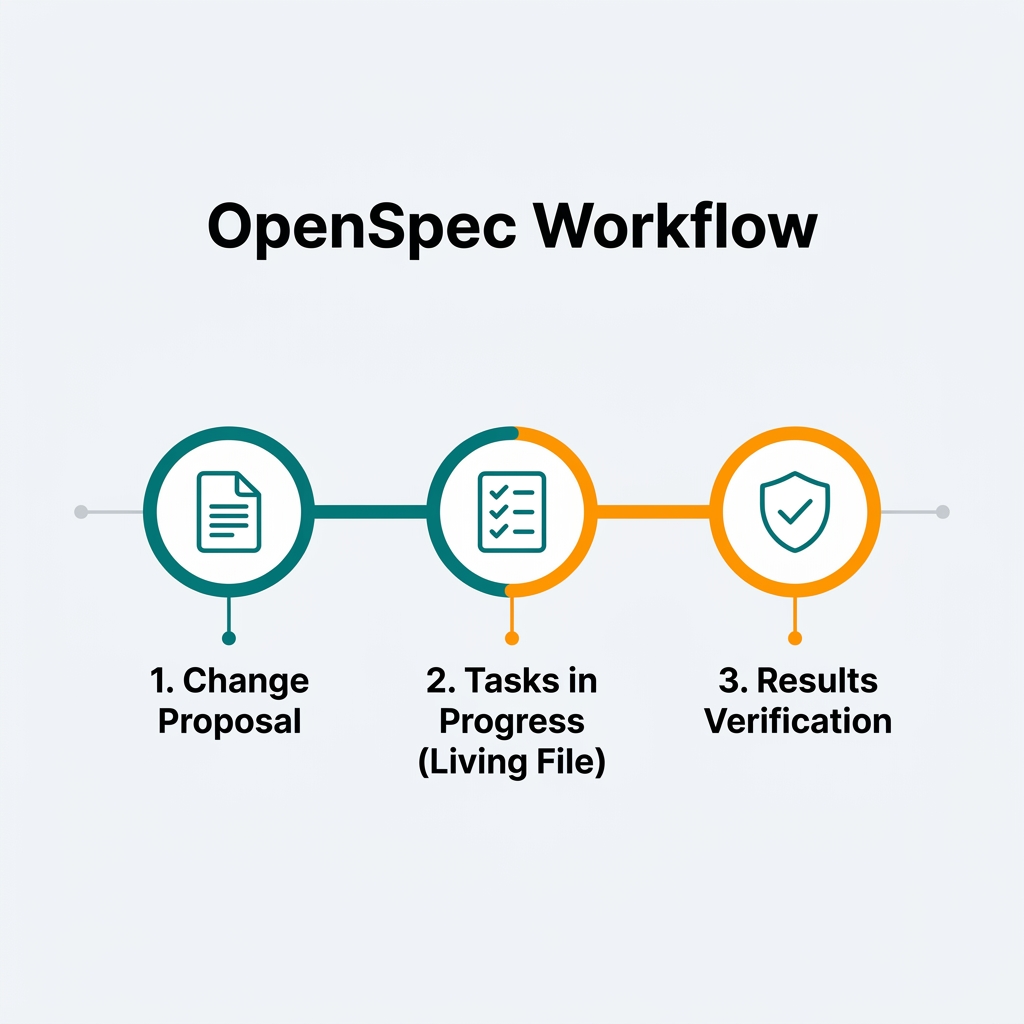
OpenSpec for Mobile Development: Spec-Driv...
How to apply OpenSpec in Android and Kotlin projects to keep AI agents aligned with architecture, with practical examples of change proposals, task validation, and living files.