
Local Inference Architecture: Integrating ...

Table of Contents
With the release of Android 16 (Baklava) and the stabilization of LiteRT (formerly TensorFlow Lite), running high-performance AI models directly on user devices has become the norm rather than the exception. Whether it’s using Gemini Nano for text summarization or a custom quantized model for image segmentation, the challenge for Android engineers has shifted from “how do I run this?” to “how do I architect this maintainably?”.
In this post, we’ll explore how to integrate local inference engines into a robust Clean Architecture setup, ensuring your UI remains decoupled from the underlying model implementation.
Related Reading: If you’re new to Clean Architecture or DI, check out my previous posts on Clean Architecture and Dependency Injection.
The Problem: Leaky Abstractions
It’s tempting to instantiate a GenerativeModel or an Interpreter directly in a ViewModel. However, this leads to several issues:
- Vendor Lock-in: Switching from TFLite to ONNX Runtime or MediaPipe becomes a refactoring nightmare.
- Testing: Mocking a native interpreter in unit tests is difficult and slow.
- Lifecycle Management: Models often need careful resource management (loading/closing) that shouldn’t clutter the UI layer.
The Solution: Architectural Layers
We can treat the AI Model as just another Data Source.
1. Domain Layer: Pure Abstractions
The domain layer should define what the model does, not how it does it.
// domain/models/SentimentResult.kt
sealed class SentimentResult {
    data class Success(val score: Float, val label: String) : SentimentResult()
    data class Error(val message: String) : SentimentResult()
}

// domain/repository/InferenceRepository.kt
interface InferenceRepository {
    suspend fun analyzeSentiment(text: String): SentimentResult
}
2. Data Layer: The Implementation (LiteRT)
Here is where the specific AI framework lives. We hide the complexity of ByteBuffer manipulation and interpreter execution behind the repository implementation.
// data/datasource/LiteRTDataSource.kt
class LiteRTDataSource(
    context: Context,
    private val modelPath: String = "sentiment_v2.tflite"
) {
    private var interpreter: Interpreter? = null

    suspend fun predict(input: String): FloatArray = withContext(Dispatchers.IO) {
        ensureInitialized()
        val inputBuffer = preprocess(input)
        val outputBuffer = Array(1) { FloatArray(2) } // [Negative, Positive]

        interpreter?.run(inputBuffer, outputBuffer)

        return@withContext outputBuffer[0]
    }

    private fun ensureInitialized() {
        if (interpreter == null) {
            val options = Interpreter.Options().apply {
                addDelegate(GpuDelegate()) // Leverage hardware acceleration
            }
            interpreter = Interpreter(FileUtil.loadMappedFile(context, modelPath), options)
        }
    }
}
The Repository then maps this raw data to Domain objects.
// data/repository/RealInferenceRepository.kt
class RealInferenceRepository(
    private val dataSource: LiteRTDataSource
) : InferenceRepository {

    override suspend fun analyzeSentiment(text: String): SentimentResult {
        return try {
            val rawOutput = dataSource.predict(text)
            val score = rawOutput[1] // Positive probability
            val label = if (score > 0.7) "Positive" else "Neutral/Negative"
            SentimentResult.Success(score, label)
        } catch (e: Exception) {
            SentimentResult.Error(e.message ?: "Unknown inference error")
        }
    }
}
3. Presentation Layer: Zero Knowledge
The ViewModel simply calls a UseCase, completely unaware of whether the result came from a cloud API or a local NPU execution.
// presentation/AnalysisViewModel.kt
@HiltViewModel
class AnalysisViewModel @Inject constructor(
    private val analyzeUseCase: AnalyzeSentimentUseCase
) : ViewModel() {

    fun onAnalyzeClick(text: String) {
        viewModelScope.launch {
            _uiState.value = UiState.Loading
            val result = analyzeUseCase(text)
            _uiState.value = when(result) {
                is SentimentResult.Success -> UiState.Result(result.label)
                is SentimentResult.Error -> UiState.Error(result.message)
            }
        }
    }
}
Performance Considerations
Running models on the edge requires respecting the device’s constraints:
- Offload to NPU: Always use delegates like NNAPI or the new Google AI Edge Delegate when possible.
- Keep it off the Main Thread: Inference can take 100ms to several seconds.
- Batching: If processing multiple items, batch them to reduce overhead.
Conclusion
By treating local inference engines as Data Sources, we gain the flexibility to swap models, upgrade libraries (e.g., migrating to LiteRT), or fall back to cloud APIs without touching our UI code. This is the essence of sustainable Android architecture in the AI era.
References
You might also be interested in
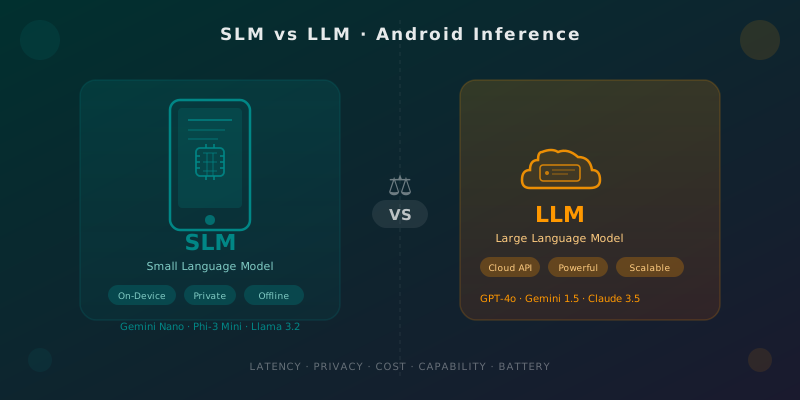
SLMs vs LLMs for Android: When to Run AI on the Device
Practical guide for Android developers to choose between on-device small models (Gemini Nano, Phi-3 Mini) and cloud LLMs: latency, privacy, cost, and battery life.
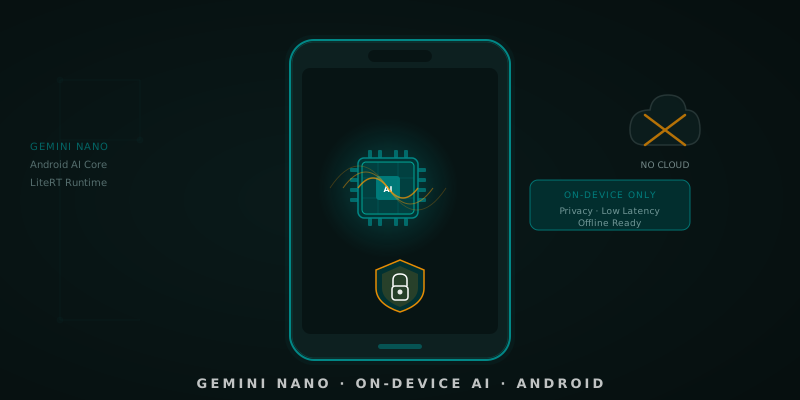
Gemini Nano on Android
Learn to integrate Gemini Nano in Android via Android AI Core. Real use cases, Kotlin snippets, and when to choose on-device vs. cloud inference.

Clean Architecture + AI
Discover how Artificial Intelligence and Clean Architecture empower each other to create maintainable, scalable, and precisely auto-generated Android code.